Filters let you control what blockchain data gets pushed to your cloud service integration trigger — and how it's shaped. With a filter, you can discard irrelevant events, extract specific fields, or transform the payload into a format your downstream service expects. All filter expressions use jq syntax. For reference on Fabric event data structures, see Fabric Sample Message.
Filter patterns at a glance
A filter expression is a jq pipeline applied to each incoming blockchain event. The expression can do three things:
| Goal | jq pattern | Example |
|---|---|---|
| Filter by condition | select(...) |
Drop events that don't match a condition |
| Extract a field | | .fieldName |
Push only part of the event |
| Transform and reshape | | map(...) |
Restructure for database insertion |
You can combine these: select(...) | .fieldName first filters, then extracts.
Enter filter expressions in advanced options when you configure a cloud service integration trigger.
Tip: Test your jq expressions locally before deploying. Run
echo '<event-json>' | jq '<your-expression>' in a terminal to verify the output before configuring the trigger.
Prerequisites
Before you begin, make sure you have:
A deployed Fabric channel with a smart contract
A cloud service integration trigger configured with a target (this page uses Function Compute as the example)
The cloud service integration sample code cloned locally
Set up the example environment
The following steps prepare a working environment for testing filter expressions with Function Compute.
Download the cloud service integration sample code.
Install the Serverless Devs tool for Function Compute. See Serverless Devs introduction and installation.
Go to the
event-with-filterdirectory and runs deployto deploy the function to Function Compute.Log on to the Function Compute console and enable log queries for the
LoggerFuncfunction.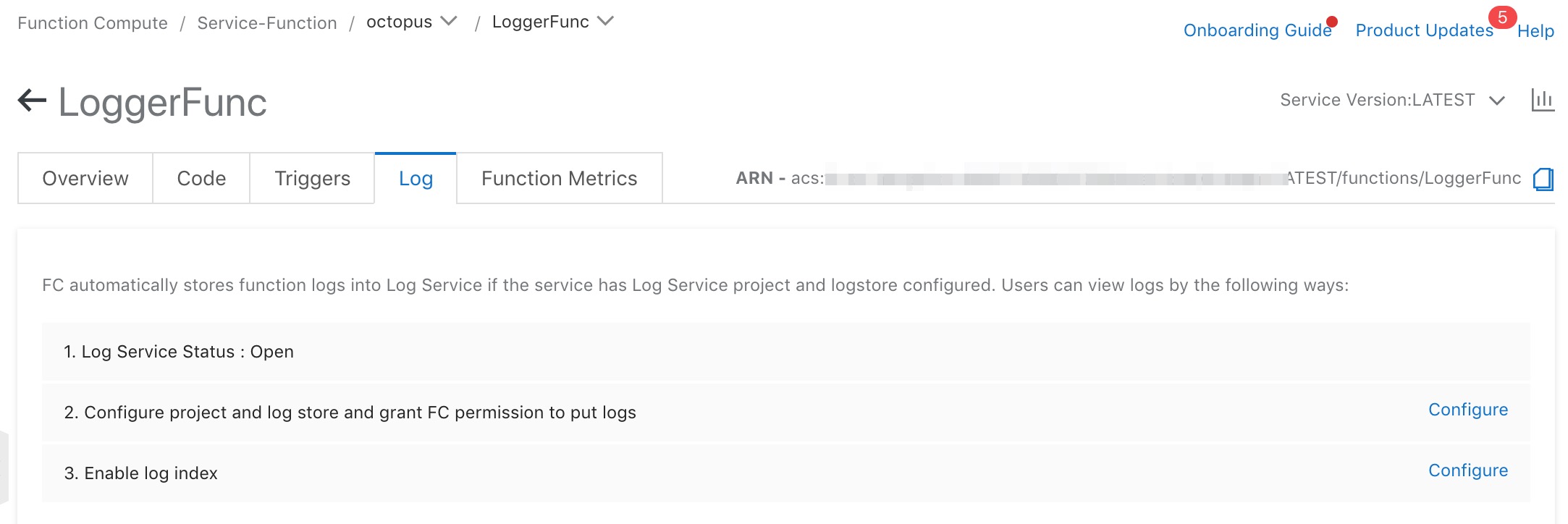
Deploy the sample chaincode taskmgr to the channel. See Deploy a chaincode.
Configure the cloud service integration trigger:
Fill in the Function Compute instance details as described in the help documentation.
In advanced options, enter a filter expression from the sample scenarios below.
Go to the
blockchain2smsdirectory, openmain.js, and update the parameters based on the inline comments: REST API address, refresh token, channel name, and smart contract name. See Use REST APIs.Run
npm installto install dependencies, then runnode main.jsto submit a sample transaction.Check the Function Compute logs to inspect the event content.
Sample scenarios
The examples below use the taskmgr smart contract deployed on channel3.
Push events by name
Push only Contract events whose smart contract event name is event-create-task.
Event type: Contract
Filter:
select(.name=="event-create-task")
| Input event field | Value |
|---|---|
name |
"event-create-task" |
platform |
"Fabric" |
network |
"channel3" |
type |
8 |
Pushed data:
{
  "content": "eyJuYW1lIjoidGFzay0xNTgwOTcxODQyOTM3IiwiY3JlYXRvciI6ImUyZWhtZnFhc3RoTVNQLm9jdG9wdXNfMjY4NDJfMTIzNDU2Nzg5MDEyMzQiLCJyZXF1aXJlcyI6WyJlMmVobWZxYXN0aE1TUC5vY3RvcHVzXzI2ODQyXzEyMzQ1Njc4OTAxMjM0Il0sImFwcHJvdmVkIjpudWxsLCJkZXNjcmlwdGlvbiI6IuekuuS+i+S7u+WKoe+8jHJlcXVpcmVzIOmFjee9ruWuoeaJueS7u+WKoeWujOaIkOmcgOimgemCo+S6m+eUqOaIt+WQjOaEj+OAgueUqOaIt+aPj+i/sOS4uiAn57uE57uHTVNQLueUqOaIt+WQjeensCcifQ==",
  "id": "contract-131-ca144c3385f56a429b9e8874173f7c97fbb49de69f931aec583ec50222a3a2ed",
  "instance_id": "csi-e2ehmfqasth-bcw7tzao2dzeo",
  "name": "event-create-task",
  "network": "channel3",
  "platform": "Fabric",
  "type": 8
}
Push valid transactions for a specific contract
Push only valid transactions sent to the taskmgr smart contract.
Event type: Tx
Filter:
select(.content.to=="taskmgr" and .content.state=="VALID")
| Filter condition | Field path | Value |
|---|---|---|
| Target contract | .content.to |
"taskmgr" |
| Transaction state | .content.state |
"VALID" |
Pushed data:
{
  "content": {
    "events": ["event-create-task"],
    "from": "e2ehmfqasthMSP.octopus_26842_12345678901234",
    "id": "3a2e0e375c6ee0d9c6c20d756e787db44d50bfeba51f22d8f262dd1556dedba0",
    "input": "[\"create\",\"task-1580971842937\",\"{\\n \\\"requires\\\": [\\\"e2ehmfqasthMSP.octopus_26842_12345678901234\\\"],\\n \\\"description\\\": \\\"Sample task. Task completion requires the approval of certain users. The user is described as 'Organization MSP. User name'\\\"\\n }\"]",
    "state": "VALID",
    "to": "taskmgr"
  },
  "id": "tx-128-3a2e0e375c6ee0d9c6c20d756e787db44d50bfeba51f22d8f262dd1556dedba0",
  "instance_id": "csi-e2ehmfqasth-bcw7tzao2dzeo",
  "name": "3a2e0e375c6ee0d9c6c20d756e787db44d50bfeba51f22d8f262dd1556dedba0",
  "network": "channel3",
  "platform": "Fabric",
  "type": 2
}
Push a partial event payload
Push only the content field from Contract events named event-create-task, discarding all other fields.
Event type: Contract
Filter:
select(.name=="event-create-task") | .content
The pushed payload is the raw Base64 string stored in the content field:
"eyJuYW1lIjoidGFzay0xNTgwOTcxODQyOTM3IiwiY3JlYXRvciI6ImUyZWhtZnFhc3RoTVNQLm9jdG9wdXNfMjY4NDJfMTIzNDU2Nzg5MDEyMzQiLCJyZXF1aXJlcyI6WyJlMmVobWZxYXN0aE1TUC5vY3RvcHVzXzI2ODQyXzEyMzQ1Njc4OTAxMjM0Il0sImFwcHJvdmVkIjpudWxsLCJkZXNjcmlwdGlvbiI6IuekuuS+i+S7u+WKoe+8jHJlcXVpcmVzIOmFjee9ruWuoeaJueS7u+WKoeWujOaIkOmcgOimgemCo+S6m+eUqOaIt+WQjOaEj+OAgueUqOaIt+aPj+i/sOS4uiAn57uE57uHTVNQLueUqOaIt+WQjeensCcifQ=="Extract the write set from a transaction
Push the write set for all keys written by valid taskmgr transactions.
Event type: Tx
Filter:
select(.content.state=="VALID" and .content.to=="taskmgr") | .content.data.data.actions.[0].payload.action.proposal_response_payload.extension.results.ns_rwset[] | select(.namespace=="taskmgr") | .rwset.writes
The filter drills into the Fabric read-write set and returns only the writes for the taskmgr namespace. Pushed data:
[
  {
    "is_delete": false,
    "key": "\u0000e2ehmfqasthMSP.octopus_26842_12345678901234\u0000task-1581479306267\u0000",
    "value": "eyJuYW1lIjoidGFzay0xNTgwOTcxODQyOTM3IiwiY3JlYXRvciI6ImUyZWhtZnFhc3RoTVNQLm9jdG9wdXNfMjY4NDJfMTIzNDU2Nzg5MDEyMzQiLCJyZXF1aXJlcyI6WyJlMmVobWZxYXN0aE1TUC5vY3RvcHVzXzI2ODQyXzEyMzQ1Njc4OTAxMjM0Il0sImFwcHJvdmVkIjpudWxsLCJkZXNjcmlwdGlvbiI6IuekuuS+i+S7u+WKoe+8jHJlcXVpcmVzIOmFjee9ruWuoeaJueS7u+WKoeWujOaIkOmcgOimgemCo+S6m+eUqOaIt+WQjOaEj+OAgueUqOaIt+aPj+i/sOS4uiAn57uE57uHTVNQLueUqOaIt+WQjeensCcifQ=="
  }
]
Monitor a specific key
Watch for value changes to a specific key in valid taskmgr transactions.
Event type: Tx
Filter:
select(.content.state=="VALID" and .content.to=="taskmgr") | .content.data.data.actions.[0].payload.action.proposal_response_payload.extension.results.ns_rwset[] | select(.namespace=="taskmgr") | .rwset.writes[] | select(.key=="special_key")
This filter extends the write-set extraction from the previous scenario by matching a single key. Pushed data:
{"is_delete": false, "key": "special_key", "value": "MTA="}Export transaction data to a database table
Transform blockchain data into an array of objects ready for database insertion. Each object represents one row; the keys are column names.
Expected output format:
[
  {
    "columnName1": "value1",
    "columnName2": "value2",
    "columnName3": "value3"
  }
]
Target table structure:
| Column | Description |
|---|---|
event_id |
Event ID |
namespace |
Smart contract name |
key |
Key written to the ledger |
value |
Value in Base64 encoding |
create_time |
Timestamp of the write |
tx_id |
Transaction ID |
is_delete |
Whether the operation is a deletion |
creator |
Initiator of the transaction |
Primary key: (event_id, namespace, key)
Event type: Tx
Filter:
select(.content.state=="VALID" and .content.to=="taskmgr") | .id as $eventID | .content.id as $txID | .content.from as $creator | content.data.header.channel_header.timestamp as $createTime | .content.data.data.actions.[0].payload.action.proposal_response_payload.extension.results.ns_rwset | ap(.namespace as $namespace | .rwset.writes | map( .event_id = $eventID | .namespace = $namespace | .tx_id = $txID | .create_time = $createTime | .creator = $creator )) | dd
Sample exported data:
[
  {
    "event_id": "tx-128-3a2e0e375c6ee0d9c6c20d756e787db44d50bfeba51f22d8f262dd1556dedba0",
    "namespace": "taskmgr",
    "tx_id": "3a2e0e375c6ee0d9c6c20d756e787db44d50bfeba51f22d8f262dd1556dedba0",
    "is_delete": false,
    "key": "\u0000e2ehmfqasthMSP.octopus_26842_12345678901234\u0000task-1581479306267\u0000",
    "value": "eyJuYW1lIjoidGFzay0xNTgwOTcxODQyOTM3IiwiY3JlYXRvciI6ImUyZWhtZnFhc3RoTVNQLm9jdG9wdXNfMjY4NDJfMTIzNDU2Nzg5MDEyMzQiLCJyZXF1aXJlcyI6WyJlMmVobWZxYXN0aE1TUC5vY3RvcHVzzI2ODQyXzEyMzQ1Njc4OTAxMjM0Il0sImFwcHJvdmVkIjpudWxsLCJkZXNjcmlwdGlvbiI6IuekuuS+i+S7u+WKoe+8jHlcXVpcmVzIOmFjee9ruWuoeaJueS7u+WKoeWujOaIkOmcgOimgemCo+S6m+eUqOaIt+WQjOaEj+OAgueUqOaIt+aPj+i/sOS4uiAn57uE57uHTVNQLueUqOaIt+WQjeensCcifQ==",
    "create_time": "2020-02-06T06:50:42.267092Z",
    "creator": "e2ehmfqasthMSP.octopus_26842_12345678901234"
  }
]
What's next
Use REST APIs — call the BaaS REST API to submit transactions and query data
Deploy a chaincode — deploy chaincode to a channel
jq manual — full jq syntax reference