Create an application transaction
This topic describes how to create an application transaction, obtain the corresponding BizType, and associate the transaction with an initiator or a participant application. This lets you integrate the transaction into your local application.
Create a Saga pattern application transaction
The Saga pattern is a long-running transaction solution provided by Simple Extensible Autonomous Transaction Architecture (SEATA). In the Saga pattern, a distributed transaction involves multiple participants. Each participant is a service that has a corresponding compensation service. You must implement both the forward operation (the original service) and the reverse rollback operation (the compensation service).
Log on to the Distributed Transaction Service console.
In the navigation pane on the left, click Application Transaction > Transaction Configuration.
Click Create Application Transaction > Saga Transaction.
Create an application.
Parameter
Required
Description
Application Name
Required
Select the initiator application for which to enable distributed transactions.
BizType
Required
A custom business type. It can contain letters, digits, underscores (_), and commas (,).
Description
Optional
Enter remarks for the application transaction, such as its business purpose.
Click Next.
In the state designer, orchestrate the flow for the Saga pattern application transaction:
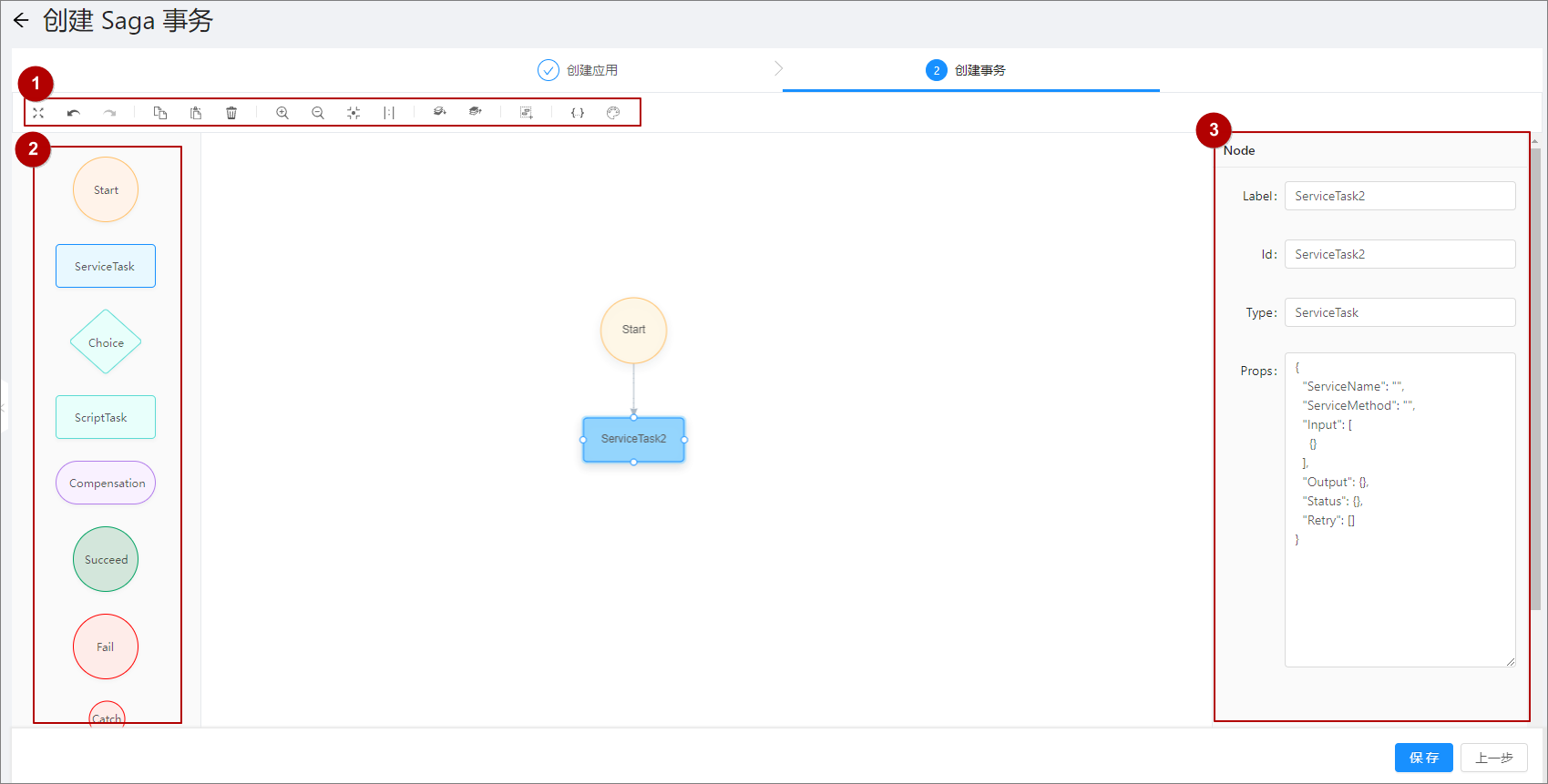
In the top navigation bar (labeled ①), you can zoom the flowchart, undo, copy, and delete. Click the
 icon above the editing area to switch between the visual designer and the code view.
From the left sidebar (labeled ②), drag the required components to the editing area.
In the pane on the right (labeled ③), define the component details, including its label, ID, type, and properties. For more information about property configuration, see Saga state machine configuration.
Click Save to create the transaction.
What to do next
After you create the application transaction, integrate it into your local application. For more information, see Participant integration patterns.