Unitized Development
This topic describes how to set the parameters related to LDC unitization.
This feature applies only to environments that support the LDC unitized architecture.
Prepare the environment
Introduce dependencies by using Maven.
<dependency>
            <groupId>com.alipay.zoneclient</groupId>
            <artifactId>zoneclient-core</artifactId>
            <version>1.2.1.antcloud</version>
</dependency>
SOFABoot Producer
import org.springframework.beans.factory.annotation.Autowired;
import org.springframework.context.annotation.Bean;
import org.springframework.context.annotation.Configuration;
import io.openmessaging.api.OMS;
import io.openmessaging.api.Producer;
import java.util.Properties;

@Configuration
public class ProducerClient {
    @Autowired
    Producer producer;

    @Bean(initMethod = "start", destroyMethod = "shutdown")
    public Producer buildProducer() {
        Properties properties = new Properties();
        // sofaboot will pass this properties by system property, if not, you can manually set it
        properties.setProperty(PropertyKeyConst.LDC, "true"); // -Dzmode=true
        properties.setProperty(PropertyKeyConst.CELL, "RZXX"); // -Dcom.alipay.ldc.zone=RZ00B
        properties.setProperty(PropertyKeyConst.INSTANCE_ID, "XXX"); // -Dcom.alipay.instanceid=XXX
        properties.setProperty(PropertyKeyConst.DATA_CENTER, "XXX"); // -Dcom.alipay.ldc.datacenter=XXX
        properties.setProperty(PropertyKeyConst.ENDPOINT, "acvip://1.2.X.X"); // -Dcom.antcloud.antvip.endpoint=1.2.X.X
        // The AccessKey pair of an Alibaba Cloud account has permissions to access all API operations. This is a high risk. We strongly recommend that you create and use a RAM user for API access or routine O&M. Log on to the RAM console to create a RAM user.
        // Save the AccessKey pair and AccessKeySecret in environment variables.
        // We strongly recommend that you do not save the AccessKey and AccessKeySecret in the code. This may cause key leakage.
        properties.setProperty(PropertyKeyConst.ACCESS_KEY, "SOFA_AK_ENV"); // -Dcom.antcloud.mw.access=XXX
        properties.setProperty(PropertyKeyConst.SECRET_KEY, "SOFA_SK_ENV"); // -Dcom.antcloud.mw.secret=XXX
        properties.setProperty(PropertyKeyConst.GROUP_ID, "XXXX");
        Producer producer = OMS.builder().driver("sofamq").build().createProducer(properties);
        return producer;
    }

    public void send() {
        Message message = new Message("TP_XXX", "TAGXXX", "body".getBytes());
        // If you want to route data to RZONE, you must set the UID.
        message.putUserProperties(UserPropKey.CELL_UID, "XX");
        SendResult sendResult = producer.send(message);
    }
}
SOFABoot Consumer
import org.springframework.beans.factory.annotation.Autowired;
import org.springframework.context.annotation.Bean;
import org.springframework.context.annotation.Configuration;
import io.openmessaging.api.OMS;
import io.openmessaging.api.Producer;
import java.util.Properties;

@Configuration
public class ConsumerClient {
    @Bean(initMethod = "start", destroyMethod = "shutdown")
    public Consumer buildConsumer() {
        Properties properties = new Properties();
        // sofaboot will pass this properties by system property, if not, you can manually set it
        properties.setProperty(PropertyKeyConst.LDC, "true"); // -Dzmode=true
        properties.setProperty(PropertyKeyConst.CELL, "RZXX"); // -Dcom.alipay.ldc.zone=RZ00B
        properties.setProperty(PropertyKeyConst.INSTANCE_ID, "XXX"); // -Dcom.alipay.instanceid=XXX
        properties.setProperty(PropertyKeyConst.DATA_CENTER, "XXX"); // -Dcom.alipay.ldc.datacenter=XXX
        //        properties.setProperty(PropertyKeyConst.ENDPOINT, "acvip://1.2.X.X"); // -Dcom.antcloud.antvip.endpoint=1.2.X.X
        // The AccessKey pair of an Alibaba Cloud account has permissions to access all API operations. This is a high risk. We strongly recommend that you create and use a RAM user for API access or routine O&M. Log on to the RAM console to create a RAM user.
        // Save the AccessKey pair and AccessKeySecret in environment variables.
        // We strongly recommend that you do not save the AccessKey and AccessKeySecret in the code. This may cause key leakage.
        properties.setProperty(PropertyKeyConst.ACCESS_KEY, "SOFA_AK_ENV"); // -Dcom.antcloud.mw.access=XXX
        properties.setProperty(PropertyKeyConst.SECRET_KEY, "SOFA_SK_ENV"); // -Dcom.antcloud.mw.secret=XXX
        properties.setProperty(PropertyKeyConst.GROUP_ID, "XXXX");
        properties.setProperty(PropertyKeyConst.SHARED_MODE, "shared");  // -Dcom.alipay.env=shared
        properties.setProperty(PropertyKeyConst.LDC_SUB_MODE, LdcSubMode.DEFAULT.name());
        Consumer consumer = OMS.builder().driver("sofamq").build().createConsumer(properties);
        consumer.subscribe("TP_XXX", "TAGXXX", new MessageListener() {
          @Override public Action consume(Message message, ConsumeContext context) {
            System.out.println("msgId=" + message.getMsgID() + " ;  body=" + new String(message.getBody()));
            return Action.CommitMessage;
          }
        });
        return consumer;
    }

}
The subscription mode LDC_SUB_MODE include:
DEFAULT: does not filter messages.
LOCAL: Only messages sent by the CELL are consumed.
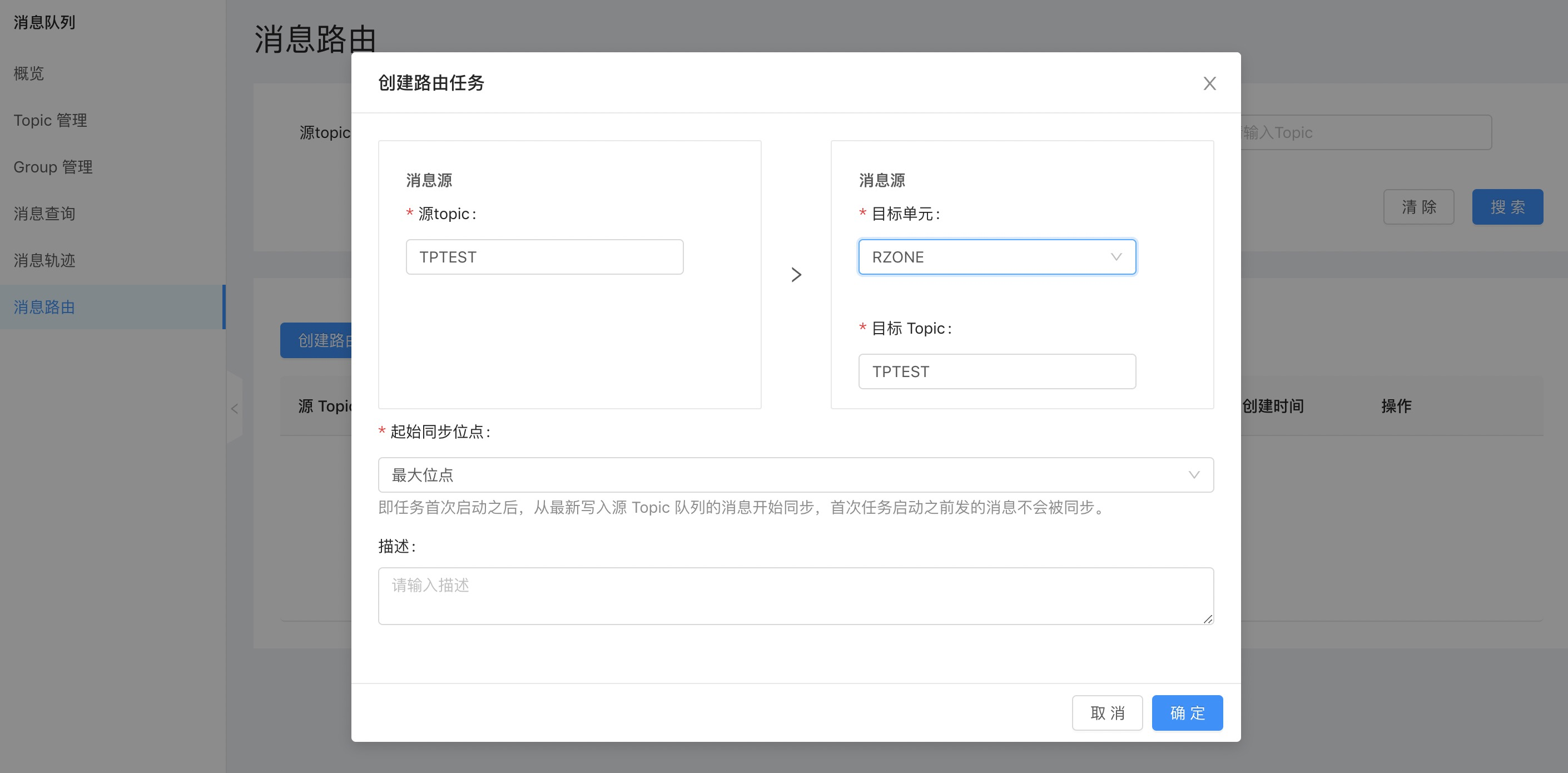
RZONE: only consumer that are started in RZONE and consume only messages that are consumed by the destination RZONE cell. You need to configure the message route of the target unit RZONE in the Message Routing console.
GZONE: Messages that are consumer only when GZONE is started and consume only the messages of the target GZONE cell as the current cell. You need to configure the message route of the target unit GZONE in the Message Routing console.
CZONE: CZONE messages are only consumed when CZONE starts consumer and the destination CZONE cell is the current cell. You need to configure the message route of the target unit GZONE in the Message Routing console.