Conditional control: Time-based multi-branch component
Updated at:
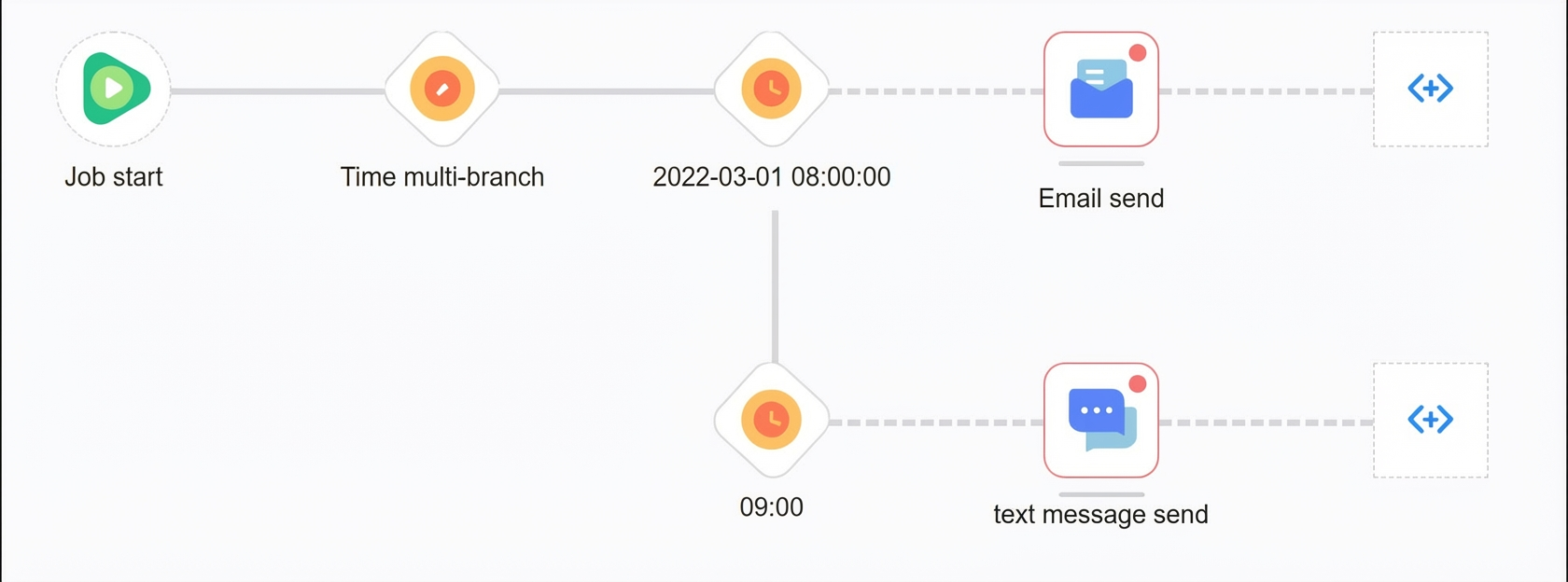
The time-based multi-branch component runs different branches of a flow at specific times. For example, you can send emails at 8:00 AM and text messages at 9:00 AM.
Procedure:
Drag the time-based multi-branch component to the canvas and add it as a node to the flow.
Click the time-based multi-branch node and configure it in the panel that opens on the right.
NoteEach time point you add creates a new branch. You can create a maximum of 10 branches.
Specific time: Specify a fixed date and time.
Next time: Specify a time of day. When the flow reaches the component, it waits until the specified time. The branch runs within 24 hours.
Click OK. The corresponding time branches are added to the canvas, as shown in the following figure.
Is this page helpful?