Statistical analytics
Updated at:
The statistical analysis feature allows you to query active users, channels, and concurrent channel peaks, and concurrent communication peaks under a specified AppID. This allows you to monitor and analyze the usage of applications. By reading this article, you can understand the query method of statistical analysis.
Procedure
- Log on to the Real-Time Communication RTC console.
- In the left-side navigation pane, click Statistical Analysis.
- Select the app ID, region, and time range, and then click Search.
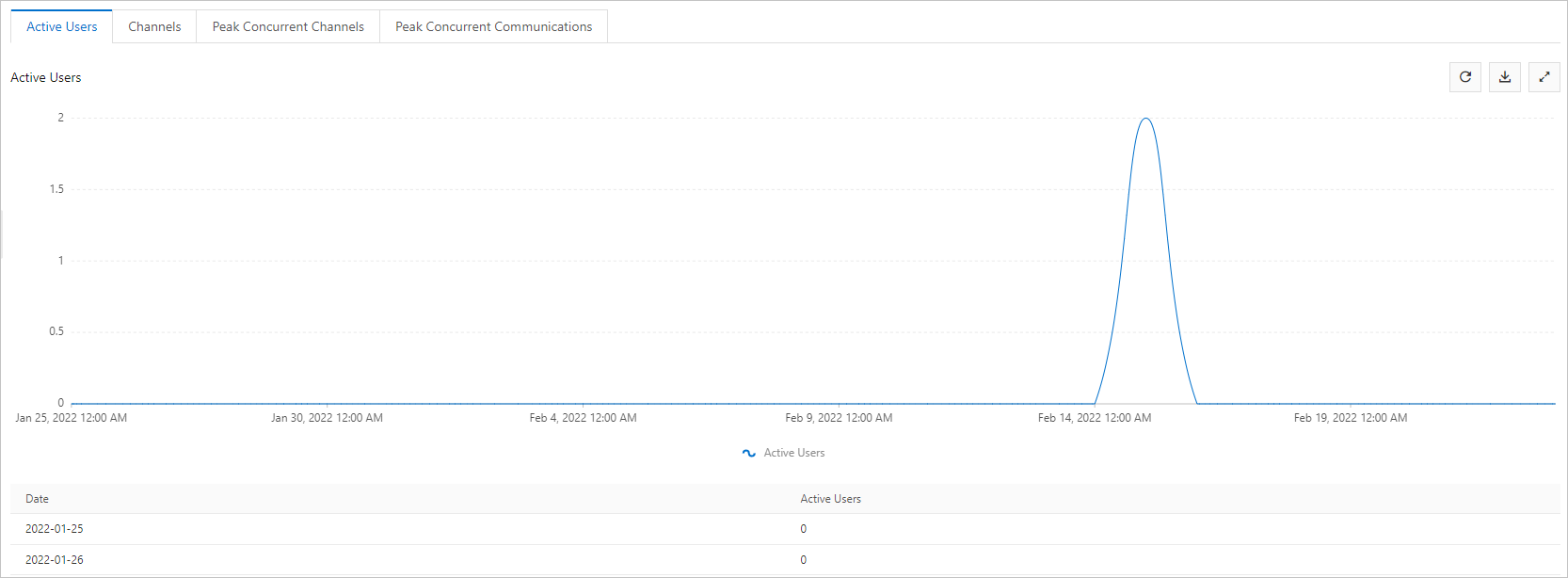
- Optional:Click the Active Users tab to view the total number of user IDs (UserIDs).
 Note
Note- The UserID is generated by the application server (AppServer) or client and is the unique identifier of the management end user.
- The demo provided by Alibaba Cloud RTC generates a UserID randomly. If you use the demo directly, the number of users counted is too large.
- The vertical axis in the graph is the number of active users and the horizontal axis is time.
- You can click the
 in the upper-right corner to refresh, download, and display in full screen.
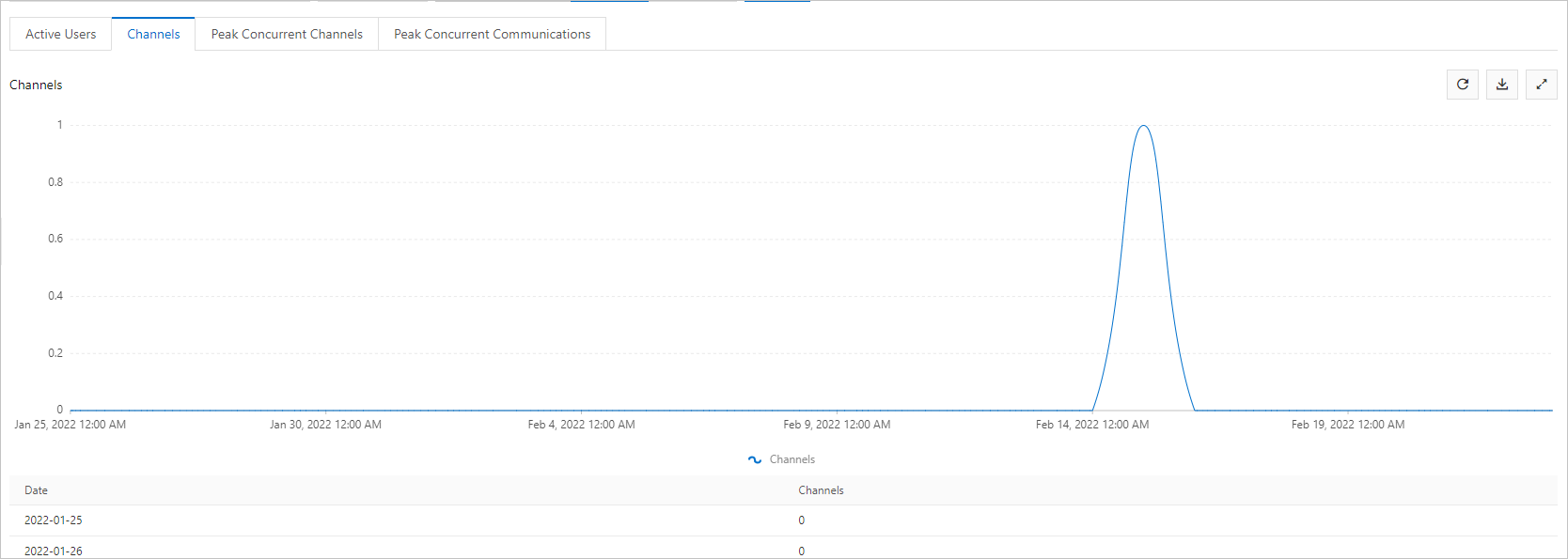
- Optional:Click the Channels tab to view the total number of channels that have been communicated.
 Note
Note- The vertical axis in the graph is the number of channels and the horizontal axis is time.
- You can click the in the upper-right corner to refresh, download, and display in full screen.
- Optional:Click the Peak Concurrent Channels tab to view the peak number of concurrent channels.
 Note
Note- The minimum statistical period is 1 minute. The daily peak value equals the largest value among the peak channel values in all minimum statistical periods in a day. For dynamic data, the current peak value equals the number of channels created from 00:00 to the current system time of the day.
- The vertical axis in the graph is the peak number of channels for concurrent communication, and the horizontal axis is time.
- You can click the
 in the upper-right corner to refresh, download, and display in full screen.
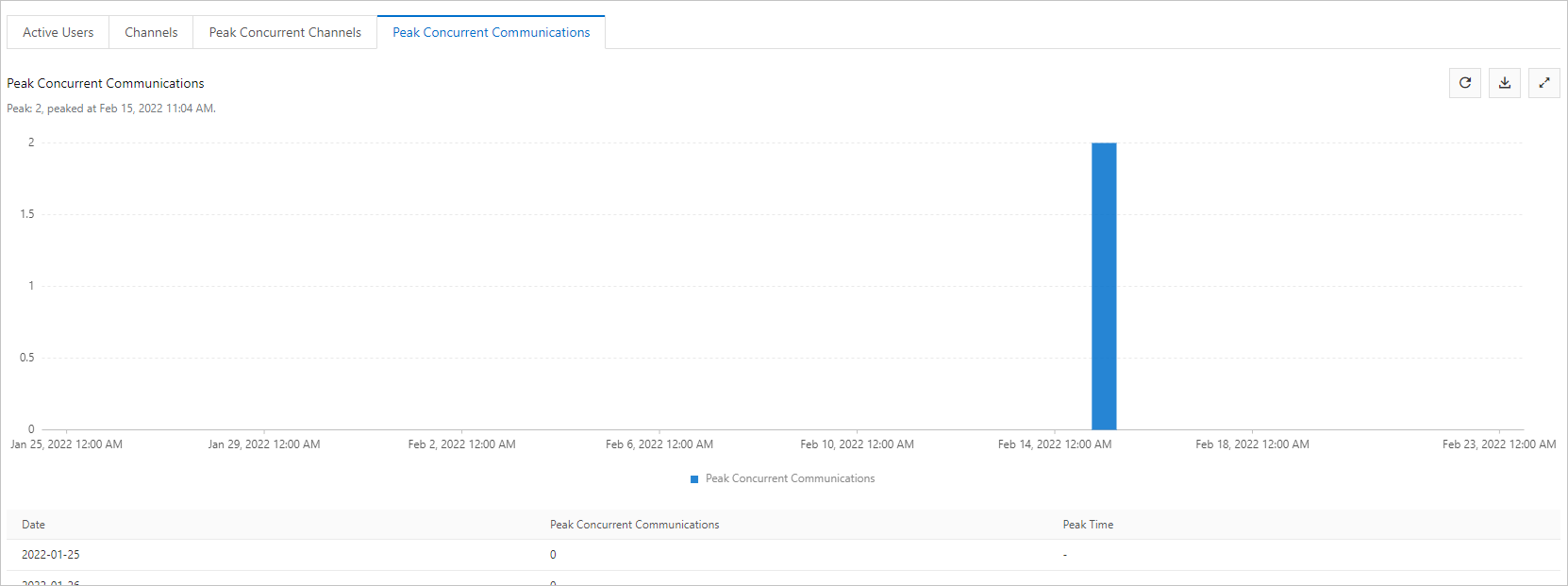
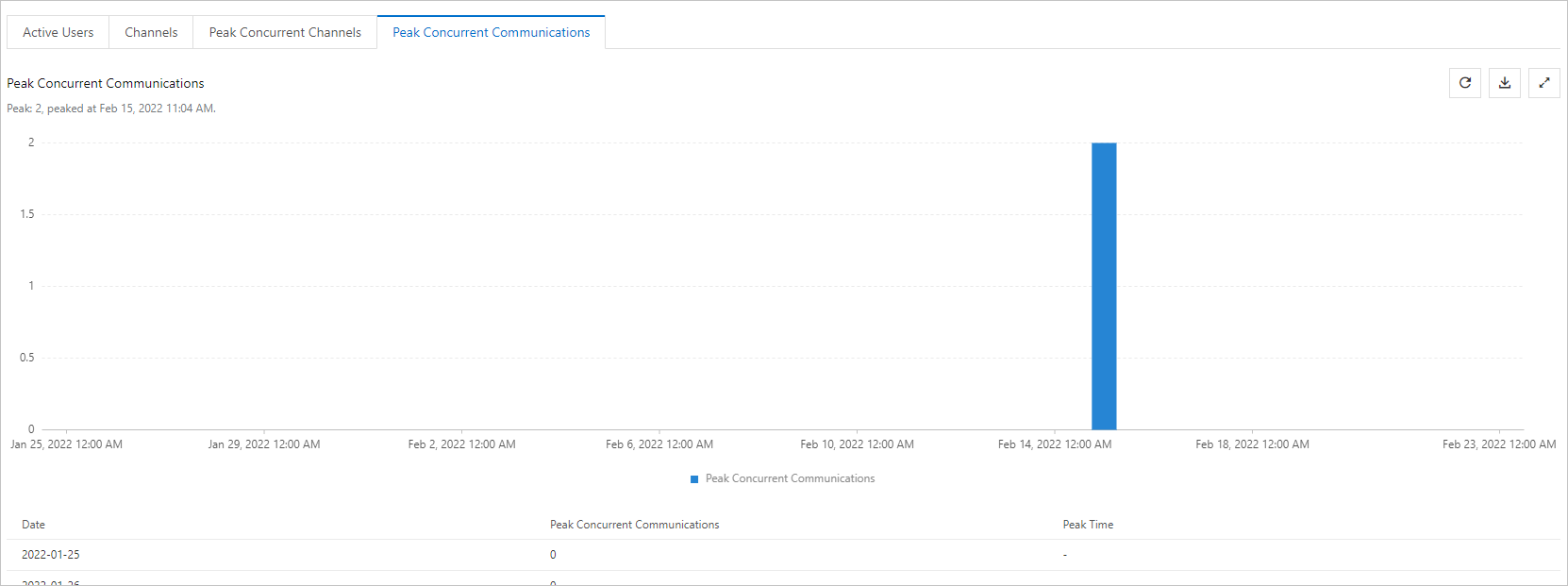
- Optional:Click the Peak Concurrent Communications tab to view the peak value of concurrent communication. Note
- A set of "publish-subscribe" relationships in the system is recorded as a communication.
- The minimum statistical period is 1 minute. The daily peak value equals the largest value among the peak channel values in all minimum statistical periods in a day. For dynamic data, the current peak value equals the number of channels created from 00:00 to the current system time of the day.
- The vertical axis in the graph is the concurrent communication peak and the horizontal axis is the time.
- You can click the in the upper-right corner to refresh, download, and display in full screen.
Is this page helpful?