To ensure a good user experience in the Tmall Genie app, provide product display images that strictly follow these specifications.
Product display image specifications
| Illustration |
Specifications |
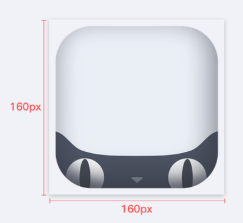 |
- Device image dimensions: 160 px × 160 px
- Image format: PNG (no background)
- Naming convention: Only English letters, underscores (_), and numbers are supported.
- Device image requirements:
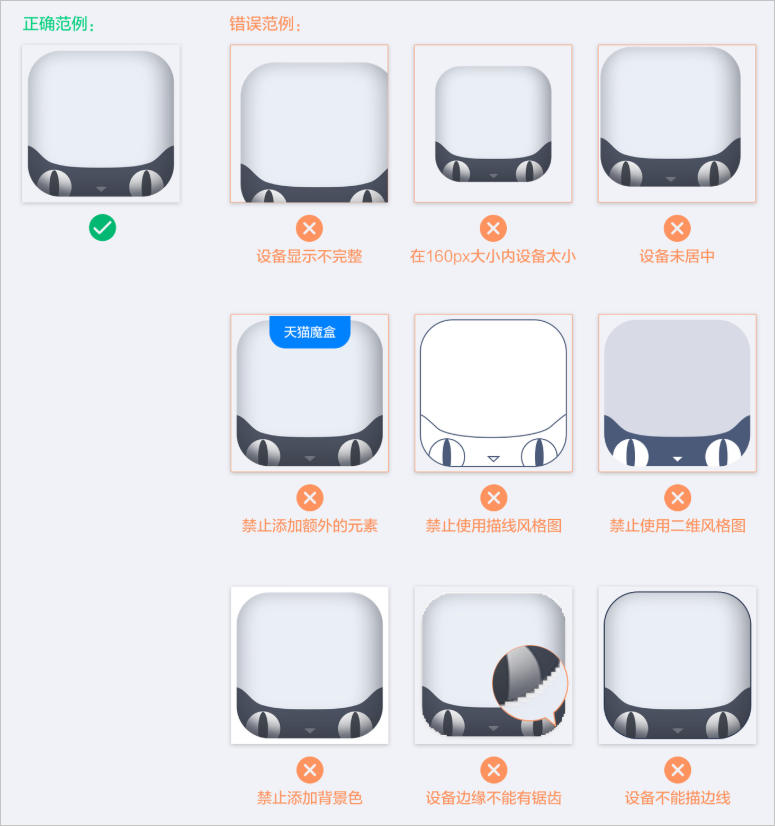
- The device image must be a PNG file with no background. Ensure the device is clear and has no jagged edges.
- Center the device image within a 160 px × 160 px area. The displayed device must be complete, not too large or too small.
- The device image must be a real photo of the device or a 3D rendering. Do not use 2D-style images, such as line drawings or hand-drawn sketches.
- Do not add extra information, such as text, to the device image, other than the information that is part of the device itself.
|
The following examples show correct and incorrect product display images.
Category icon reference
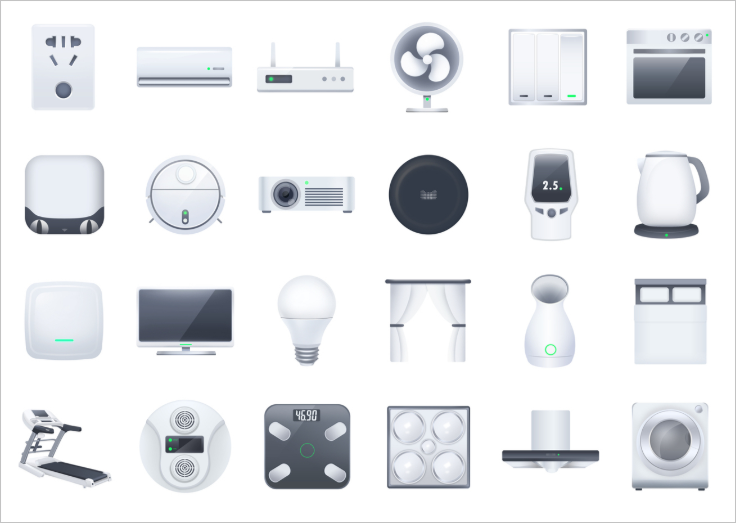
When creating device icons, use the following color values and refer to the category icon styles shown below.
- Dark colors: #373F4A, #4E5660
- Gray: #E9EEF5
- Fluorescent green: #0BFF59