Download Data Details
This feature is available only to paid customers and is no longer offered to new customers.
You can download detailed monitoring data for media backflow. The system lets you download click data from the past month.
Procedure
Go to Media Backflow > Your Workspace > Data Resources > Download Data Details, and then click Create Download Task.
In the dialog box that appears, enter a task name and select a time range for the click data. The total size of the selected data is displayed at the bottom.
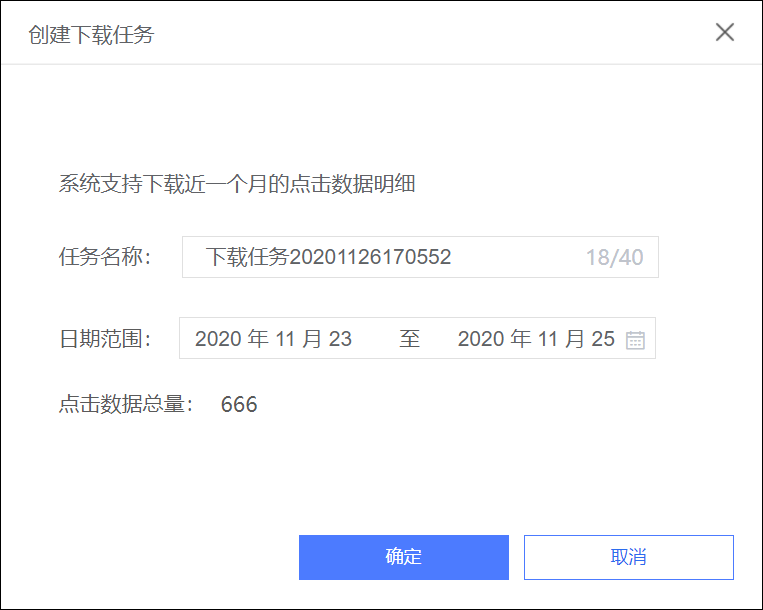
Click OK.
The task is added to the download task list and is queued for processing.
When the task status changes to Succeeded, click Download to save the data packet to your computer.
NoteThe downloaded file has a .tar.gz extension. Decompress the file to obtain the detailed log file.
You can download the files for successful tasks multiple times.