Management Hub
Click the Management Hub button in the upper-right corner to open the settings page. On this page, you can configure Channel Management and update your service information.
Channel Management
The Social Interaction platform can connect to WeChat Official Accounts to expand user touchpoints.
Connect a WeChat Official Account:
On the Management Hub > Channel Management page, you can add a new WeChat Official Account. The following figure shows an example:
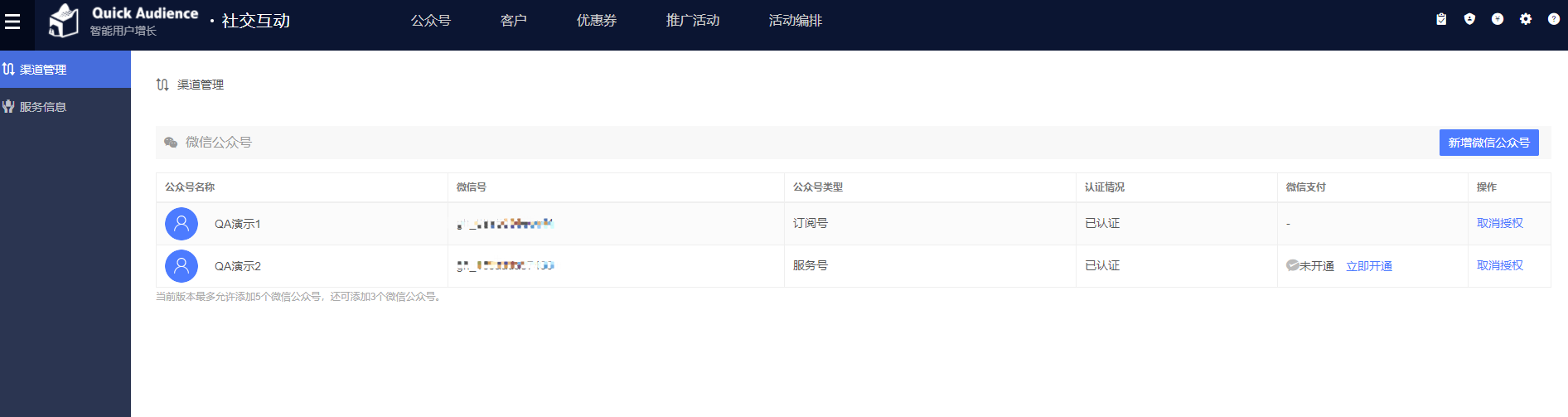
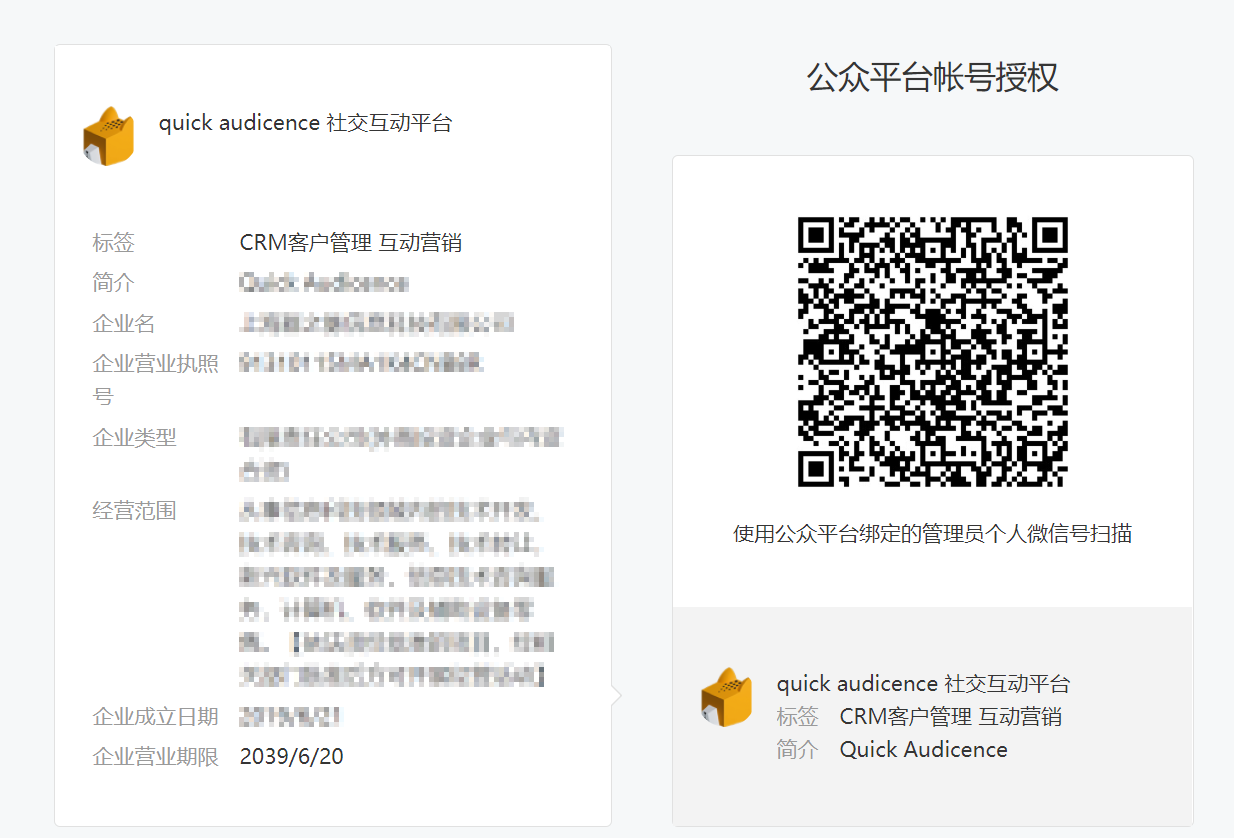
Click the Add WeChat Official Account button. Scan the QR code to log on to your WeChat Official Accounts Platform account and grant authorization. The following figure shows an example:
A message appears to confirm that the scan was successful. The following figure shows an example:
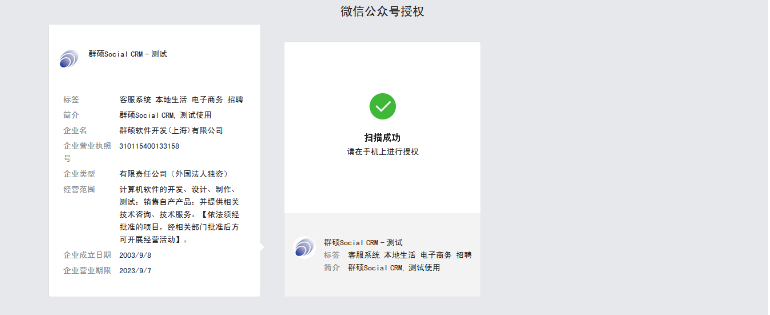
Follow the prompt in WeChat on your mobile phone and tap Grant. The page displays "Authorization successful. Redirecting to the third-party platform page...".
You are redirected to the Management Hub > Channel Management page. This page shows that the Official Account is attached and displays your remaining quota. The following figure shows an example:
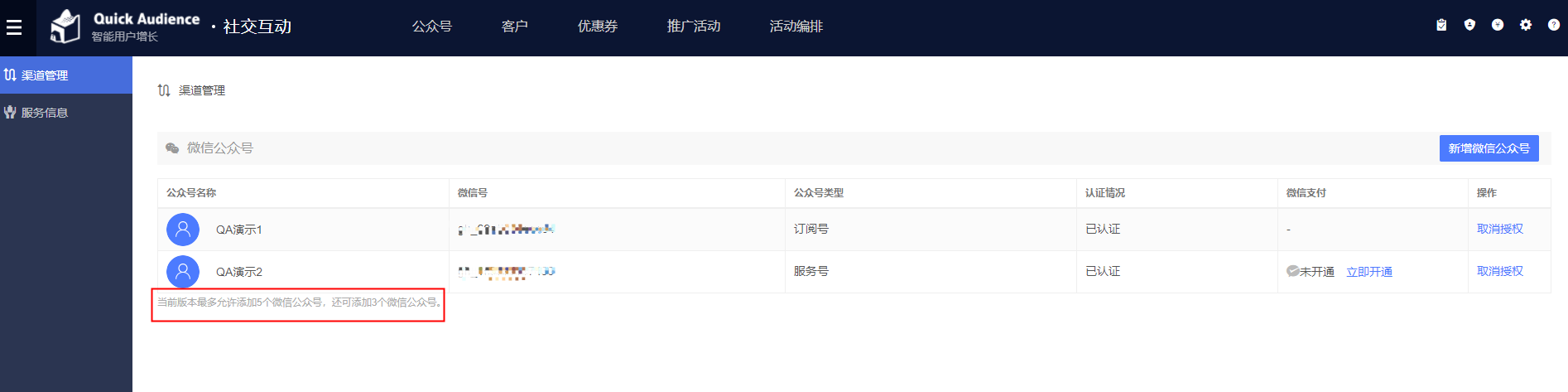
To cancel the authorization, click the Cancel Authorization button next to the authorized Official Account and follow the system prompts to complete the cancellation on the WeChat Official Accounts Platform. This is required by WeChat's policy.