Android
Updated at:
The RTC SDK provides the function to obtain audio data. You can process the obtained audio data based on your actual needs. By reading this article, you can learn how to obtain audio data.
Scenarios
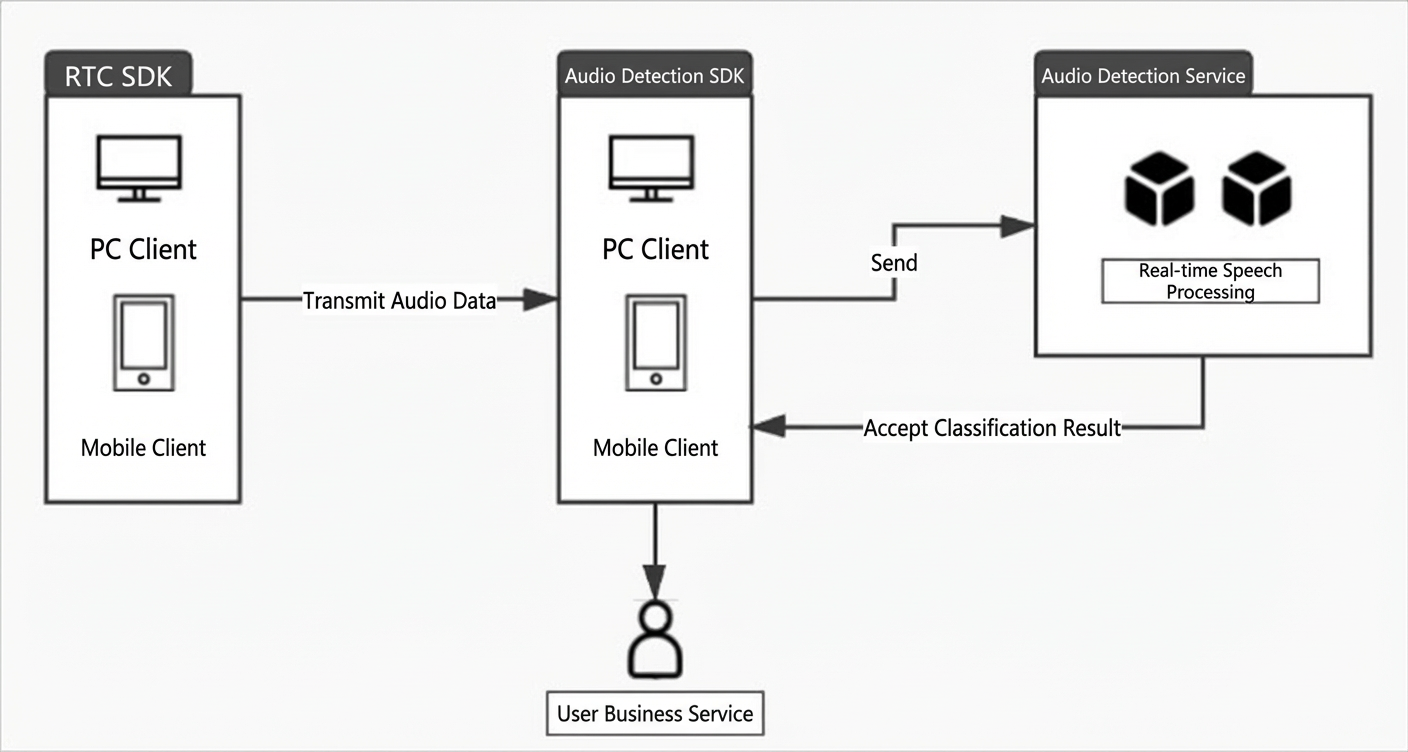
You can convert audio data from a local publisher or subscriber to text by using the Alibaba Cloud speech recognition service. The implementation process is as follows:
- Alibaba Cloud RTC sends audio data to the audio recognition SDK.
- The audio recognition SDK sends audio data to the audio recognition service for real-time speech processing and returns recognition results.
- The audio recognition SDK provides recognition results for users.
Architecture
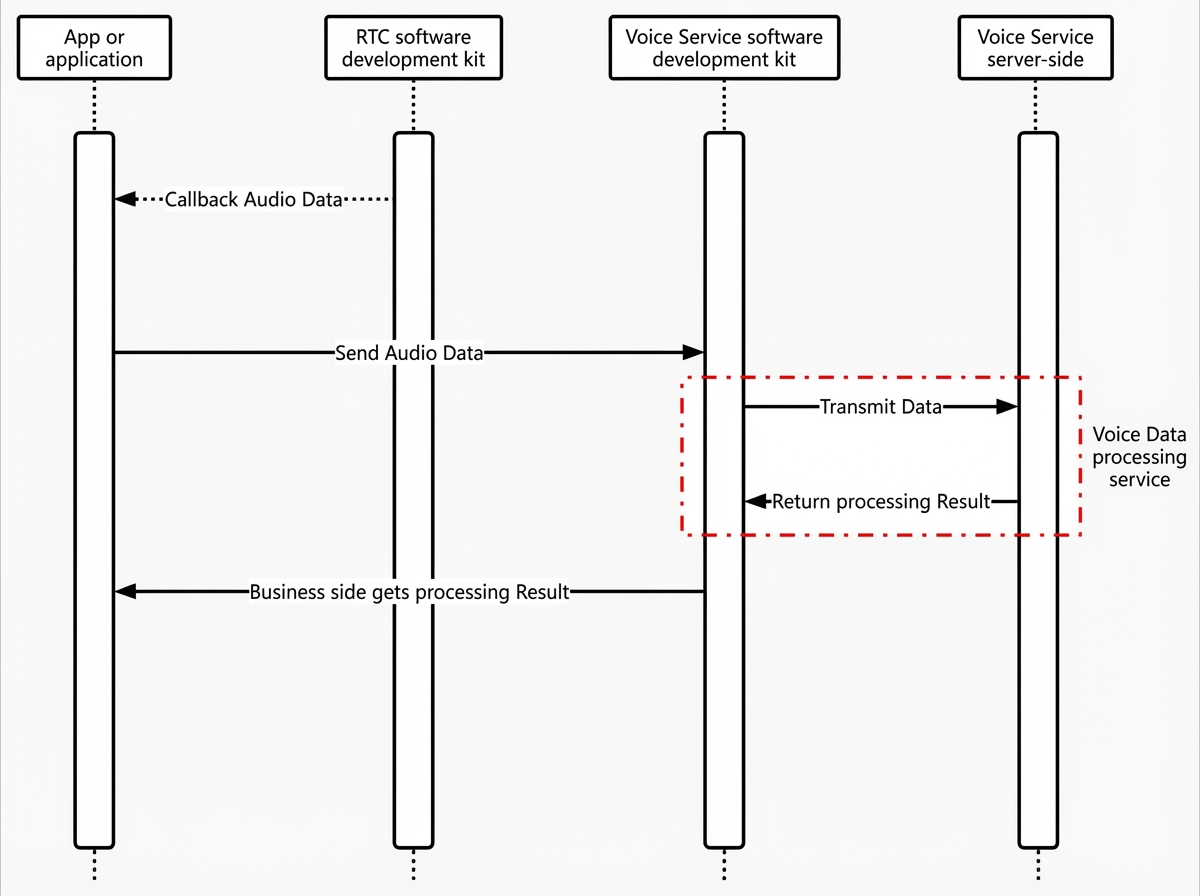
Call sequence diagram
Interface and usage
You can call the registerAudioObserver to register the audio data callback. During registration, you can specify the audio data type of the callback by using the AliAudioType parameter. You can use the audio callback AliAudioObserver to receive audio media data and use the corresponding data source based on your business scenario.
registerAudioObserver: registers audio data callbacks.
public abstract void registerAudioObserver(AliRtcEngine.AliAudioType audioType, AliRtcEngine.AliAudioObserver audioObserver);| Parameter | Type | Description |
| audioType | AliAudioType | The type of the callback audio data. |
| audioObserver | AliAudioObserver | Audio data callback interface. |
Speech data processing
RTC obtains audio data as follows:
- After an AliRtcEngine instance is created, the application calls the registerAudioObserver to register audio data callback. For more information, see registerAudioObserver.
AliRtcEngine mAliRtcEngine = AliRtcEngine.getInstance(getApplicationContext()); // Start local audio data collection and output. For more information about other types of type output, see enumerated AliAudioType. mAliRtcEngine.registerAudioObserver(type, new AliRtcEngine.AliAudioObserver() { @Override public void onCaptureRawData(long dataPtr, int numSamples, int bytesPerSample, int numChannels, int sampleRate, int samplesPerSec) { } @Override public void onCaptureData(long dataPtr, int numSamples, int bytesPerSample, int numChannels, int sampleRate, int samplesPerSec) { } @Override public void onRenderData(long dataPtr, int numSamples, int bytesPerSample, int numChannels, int sampleRate, int samplesPerSec) { } }); // Start audio streaming and subscribe to videos from other users. .....Note- The callback output is only available when the microphone is turned on to start pushing audio streams for local audio data collection. The callback output is also available when the remote video data is subscribed to the audio streams of other users.
- The VOLUME_DATA_OBSERVER type in the audio type enumeration AliAudioType is registered user volume value callback, which is currently obsolete. Starting from version 1.16, use the registerAudioVolumeObserver interface instead.
- If you need to stop receiving bare video data, you can call the unRegisterAudioObserver to disable audio data output. Note The stop type must correspond to the audio data type registered in Step 1.
// Stop local audio data collection and output. The stop type must correspond to the audio data type AliAudioType registered in step 2.
pEngine->unRegisterAudioObserver(type);
Is this page helpful?