Details page controls
Details pages can use specific controls for articles and products in addition to basic controls. This topic explains how to design details pages and describes the available controls. Because the controls for products also apply to articles, this guide focuses on product details pages. The process for article details pages is similar.
Design the details page path
- Click the current page name in the upper-left corner, as shown in the following figure.
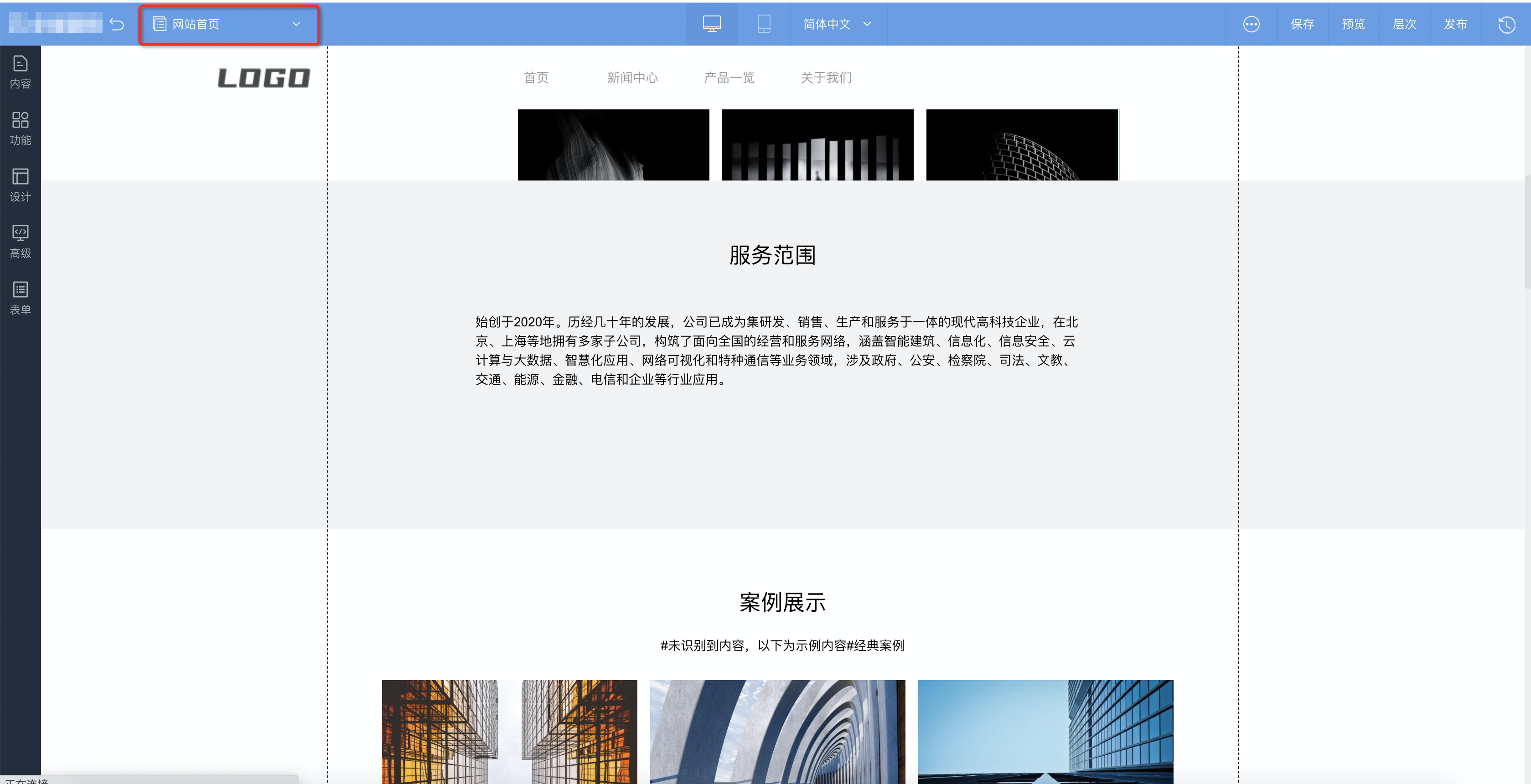
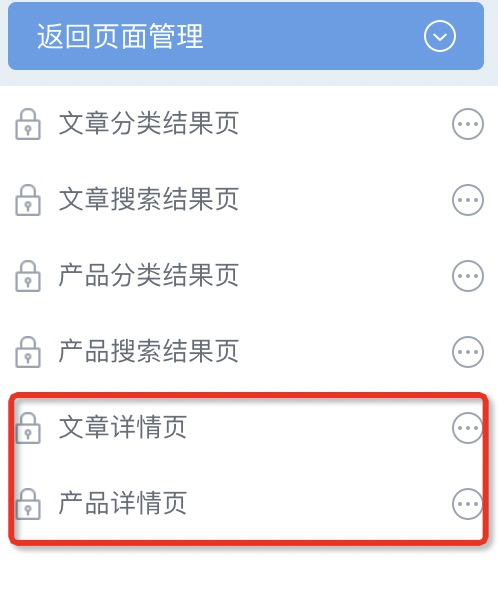
- In the dialog box that appears, click System Page Management at the bottom.
- Go to the details page to edit it.
Product page application
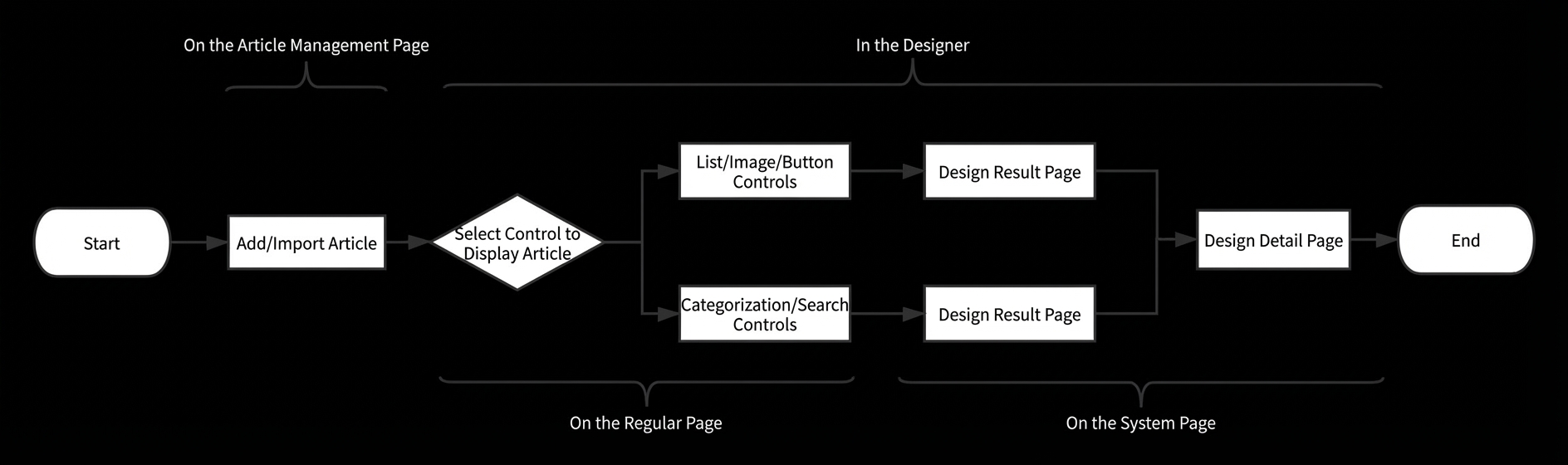
- Edit the article on the Article/Product Management page.
- Place a list control on a standard page, such as the home page. Select the articles that you want to display on the web page and set the corresponding article details page for the list control.
Note To create multiple article details pages, click .
- The final step is to design the details page. This page provides the layout that displays your article or product.
Article/Product Basic Information control
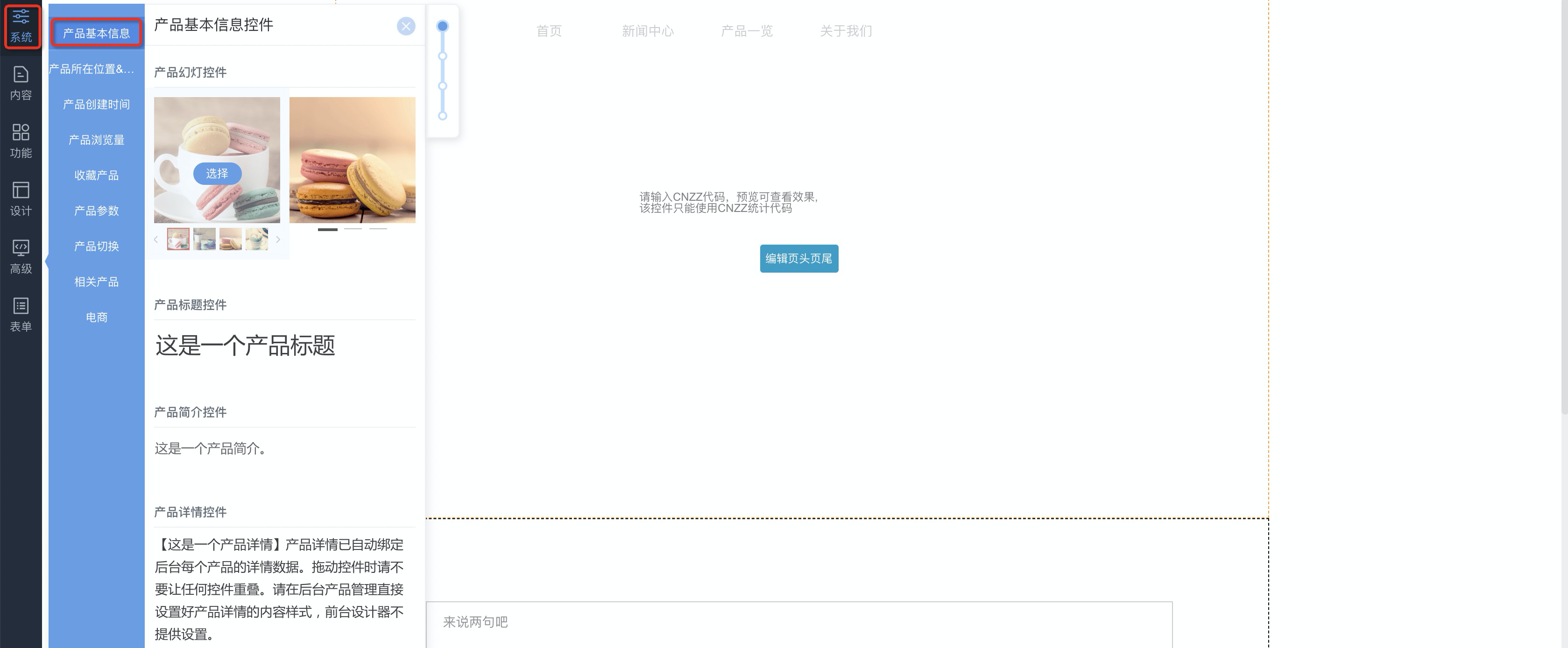
To add the Article/Product Basic Information control, click . This lets you add controls that are specific to article and product details pages.
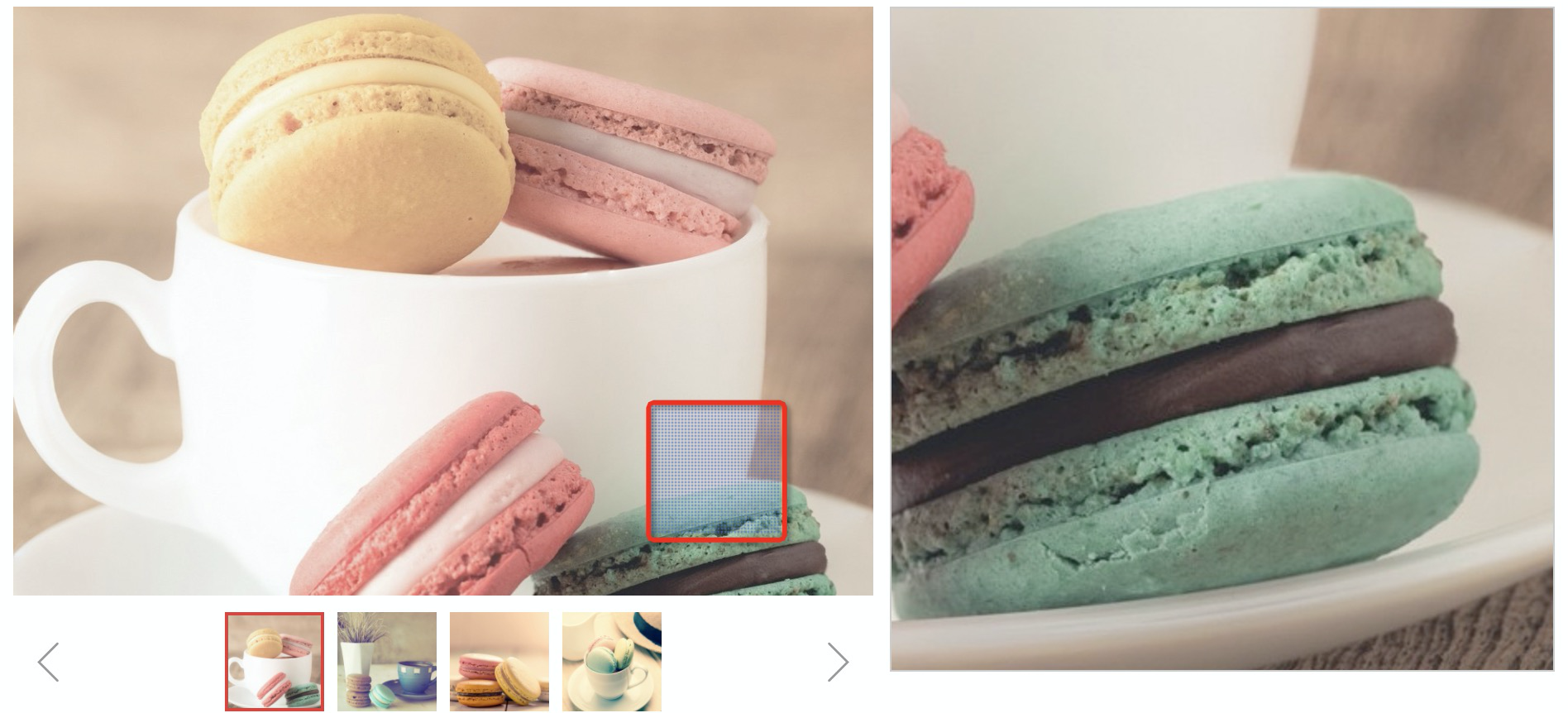
- Product Slideshow: Displays product images. When you move the mouse pointer over an image, you can view the product details. The following figure shows an example.
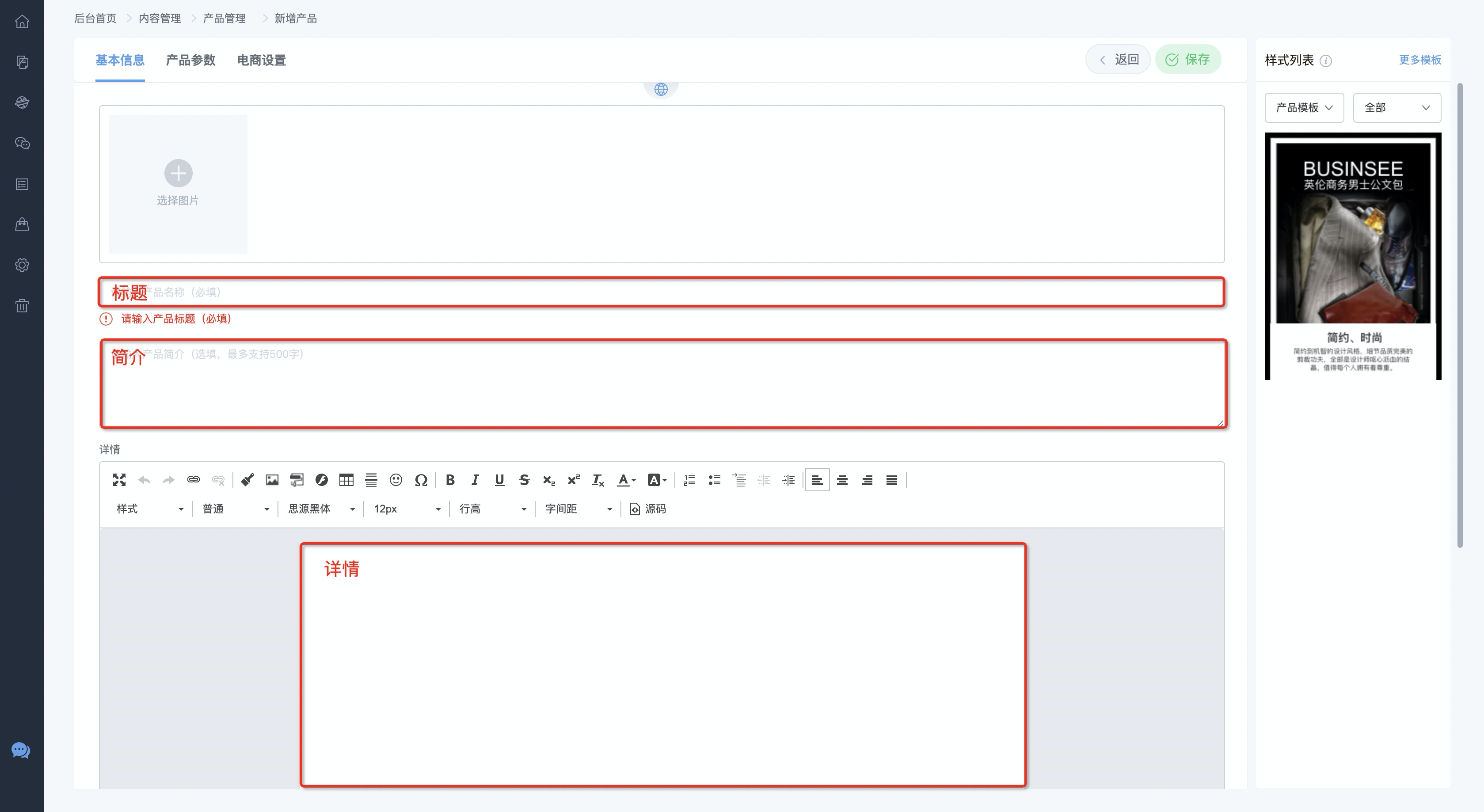
- Title: Use this control to automatically retrieve the title when a product or article is selected in a control, such as a list control. Other title controls cannot retrieve the title correctly.

- Introduction: Use this control to automatically retrieve the introduction when a product or article is selected in a control, such as a list control. Other text-based controls cannot retrieve the introduction correctly.
- Details: Use this control to automatically retrieve the details when a product or article is selected in a control, such as a list control. Other paragraph-based controls cannot retrieve the details correctly.
Article/Product Location control
This control is a type of breadcrumb control. It displays the website access path and lets you return to a specific location. You can choose whether to display the classification of the article or product.
Article/Product Creation Time control
Use this control to display the creation time of the article or product.
Article/Product Page View control
Use this control to display the number of page views for the article or product.
Favorite Article/Product
Visitors can save articles or products.
Article/Product Switcher
Product parameters
If you set product parameters in the back end, you can use this control to display them.
Related products
E-commerce
- If you added the current price, original price, and specifications on the E-commerce Settings page in the website back end, you can use the corresponding controls to display this information. To add a control, click , and then click a suitable location on the page to add the control.
- If your product uses the e-commerce feature, you must add the shopping cart and quantity buttons. To add the buttons, click , and then click a suitable location on the page to add them.