V3.3 Version Guide
Publish Time
Shenzhen region: January 21, 2021.
Shanghai region: January 26, 2021.
Zhangjiakou region: January 28, 2021.
Core features
To meet business requirements for isolating data across different brands within the same group, this release introduces organization and workspace features. Specifically, one organization can contain multiple workspaces, and data in each workspace is isolated. Every user added to an organization belongs to at least one workspace and performs business operations within that workspace.
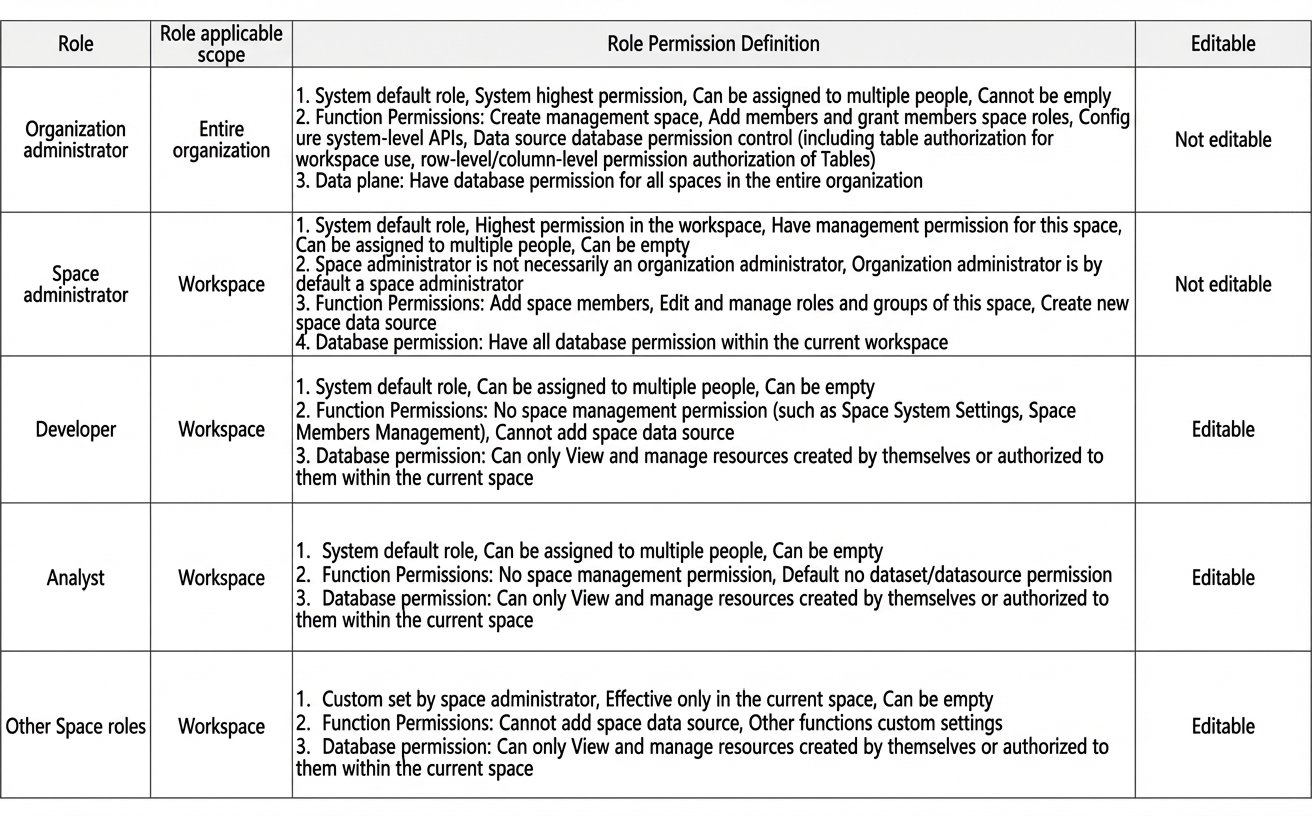
The permission system has been upgraded to two layers: organization and workspace. At the organization level, organization administrators have the highest system management permissions and full access to all workspaces. They can manage data and features across all workspaces. At the workspace level, roles include administrator, developer, analyst, and custom roles. Permissions at this level apply only within the specific workspace.
Changes to the product interface:
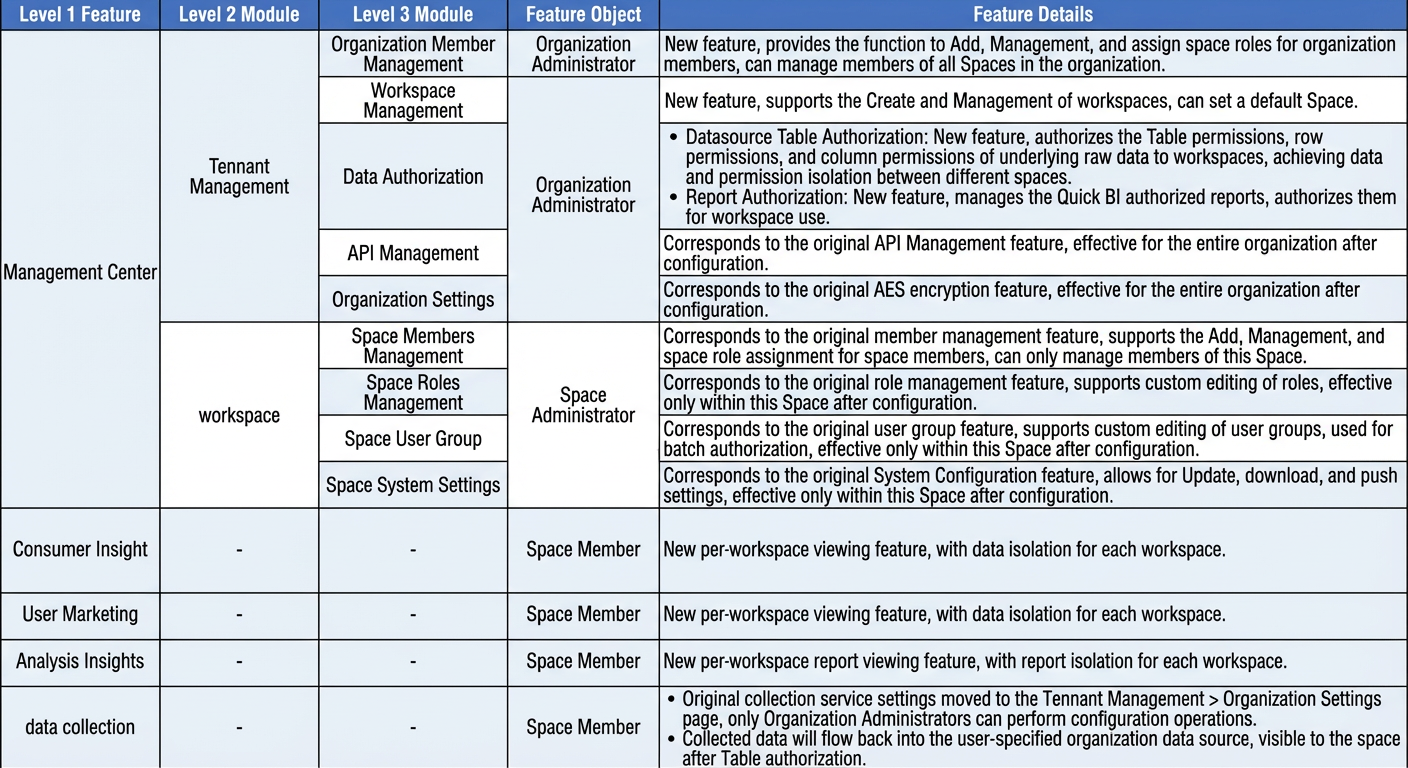
Management Hub: Split into two main modules—Organization Management and Workspace Management.
Organization Management is for organization administrators. It provides features such as Organization Member Management, Workspace Management, Data Authorization, and Organization Settings. Settings made here apply to all workspaces in the organization.
Workspace Management is for workspace administrators. It offers features like managing workspace members, roles, user groups, and workspace settings. These settings apply only to the current workspace. Administrators of one workspace cannot manage another workspace. For example, an administrator of Workspace A has no management rights over Workspace B.
Modules such as User Insights, User Marketing, and Analytics Insights are now available per workspace, with data isolation between workspaces.
For more information, see Overview of organizations and workspaces.
Version limitations
None.
Release contents
Standard Edition historical data compatibility
Organization level:
Administrators: All existing administrators are now organization administrators. To reduce their permissions, an organization administrator can change their role on the Organization Management > Organization Members page. For more information, see Manage organization members.
Data sources: All existing data sources are upgraded to organization data sources. The default workspace has full table permissions for all organization data sources. To modify these permissions, an organization administrator can update authorizations on the Organization Management > Data Source Table Authorization page. For more information, see Authorize organization data sources.
Workspace level:
All users except organization administrators are assigned to the default workspace. Their existing roles and user group settings remain unchanged.
All existing works are automatically transferred to the default workspace.
Basic Edition historical data compatibility
All historical data belongs to the default workspace.
Multiple workspaces are not supported. You can only use the default workspace.