Inspection reports
Inspection reports display overall product data from daily inspections. In the navigation pane on the left, click Daily Inspection > Inspection Reports to view inspection data by run or by day.
Inspection reports by run
The Inspection Reports by Run tab displays all execution records for inspection tasks. You can filter the inspection run records and their data by task name, result, status, or trigger method. The data includes the task name, trigger method, status, creation time, run summary, execution result summary, and inspection result.
Stop tasks in a batch: Select any tasks that are Running and click Batch Stop.
View task details: Click a task name to open its details page.
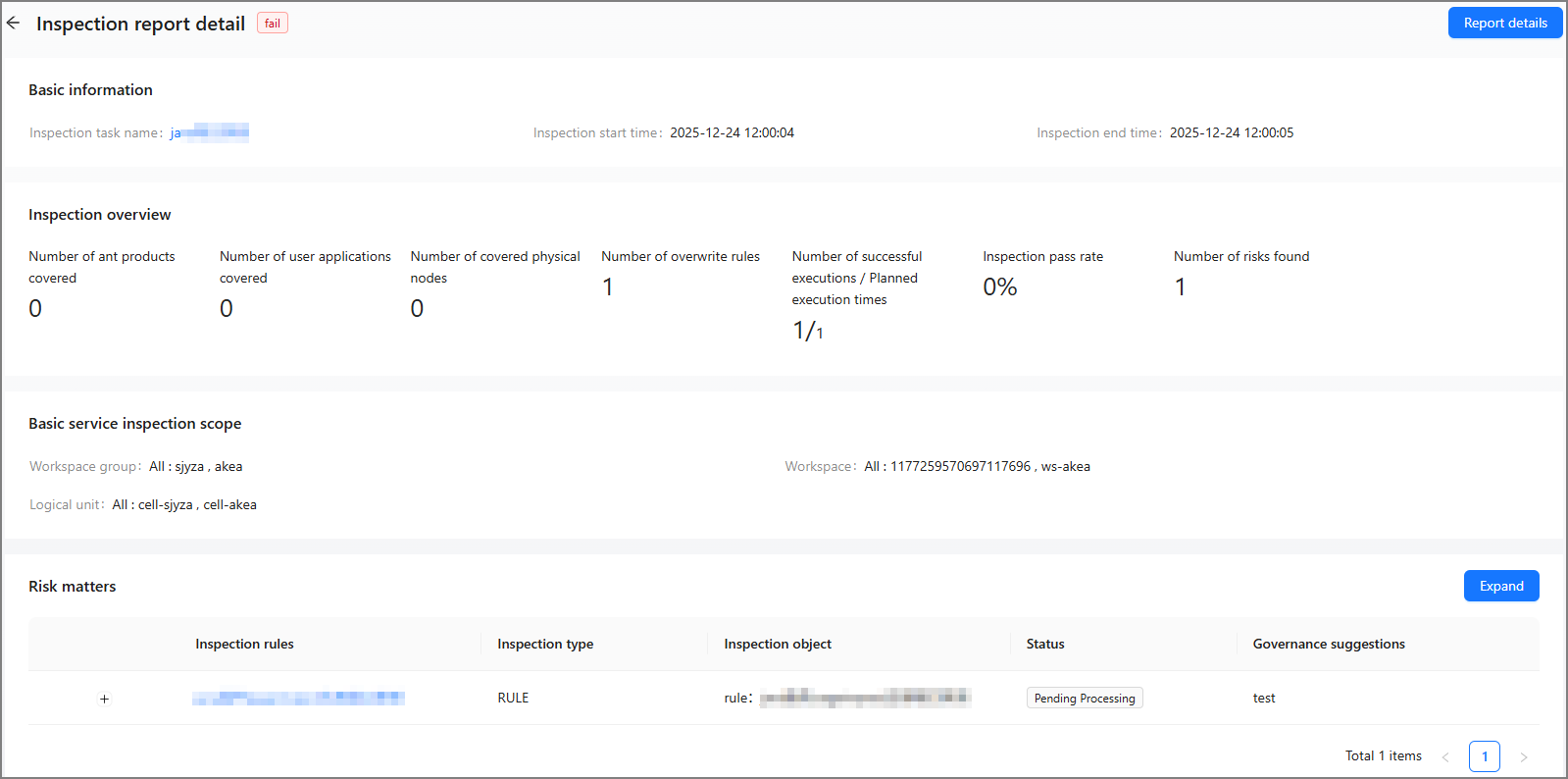
View report details: In the Actions column for a task, click Details to view the detailed report for that run. The following figure shows an example.
Export a report: In the Actions column for a task, click Export. The supported formats are JSON.
Inspection reports by day
The Inspection Reports by Day tab displays daily inspection data. You can specify a time range to filter the data.
The data includes the inspection date, total number of rules, total number of executions, and the execution pass rate.
Total number of rules: The total number of rules in the tasks that ran on that day.
Total number of executions: The total number of tasks that ran on that day.
Execution pass rate: The percentage of tasks that passed out of the total number of tasks that ran.
Other operations
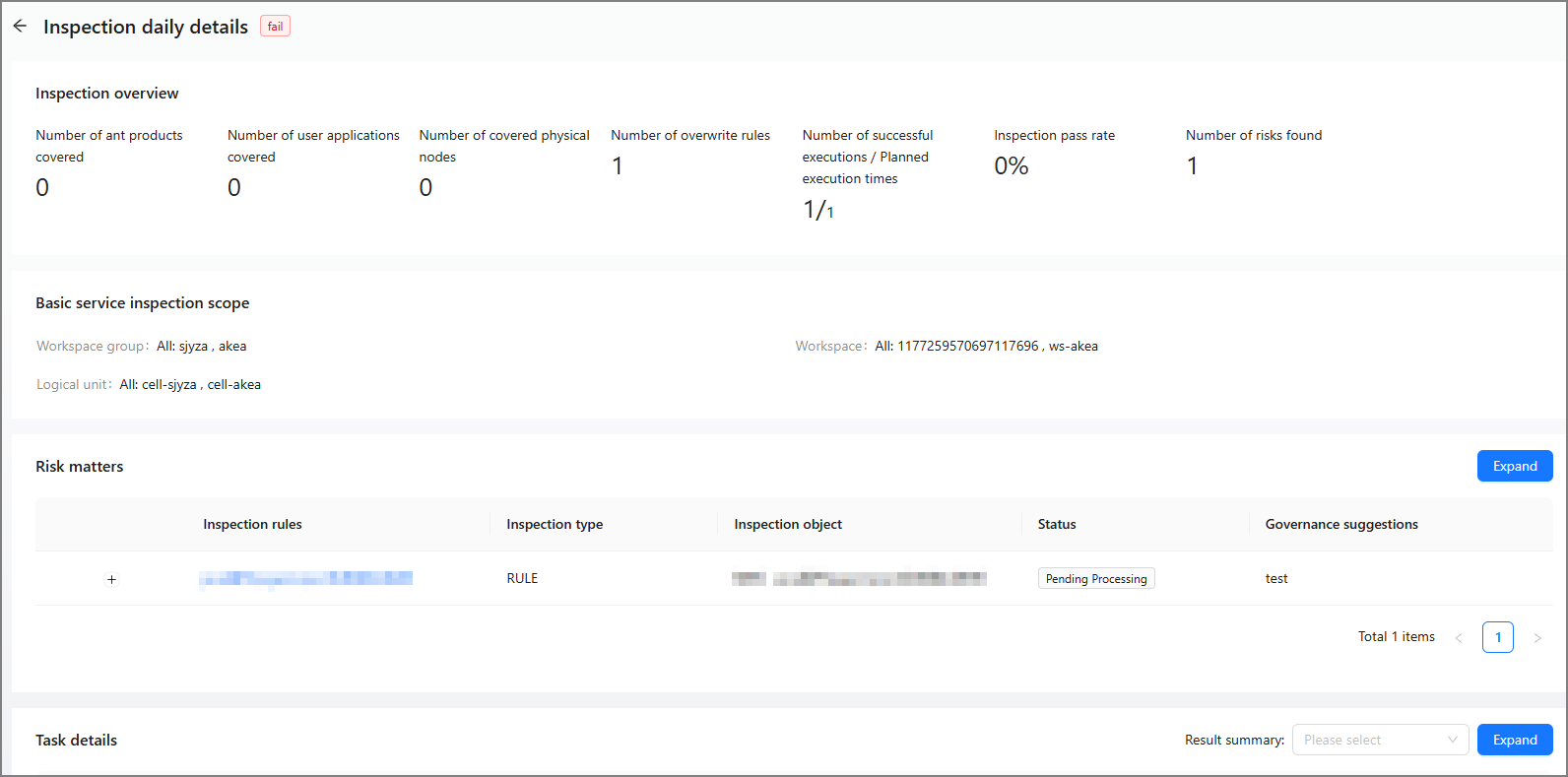
View report details: In the Actions column for an inspection run, click Details to view the report details. The following figure shows an example.
Export a report: In the Actions column for an inspection run, click Export. The supported formats are JSON.