Unbind a Cluster
This topic describes how to unbind a cluster from the LDC Hybrid Cloud (LHC) console. After you unbind the cluster from the LHC console, you cannot manage the cluster in the LHC cluster but the cluster is not deleted.
Cluster unbinding is a high-risk operation, and it will make the current environment unavailable. Proceed with caution.
If you want to continue using the cluster after you unbind it, you can import the cluster into the current workspace. For more information, see Import a cluster.
Prerequisites
You have imported a cluster. For more information, see Import a cluster.
You have the LHC administrator permissions.
Procedure
Log on to the LHC console.
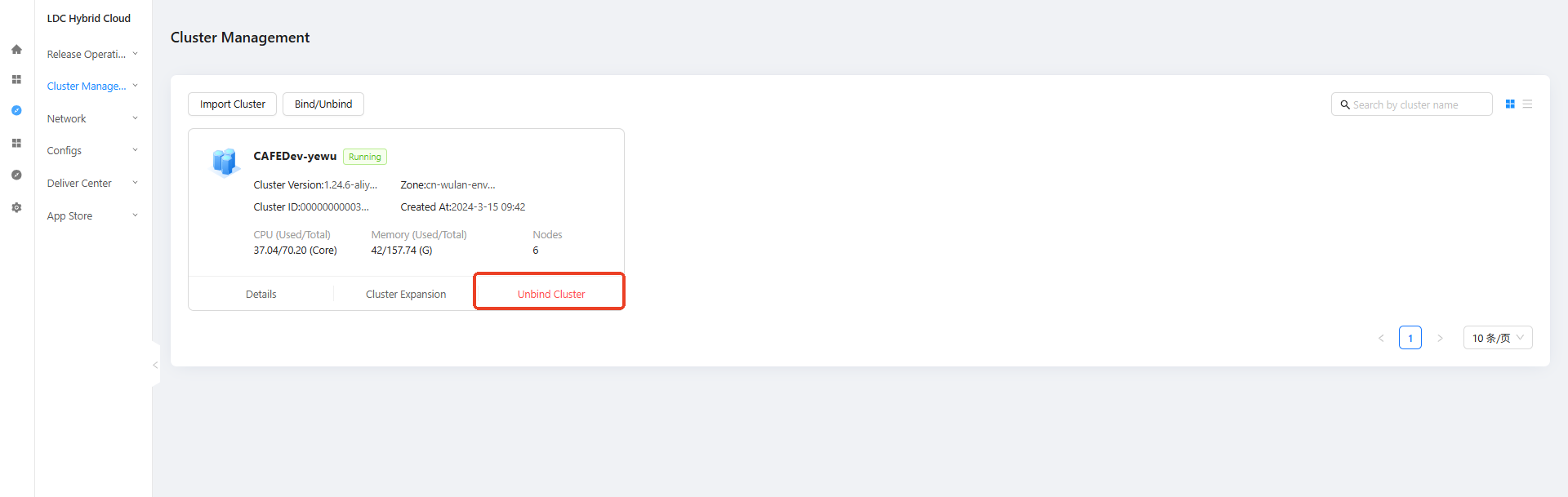
Choose Manage Clusters > Cluster Details in the left-side navigation pane to go to the Clusters page.
Click Unbind Cluster on the card of the target cluster.
In the Unbind Cluster dialog box, enter Unbind Cluster to complete the verification.
Click OK.