Start a DingTalk meeting on a mobile device
Updated at:
This topic describes how to quickly start a DingTalk Cloud Conferencing room on a mobile device.
Quick Start
- Log on to the mobile client of DingTalk.
- Create a meeting.
- Tap Start Meeting, and then tap Video Meeting to quickly start a real-time meeting.
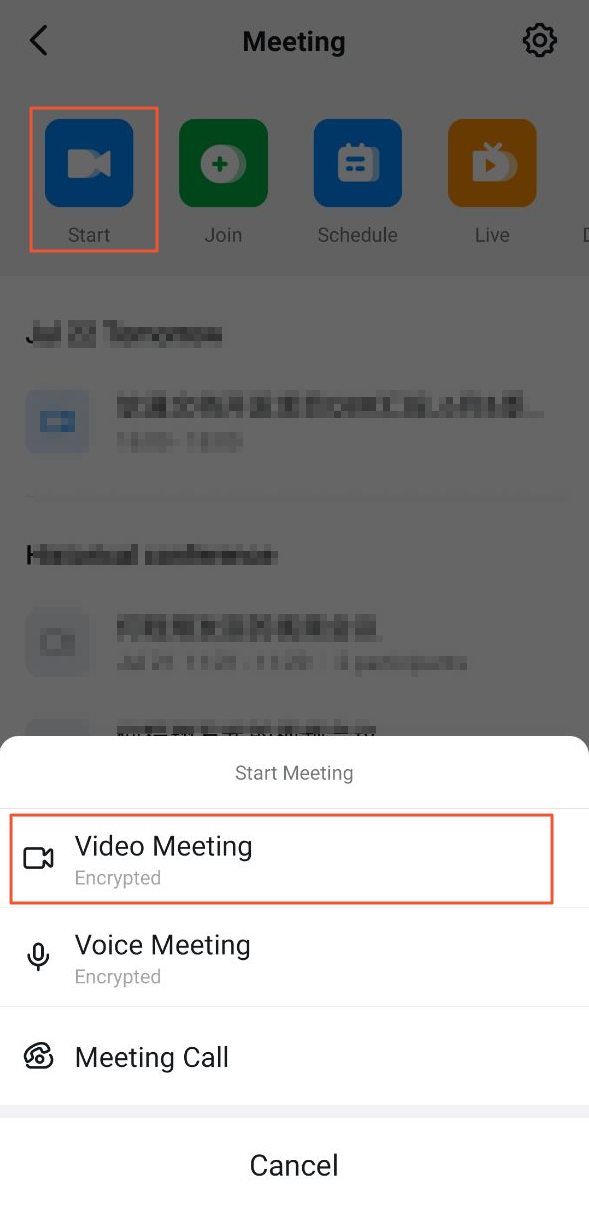
For more information about how to quickly start a meeting, see Quickly start a meeting.
- Tap Schedule Meeting to schedule a meeting.
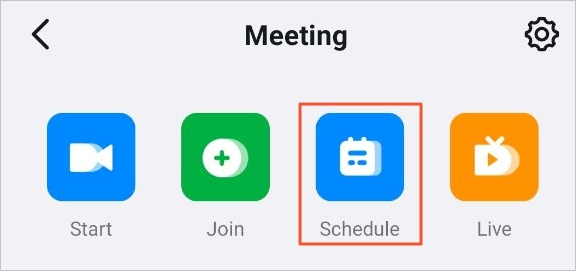
For more information about scheduling a meeting, see Meeting scheduling configuration.
- Tap Start Meeting, and then tap Video Meeting to quickly start a real-time meeting.
- Join in the meeting using the following methods: enter the security token of the meeting, tap the web link of the meeting, copy the quick share link of the meeting to the mobile client of DingTalk, use the calendar feature of DingTalk, or make a phone call. For more information, see Join a meeting.
- Start the meeting. During the meeting, DingTalk lets you share the screen, lock the meeting, or enable AI translation as needed.
What to do next
For more information about operations in DingTalk Cloud Conferencing, see:Is this page helpful?