Version Guide: V3.3.13
Release date
May 25, 2021.
What's new
User Insights
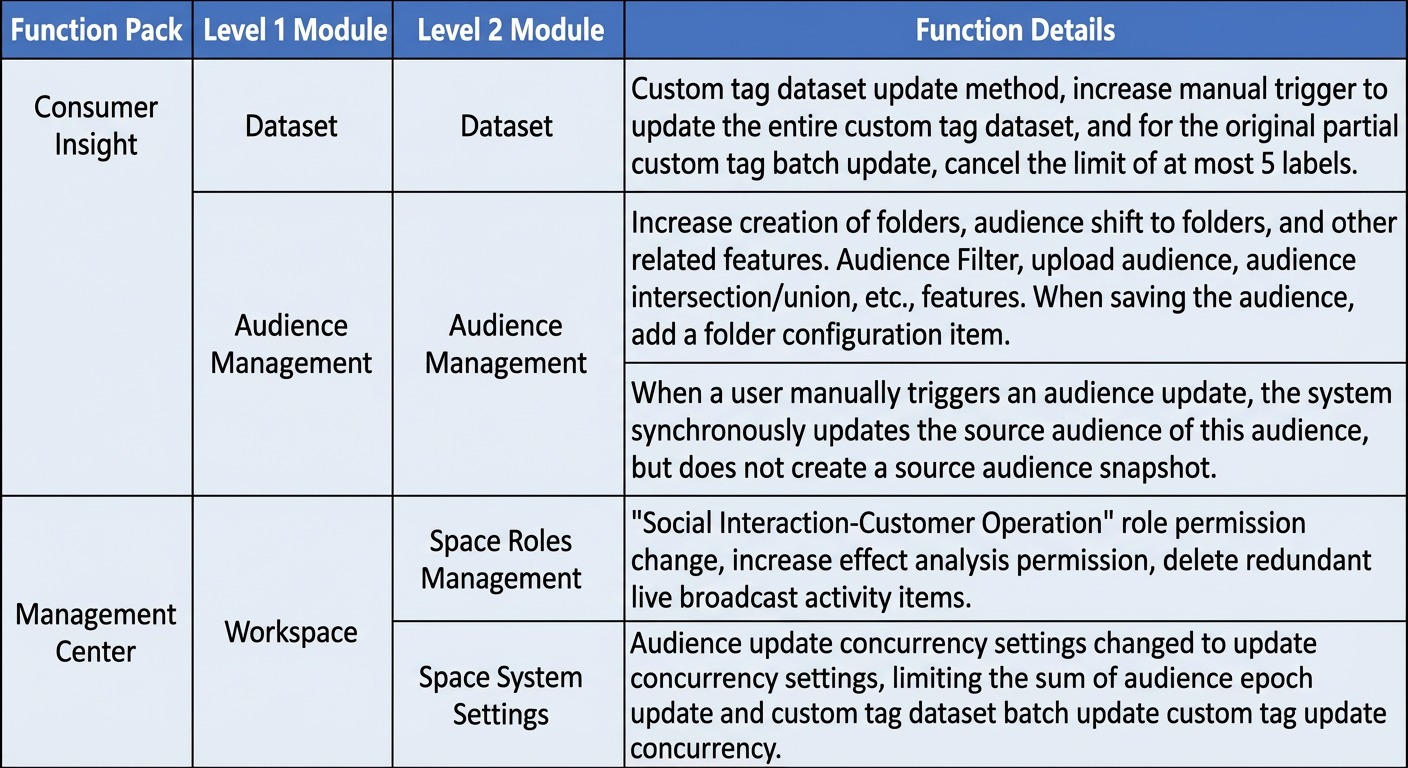
You can now manually update custom tag datasets. You can trigger a full update for a custom tag dataset. For batch updates of individual custom tags, the previous limit of selecting up to five tags has been removed.
Organize audiences using folders. Create folders and move audiences into them. When you save an audience, configure its folder in Audience Filter, Upload Audience, and Audience Union or Intersection.
Audiences you created before this upgrade are saved in the root directory.
When you manually trigger an audience update, the system automatically updates the source audiences. It does not create snapshots of the source audiences.
Management Hub
In Space System Settings, rename Audience Update Concurrency to Update Concurrency. This setting limits the total number of concurrent operations for audience epoch updates and batch updates of custom tag datasets.
- Update permissions for the Social Interaction–Customer Operations role. Add Effect Analysis permission. Remove redundant Live Event entries.
Limitations
This release applies only to Quick Audience Standard Edition.
Feature details