Connect to an OceanBase database through ODC
You can use OceanBase Developer Center (ODC) to manage and maintain OceanBase databases. This topic describes how to add a new database connection and log on to a database in ODC.
Prerequisites
You have the credentials required to log on to your OceanBase database.
Procedure
Log on to the OceanBase Management Console .
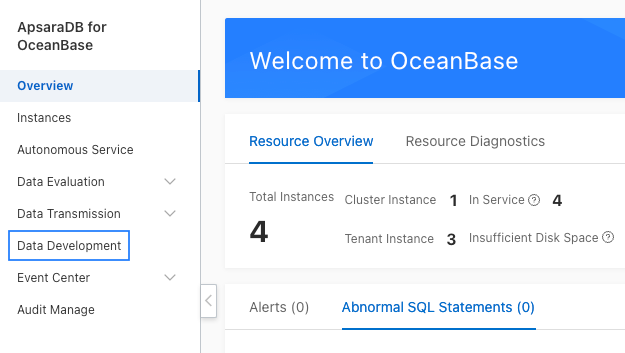
In the navigation pane on the left, click Data Development to open the ODC home page.
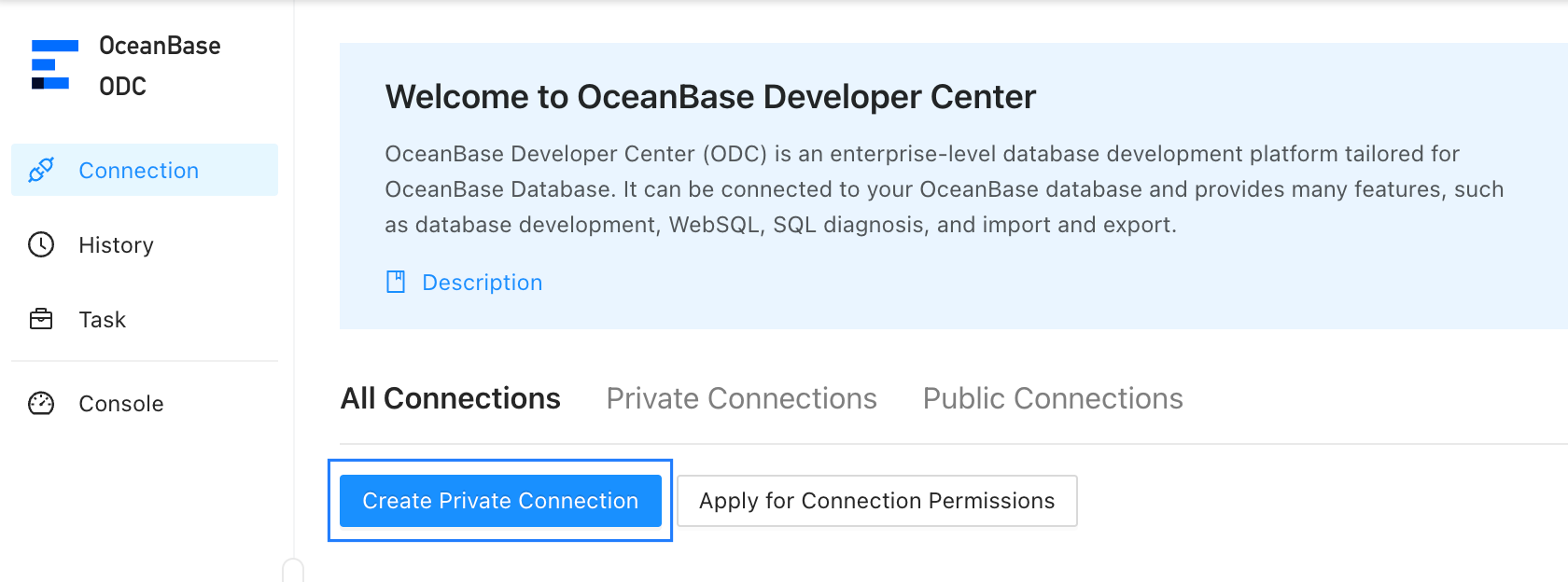
On the ODC home page, click All Connections > New Personal Connection.
In the New Personal Connection dialog box, enter the following information:
Connection Instance: From the drop-down list, select the cluster instance and tenant.
Database Username: From the drop-down list, select the username used to log on to the tenant.
Database Password: Enter the password for the specified username.
Save Password: This check box is selected by default. If you clear this check box, you must re-enter the password each time you open or test the connection.
Click Test Connection. A
 icon appears. This indicates that the connection to the target database is successful.
After the connection test is successful, click the Save button.
In the Enter Connection Name dialog box, enter a name for the connection, and then click OK.
After the connection is created, go to the All Connections tab and click the connection name. ODC opens the database connection.