Create a PolarDB-X 2.0 data source
You must configure a data source before you create a data migration or data synchronization task. This topic describes how to create a PolarDB-X 2.0 data source in Data Transmission Service.
PolarDB for Xscale (PolarDB-X) is a cloud-native distributed database developed by Alibaba. It provides a database service with high throughput, large storage capacity, low latency, easy scalability, and high availability (HA). For more information, see What is PolarDB for Xscale?.
Security risks
When you use OceanBase Data Transmission Service, you can add its public IP address blocks automatically or manually. However, this action may introduce security risks. Using this product, you acknowledge and accept these potential risks and are responsible for taking basic security measures. These measures include using complex account passwords, restricting open ports for each IP address block, using authentication for internal API communication, and regularly reviewing and restricting IP address blocks that do not require access.
OceanBase Data Transmission Service adjusts automatically added whitelists and security groups based on business requirements and security risks. Do not use the IP address blocks in these whitelists or security groups for services other than OceanBase Data Transmission Service. The OceanBase Data Transmission Service Service-Level Agreement (SLA) does not cover issues that arise from using these IP address blocks for other services. For more information about the whitelists or security groups that OceanBase Data Transmission Service adds automatically or manually, see Add a whitelist.
Prerequisites
A PolarDB-X 2.0 instance is available. For more information, see Create an instance.
Procedure
Log on to the OceanBase Management Console .
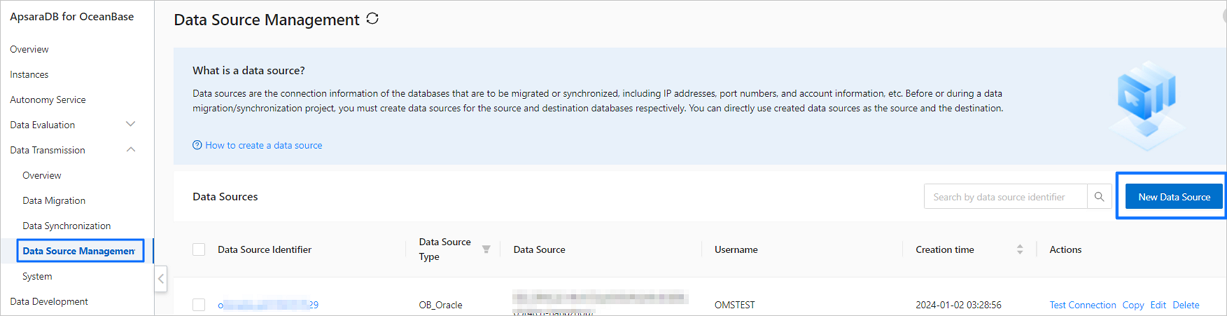
In the navigation pane on the left, click Data Transmission > Data Source Management.
On the Data Source List page, click Create Data Source in the upper-right corner.
In the Create Data Source dialog box, set Data Source Type to PolarDB-X 2.0 and configure the parameters.

Parameter
Description
Instance Type
Only Alibaba Cloud PolarDB-X 2.0 Instance is supported.
Data source identifier
The identifier must be less than 32 characters long and cannot contain spaces. Allowed characters include Chinese characters, letters (A to Z and a to z), digits (1 to 9), hyphens (-), and underscores (_).
PolarDB-X 2.0 Instance ID
Select the ID of the target PolarDB-X 2.0 instance from the drop-down list.
Username
The name of the PolarDB-X 2.0 database user for data migration.
Create a separate database user for the data migration or data synchronization task. For more information, see Manage database accounts.
Password
The password of the database user.
Description (Optional)
A description of the data source.
Click Test Connection to verify the network connectivity between Data Transmission Service and the data source, and validate the username and password.
After the connection test is successful, click OK.