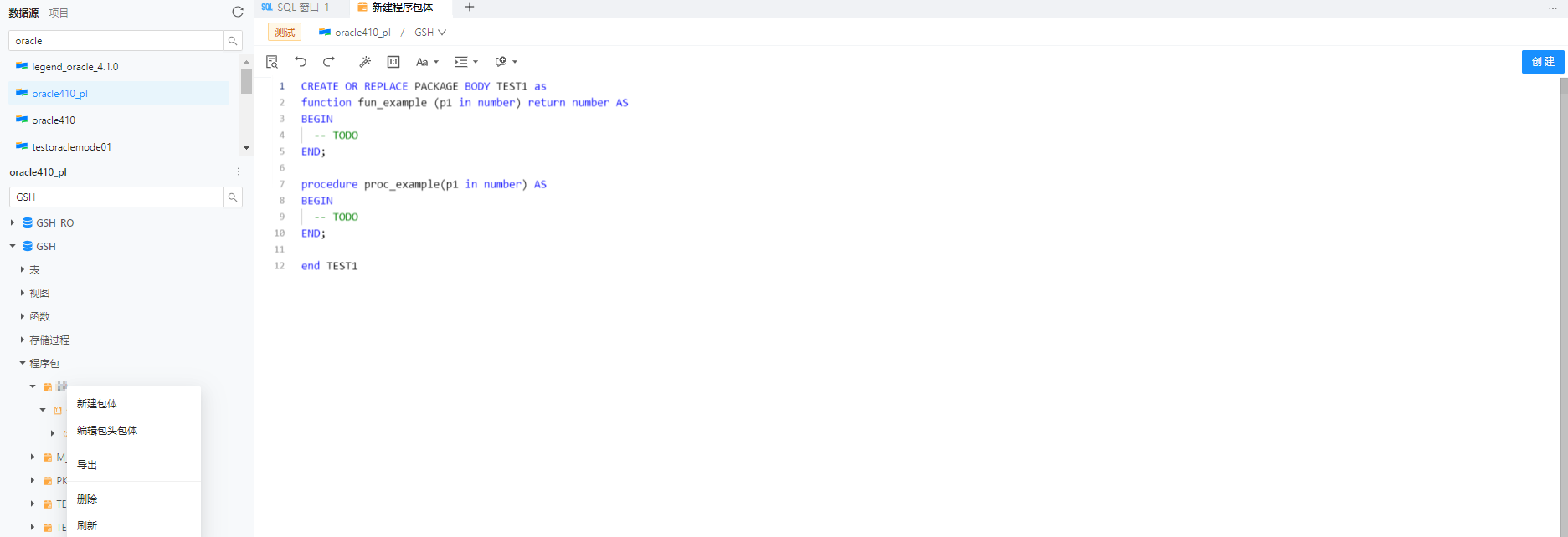
Create a new package
After you open a connection in OceanBase Developer Center (ODC), you can click the Packages tab in the navigation pane on the left to view the list of packages. To create a package, click the + icon in the upper-right corner of the list or click New in the top navigation bar. Creating a package requires a package header and a package body.
Create the package header
In the packages list, click the + icon in the upper-right corner or click New in the top navigation bar. The Create Package page appears.
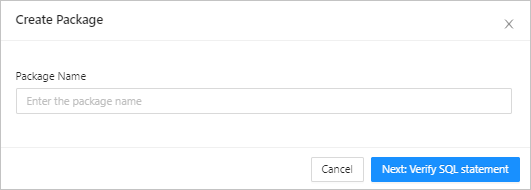
On the Create Package page, enter a package name and click Next: Confirm SQL. The package header definition page opens.
ODC automatically generates a template statement. You can use the Format button in the navigation bar to format the statement. When you finish defining the package header, click Create in the upper-right corner.

Create the package body
After you create the package header, the new package appears in the packages list. In the list, find the package that you just created, right-click the package name, and click Create Package Body to open the package body definition page. Similar to the header definition page, ODC automatically generates a template statement. You can use the Format button in the navigation bar to format the statement. After you finish writing the package body definition statement, click Create in the upper-right corner to create the package body.