Upgrade guide
If you integrated the offline package or Mini Program component with the old Nebula container, you must make the following changes after upgrading to the new Ariver container baseline.
Update the SDK
There are two ways to update the SDK: using the mPaaS Xcode Extension or using CocoaPods.
Use the mPaaS Xcode Extension
Start Xcode and open your existing project developed with the native iOS framework.
Run the mPaaSPlugin application, select Edit Project, and open your existing project.
Click Upgrade Baseline and select baseline version 10.2.3.
Select the Edit Components tab. Delete the previously selected Offline Package or Mini Program component. Select the Ariver Mini Program component.
Use CocoaPods
Set the baseline number to
10.2.3, and import the SDK for the offline package or Mini Program usingmPaaS_pod "mPaaS_Ariver".NoteDelete the imported mPaaS_TinyApp or mPaaS_Nebula components. Otherwise, SDK conflicts will occur.
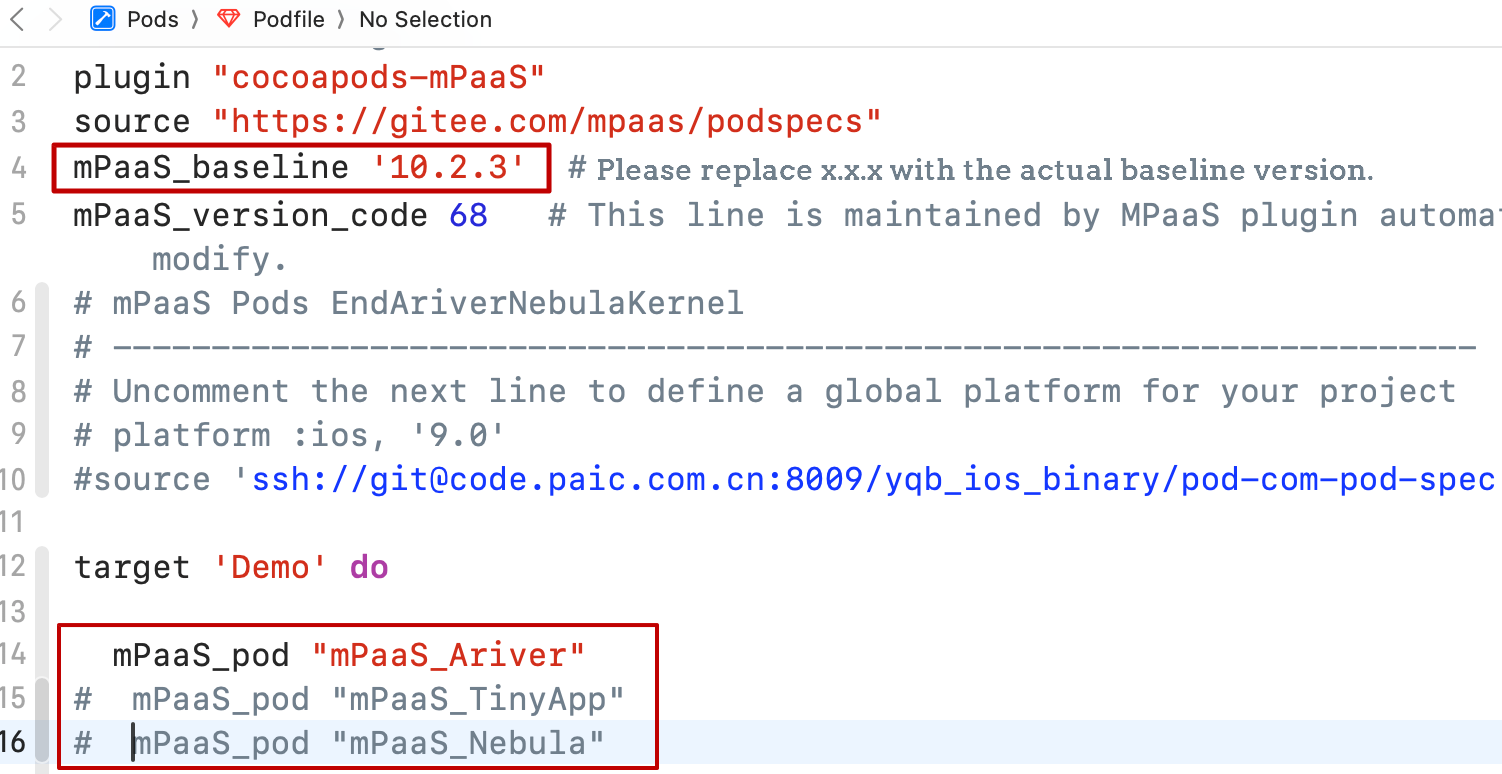
In the project folder, run the following command to update to the new Ariver container baseline.
pod mpaas update 10.2.3Run the following command to install the SDK.
pod update
Configuration updates
The configuration of the Ariver container is updated from the Nebula container. The updates are described below.
Update referenced header files
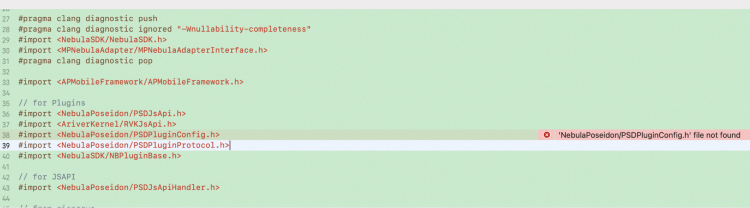
If you encounter errors when referencing Nebula library header files after updating the baseline, add the Ariver prefix to the SDK name. For example, change #import <NebulaPoseidon/PsdPluginConfig.h> to #import <AriverNebulaPoseidon/PsdPluginConfig.h> and save the change to the PCH file.
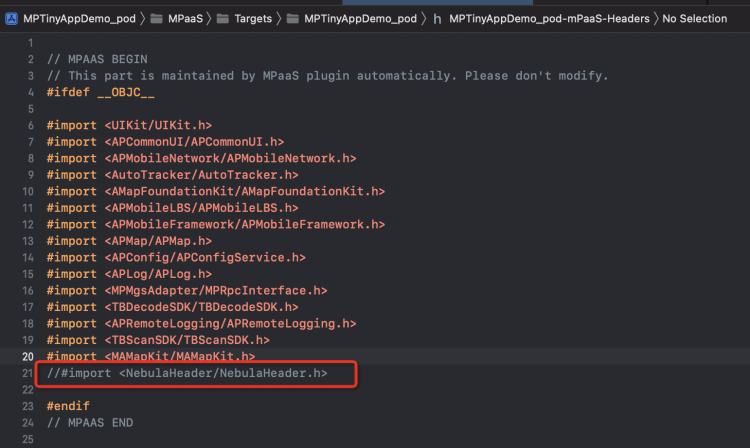
If the mPaaS-Headers.pch header file contains a reference to #import <NebulaHeader/NebulaHeader.h>, delete the reference.
Update the custom container base class
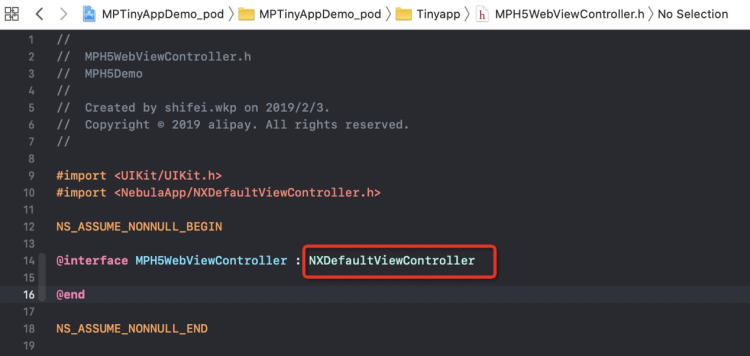
If your project uses a custom container base class, change its parent class from H5WebViewController to NXDefaultViewController after you upgrade to the new Ariver container.