Online attachment preview
Updated at:
Preview email attachments directly in Alibaba Mail without downloading them.
Scenario
Preview attachments in received emails without downloading them. Only viewing is supported. To edit an attachment, download it first.
Procedure
Log in to the Alibaba Mail webpage or client app. Hover over an attachment and click the Preview icon.
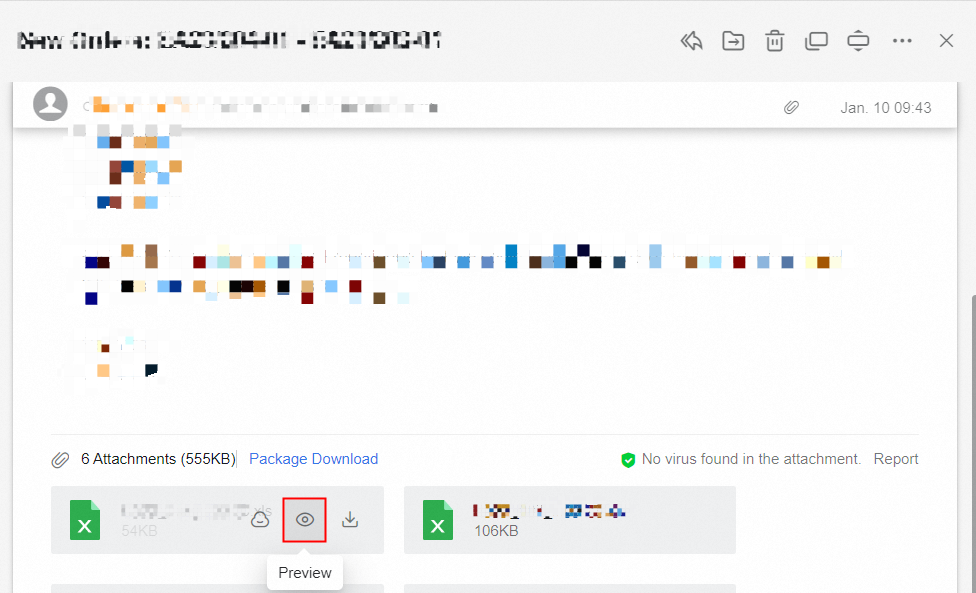
In preview mode, you can download the attachment or forward it as an attachment in a new email.

Supported file types
|
Type |
Supported file formats |
|
File |
pdf,doc,docx,ppt,pptx,xls,xlsx,csv,ett,et,xlsb,xlsm,xltm,xltx,xlt,docm,dotm,dotx,dot,wps,wpt,dps,dpt,potm,potx,pptm,pot,pps,ppsm,ppsx,cpp,html,htm,java,rtf,log,asp,txt,xml,lrc,c,h,asm,s,bas,prg |
|
Images |
jpeg,gif,bmp,png,jpg,ico,tiff,tif,tga,webp |
|
Archives |
zip,jar |
Is this page helpful?