Create a MySQL tenant
This topic describes how to create two MySQL-compatible tenants, `tutorial_mysql01` and `tutorial_mysql02`, with 2 CPU cores and 8 GB of memory.
Concepts
An ApsaraDB for OceanBase tenant provides full-featured database services and is compatible with both MySQL and Oracle. A tenant can be scaled horizontally across multiple machines and supports dynamic scale-out and scale-in. Tenants provide strong data protection and high availability. They also support cross-cluster physical synchronization, physical backup, and recovery. Tenant data includes schema data, user table data, and transactional data.
OceanBase is a multi-tenant database system. To prevent resource contention and ensure stable operations, OceanBase isolates resources between tenants. Users and tables created in one tenant are not visible to other tenants. A user can only log on to the tenant in which their account was created. This design provides a more secure database service and supports lightweight tenants and rapid tenant-level scaling.
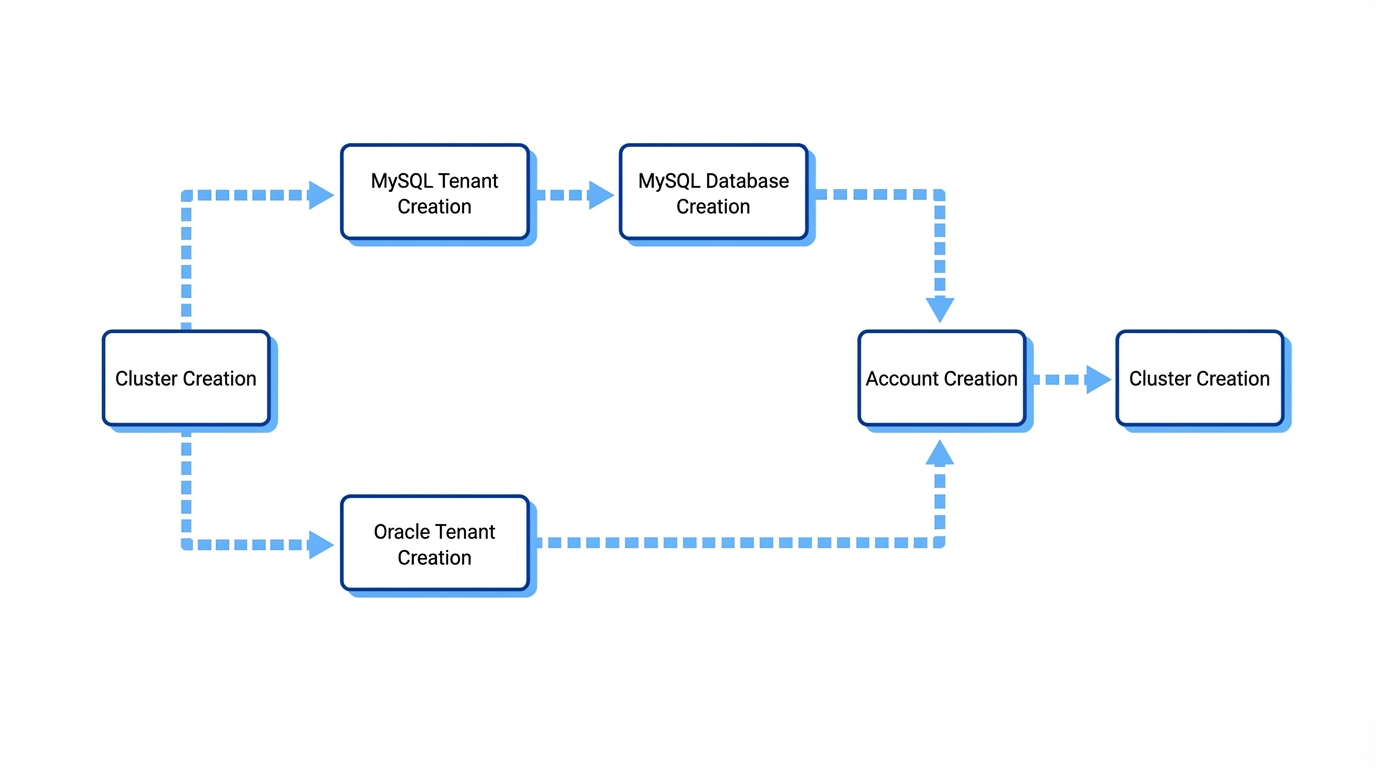
In the same ApsaraDB for OceanBase cluster, you can create one or more tenants. Tenants can be created in either MySQL-compatible or Oracle-compatible mode.
MySQL tenant: In the MySQL-compatible mode of OceanBase, a database is a collection of database objects. After you connect to a MySQL tenant, you can create your own databases to store and manage data.
Oracle tenant: In the Oracle-compatible mode of OceanBase, a schema is a collection of database objects owned by a user. When a user is created, a default schema is also created with the same name as the username. Unlike with a MySQL tenant, you do not need to create a schema after you connect to an Oracle tenant. You can directly store and manage your data.
Prerequisites
After you deploy a cluster instance, you must create a Virtual Private Cloud (VPC) and a vSwitch in the same zone. This enables network communication between your application and the tenant. You can create a VPC and vSwitch for free.
Create a VPC. The zone that you select for the VPC must be the same as the zone where you create the cluster instance. For more information, see Create and manage a VPC.
Create a vSwitch. The zone for the vSwitch must be the same as the zone for the cluster instance. For more information, see Create and manage vSwitches.
Before you use cloud resources in a Virtual Private Cloud (VPC), you must create a VPC and a vSwitch. You can create multiple vSwitches in a VPC to create subnets. By default, subnets within a VPC can communicate with each other over the private network.
A Virtual Private Cloud (VPC) is a custom private network that you can create. Different VPCs are logically isolated from each other. You can create and manage cloud resources within your VPC.
A vSwitch is a basic network device in a VPC. A vSwitch connects different cloud resources. When you create a cloud resource in a VPC, you must specify the vSwitch to which the resource connects.
Procedure
In the instance list, find Cluster Tutorial and click the instance name to open the cluster instance workbench.

In the upper-right corner of the page, click Create Tenant.
In the Create Tenant dialog box, configure the following parameters for the `tutorial_mysql01` tenant:
Configuration Parameters
Description
Tenant Name
tutorial_mysql01
Tenant Mode
Select MySQL.
Character Set
The default value `utf8mb4_general_ci` is recommended. `utf8mb4_general_ci` is a character set for MySQL databases. `utf8mb4` represents the UTF-8 encoding of the Unicode character set.
Number of Resource Distribution Nodes
1
CPU Specification
2C
Memory Specification
8 GB
Log Disk Size
16 GB
NoteThe log disk feature is available only to whitelisted users. To try this feature, contact OceanBase technical support.
Time Zone
Select the default time zone.
Access VPC
Select the VPC that you created in the Prerequisites section.
Primary Zone
Only a fixed zone is supported. By default, the zone where the primary endpoint agent is deployed is the same as the primary zone. To change this, go to the topology diagram on the tenant's product page after the tenant is created.
Access VSwitch
Select the vSwitch that you created in the Prerequisites section.
Click Create. You can view the creation progress on the instance list page.
After the `tutorial_mysql01` tenant is created, repeat the procedure to create the `tutorial_mysql02` tenant.
NoteIf you have created vSwitches in two zones, you can create the two tenants in different zones to improve load balancing. For each tenant, select the zone that best suits your business needs.
What to do next
The tenant creation process takes about 5 minutes to complete.