Run the iOS demo
This topic describes how to run the iOS demo.
Prerequisites
You have obtained your authentication information from the console. For more information, see Access tools.
Environment requirements
Type | Description |
Device | An iPhone 5s or a later model. |
System version | iOS 12 or later. |
Procedure
Download and decompress the software development kit (SDK) and sample code. For more information, see SDK downloads.
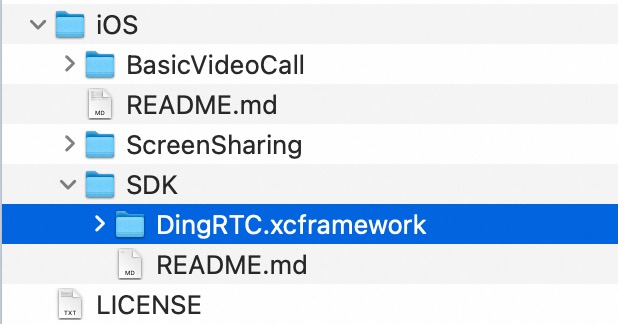
Copy the SDK files to the following directory in the sample code.
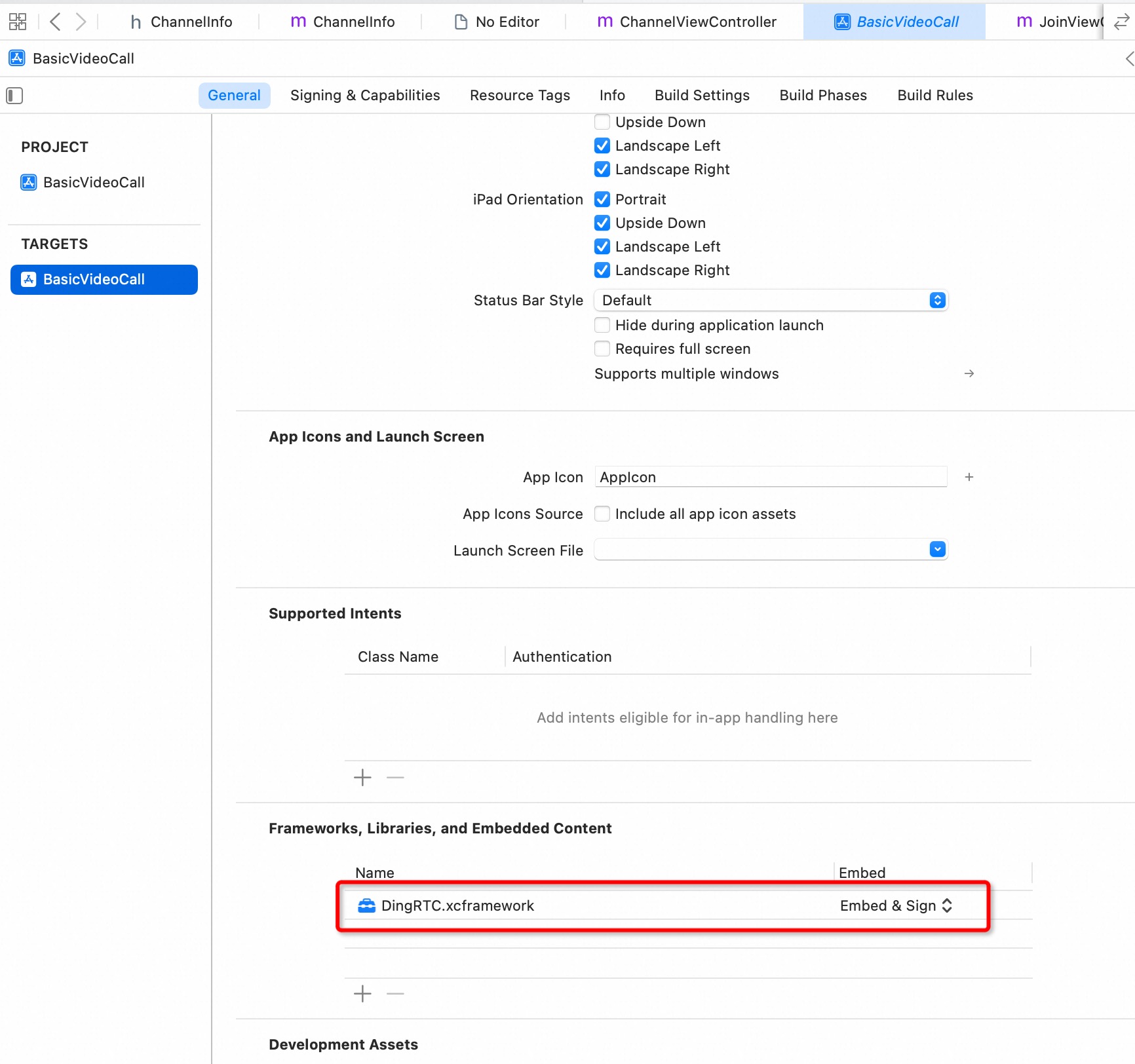
Configure parameters.
Set DingRTC.xcframework as a dynamic library.
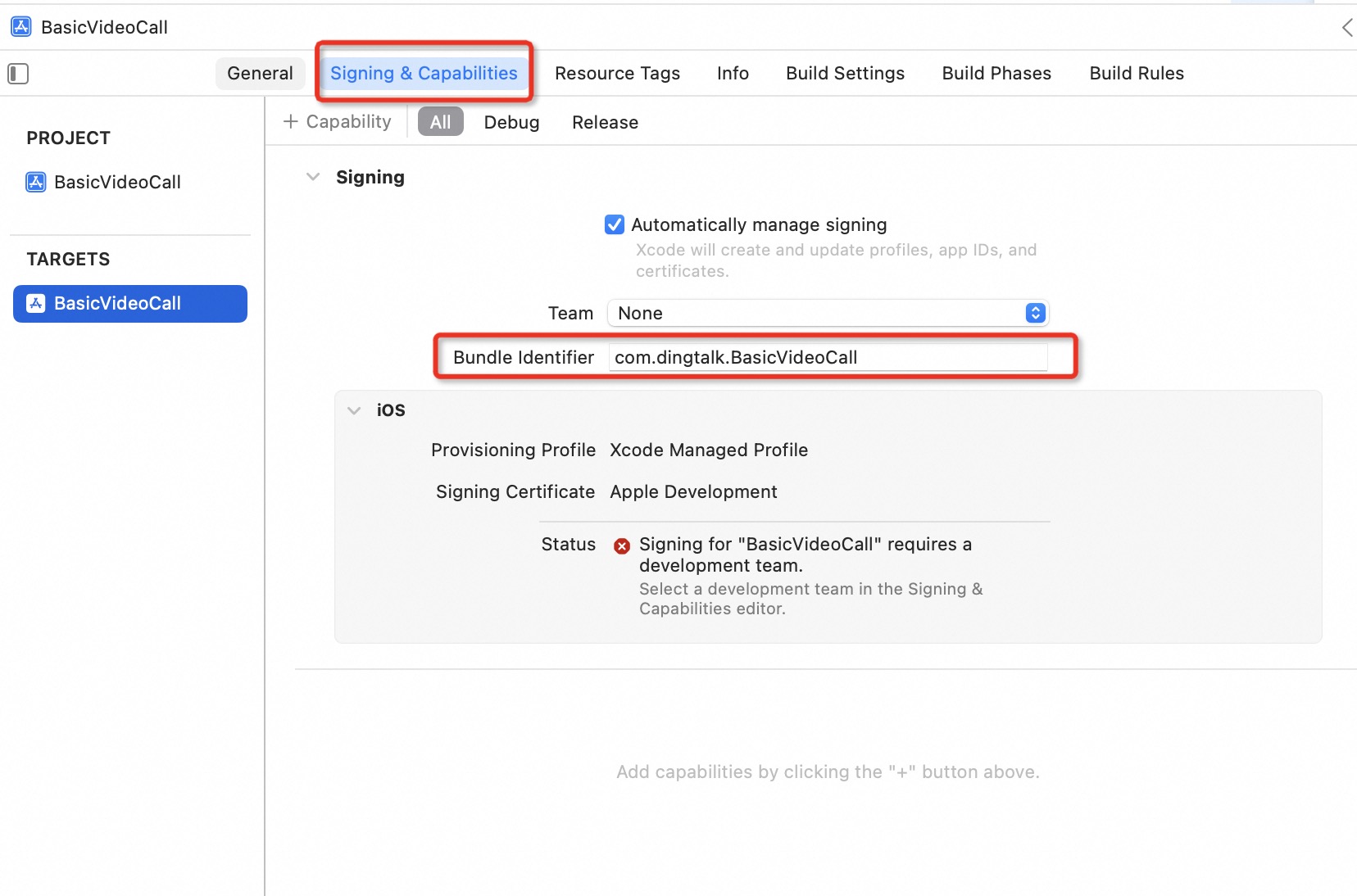
Select a certificate and a profile file.
The demo project requires a physical device. Select your certificate and profile file. Change the Bundle Identifier to a value that matches your certificate.
Open the ChannelInfo.m file and configure the App ID, Channel ID, Token, and User ID.
/* For definitions of App ID, Channel ID, Token, User ID, and User Name, see:
   https://help.aliyun.com/document_detail/159037.html

   You can use a temporary token for testing:
   https://help.aliyun.com/document_detail/146833.html
*/
static NSString * _appId = @"aoe****";
static NSString * _token = @"70f77b8****";
static NSString * _gslbServer = @"https://gslb.dingrtc.com";
static NSString * _channelId = @"23****";
static NSString * _userId = @"f303d59acae073****";
Run.
After the demo starts, the home page appears. Click Join to join a channel. If other users are in the channel, you can start a real-time audio and video call.