Content moderation best practices for AI scenarios
The rapid development of Artificial Intelligence Generated Content (AIGC) technology has led to its widespread use in social and commercial applications. While this technology generates a large amount of engaging content, it also introduces challenges related to illegal, non-compliant, and harmful content. Alibaba Cloud AI Guardrails offers solutions to detect and manage these threats in AI applications. This document explains how to integrate AI Guardrails into your AI applications to reject harmful content, provide safe responses, and implement content administration.
For content moderation in AI scenarios, use the AI Guardrails product. AI Guardrails is a protection system for AI applications. It provides real-time and accurate detection to ensure the compliance, security, and stability of your AI applications.
Prerequisites
Activate AI Guardrails Pro.
Integrate the AI Guardrails Pro - Text Moderation API operation and the AI Guardrails Pro - Image Moderation API operation.
Solution flow
Text-to-text AI
Content moderation flowchart:
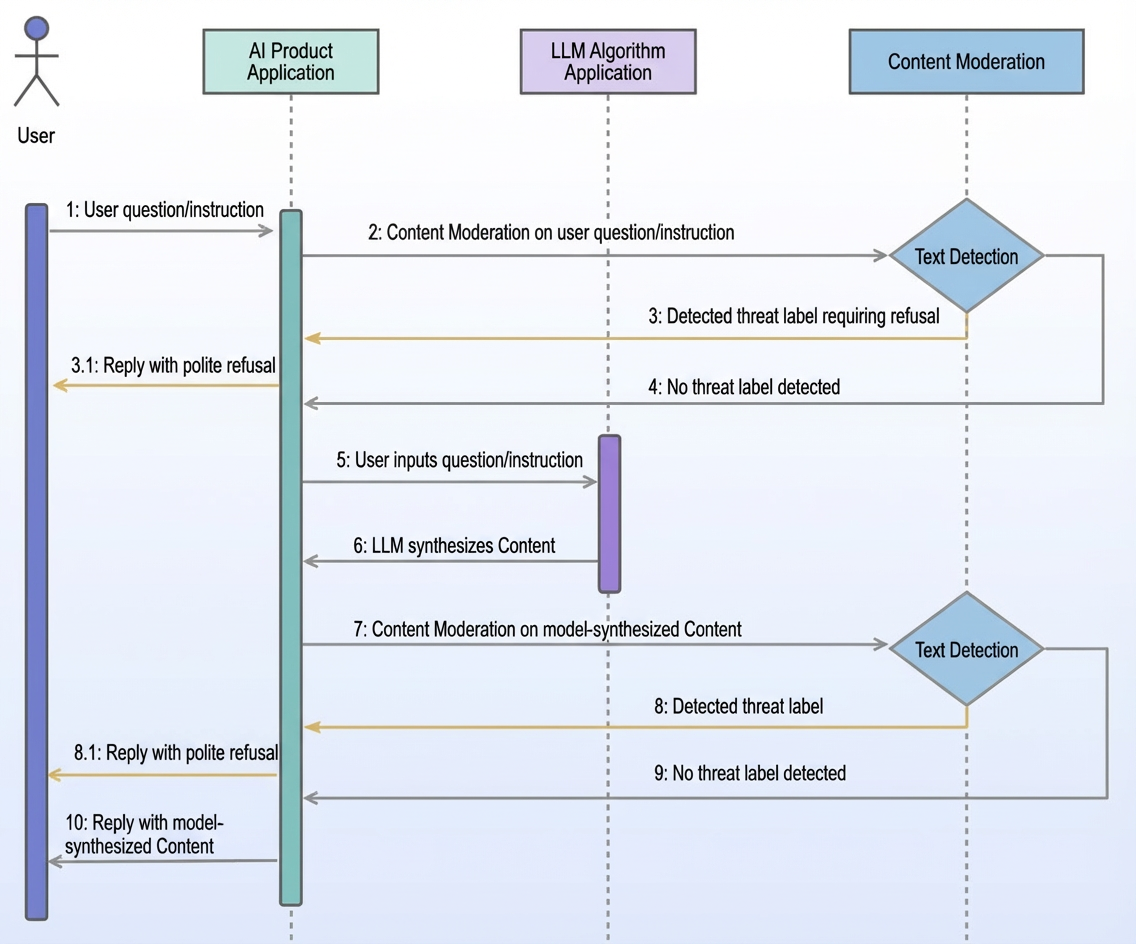
APIs to integrate and configure:
Step | API Operations | API service configuration |
Step 2 | ||
Step 7 |
Text-to-image AI
Content moderation flowchart:
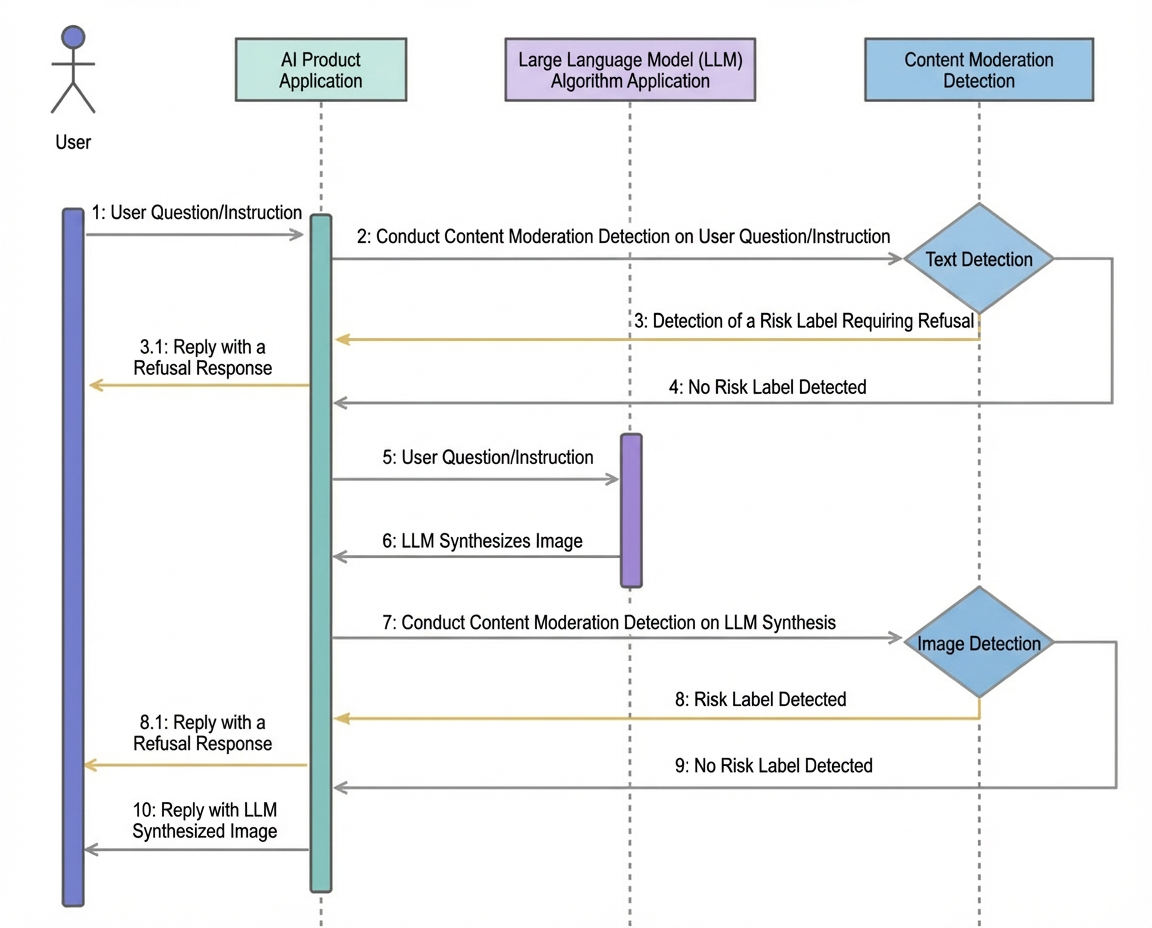
APIs to integrate and configure:
Step | API operation | API service configuration |
Step 2 | ||
Step 7 |
Image-to-image AI
Content moderation flowchart:
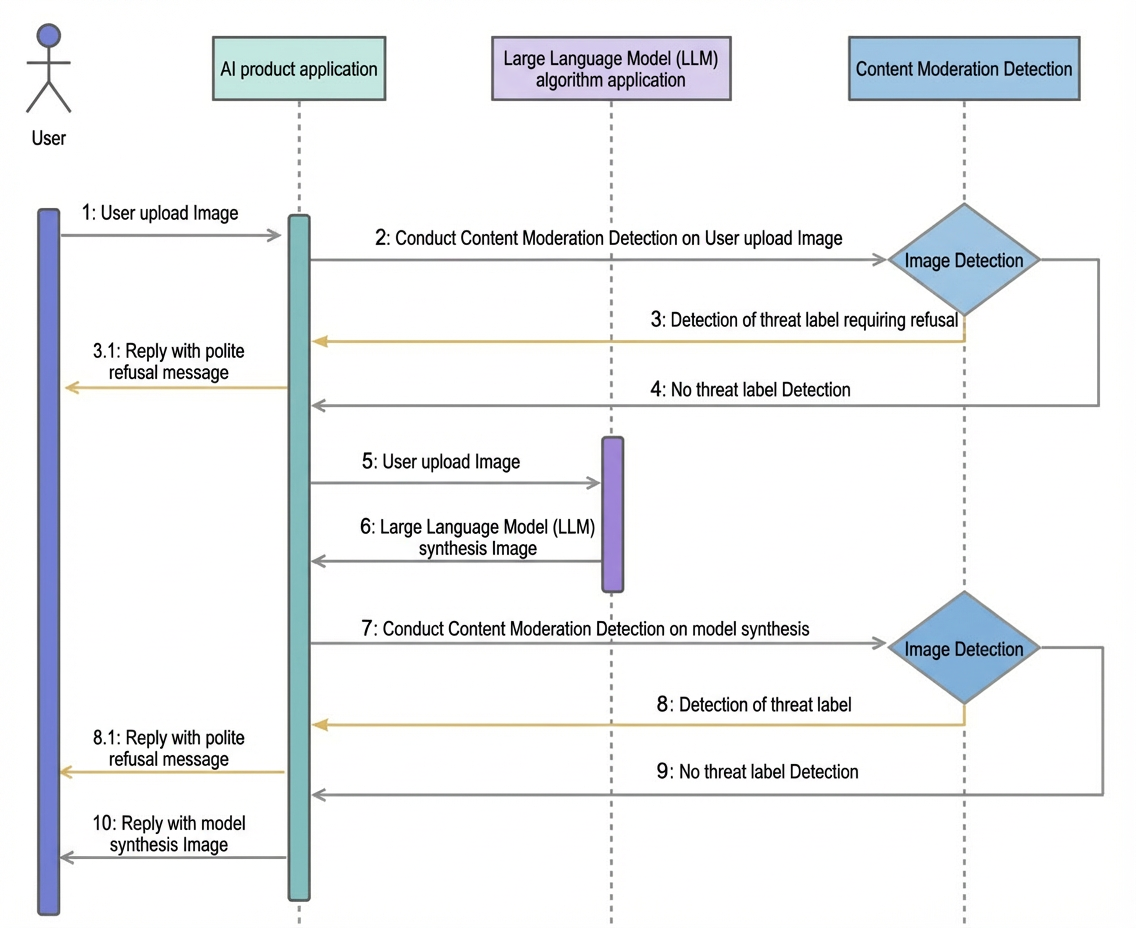
APIs to integrate and configure:
Step | API Operations | API service configuration |
Step 2 | ||
Step 7 |
Image understanding AI
Content moderation flowchart:
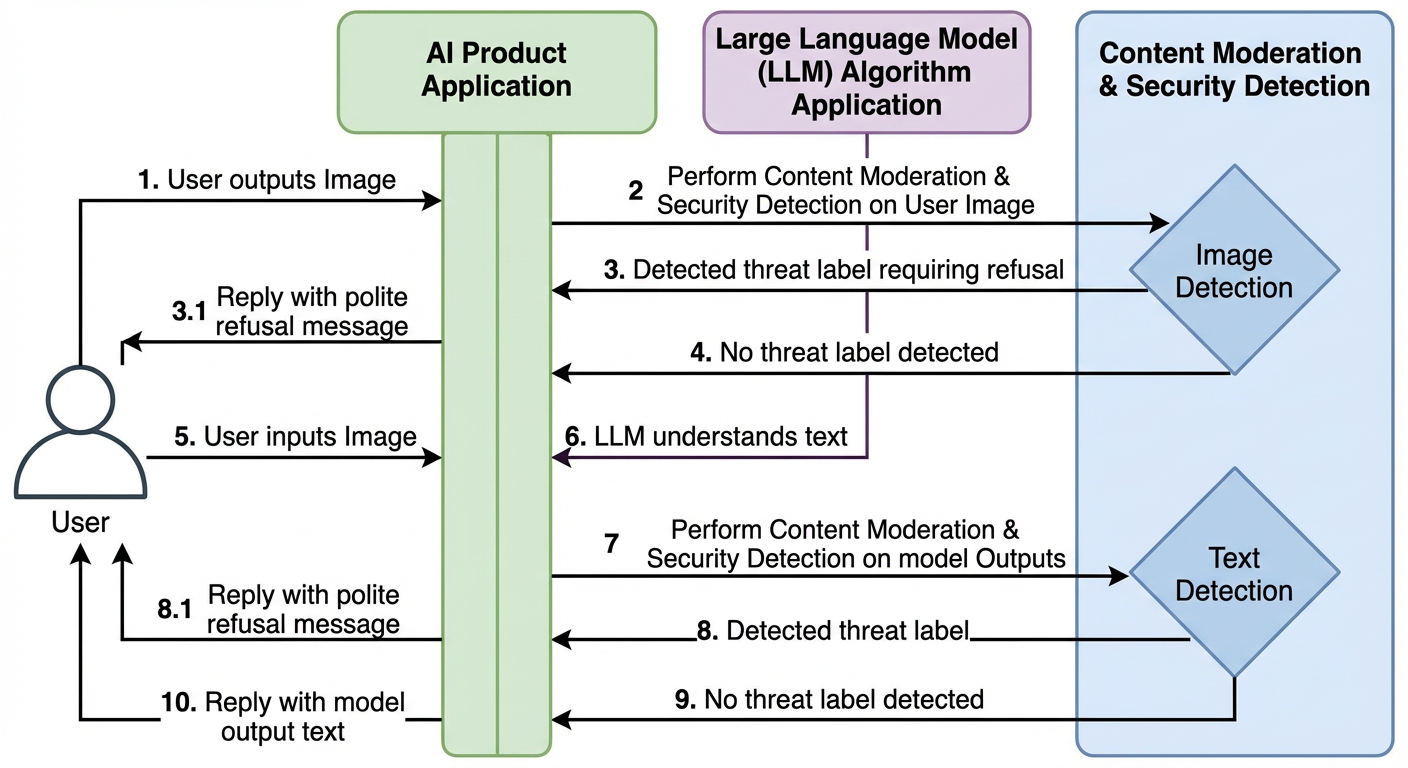
APIs to integrate and configure:
Step | API operation | API service configuration |
Step 2 | ||
Step 7 |
Adjust detection rules
You can adjust detection rules in the Alibaba Cloud AI Guardrails console. For more information, see the AI Guardrails console. The following example uses the TextModerationPlus API operation:
In the navigation pane on the left, choose Text Moderation Pro > Rule Configuration.
On the Rule Management tab, find the large language model input text detection (llm_query_moderation) scenario. Then, click Manage Detection Rules in the Actions column.
Select the detection type to adjust. This example uses harmful content detection.
Click Edit to modify the detection status.
Click Save. The new configuration takes about 2 to 5 minutes to take effect.