Purchase a data sync task
This topic describes how to purchase a data sync task in Data Transmission Service (DTS) for OceanBase.
Background information
Data sync tasks support only the subscription billing method. After you purchase a data sync task, you can configure and manage it. For more information, see Billing of Data Transmission Service.
Procedure
Log on to the OceanBase console .
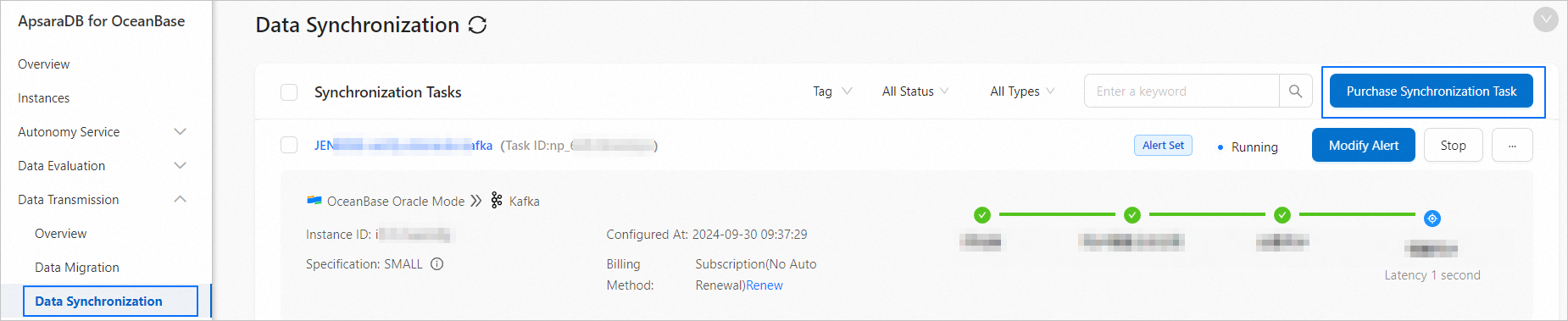
In the navigation pane on the left, click Data Transmission > Data Synchronization.
On the Data Synchronization page, click Purchase Sync Task in the upper-right corner of the Sync Task List area.
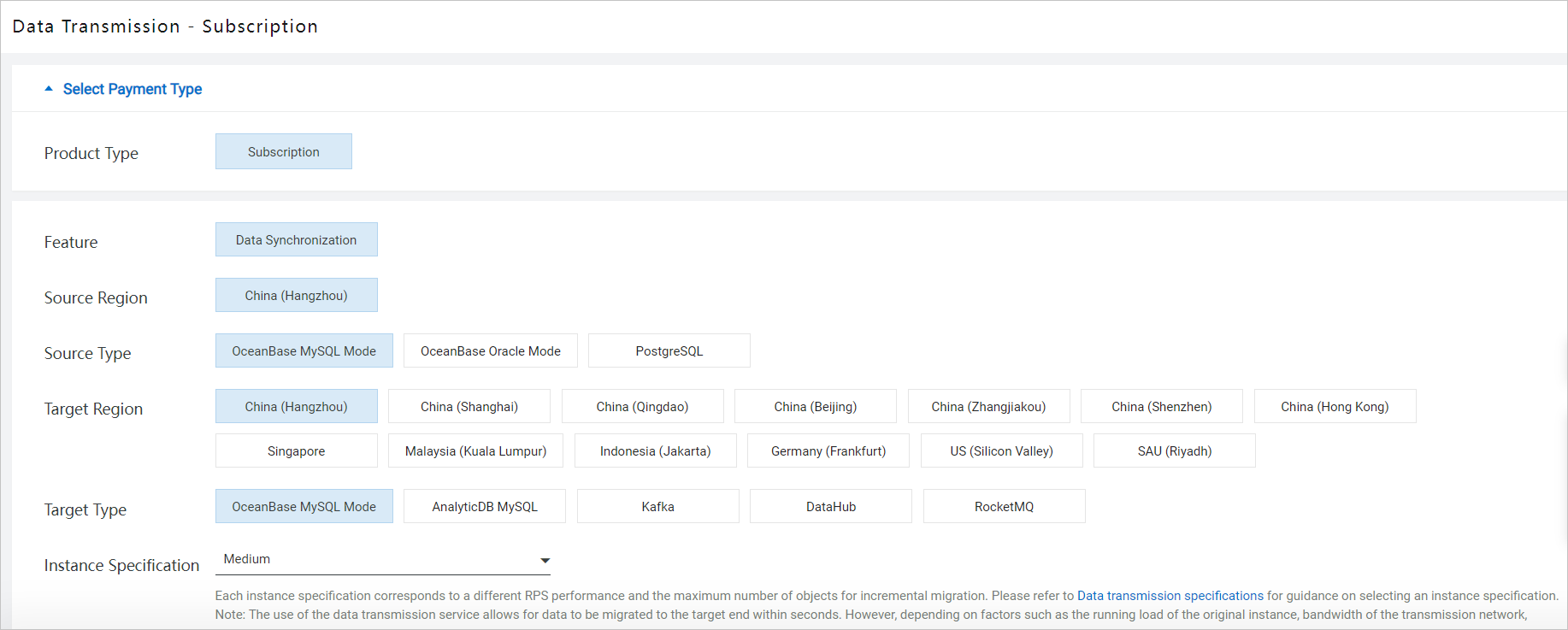
On the Data Transmission Service - Subscription page, configure the parameters.
Parameter
Description
Product Type
Currently, data synchronization jobs only support Subscription.
Feature
The feature defaults to Data Synchronization.
Source Region
The region where the source database is located.
Source Type
Select the type of the source database. Supported source database types are OceanBase (MySQL and Oracle tenants) and PostgreSQL.
Destination Region
The source and destination regions must be the same.
Destination Type
The supported destination types are displayed based on the source type you select. Select a destination type as needed.
Instance Type
The options are Medium, Micro, Small, Large, and XLarge. The default value is Medium.
Different instance types provide different records per second (RPS) performance for incremental synchronization and have different limits on the maximum number of table objects for migration or synchronization. For more information, see Specifications of Data Transmission Service instances.
Quantity
The number of data sync tasks that you want to run. The default value is 1. The maximum value is 500.
Subscription Duration
You can select a subscription duration based on your needs. We recommend that you check Auto-renewal to prevent business interruptions caused by resource expiration, shutdown, or release.
Click Buy Now.
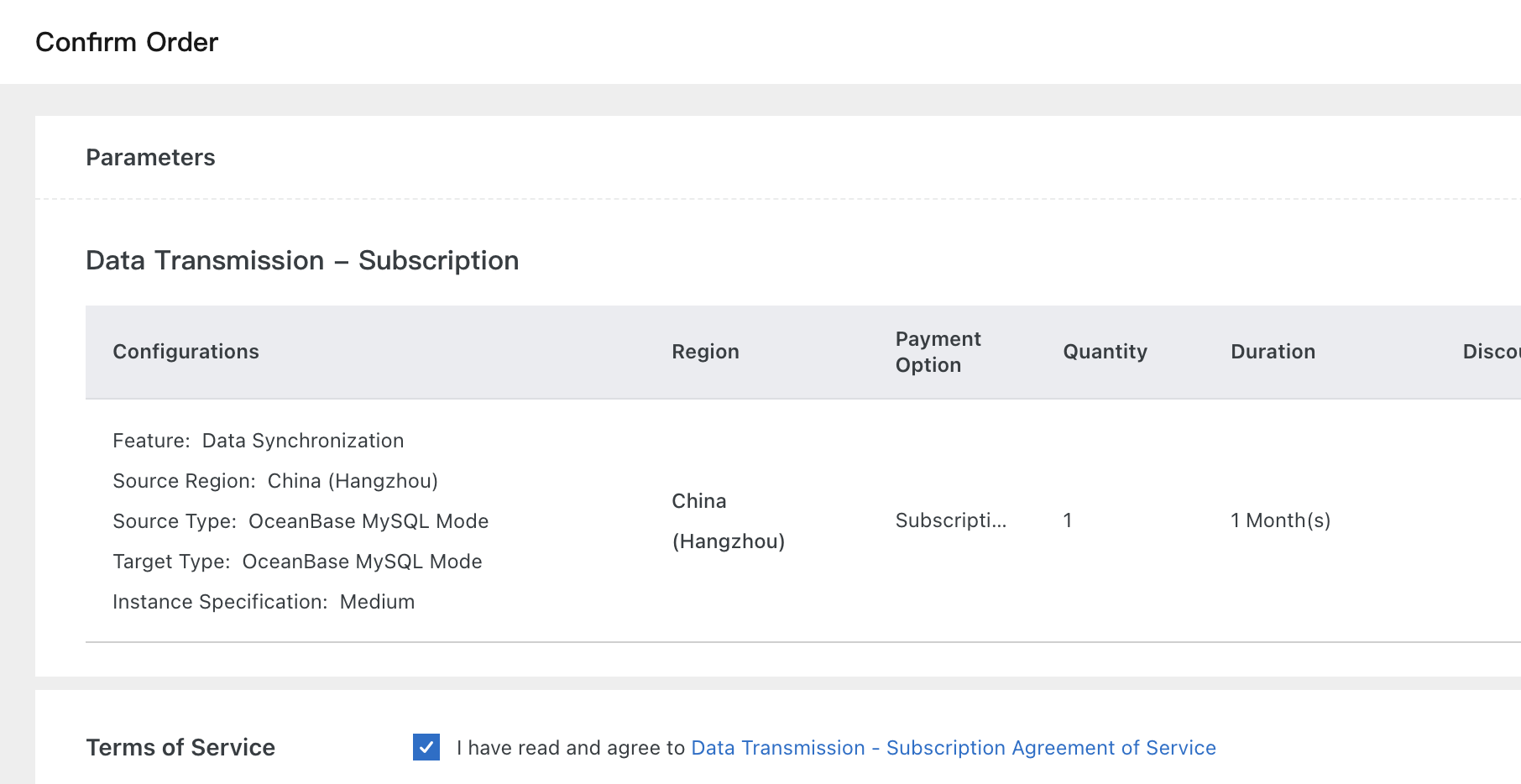
On the Confirm Order page, confirm that the parameter settings are correct, check I Have Read And Agree To The Data Transmission Service - Subscription Terms Of Service, and then click Go To Pay.
After the payment is complete, a message is displayed indicating that the service is enabled. Return to the Data Synchronization page to continue configuring the task.
For more information, see the documentation about configuring your specific type of data sync task.