Marketing reach - Mini Program subscription notification
Add a subscription notification button to your WeChat mini program so that after users subscribe, you can send them template messages through the subscription notification component.
-
For more information about the WeChat mini program subscription notification feature and template configuration, see the official WeChat documentation.
-
When a user enters the subscription notification component, their QAID is matched against OpenIDs from all data sources, regardless of whether the flow starts from the behavior event component or the target audience component.
-
For more information about attaching a WeChat mini program, see Account Authorization.
Procedure:
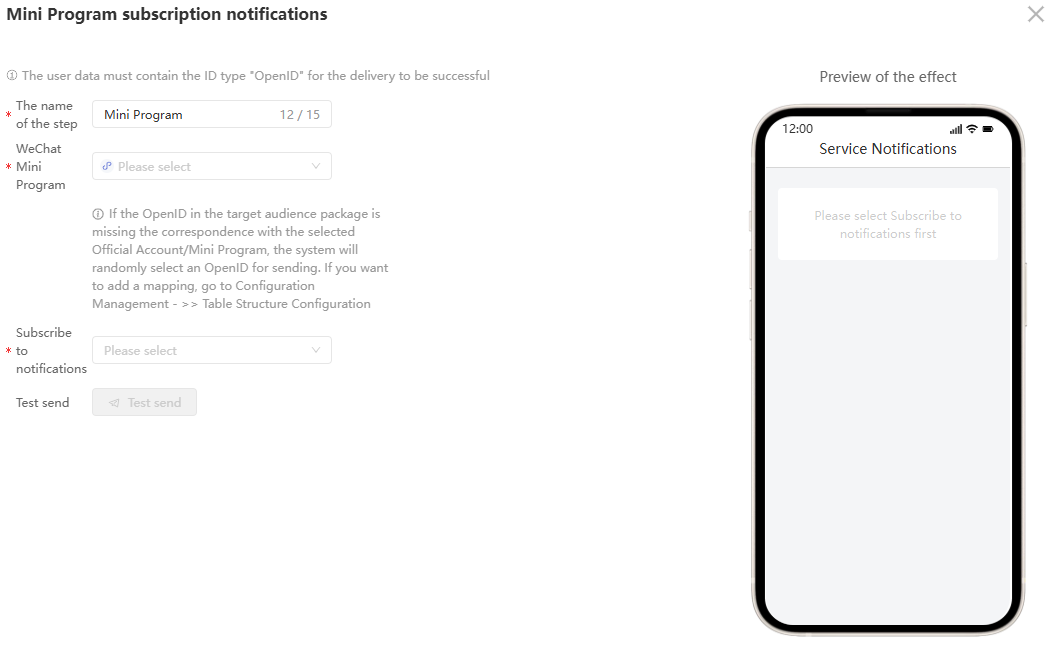
Step 1: Define the step name.
Step 2: Select the WeChat mini program.
Step 3: Select a subscription notification type and a template. For the details page redirect, select Do not redirect, as shown in the following figure:
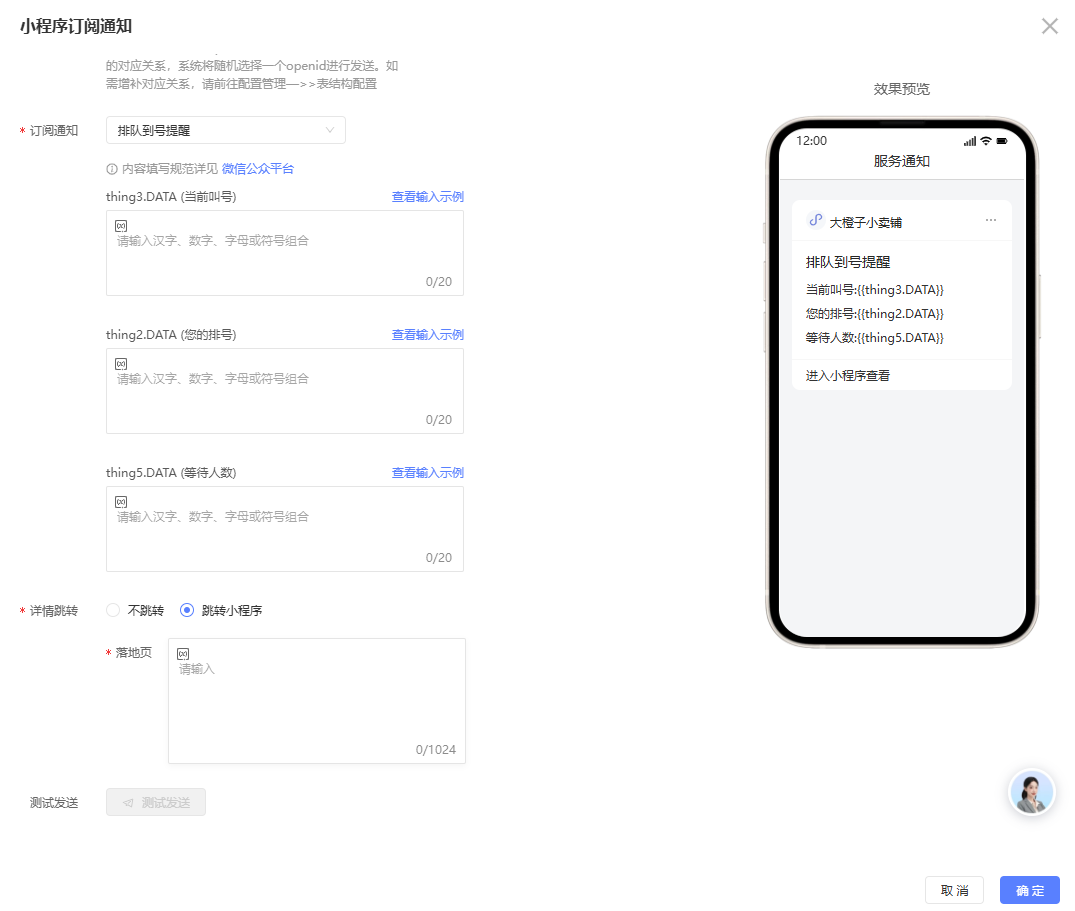
Step 4: Select a subscription notification type and a template. For the details page redirect, select Redirect to mini program. You can insert variables into the landing page, as shown in the following figures:
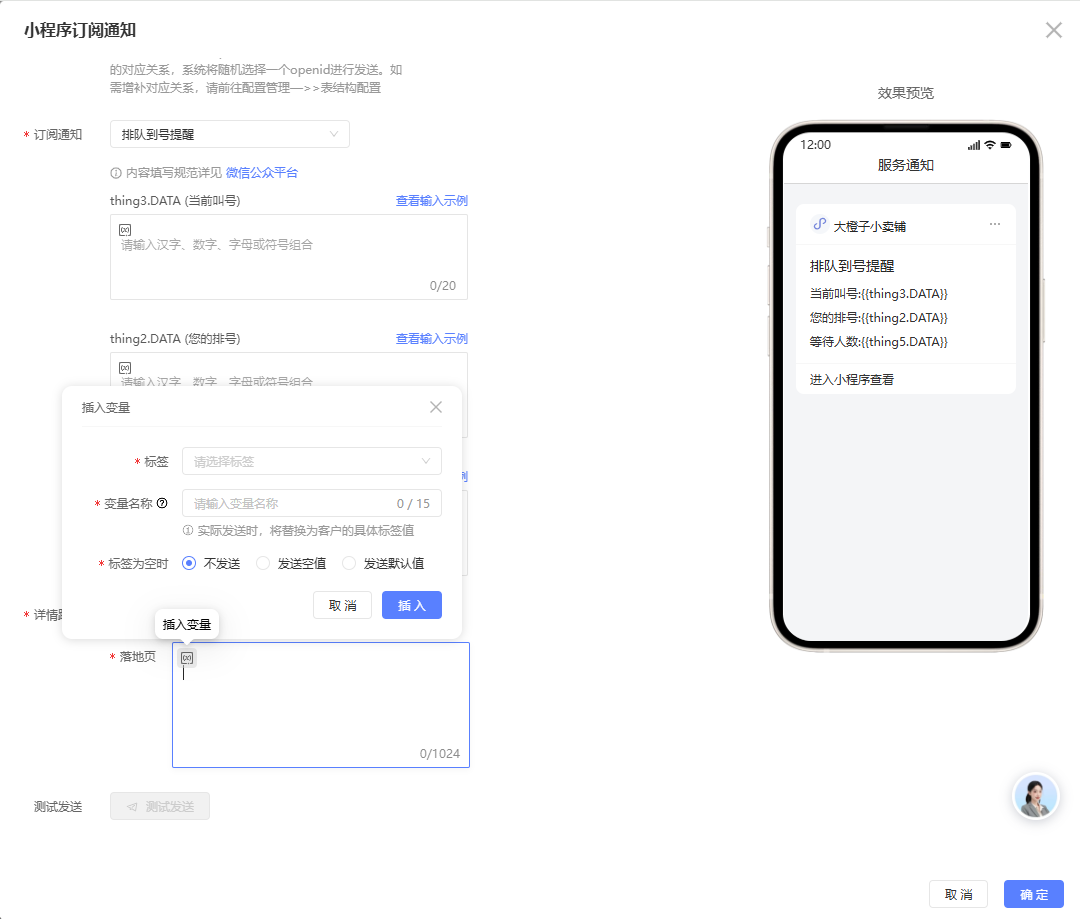
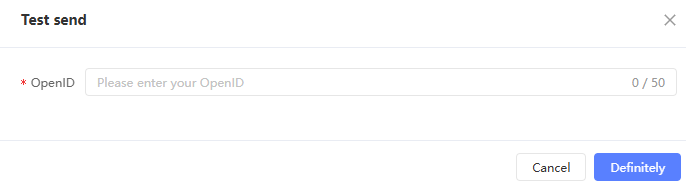
After you configure the template content, test the message. Click Test Send. In the pop-up window, enter the WeChat OpenID of a test recipient who has subscribed to notifications. If the content contains variables, enter the corresponding test values. Click OK.
The system sends a test WeChat message. Check your device to confirm that the message was received.
After the test is complete, click OK to save the configuration.