How to handle email delivery failures and bounce emails
When an email fails to deliver, you typically receive a bounce email. This email, also known as a non-delivery notification, explains why the message was not delivered.
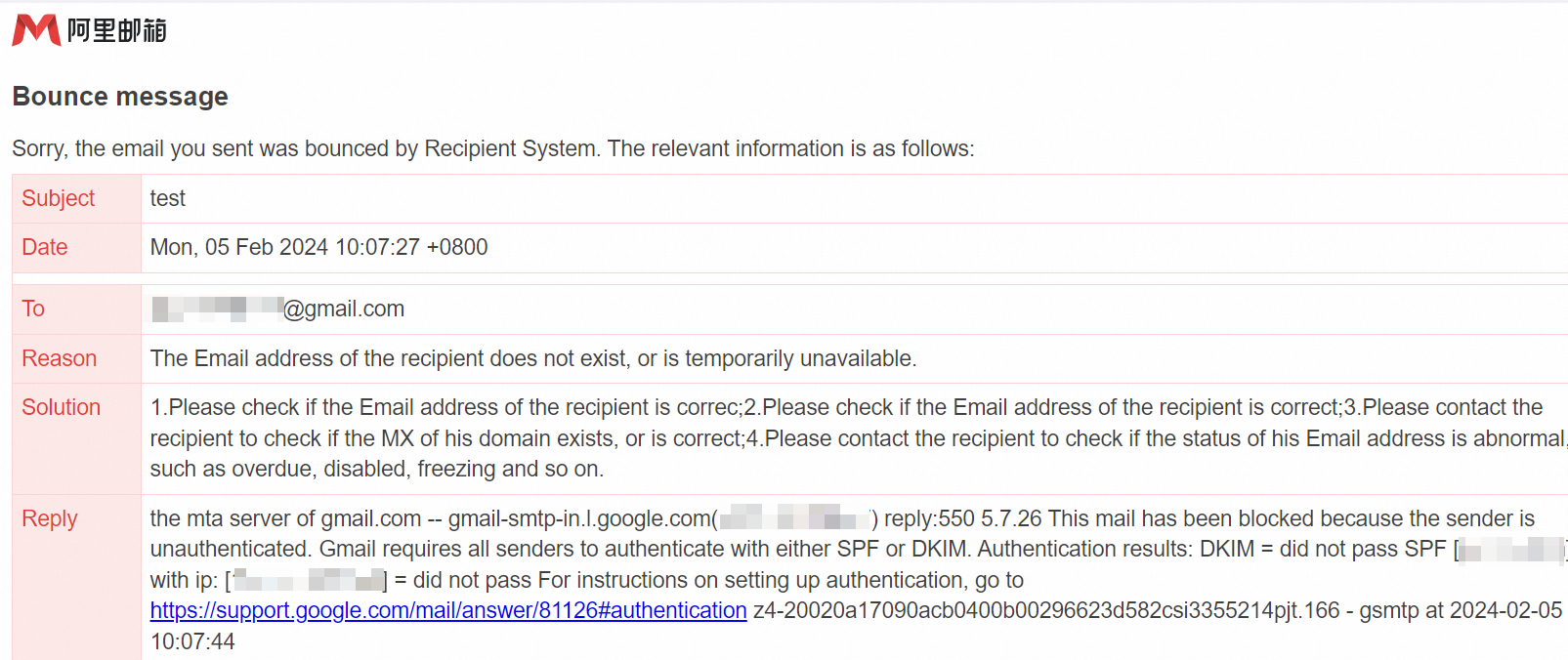
Follow these steps to handle a bounce email
Read the bounce email carefully
Analyze the bounce reason in the email. It usually states the specific cause of the delivery failure.
If the suggested solution is not helpful, read the remote response. It contains the original rejection message from the recipient's server.
Check DNS settings
Ensure that the domain's MX record is configured correctly. This DNS record is responsible for mail exchange.
Confirm that email authentication records such as Sender Policy Framework (SPF), DomainKeys Identified Mail (DKIM), and Domain-based Message Authentication, Reporting, and Conformance (DMARC) are configured correctly.
DNS query tool: Alibaba Cloud DNS
Starting February 2024, Gmail and Yahoo require senders to configure SPF, DKIM, and DMARC. Emails sent to domains such as gmail.com, googlemail.com, yahoo.com, and aol.com without these configurations may bounce or be marked as spam. Configure all three protocols for your sending domain. For help, contact the Alibaba Mail support team.
Solution: Bounced emails due to missing SPF, DKIM, or DMARC configurations
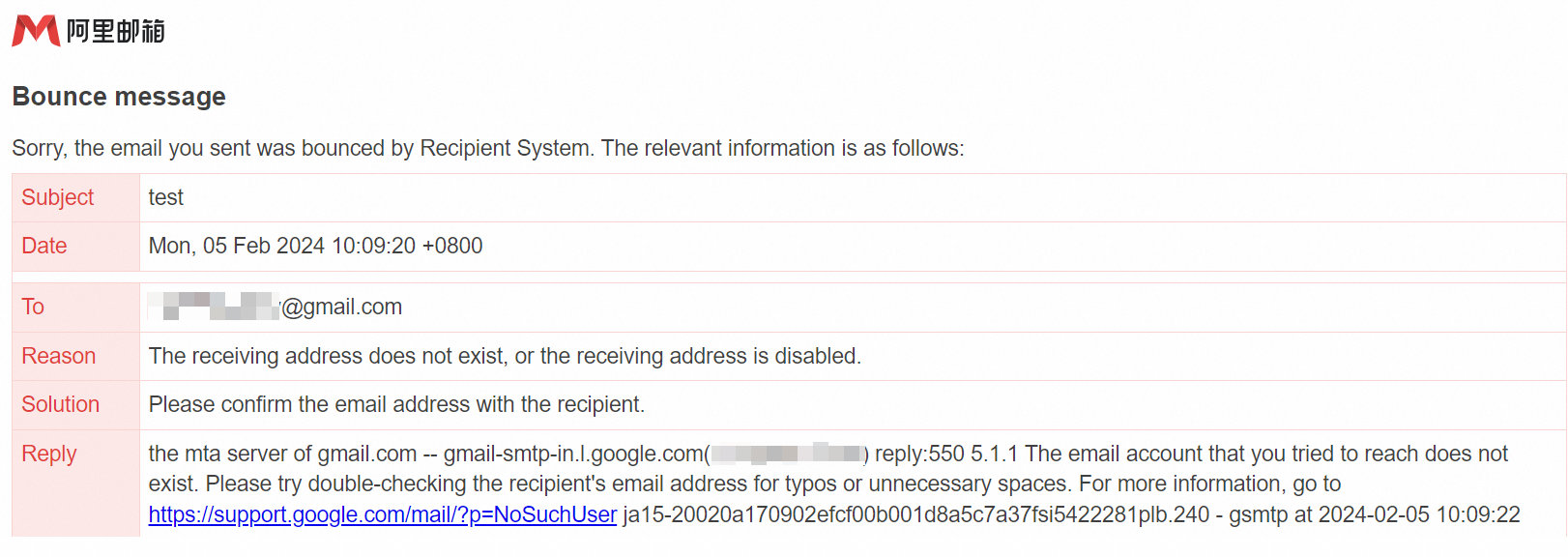
Check the recipient address
Check for spelling errors.
Verify that the recipient's mailbox is not disabled or over its storage limit.
Attachment size
If your email contains an attachment, ensure that its size does not exceed the recipient's mailbox limit.
Check the email body
Check if the email body contains content or links that may be flagged as spam by email service providers.
Remove any suspicious or unnecessary content.
Check the sender address
Ensure that your mailbox is not flagged as a source of spam.
Confirm that the sender's mailbox is not on a blacklist.
Check email sending limits
If you send a high volume of emails in a short period, they may be filtered by anti-spam protection.
For batch or system emails, use the Direct Mail service to avoid affecting your regular enterprise email delivery.
For more information, see What is Direct Mail?
Contact the recipient
If possible, contact the recipient through other channels, such as by phone or text message. Confirm their email address and inform them about the delivery issue.
Retry sending
After you resolve the issue, try sending the email again.