Computing Tags and Importing Tags
Updated at:
Quick Audience supports computing tags and importing tags for flexible tag creation.
1. Create a tag
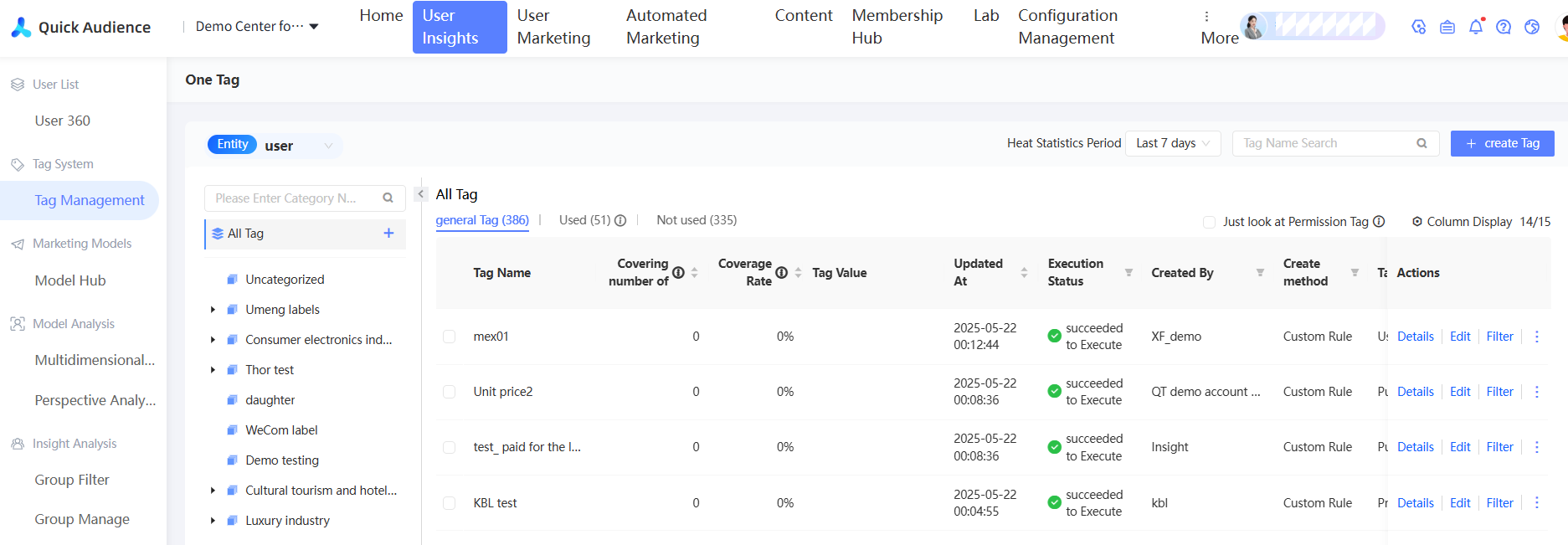
1. Choose User Insights→Tag Management→New Tag to create a computing tag or importing tag.
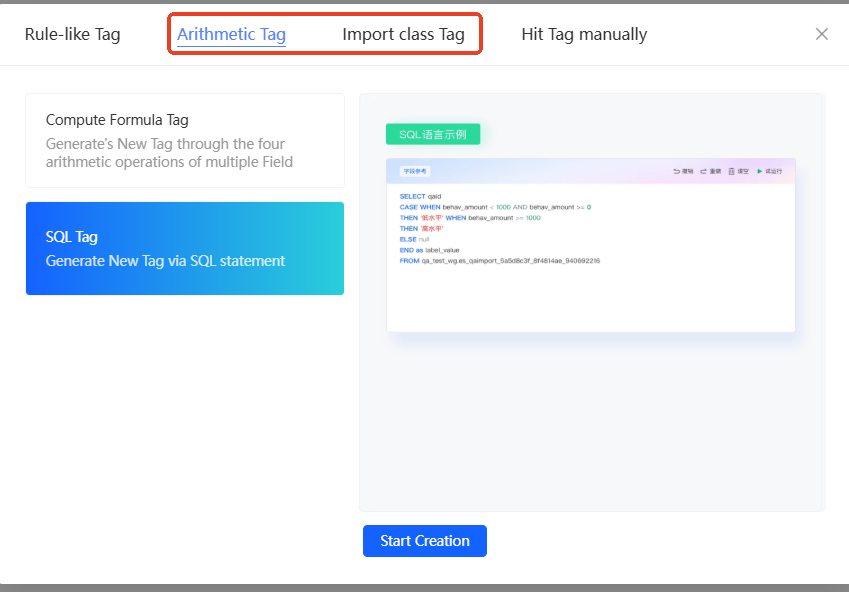
2. Computing tags:
Computing tags include computing formula tags and SQL tags.
Computing formula tags: Calculate tag values based on arithmetic operations and simple functions.
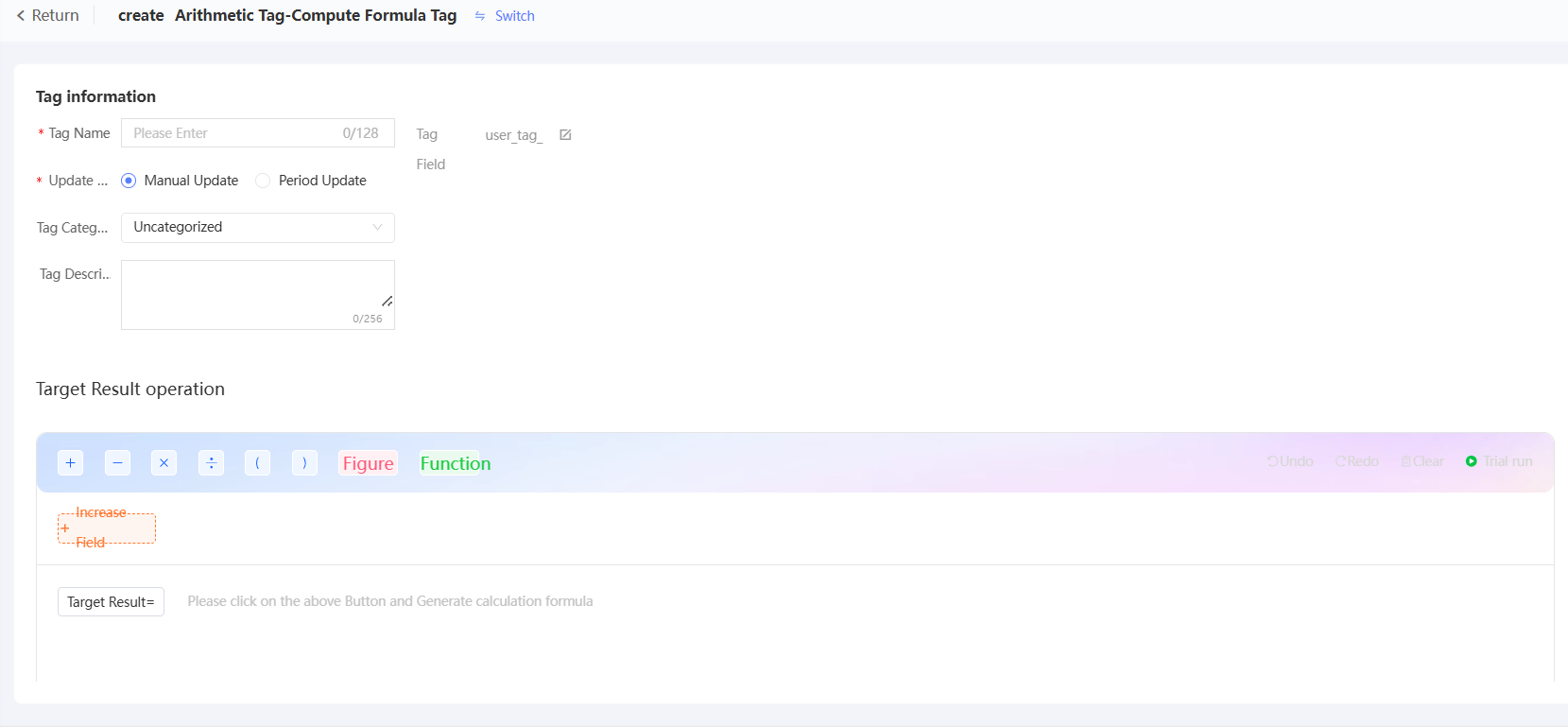
Note
Computing tags support only numeric and time type fields.
SQL tags: Create tags directly using SQL statements.

Sample code:
/* SELECT
    qaid,
    CASE
      WHEN behav_amount < 1000 AND behav_amount >= 0 THEN 'Low level'
      WHEN behav_amount >= 1000 THEN 'High level'
      ELSE null
    END as tag_value
  FROM
    es_qaimport_5a5d8c3f_8f4814ae_940692216
*/
3. Importing tags
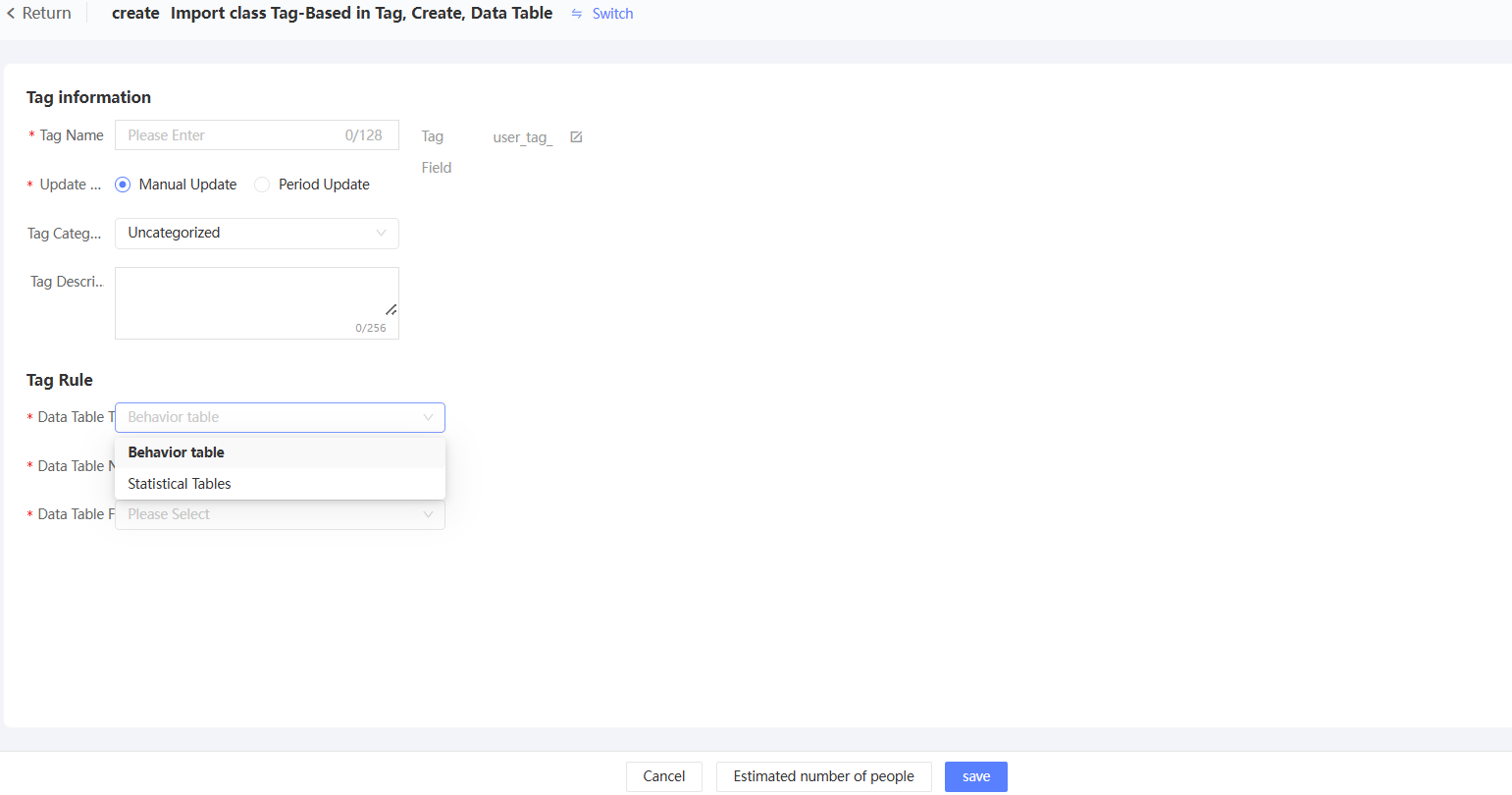
Importing tags include data table import tags. You can import tags from specific fields in behavior tables or statistics tables. The enumerated values of the fields serve as tag values.
Is this page helpful?