Execute a workflow
After you create a workflow in CloudFlow, start an execution to run it. Each execution is an independent instance of the workflow with its own name, input, and lifecycle. You can start executions manually from the console, on a schedule, in response to events, or through the API.
Trigger methods
CloudFlow supports four ways to start a workflow execution:
| Method | Description | Use case |
|---|---|---|
| Manual trigger | Start the workflow from the CloudFlow console. | Ad-hoc testing or one-time runs |
| Scheduled trigger | Run the workflow automatically at specified intervals through a scheduled task. | Recurring batch jobs or periodic data processing |
| Event-driven trigger | Run the workflow in response to events from other Alibaba Cloud services, such as Object Storage Service (OSS) and ApsaraMQ. | Real-time processing triggered by file uploads or message queue events |
| API trigger | Start the workflow programmatically through a CloudFlow API operation. | Automated pipelines or application-level orchestration |
Start an execution from the console
Before you begin, make sure you have a workflow created in CloudFlow. For more information, see Create a workflow.
Log on to the CloudFlow console. In the top navigation bar, select a region.
In the left-side navigation pane, click Workflows. On the Workflows page, click the workflow that you want to execute.
On the workflow details page, click the Execution Records tab, and then click Started Execution.
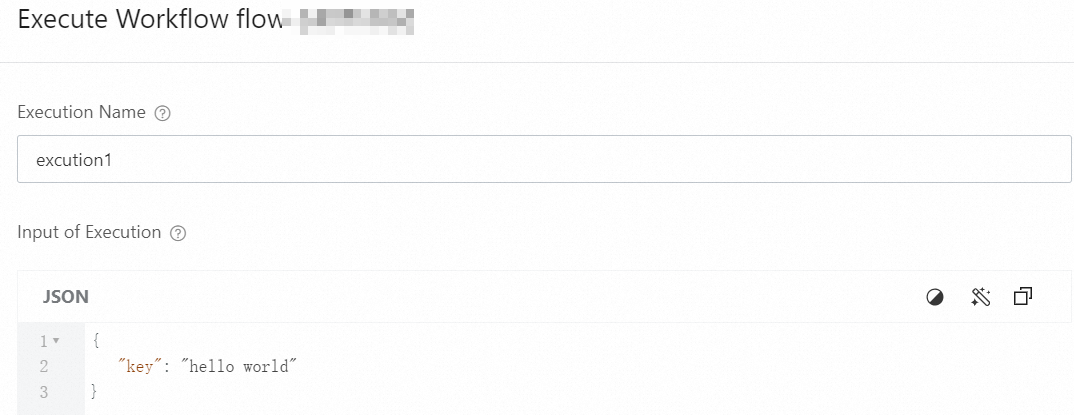
In the Execute Workflow panel, configure the following parameters and click OK.
Parameter Required Description Execution Name No A name for this execution. Must be unique within the workflow. Input of Execution No Input data in JSON format to pass to the workflow. 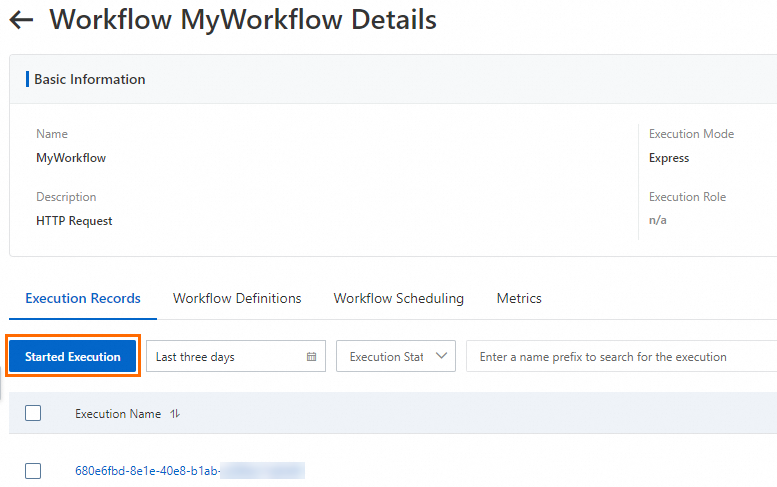
View execution results
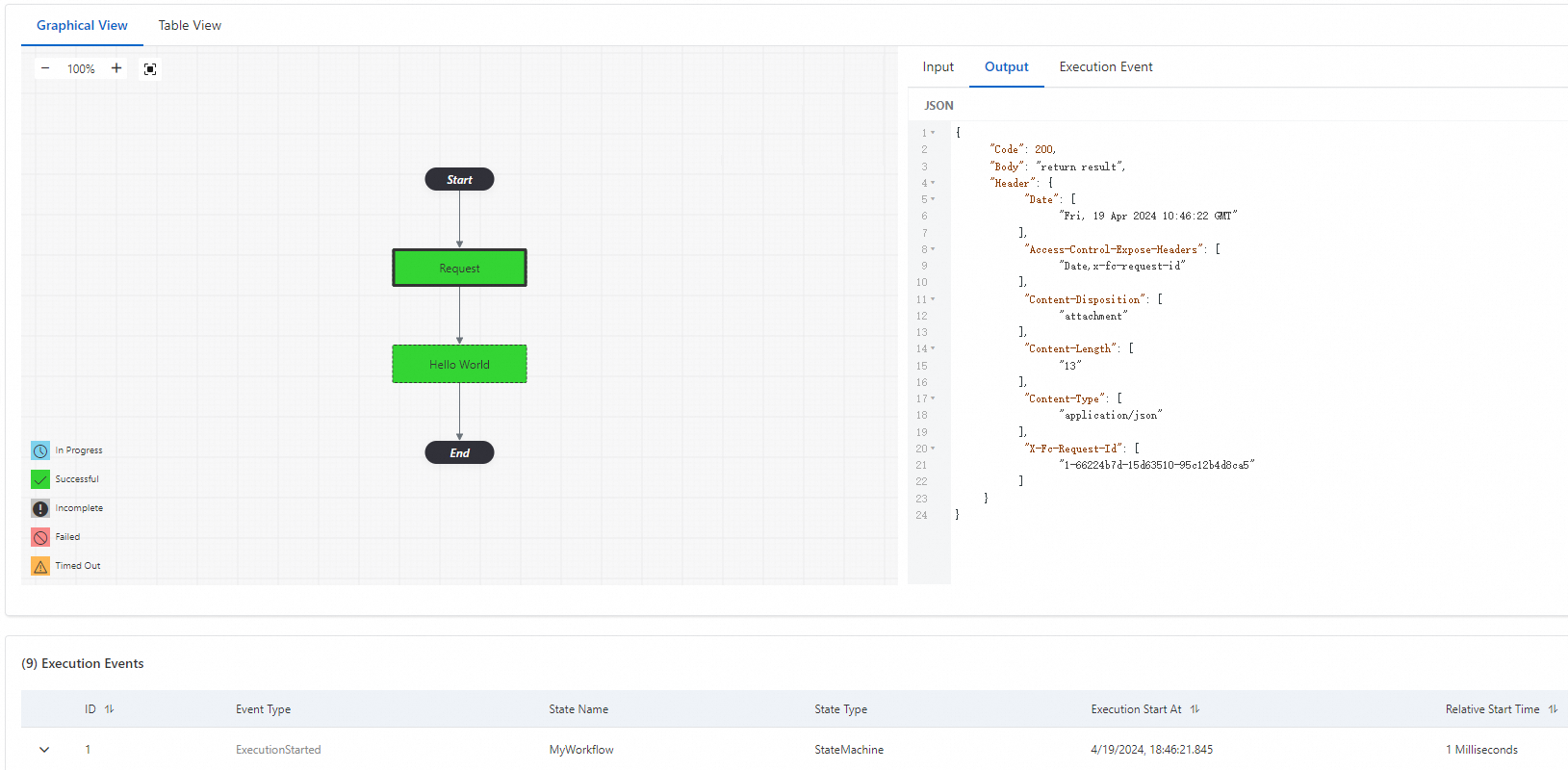
After an execution completes, the Execution Records tab displays the results. Use this tab to:
Monitor execution status: Track whether the workflow instance is running, succeeded, or failed.
View log output: Check the log entries generated during each step.
Inspect HTTP details: Review the HTTP request and response payloads to verify that each step ran as expected.
Start an execution through the API
To start and monitor workflow executions programmatically, use the following API operations:
| API operation | Description |
|---|---|
| StartExecution | Starts an asynchronous workflow execution. Returns immediately while the workflow runs in the background. |
| StartSyncExecution | Starts a synchronous workflow execution and waits for the result before returning. |
| DescribeExecution | Retrieves the status and output of a workflow execution. |
What to do next
To configure scheduled or event-driven triggers, see Workflow scheduling.