Console overview
Updated at:
The Real-Time Communication (RTC) console is used to configure and manage features such as RTC Star, usage query, statistical analysis, application management, access tools, configuration management, and service authorization management. This topic outlines the console and its features.
Procedure
- Log on to the Real-Time Communication RTC console.
- View the console overview.
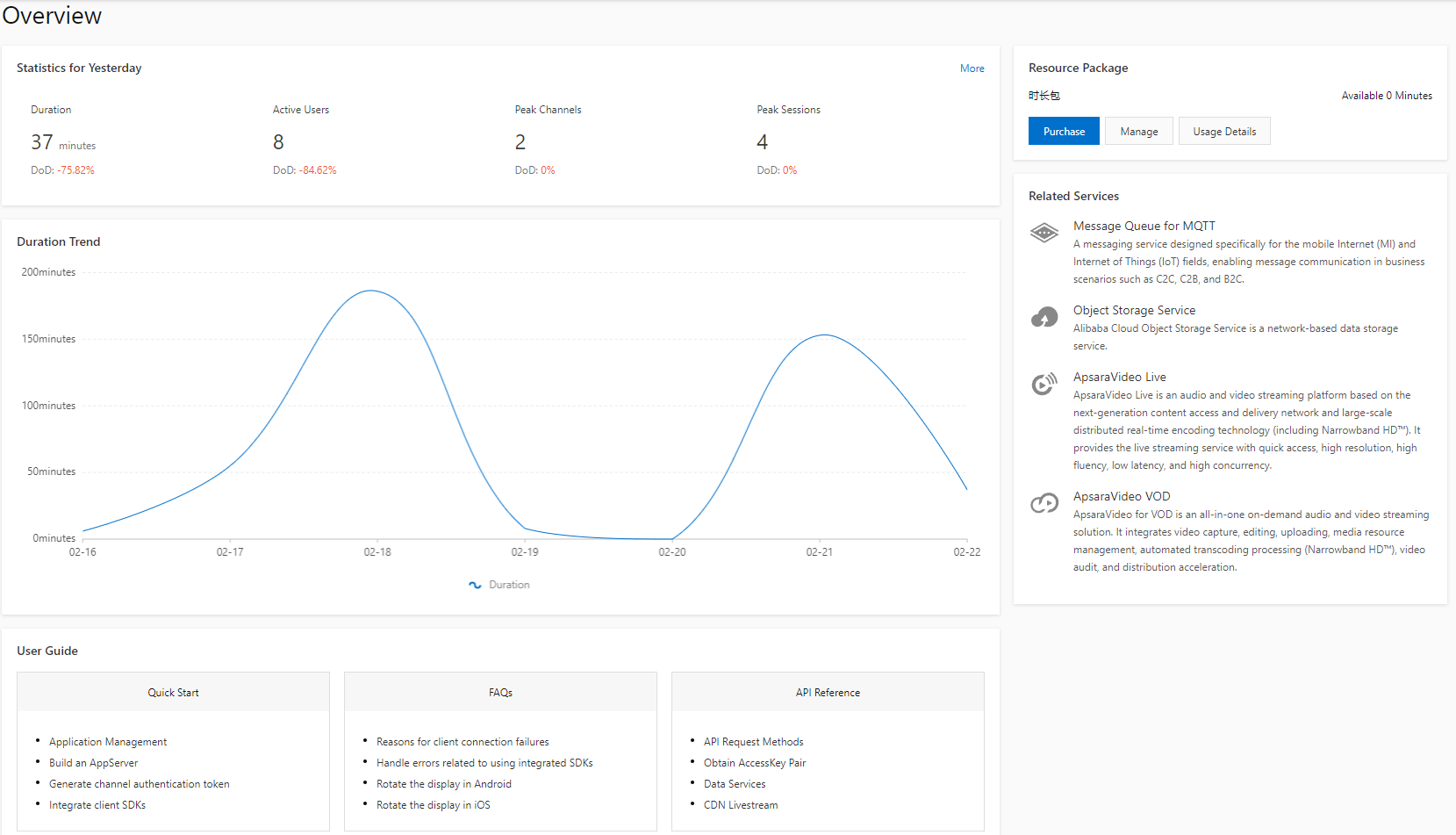
Feature Area Name Description Yesterday's usage The total communication duration, number of daily active users (DAUs), peak concurrent channels, and peak concurrent communications from the previous day. Communication duration trend A trend graph of the communication duration over the last seven days. User guide Links to documents for FAQs and usage instructions. Resource plans Links to purchase, manage, and view usage details for RTC duration packages (China mainland version). Related products Products related to RTC.
Console features
The navigation pane on the left side of the RTC console includes the following features:
| Feature Name | Description |
| Observatory | A communication quality monitoring platform that includes communication monitoring, usage statistics, quality statistics, and exception diagnosis. |
| Usage Query | Query communication duration, bypass push usage, cloud recording usage, and stream mixing and transcoding usage. |
| Statistical Analysis | Query active users, channels, peak concurrent channels, and peak concurrent communications. |
| Application Management | Create applications or query basic information about applications. |
| Access Tools | Generate and validate tokens. |
| Configuration Management | Manage stream mixing layouts, and set bypass rules and recording rules. |
| Service Authorization Management | Authorize services across different products. |
Is this page helpful?