1. Overview
This module tracks JS exceptions from mini programs and provides the error list, distribution, error details, and SourceMap parsing capabilities
2. Features
2.1JS exception trends
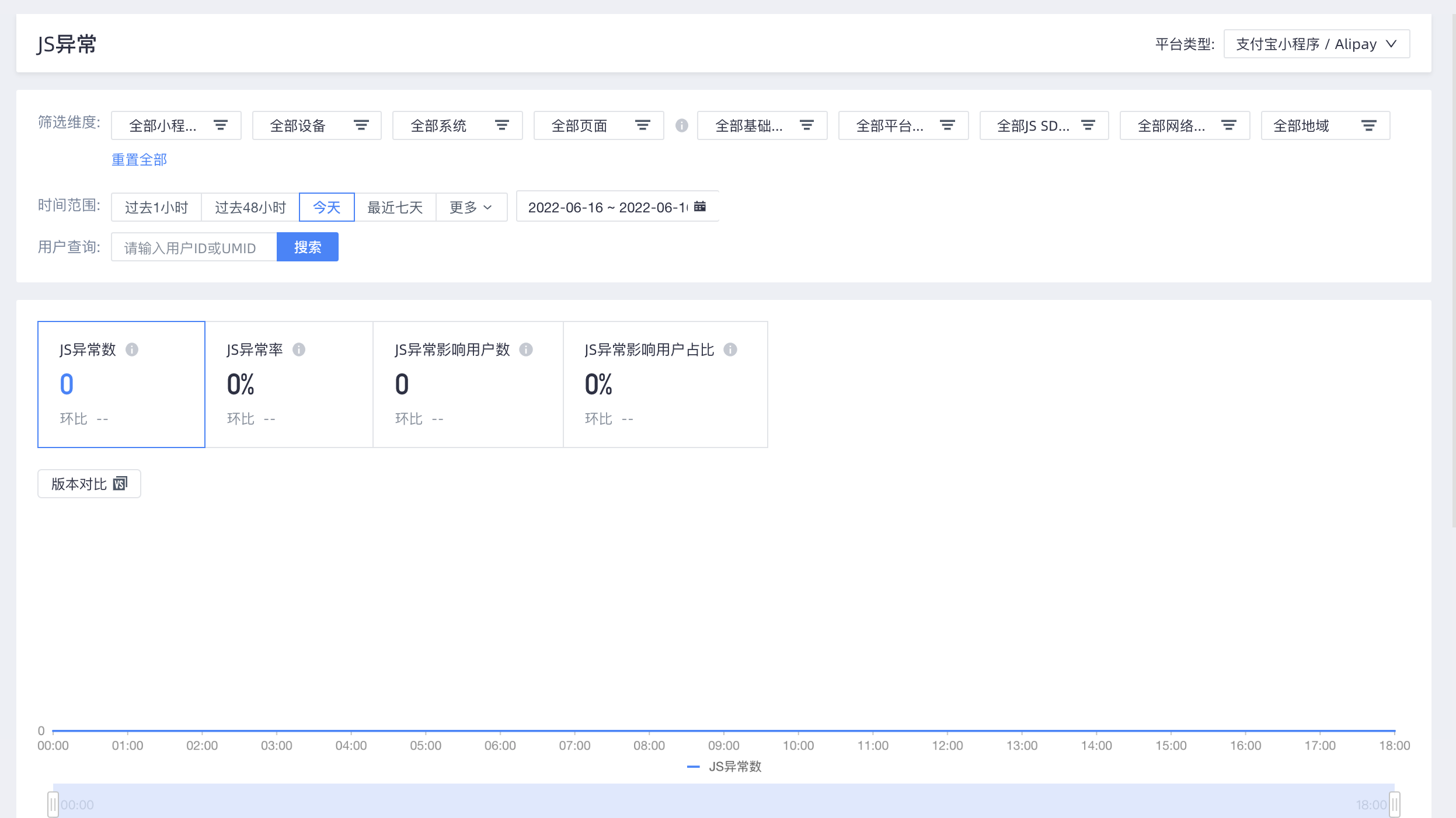
The overall widget allows you to filter the minor program version, device, system, page, basic library version, platform app version, JS SDK version, network type, and region
User ID or umid can be used to search for a single device
Pay attention to the following two points:
(1) In the initialization phase, if an exception occurs and no page information is collected, the exception is not included in any page filtering conditions.
(2) Currently, page information is collected only when required by business functions. For example, page information is not collected and reported when page startup, JS exceptions, or API requests do not occur. This calculation method causes the error rate of JS exceptions and the number of affected users to be low and the metrics to be high when page filtering is available.
The large number card in the trend chart displays the number of errors, error rate, number of affected users, and proportion of affected users
The number of errors and the number of affected users are the number of JS errors on the device that triggered the sampling. sample rate.
Error rate=Number of errors /Number of cold starts of the device that triggered JS exception sampling
Percentage of affected users=Number of affected users /Number of active device rows that trigger JS exception sampling
2.2 Exception List
The exception list displays the selected overall condition attribute and all JS errors within the specified time range. You can rank the errors based on the number of errors and the number of affected users. You can filter by status. You can search and filter by error ID and error summary. You can also export list data and generate alerts for a single log. For more information about alerts, see the 「Monitoring alert」 section in this topic.
Click an error summary in any line to go to the error details page

2.3 Exception distribution
Supports filtering by mini program version, basic library version, system, platform app version, page, device, JS SDK, network, and region

2.4 Exception details
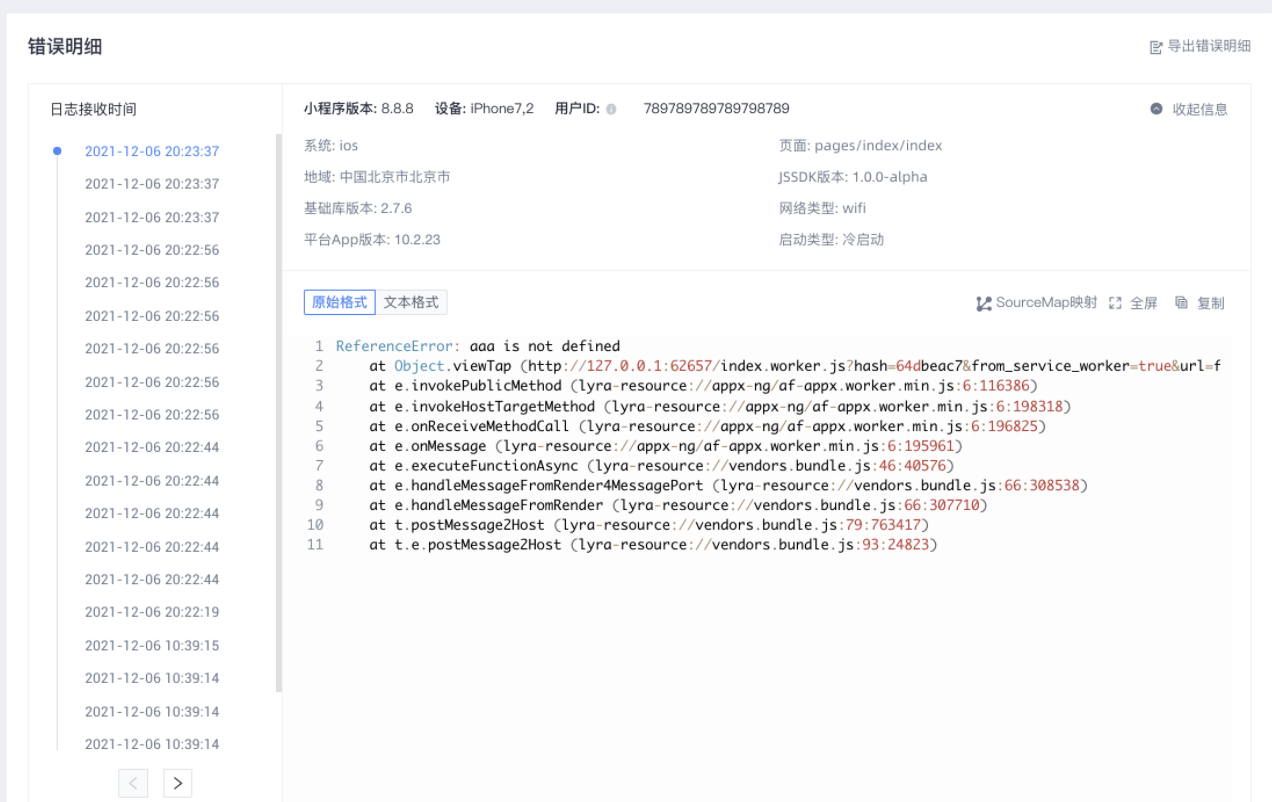
The exception details page displays the exception summary, version information, statistics, and occurrence time of the JS error.
The stack details of each exception are displayed by time
2.5 SourceMap Mapping
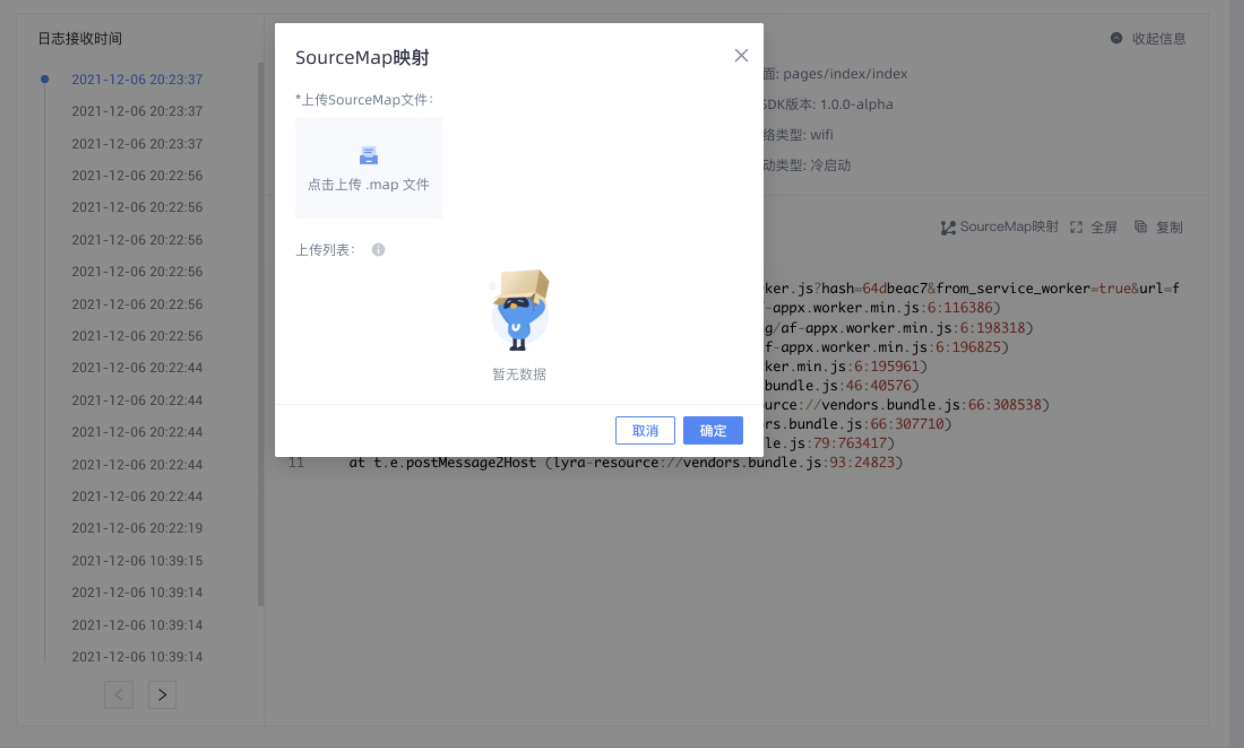
In the error details section, click Sourcemap to upload a sourcemap file to map the JS source code. Upload a file in the correct format.
You can upload multiple files. The files are parsed from top to bottom based on the upload list. You can click OK to compile the files.