WeCom Robot
The following table describes how to obtain alert information by using an WeCom robot.
1. Create a robot
Create a chatbot and obtain the webhook URL in the WeCom group chat.
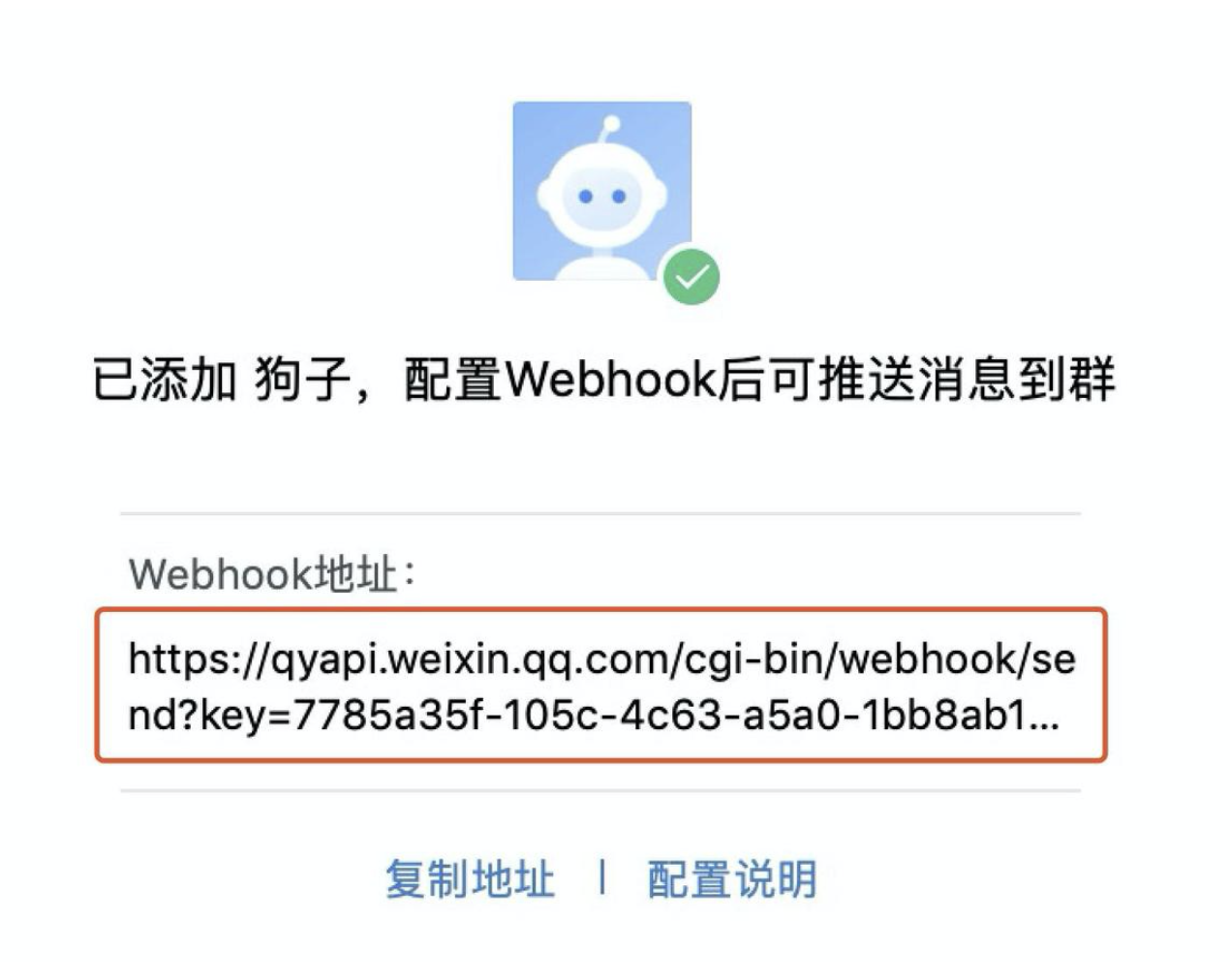
2. Customize a webhook
2.1 Request Format
Request URL
Request method: POST
Request Content-Type:application/json;charset=UTF-8
The request parameters is submitted in the JSON format as the RequesBody. The JSON example is as follows:
{ "appKey":"5 f6d566180455950e496e0ee", "appName":"Demo application", "name":"Test alert plan", "versions":"1.1.0,1.2.0,1.3.0", "startTime":"2022.11.12 14:00:00", "endTime":"2022.11.12 15:00:00", "errorType":"crash":"detail" "The error rate 3.2% is greater than 1% and the error count 100 is greater than 10", "jumpUrl":"https://demo.com/platform/4f83c5d852701564c0000011/error_analysis/crash" "errorList":[ { "errorId":"6356353986008", "summary":"java.lang.NullPointerException\nAttempt to...", "versions":"1.0.0 - 1011.0020-RELEASE(0108)", "happenTimes":69, "affectId: {users":50 } "6736212183021", "summary":"java.lang.OutOfMemoryError\nOOM...", "versions":"1.0.0 - 1011.0020", "happenTimes":79, "affectUsers":20 } ] }
2.2 JSON format description
Parameter | Description | Examples |
appKey | Application Unique Key | 5f6d566180455950e496e0ee |
appName | Name | Sample applications |
name | Alert Plan Name | Test the alert plan |
startTime | Detection time | 2022.11.12 14:00:00 |
endTime | Detection End Time | 2022.11.12 15:00:00 |
errorType | Monitoring exception types | crash. For more information, see "errorType enumeration values". |
versions | Version Range of Monitoring | 1.1.0,1.2.0, and 1.3.0. Separate multiple versions with commas (,). The value of all versions is "All versions". |
jumpUrl | Alert Details URL | https://demo.com/platform/4f83c5d852701564c/error_analysis/crash |
detail | Alert Details | Error rate 3.2% greater than 1% and error count 100 greater than 10 |
errorList | Error Details | JSON array format, up to 500 records For more information, see "errorList field description". |
2.3 errorType enumeration values
Enumeration value | Description |
crash | Crash |
anr | ANR exceptions |
exception | Custom exceptions |
pa | Catton |
oom | OOM exception |
network | Network Error |
js | JS exception |
2.4 errorList field description
Log field | Description |
errorId | Error Unique ID |
summary | Error Summary |
versions | Affected Version Range |
happenTimes | Occurrences |
affectUsers | Affected Users |
2.5 Response Format
After the user receives the request, the returned HTTP response status code is 200, and the response content is not limited and can be empty.