System notification management
This topic describes the system notification management feature.
Background
The postmaster account is a complimentary primary administrator account included with Alibaba Mail. It is intended for routine administrative and maintenance tasks and is not recommended for sending or receiving regular email. This account also receives system-generated communications, such as alerts and updates. Because this account is often not monitored daily, administrators might miss time-sensitive information. Furthermore, the postmaster account has a 5 MB storage limit. If this limit is exceeded, new notification emails might not be delivered, which can disrupt domain administration.
Solution
To address this issue, Alibaba Mail introduced the system notification management feature. This feature lets you specify other email accounts within your domain to receive system notifications. Once configured, all system notifications sent to the postmaster account are also forwarded to the specified accounts.
Procedure
-
Log on to the Alibaba Mail domain admin platform with the administrator account (postmaster).
Standard edition
Domestic edition
Navigate to Settings > System Notifications.
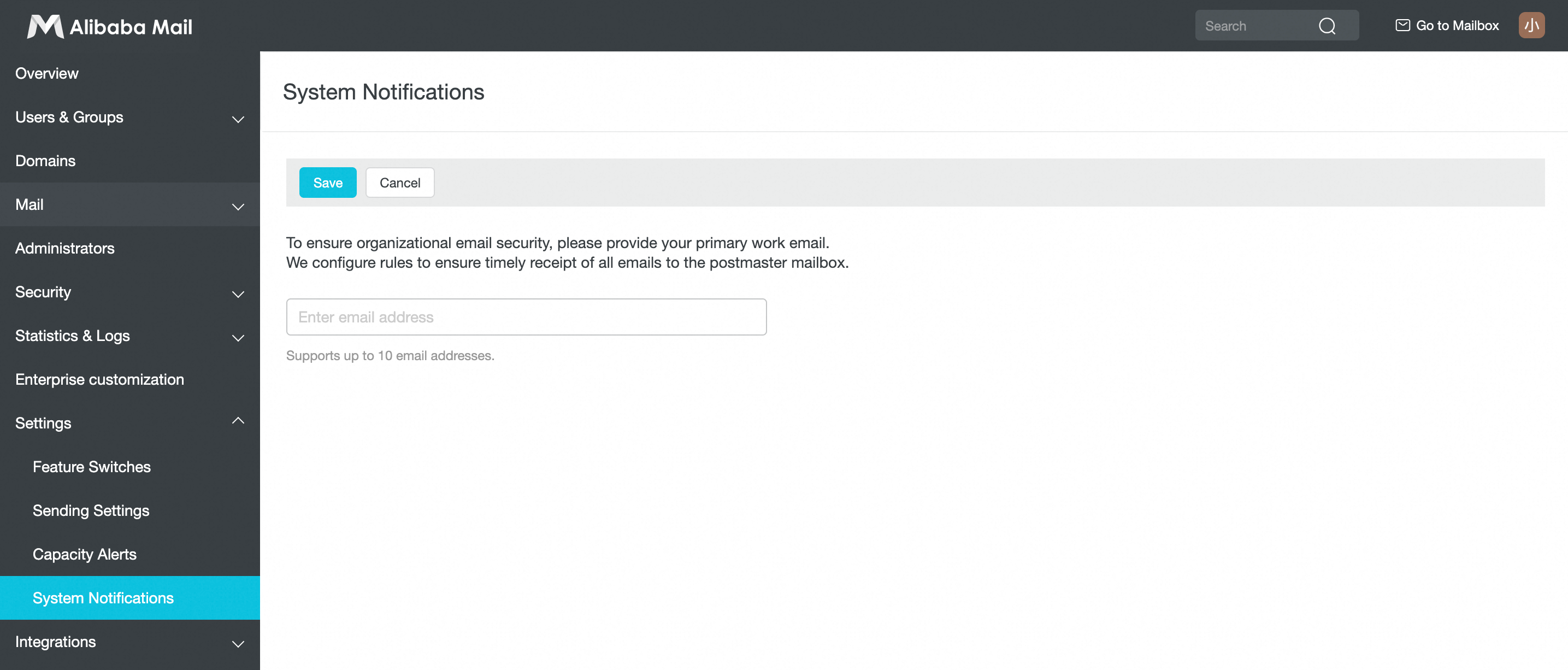
Enter one or more recipient email addresses and click Save.
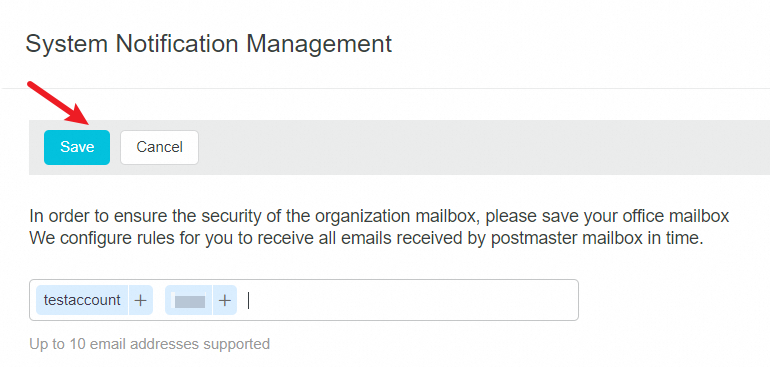
You can add up to 10 email addresses. You cannot add an external domain account.
Only the postmaster account can view and configure the System Notifications page.