Alibaba Mail IMAP scenario example: Get email information from the command line
The Internet Message Access Protocol (IMAP) is a protocol for retrieving email. It lets you retrieve email from a mail server and perform various operations, such as reading, deleting, and shifting emails, without downloading them to an on-premises device. The main features of IMAP include the following:
Server storage: Emails are stored on the server, and clients can access them at any time.
Multi-device synchronization: You can view and manage emails in the same mailbox on multiple devices.
Offline access: Clients can cache emails to view them when offline.
Selective download: Clients can selectively download specific parts of an email, such as only the message header or attachments.
State synchronization: Information such as the read status and marks of an email is synchronized to the server to ensure a consistent view across all devices.
The latest version of IMAP is IMAP4, which is widely used in modern email clients and services. Compared to Post Office Protocol 3 (POP3), IMAP provides more powerful email management and synchronization features.
Example
The following example of a telnet command session demonstrates the procedure for retrieving email information using the IMAP protocol.
Note: S represents the server, and C represents the client.
Scenario flow: Retrieve the email subject using the IMAP protocol.
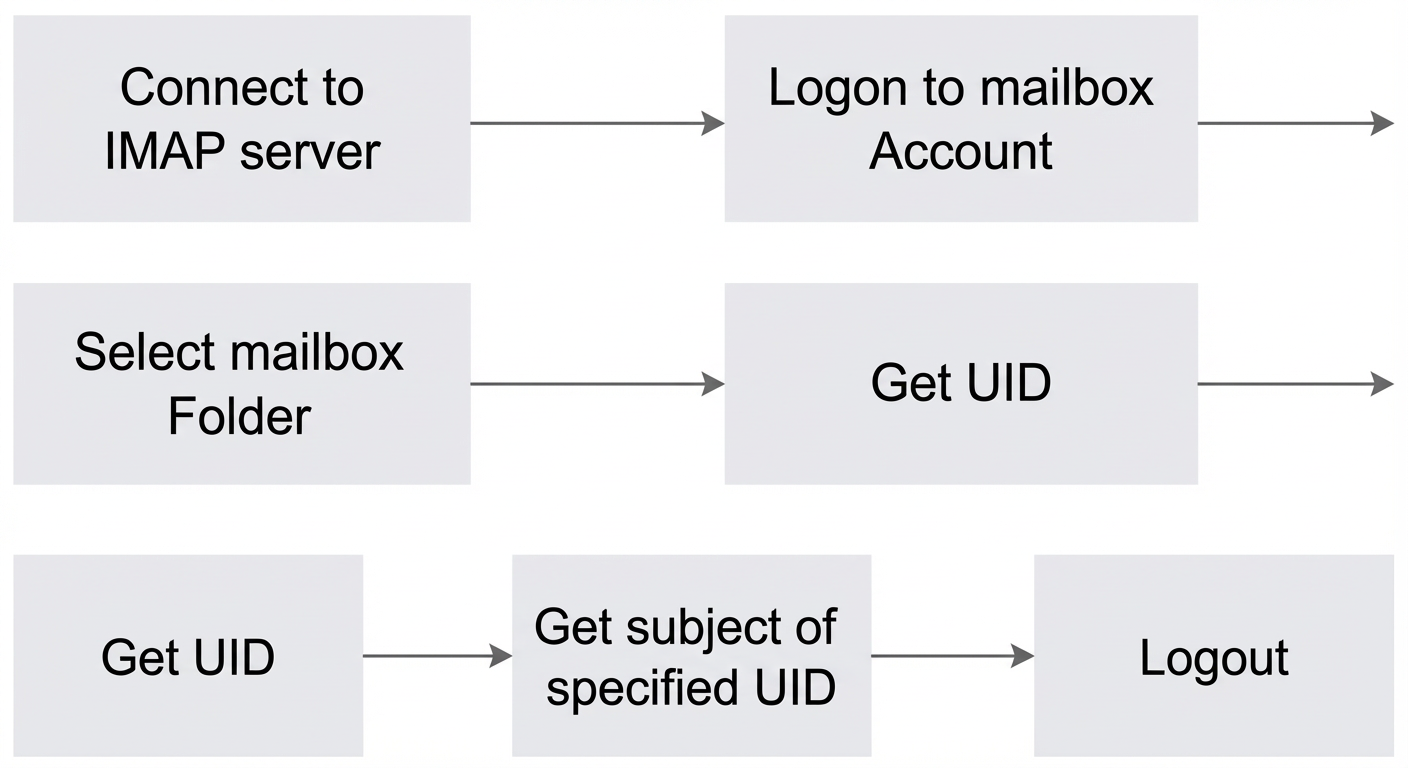
Unlike the Simple Mail Transfer Protocol (SMTP), IMAP does not use Base64 encoding for account passwords. Therefore, for production environments, you must use the encrypted channel on port 993.
Unencrypted method:
$telnet imap.qiye.aliyun.com 143
S:* OK AliYun IMAP Server Ready
C:a login test@example.com xxxxxxx
S:a OK LOGIN completed
C:b select INBOX
S:* 566 EXISTS
S:* 0 RECENT
S:* OK [UNSEEN 341]
S:* OK [UIDNEXT 799] Predicted next UID.
S:* OK [UIDVALIDITY 2] UIDs valid.
S:* FLAGS (\Answered \Seen \Deleted \Draft \Flagged)
S:* OK [PERMANENTFLAGS (\Answered \Seen \Deleted \Draft \Flagged)] Limited.
S:b OK [READ-WRITE] SELECT completed
C:c uid search all
S:* SEARCH  790 791 792 793 794 795 796 797 798
S:c OK SEARCH completed
C:d uid fetch 798 (body[header.fields (subject)])
S:* 566 FETCH (UID 798 BODY[HEADER.FIELDS (SUBJECT)] {23}
S:Subject: Test Email
S:
S:)
S:d OK FETCH completed
C:e logout
S:* BYE IMAP4rev1 Server logging out
S:e OK LOGOUT completed
Encrypted method (requires the OpenSSL tool):
$openssl s_client -crlf -connect imap.qiye.aliyun.com:993
***
***
***
S:* OK AliYun IMAP Server Ready
C:a login test@example.com xxxxxxx
S:a OK LOGIN completed
C:b select INBOX
S:* 566 EXISTS
S:* 0 RECENT
S:* OK [UNSEEN 341]
S:* OK [UIDNEXT 799] Predicted next UID.
S:* OK [UIDVALIDITY 2] UIDs valid.
S:* FLAGS (\Answered \Seen \Deleted \Draft \Flagged)
S:* OK [PERMANENTFLAGS (\Answered \Seen \Deleted \Draft \Flagged)] Limited.
S:b OK [READ-WRITE] SELECT completed
C:c uid search all
S:* SEARCH 790 791 792 793 794 795 796 797 798
S:c OK SEARCH completed
C:d uid fetch 798 (body[header.fields (subject)])
S:* 566 FETCH (UID 798 BODY[HEADER.FIELDS (SUBJECT)] {23}
S:Subject: Test Email
S:
S:)
S:d OK FETCH completed
C:e logout
S:* BYE IMAP4rev1 Server logging out
S:e OK LOGOUT completed
S:closed