Add a whitelist for a PostgreSQL data source
This topic describes how to add a whitelist for an ApsaraDB RDS for PostgreSQL data source.
Considerations
You can add up to 50 whitelists for a single instance.
You cannot delete the default whitelist named default, but you can clear it.
Adding a whitelist for an ApsaraDB RDS instance does not affect the normal operations of the instance.
Procedure
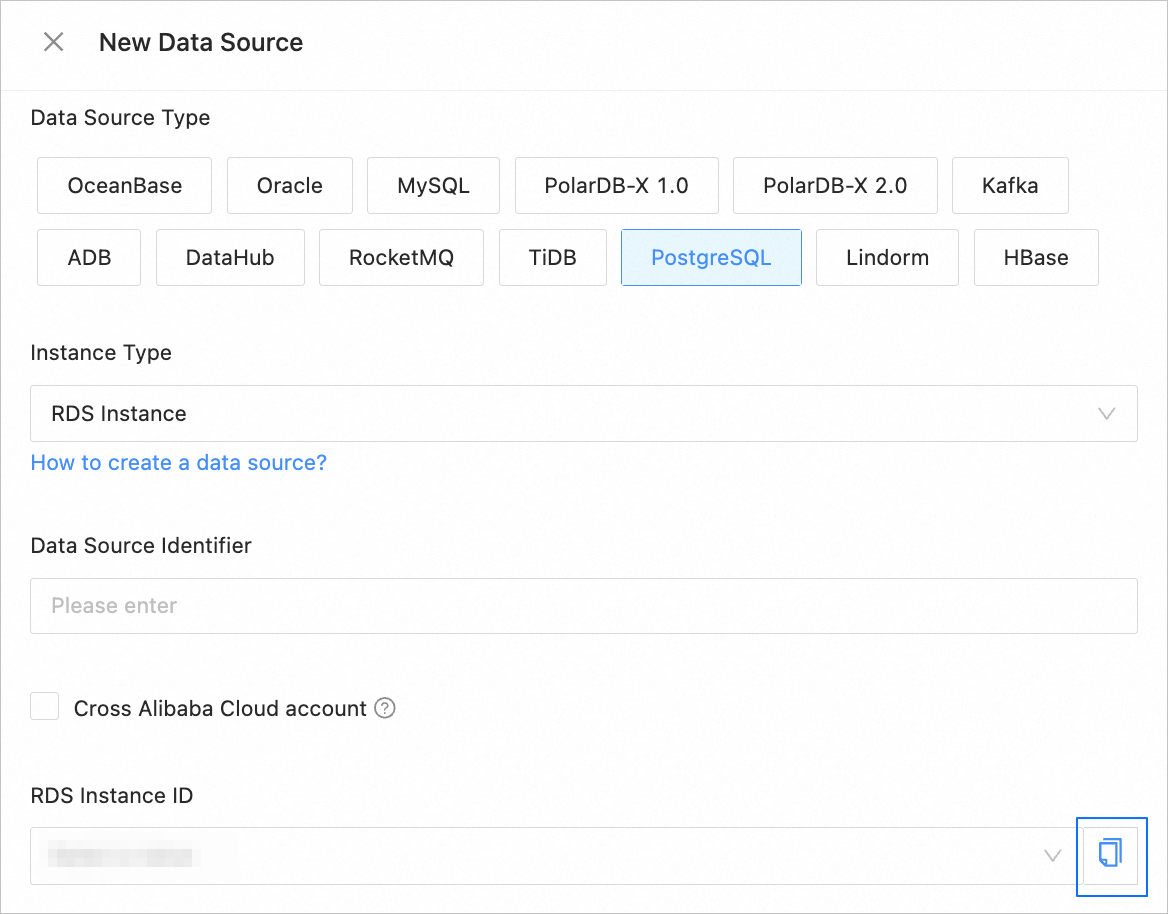
In the New Data Source dialog box, select the desired RDS instance from the RDS Instance ID drop-down list, and then click the copy icon on the right side to copy the ID of the RDS instance.
Go to the Instances page of the ApsaraDB for RDS console and click the name of the instance to enter its details page.
In the left-side navigation pane of the page that appears, click Whitelist and SecGroup.
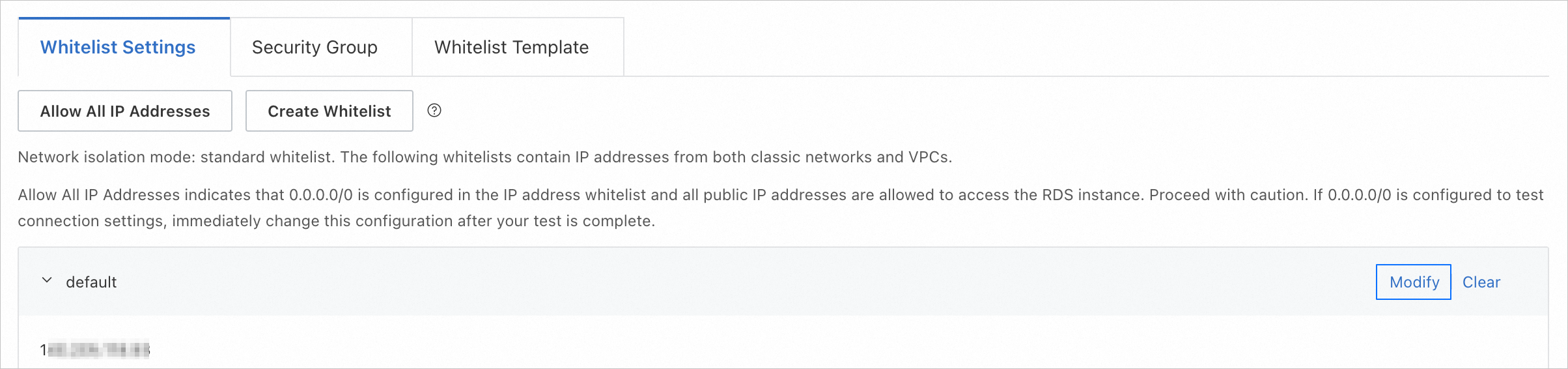
On the Whitelist Settings tab, add a whitelist.
Click Create Whitelist.
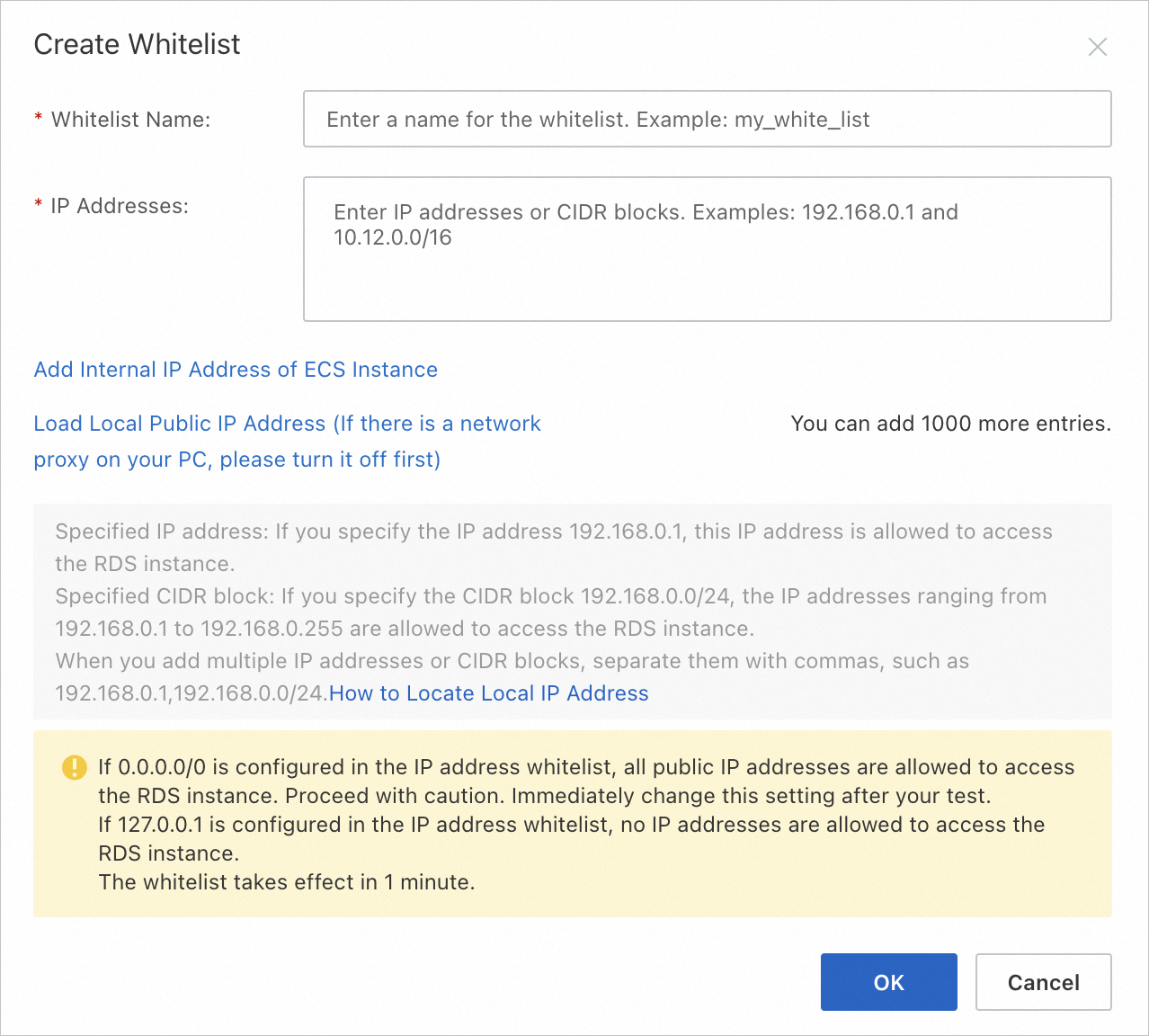
In the Create Whitelist dialog box, specify the related parameters.
Parameter
Description
Whitelist Name
The name must be 2 to 32 characters in length and can contain lowercase letters, digits, and underscores (_). It must start with a lowercase letter and end with a letter or digit.
IP Addresses
The IP addresses in the whitelist are the IP addresses of the data transmission servers displayed in the New Data Source dialog box that appears after you choose Data Transmission > Data Source Management > New Data Source.
ImportantMultiple IP addresses must be separated with commas (,), and no spaces are allowed before or after the commas.
You can add up to 1,000 IP addresses or CIDR blocks to an instance. If a large number of IP addresses are to be added, we recommend that you combine them into CIDR blocks. Example: 10.10.10.0/24.
127.0.0.1indicates that no access is allowed from any IP address.
Click OK.
You can also click Modify next to an existing whitelist to modify it. In the Edit Whitelist dialog box, add IP addresses to the whitelist.