LLM inference stress testing with PAI-Bladellm
This guide shows how to run performance stress tests on an LLM inference service that uses PAI-Bladellm (Bladellm).
Overview
To prepare the PAI-PPU environment, see Deploy a model service on PAI-EAS by using PPU.
For an introduction to Bladellm, see LLM inference engine (BladeLLM).
Stress testing tool: bench_toolkit.tar.gz.
Model service deployment
Refer to Deploy Model Services on PAI-EAS by Using PPUs to set up the basic PAI-EAS environment and deploy an inference service. For example, to deploy the qwen2-72b-instruct model, perform model sharding with tp=4 and model quantization with a16w4. The following is a sample command:
blade_llm_split --tensor_parallel_size 4 --model /path/to/your/models/qwen-ckpts/qwen2-72b-instruct --output_dir /path/to/your/models/qwen-ckpts/qwen2-72b-instruct/tp4pp1

blade_llm_quantize --model /path/to/your/models/qwen-ckpts/qwen2-72b-instruct/tp4pp1 --output_dir /path/to/your/models/qwen-ckpts/qwen2-72b-instruct/tp4pp1_a16w4 --quant_mode weight_only_quant --tensor_parallel_size 4 --quant_dtype int --bit 4 --quant_algo gptq --experimental_pad

blade_llm_server --port 8888 --model /path/to/your/models/qwen-ckpts/qwen2-72b-instruct/tp4pp1_a16w4 --tensor_parallel_size 4
Procedure
Prepare the stress testing environment.
Start a DSW instance, download the stress testing tool, and install the required dependencies.
cd /path/to/your/models
tar -xzvf bench_toolkit.tar.gz
cd /mnt/workspace/z**k/eas-model-deployment-main
python -m venv venv-ben
source venv-ben/bin/activate
pip install -r requirements.txt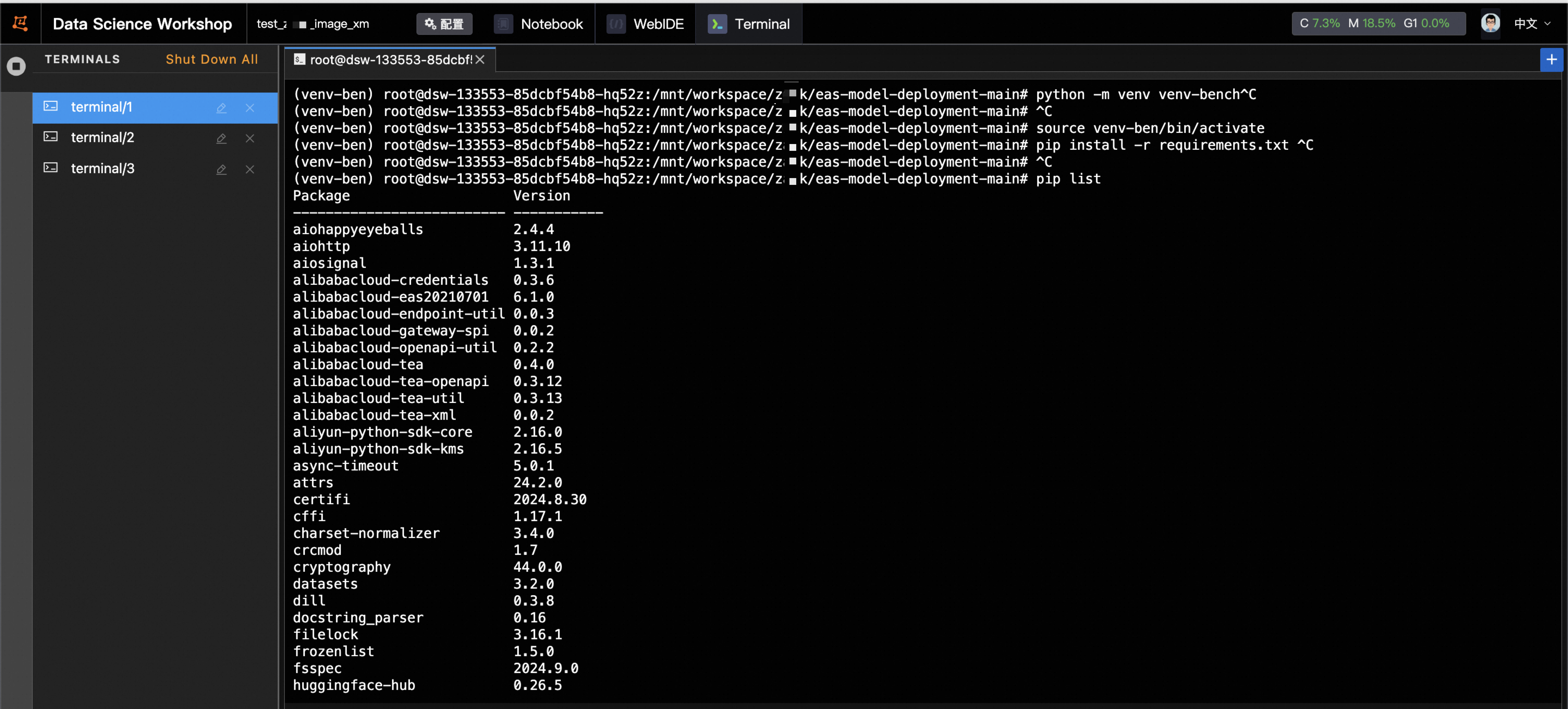
Modify the parameters in the
run.shscript of the stress testing tool and run the script to start the test.The following example script runs five tests, with an input length of 2000, an output length of 300, and request_rate values of 2, 4, 6, 8, and 10. The total number of requests is 300. After the stress testing is complete, the program calculates and saves the statistical results, including p99 metrics.
#!/bin/bash
#

PYTHON=python3
Now=$(date +"%Y%m%d_%H%M%S")
echo ${Now}
# Define test parameters, such as input length, output length, and concurrency combinations.
InputLengthList=(2000 2000 2000 2000 2000)
OutPutLengthList=(300 300 300 300 300)
# ConcurrencyList=(1 2 3 4 5)
RequestRateList=(2 4 6 8 10)
Percentile=99
# By default, RequestRate is set to inf. To test QPS, set it to a numeric value and comment out the concurrency settings.
# RequestRate=inf
NumPrompts=300
IgnoreEos=false


input_length=${#InputLengthList[@]}
output_length=${#OutPutLengthList[@]}
concurrency_length=${#ConcurrencyList[@]}

# if [[ $input_length -ne $output_length || $input_length -ne $concurrency_length ]]; then
#   echo "The parameter lists must have the same length."
#   exit 1
# fi

Dir=$(realpath $(dirname -- "${BASH_SOURCE[0]}"))
BenchmarkDir=$(dirname ${Dir})
ResultDir=${BenchmarkDir}/result/${Now}
echo ${ResultDir}

# Define the service URL and other server-side parameters.
ServerUrl=http://xxxxx.cn-wulanchabu.pai-eas.aliyuncs.com/api/predict/test_mixtral_8x7b_ppu

Endpoint=/v1/completions
tokenizer=/path/to/your/models/eas-model-deployment-main/tokenizer/qwen
ClientName=testing_client
ModelPath=/path/to/your/models/qwen-ckpts/xxxxx
LogInCSV=true

AccessToken=xxxxxx
if [ ! -d ${ResultDir} ]; then
    mkdir -p ${ResultDir}
fi


export PYTHONPATH=./
echo ${AccessToken}
LogDir=${ResultDir}/log/${ClientName}
CSVFile=${ResultDir}/log/${ClientName}/summary.csv
if [ ! -d ${LogDir} ]; then
    mkdir -p ${LogDir}
fi

if [[ $LogInCSV == true ]]; then
    touch ${CSVFile}
    saveFields=("num_prompts" "request_rate" "max_concurrency" "duration" "total_input_tokens" "total_output_tokens" "request_throughput" "output_throughput" "total_token_throughput" "mean_ttft_ms" "median_ttft_ms" "std_ttft_ms" p${Percentile}"_ttft_ms" "mean_tpot_ms" "median_tpot_ms" "std_tpot_ms" p${Percentile}"_tpot_ms" "mean_itl_ms" "median_itl_ms" "std_itl_ms" p${Percentile}"_itl_ms" "mean_e2el_ms" "median_e2el_ms" "std_e2el_ms" p${Percentile}"_e2el_ms" "avg_input_len" "avg_output_len")
fi


# Iterate over the predefined test cases.

for ((i=0;i<${#InputLengthList[*]};i++)) do
    InputLength=${InputLengthList[$i]}
    OutputLength=${OutPutLengthList[$i]}
    # Concurrency=${ConcurrencyList[$i]}
    RequestRate=${RequestRateList[$i]}
    echo ${InputLength} ${OutputLength} ${Concurrency}
    # for OutputLength in "${OutPutLengthList[@]}"; do
    #     for Concurrency in "${ConcurrencyList[@]}"; do
        echo "Running benchmark with input len :${InputLength},output len: ${OutputLength}, prompts:${NumPrompts}, concurrency:${Concurrency}, request_rate:${RequestRate}"
        result_file=${LogDir}/result_input_${InputLength}_output_${OutputLength}_prompts_${NumPrompts}_concurrency_${Concurrency}_request_rate_${RequestRate}.json

        AccessToken=${AccessToken} \
        python3 benchmark_serving.py \
        --backend openai \
        --base-url ${ServerUrl} \
        --endpoint ${Endpoint} \
        --tokenizer ${tokenizer} \
        --percentile-metrics ttft,tpot,itl,e2el \
        --save-result \
        --result-filename ${result_file} \
        --ignore-eos \
        --trust-remote-code \
        --model ${ModelPath} \
        --dataset-name random \
        --random-output-len ${OutputLength} \
        --random-input-len ${InputLength}\
        --num-prompts ${NumPrompts} \
        --request-rate ${RequestRate} \
        --metric-percentiles ${Percentile} \
        # --max-concurrency ${Concurrency}
        if [[ $LogInCSV == true ]]; then
            python3 ${BenchmarkDir}/eas-model-deployment-main/scripts/write_csv.py \
            --json_file ${result_file} \
            --csv_file ${CSVFile} \
            --fields ${saveFields[@]}
        fi
    #     done
    # done
done
The script lets you define multiple test cases with various values for input length, output length, concurrency, and requests per second. You can also specify the total number of requests. To perform concurrency stress testing, enable and configure the
ConcurrencyList. To perform QPS testing, disable the concurrency settings and adjust therequest_rate. You must configure these parameters based on your specific testing needs. The script saves the test results in JSON format and can automatically summarize them in a CSV file.