Getting started
This topic describes how to get started with Spring Cloud SOFA Router.
Procedure
Add the Spring Cloud SOFA Router dependency to your project.
NoteDo not configure the version. The version is controlled by dependencyManagement.
This example uses OpenFeign as the service framework. Therefore, the related dependencies are also required.
A load balancing module is also required. You can choose between LoadBalancer and Ribbon based on your Spring Cloud version. This example uses Spring Cloud 2021 and selects LoadBalancer.
To obtain the routing configuration, you also need a dynamic configuration module as a data source. You can use either Dynamic Configuration Management (DRM) or Nacos. This example imports DRM to demonstrate the feature in the SOFA microservice console.
Finally, to demonstrate the routing feature in the SOFA microservice console, this example imports
spring-cloud-starter-sofa-registry.
<dependency>
     <groupId>com.alipay.cloud</groupId>
     <artifactId>spring-cloud-starter-sofa-drm</artifactId>
</dependency>
<!-- Import the service framework -->
<dependency>
    <groupId>org.springframework.cloud</groupId>
    <artifactId>spring-cloud-starter-openfeign</artifactId>
</dependency>
<!-- Import the load balancer -->
<dependency>
    <groupId>org.springframework.cloud</groupId>
    <artifactId>spring-cloud-starter-loadbalancer</artifactId>
</dependency>
<!-- Import the dynamic configuration -->
<dependency>
    <groupId>com.alipay.cloud</groupId>
    <artifactId>spring-cloud-starter-sofa-drm</artifactId>
</dependency>
<!-- Replace with another service registry -->
<dependency>
     <groupId>com.alipay.cloud</groupId>
     <artifactId>spring-cloud-starter-sofa-registry</artifactId>
</dependency>
Spring Cloud SOFA provides multiple routing algorithms. This example uses dynamic rule-based routing to quickly demonstrate service routing.
Start the service provider and consumer. Start two or more nodes for the service provider to verify that the routing rule takes effect.
Add an identity to the service registration metadata of the two service providers to differentiate them for routing.
Create a new routing rule for the demo provider application.
For more information, see Service routing.
SOFA microservices support rules for applications and access paths. You can set multiple rules for both, which are then merged into a rule group. As shown in the preceding figure, a rule group named
testRulesis created. This example sets only one rule,testRule, for demonstration purposes.A SOFA routing rule has two important configurations: traffic matching and traffic destination. Traffic matching identifies the requests to which the rule applies. Traffic destination determines the addresses to which requests are routed when the rule is applied. The destination is determined based on information in the service registry metadata. For simplicity, this example does not set a traffic matching rule, which means the rule applies to all traffic. Only one traffic destination is set so that all requests are routed to only one provider.
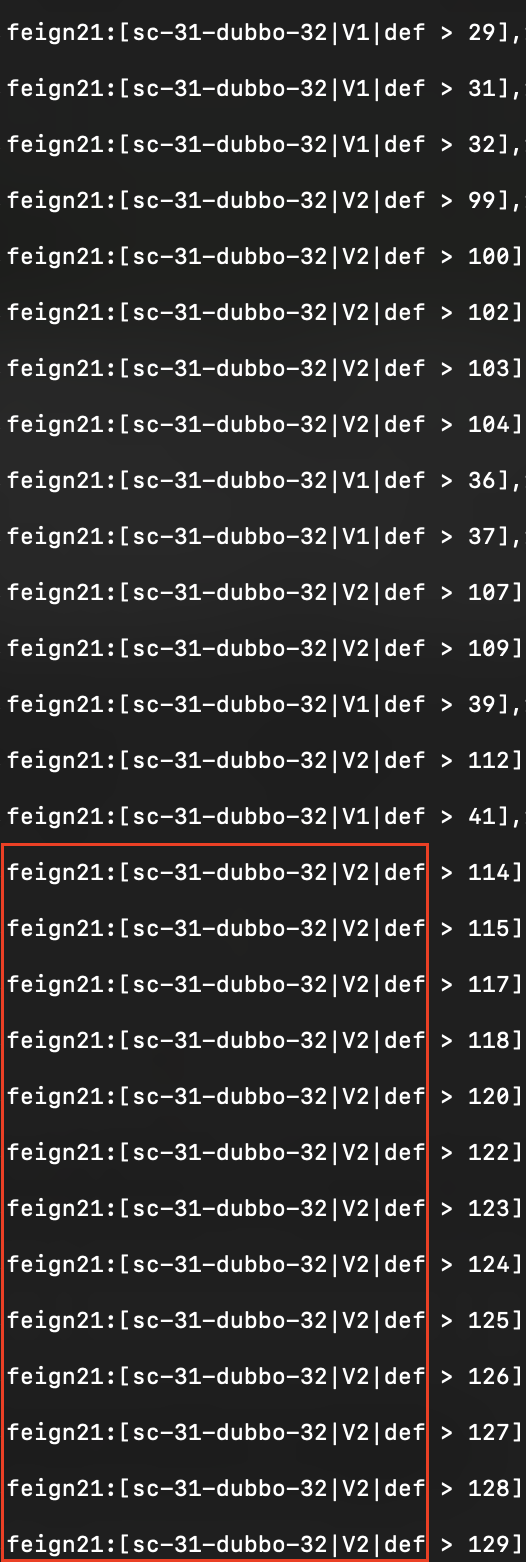
Use the curl command to repeatedly call the consumer application. Before the routing rule is created, calls are randomly routed to one of the two providers. After the rule is created, calls are routed to only one provider.