在PPU上编译ONNX Runtime
This guide explains how to build ONNX Runtime on a PPU. Use it as a reference and adapt the steps for your specific image environment and software versions.
Introduction to ONNX Runtime
ONNX Runtime is a cross-platform accelerator for machine learning inference and training. It supports deep learning frameworks such as PyTorch, TensorFlow, and Keras, as well as classic machine learning models from scikit-learn, LightGBM, and XGBoost. ONNX Runtime is compatible with various hardware, drivers, and operating systems. Where applicable, it leverages hardware accelerators, graph optimization, and transformations to deliver optimal performance. ONNX Runtime training can reduce the training time for transformer models on multi-node NVIDIA GPUs by adding a single line of code to existing PyTorch training scripts.
Build process
1. Pull the Docker image
Run the following commands in your terminal to pull and run the Docker image.
This example uses an internal Alibaba Cloud image that is not publicly accessible. You should select an appropriate ACS container image for your specific software and environment requirements. For a list of available ACS container images, see the ACS Container Image Release Notes.
docker pull reg.docker.alibaba-inc.com/ai-tmp/pytorch:22.04-py3-cuda11.6-torch1.12-ubuntu20.04-py38-ppu202307081210
docker run -it  --name onnxruntime-ppu --shm-size=8g -it --pid=host --privileged=true -v /mnt/:/mnt/ -v /aisw/:/aisw/ -v /sys/kernel/debug:/sys/kernel/debug reg.docker.alibaba-inc.com/ai-tmp/pytorch:22.04-py3-cuda11.6-torch1.12-ubuntu20.04-py38-ppu202307081210  /bin/bash
2. Install dependencies
ONNX Runtime requires CMake 3.26 or later. The current image environment does not meet this requirement, so you need to install and configure a new version of CMake. Run the following commands:
wget https://github.com/Kitware/CMake/releases/download/v3.26.0/cmake-3.26.0-linux-x86_64.tar.gz
tar -zxvf cmake-3.26.0-linux-x86_64.tar.gz
export PATH=/path-to-cmake/bin:$PATH
3. Build
Run the git command to pull the ONNX Runtime source code. This example uses commit 7cac114e522c694d669819869c965ea6f4f89751.
git clone --recursive https://github.com/Microsoft/onnxruntime.git
cd onnxruntime
After configuring the environment, run the following command on the PPU to start the build:
./build.sh --config RelWithDebInfo --build_shared_lib --parallel --enable_training --build_wheel --allow_running_as_root --use_cuda --cuda_home $CUDA_HOME --cudnn_home=$CUDA_HOME --cuda_version=11.6 --skip_testsDuring the build, you may encounter an inline-ptx mma error.
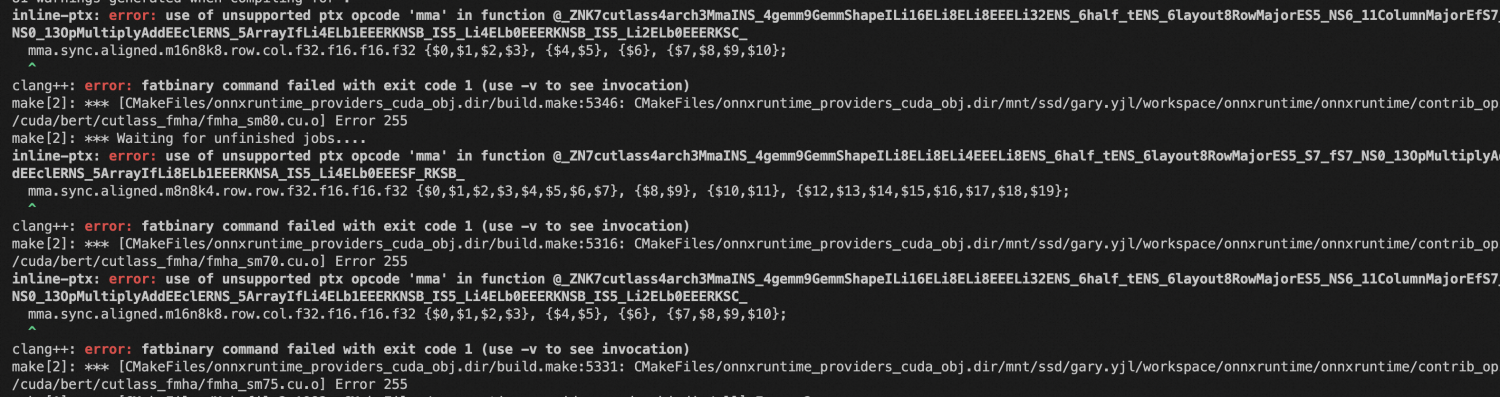
Workarounds:
Comment out the relevant code in the
onnxruntime/contrib_ops/cuda/bert/cutlass_fmha/fmha_sm70.cu,fmha_sm75.cu, andfmha_sm80.cufiles. Then, rebuild. The build should complete without further errors.Replace the NVIDIA cutlass library. For details, see 5. Replace cutlass and rebuild.
The command above includes the --skip_tests option, which skips the unit tests. If you omit this option, the unit tests will run after the build completes, and you may encounter a UMD error:
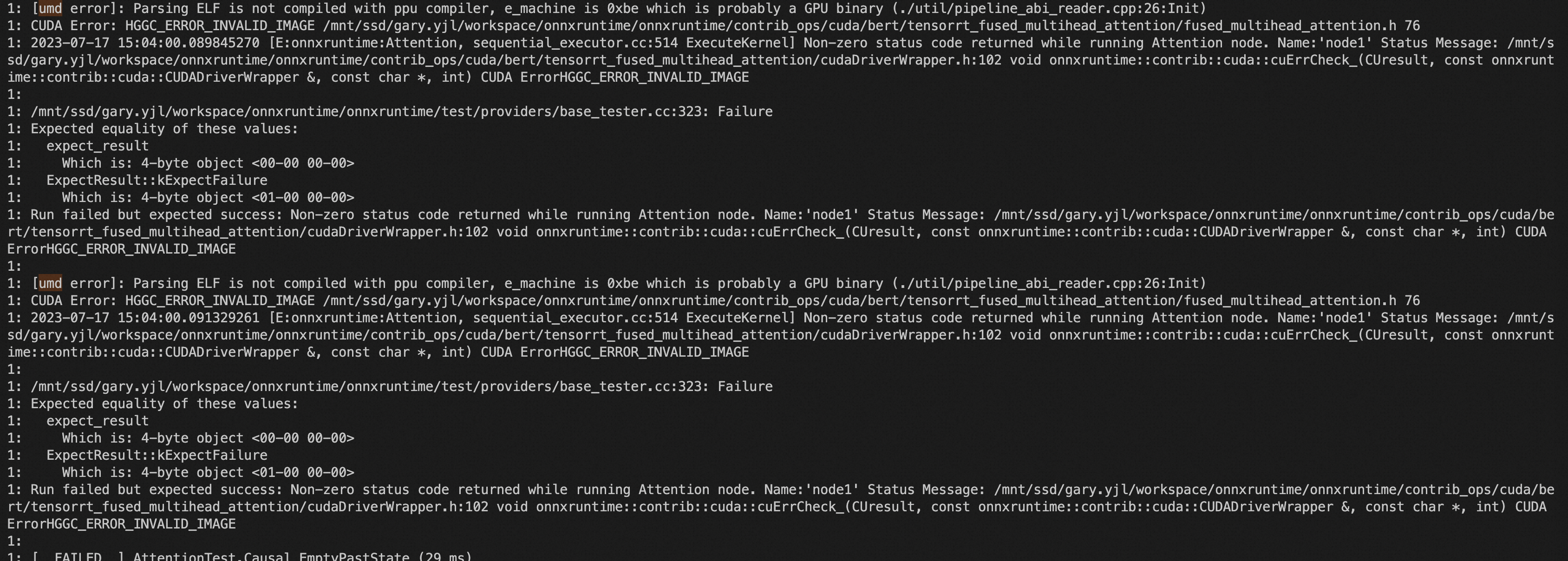
After the build succeeds, install the generated *.whl file:
python -m pip install build/Linux/RelWithDebInfo/dist/*.whl4. Test
You can test the build by running an MNIST network with ONNX Runtime.
cd samples/python/training/orttrainer/mnist/
python ort_mnist.py
The training script should run successfully and achieve the expected accuracy.
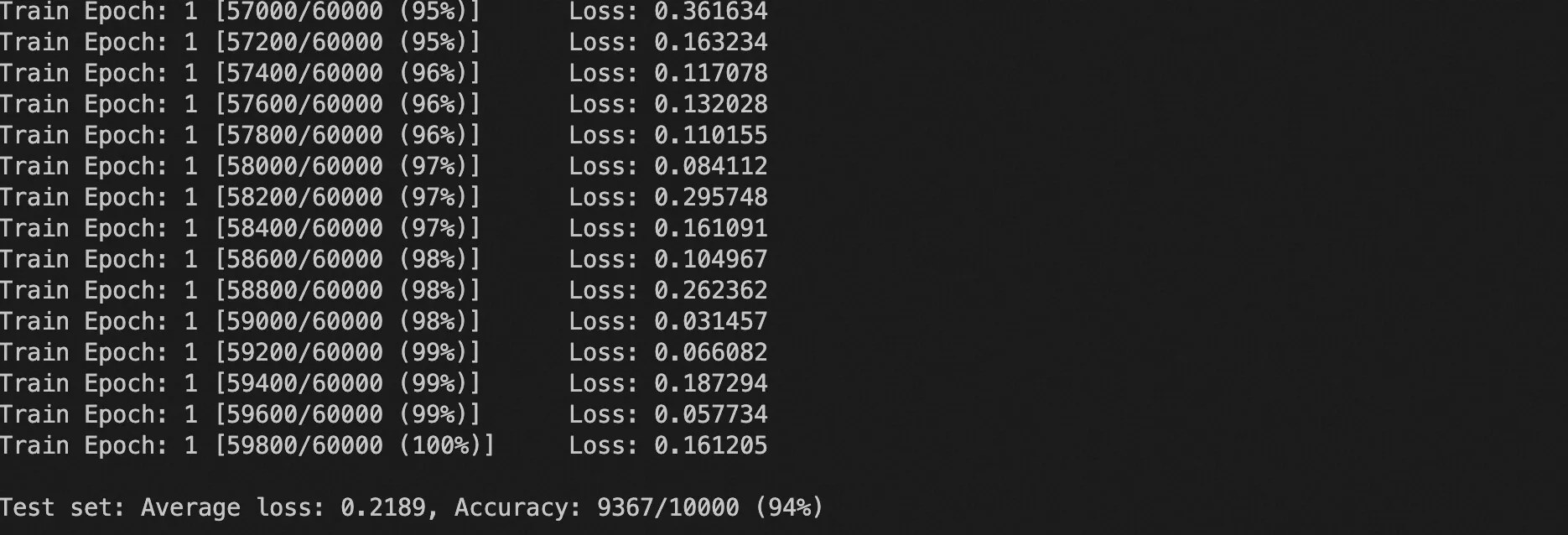
5. Replace cutlass and rebuild
The build error described in 3. Build is related to the cutlass library. The previous section offered a workaround that involved commenting out code. This section describes an alternative: replacing the NVIDIA cutlass library and rebuilding.
The default ONNX Runtime cutlass package is located in the onnxruntime/build/Linux/RelWithDebInfo/_deps/cutlass-src directory. Delete the contents of this directory and replace them with the new cutlass files.
cd build
rm Linux/RelWithDebInfo/_deps/cutlass-src -rf
cp /path-to-ppucutlass/ ./Linux/RelWithDebInfo/_deps/cutlass-src -r
Next, you need to update path names in the new cutlass files. A replacement script is provided at cutlass-src/tools/replace_cudart.sh. However, this script does not modify the build directory by default. You must modify the last for loop in the script as follows:
for str in ${list} ${nvrtc_list} ${header_list}; do
    arr=(${str//:/ })
    cuda=${arr[0]}
    hggc=${arr[1]}
    oldstr=${hggc}
    newstr=${cuda}
    if [[ "cu2hg" == "${convert}" ]]; then
        oldstr=${cuda}
        newstr=${hggc}
    fi
    echo "replace ${oldstr} to ${newstr}"
    echo `grep -rlIw "${oldstr}" "${dir}" --exclude-dir={"test","docs","examples","ppu","cmake"} --exclude=*$filename`
    grep -rlIw "${oldstr}" "${dir}" --exclude-dir={"test","docs","examples","ppu","cmake"} --exclude=*$filename| xargs sed -i "s/${oldstr}/${newstr}/g"
done
Finally, run the script from its directory:
./replace_cudart.shAfter the replacement is complete, return to the ONNX Runtime root directory and run the build command again:
./build.sh --config RelWithDebInfo --build_shared_lib --parallel --enable_training --build_wheel --allow_running_as_root --use_cuda --cuda_home $CUDA_HOME --cudnn_home=$CUDA_HOME --cuda_version=11.6 --skip_testsThe build will fail with an error indicating that the hggc_aiu.h file cannot be found. To resolve this, manually change the #include "hggc_aiu.h" line in the onnxruntime/build/Linux/RelWithDebInfo/_deps/cutlass-src/include/aiu/gemm/threadblock/aiu_api.h file to use an absolute path:
#include "/usr/local/PPU_SDK/include/hggc_aiu.h"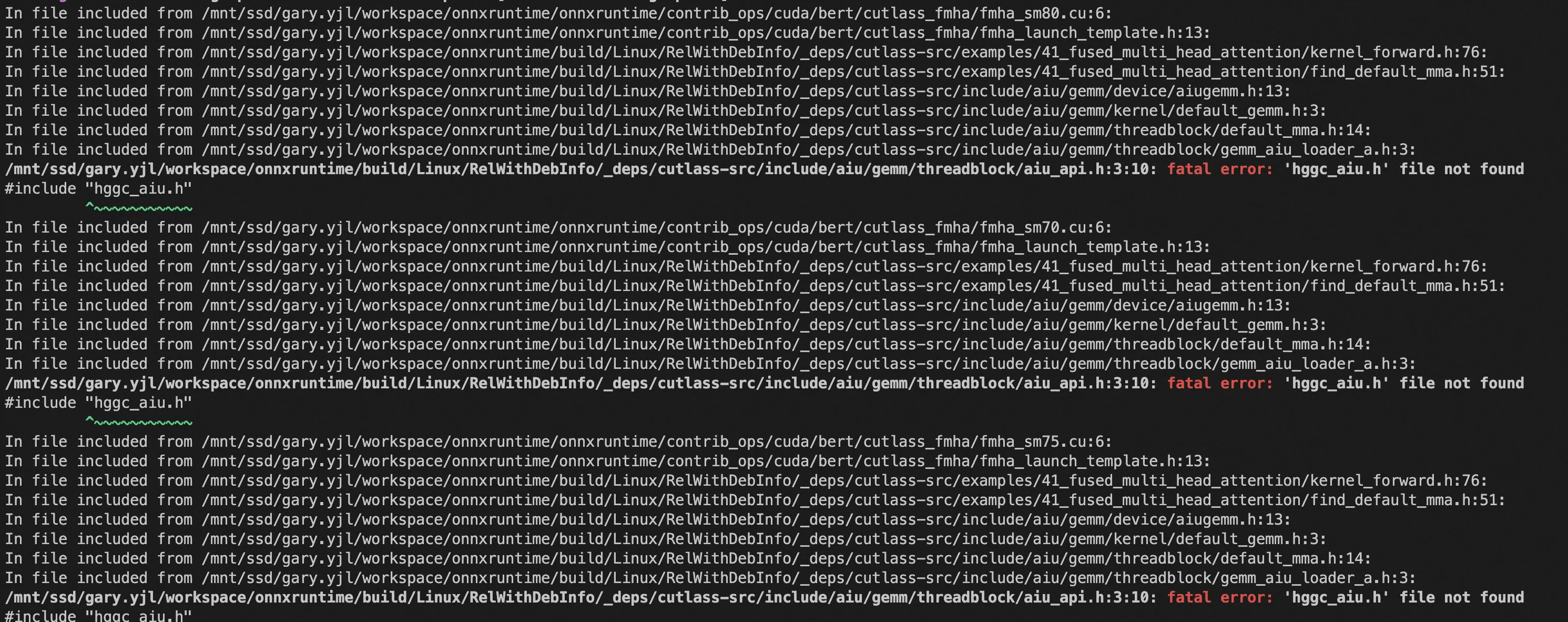
After making this change, you may encounter the following issues during compilation:
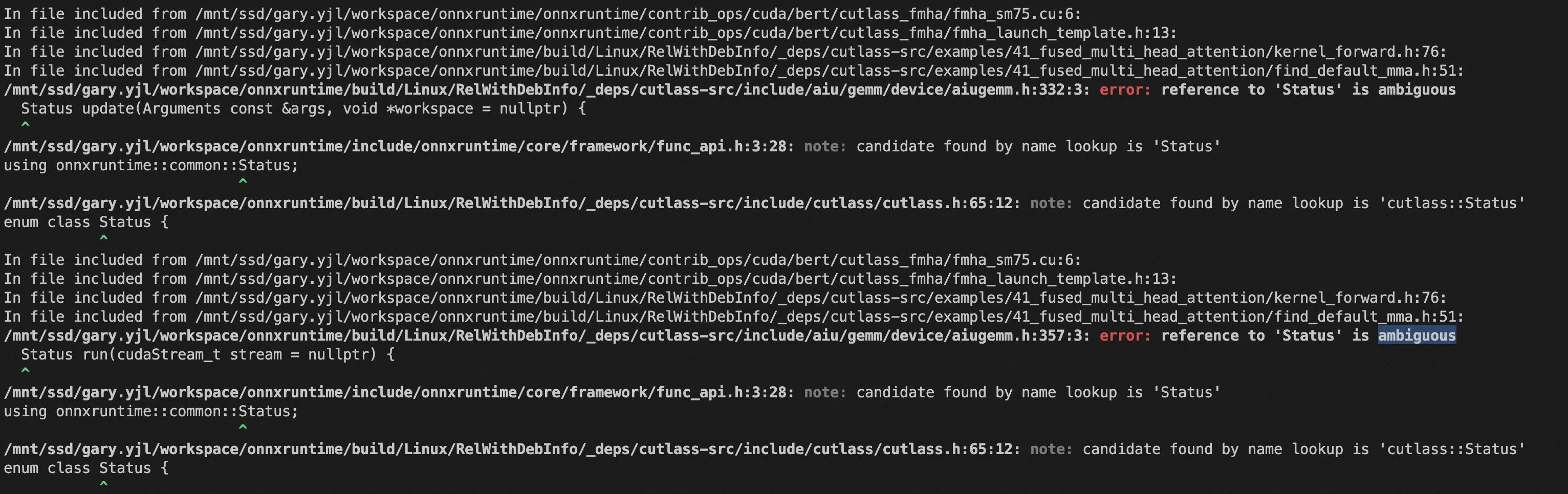
A status ambiguity error occurs:
 A
namespaceissue inonnxruntime/build/Linux/RelWithDebInfo/_deps/cutlass-src/include/aiu/gemm/device/aiugemm.hcreates a conflict between twoStatusdefinitions, causing ambiguity. To work around this error, temporarily changeStatustocutlass::Statusat the locations that report the error.Undeclared identifier errors. Some variables in
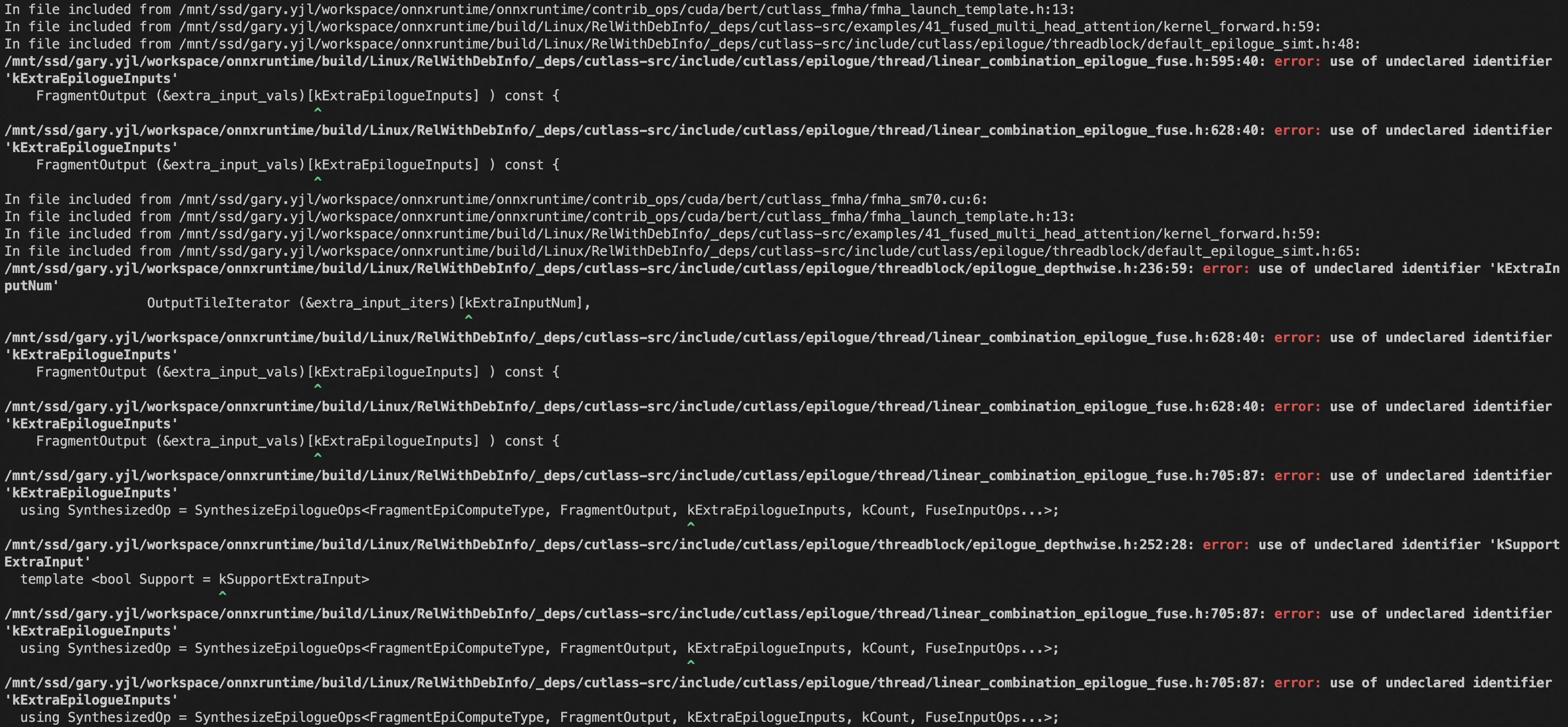
cutlass-src/include/cutlass/epilogue/thread/linear_combination_epilogue_fuse.handcutlass-src/include/cutlass/epilogue/threadblock/epilogue_depthwise.hare not declared. This issue may be caused by a problematicALI_FUSE_OP_EXTmacro definition.
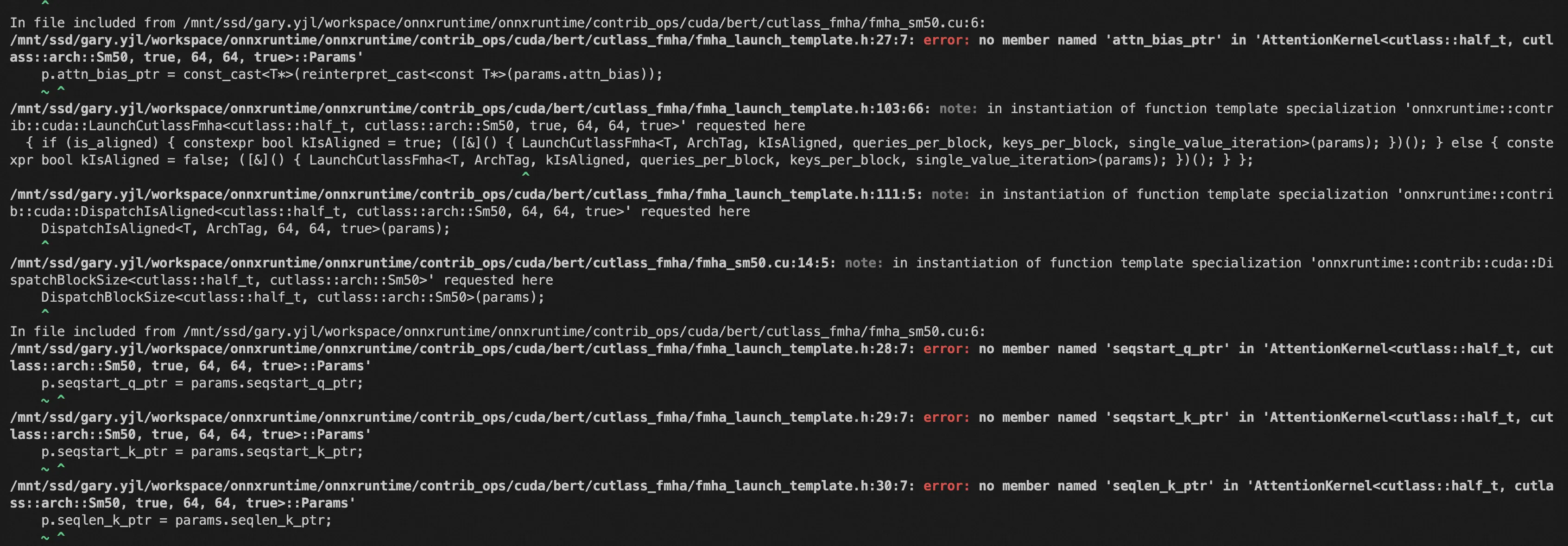
The
Paramsstruct inAttentionKernelis missing parameters.The AttentionKernelinonnxruntime/build/Linux/RelWithDebInfo/_deps/cutlass-src/examples/41_fused_multi_head_attention/fused_multihead_attention_fixed_seqlen.cuis missing theseqstart_q_ptr,seqstart_k_ptr,seqlen_k_ptr, andattn_bias_ptrparameters. These parameters are present in the standard NVIDIA cutlass library.


 The