Baidu Marketing subtasks
On the Task details > Marketing actions > Baidu Marketing tab, you can view the execution details for the Baidu Marketing subtasks of an automated marketing task.
The list displays information such as the task name, associated sub-activities, audience name, ID type, push count, and status. If a number is displayed for the associated sub-activities, you can hover over the number to view all of them.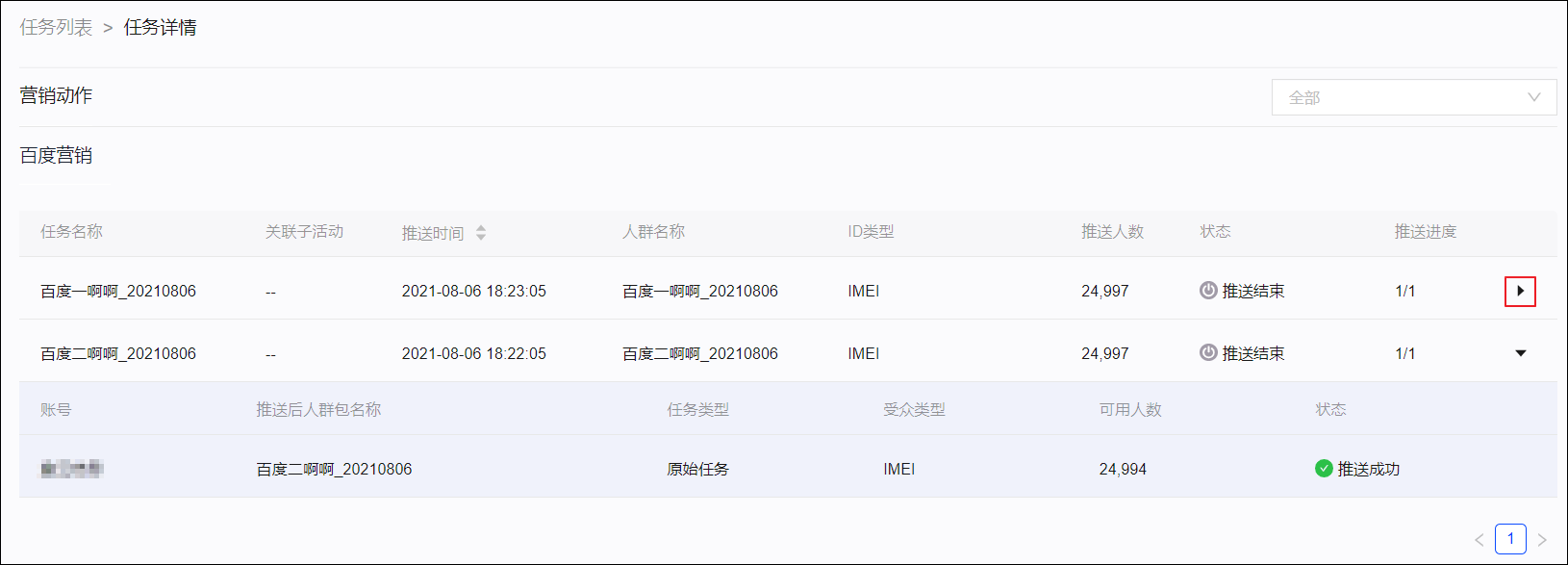
Because you can select multiple push accounts when you create a Baidu Marketing push task, a single task contains multiple subtasks. Each subtask corresponds to one account.
The push progress shows the number of executed subtasks out of the total number of subtasks. Click the  icon on the right to expand the subtask information. This information includes the corresponding account, the audience package name after the push, the task type (including the original task), the active count (the number of users matched in the Baidu Marketing system after the push), and the push status.