Compliance Management
User privacy data deletion: deletes all behavior logs and user attributes under the user account ID. After deletion, the logs cannot be restored.
Operation Description
Feature Path
In the Quick Tracking console, click Console in the navigation pane and click Compliance to go to the Compliance page.
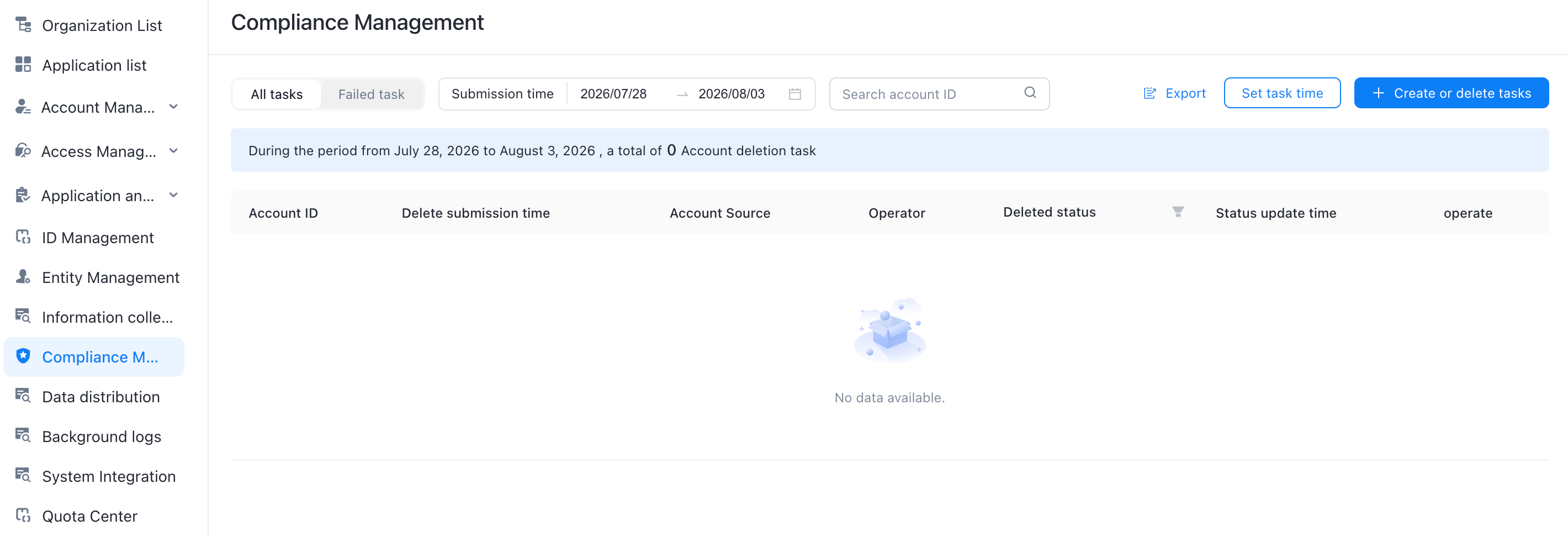
All Tasks: By default, all deletion tasks are displayed.
Failed tasks; tasks that failed to be deleted are displayed.
Submission Time: You can filter tasks by selecting the submission time of the task.
Search for Account ID: Filter tasks by account ID to be deleted.
Export: exports the task details, including the account ID, deletion submission time, account source, operator, deletion status, and status update time.
Set Task Time: By default, the deletion task is executed at 01:00:00 every day. You can modify the task. The modification takes effect 15 minutes after the task is completed.
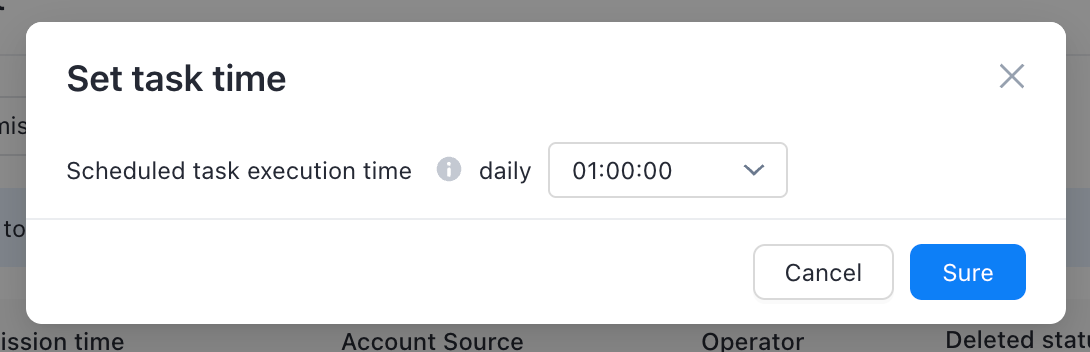
Do not modify the task up time frequently. Avoid peak business queries to avoid platform exceptions caused by insufficient resources.
2. Create a deletion task
Click Create Delete Task. In the Template Download dialog box that appears, download the template and enter the required information. After the template is uploaded, click OK.
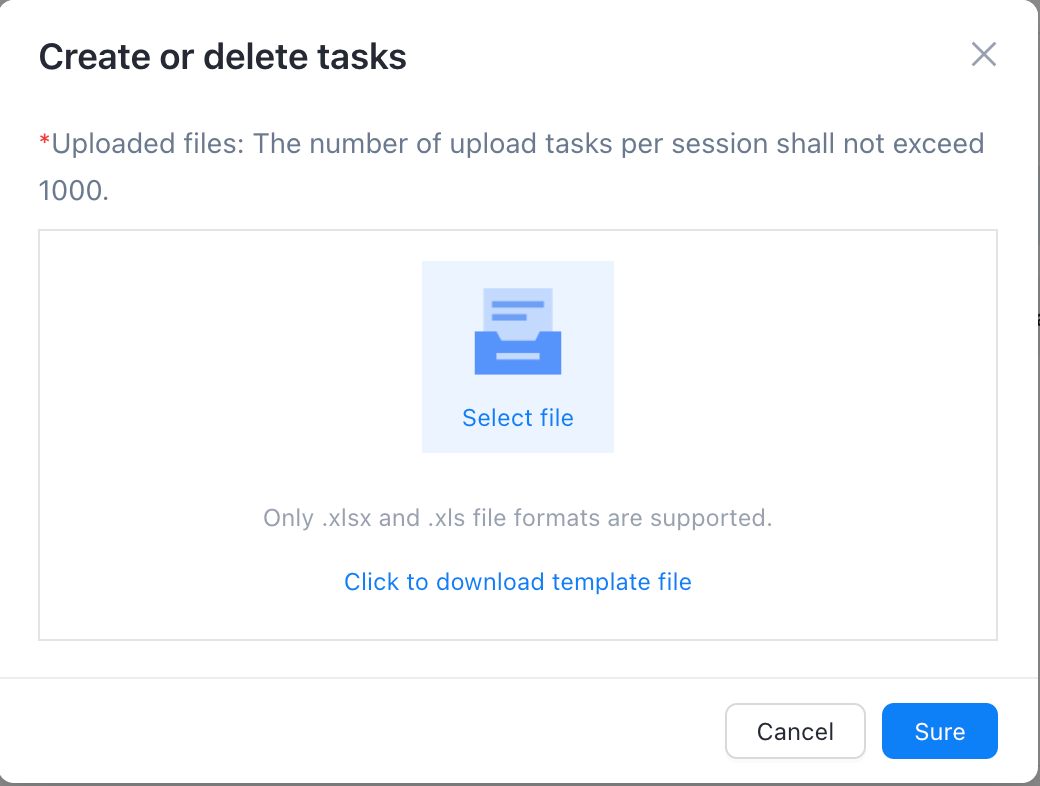
You need to evaluate whether the detailed data (event table, session table, and user table) in "SLS, CK" can be deleted.
Note that data deletion is irreversible, historical analysis data will change, and abnormal eid will appear.