This document describes how to verify the Crash Analysis feature of the Alibaba Cloud App Monitor Unity Software Development Kit (SDK).
1. Report an exception
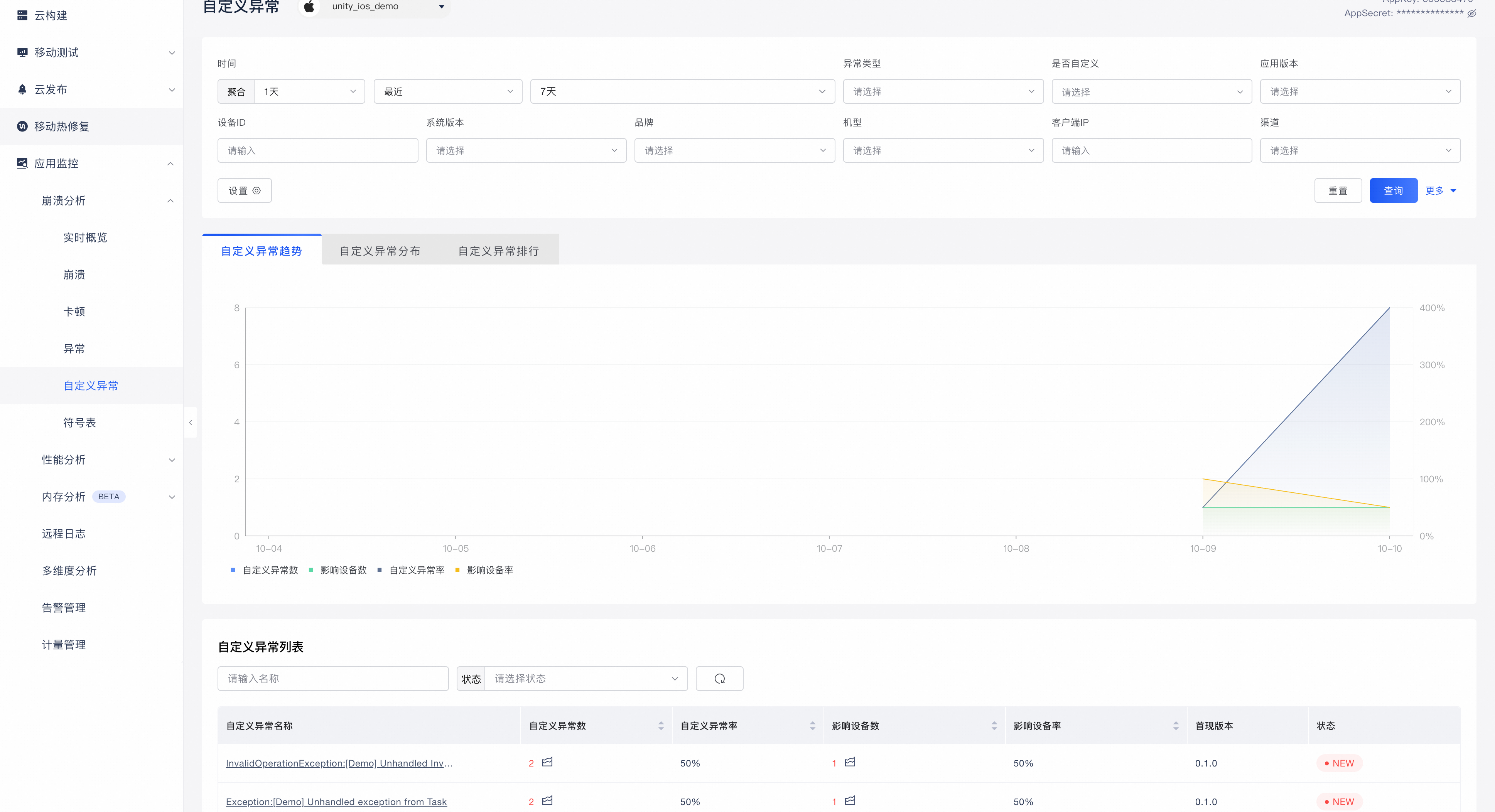
You can write test code to simulate or trigger a Unity script exception. For example:
throw new InvalidOperationException("Your exception message");After you trigger the exception, wait for about 2 minutes. Then, you can view the data on the Custom Exception page under Crash Analysis in the console.
NoteThere is a delay of about 2 to 3 minutes from when the exception data is collected to when it is displayed in the console.
If the SDK exception handling policy is set to record, the application uploads the exception data after it is restarted.
2. Custom dimensions
You can write test code to call the SDK's custom dimension interface. For example:
using Alicloud.Apm;

// The following code is an example.
Apm.SetCustomKeyValue("level", 1);
Call the custom dimension interface and then trigger an exception. After about 2 minutes, you can view the data on the Custom Exception page under Crash Analysis in the console. The data is displayed in the red box in the following figure:
3. Report a custom exception
You can write test code to call the SDK's custom exception interface. For example:
using Alicloud.Apm.CrashAnalysis; // The following code is an example. try { throw new InvalidOperationException("Your exception message"); } catch (Exception ex) { CrashAnalysis.RecordException(ex); }NoteIn C#, an exception's stack trace is generated when the exception is thrown (
throw), not when the exception object is created. Therefore, you must use the method shown in the example to report custom exceptions.After you call the custom exception interface, wait for about 2 minutes. Then, you can view the data on the Custom Exception page under Crash Analysis in the console. The data is displayed in the red box in the following figure:
NoteThe Is Custom option shows Yes for exceptions reported by a developer through the SDK's custom interface. This distinguishes them from exceptions that the SDK automatically catches.
4. Customize other scripting language exceptions
You can write test code to call the SDK's custom exception model interface. For example, to report a Lua language exception:
using Alicloud.Apm.CrashAnalysis;

// The following code is an example.
var model = new ExceptionModel("LuaRuntimeError", "attempt to index a nil value", SourceLanguage.Lua);
model.StackTrace.Add(StackFrame.FromSymbol("main", "script.lua", 15, "lua"));
model.StackTrace.Add(StackFrame.FromSymbol("doSomething", "utils.lua", 8, "lua"));

CrashAnalysis.RecordExceptionModel(model);
After you call the custom exception model interface, wait for about 2 minutes. Then, you can view the data on the Custom Exception page under Crash Analysis in the console. The data is displayed in the red box in the following figure:
NoteCurrently, the Unity SDK supports exception types only for the C# and Lua scripting languages.