Data Permissions
Functional permissions and data permissions constitute the Quick Tracking permission system. Data permissions are used to configure the scope of data permissions that can be viewed or managed for an account. You can grant a unified permission to an account for each permission. The permission owner can approve the data permission application and transfer the permission owner if necessary.
Feature overview
1. You can select the required permission module from All Permissions. You can select Organization Permissions, Application Permissions, Kanban Permissions, and Report Permissions from All Permissions. You can select General Module, Data Collection, Behavior Analysis, Management Console, User Profile, and Performance Experience from all modules. You can also enter a keyword in the search box to search for the required module. As shown in the figure:
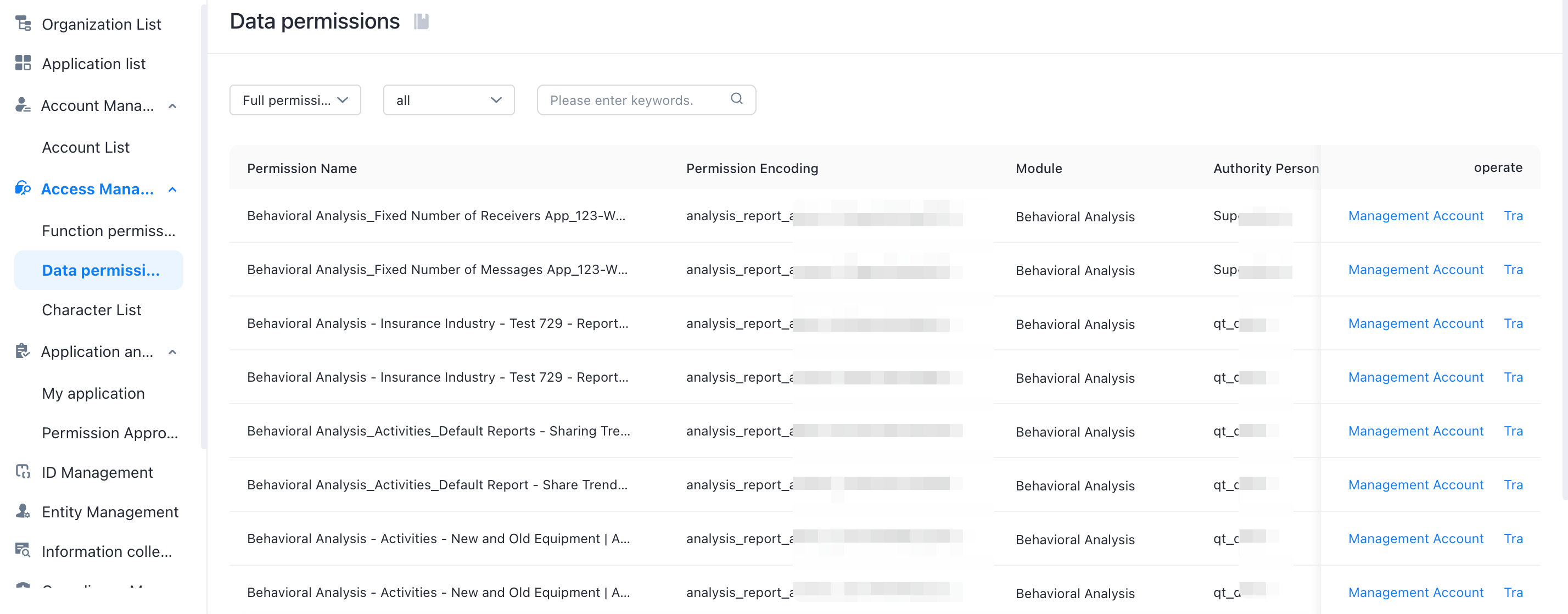
2. You can click Manage Account to enter the management authorization page of the data permission, and select the specified account to save. As shown in the figure:
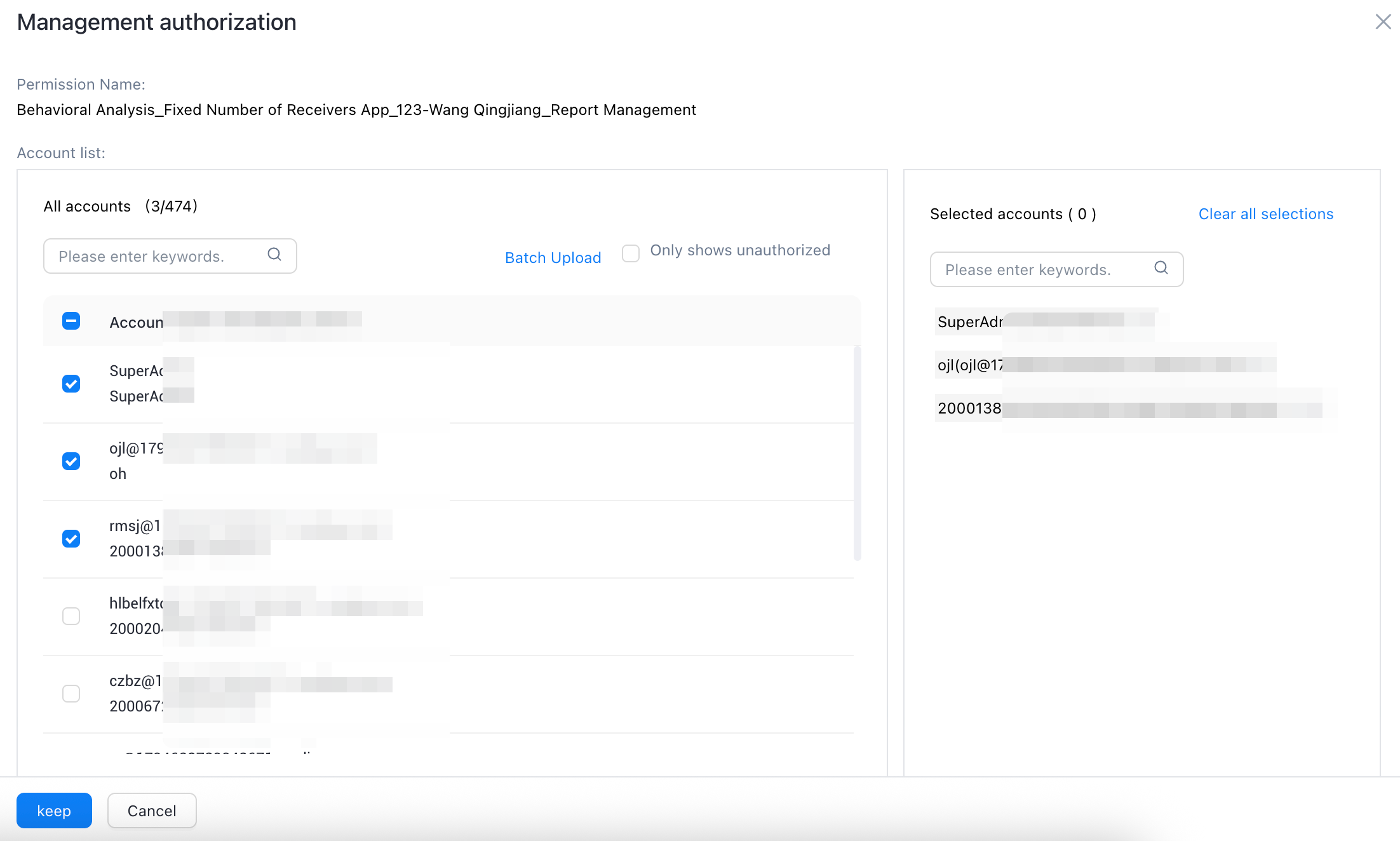
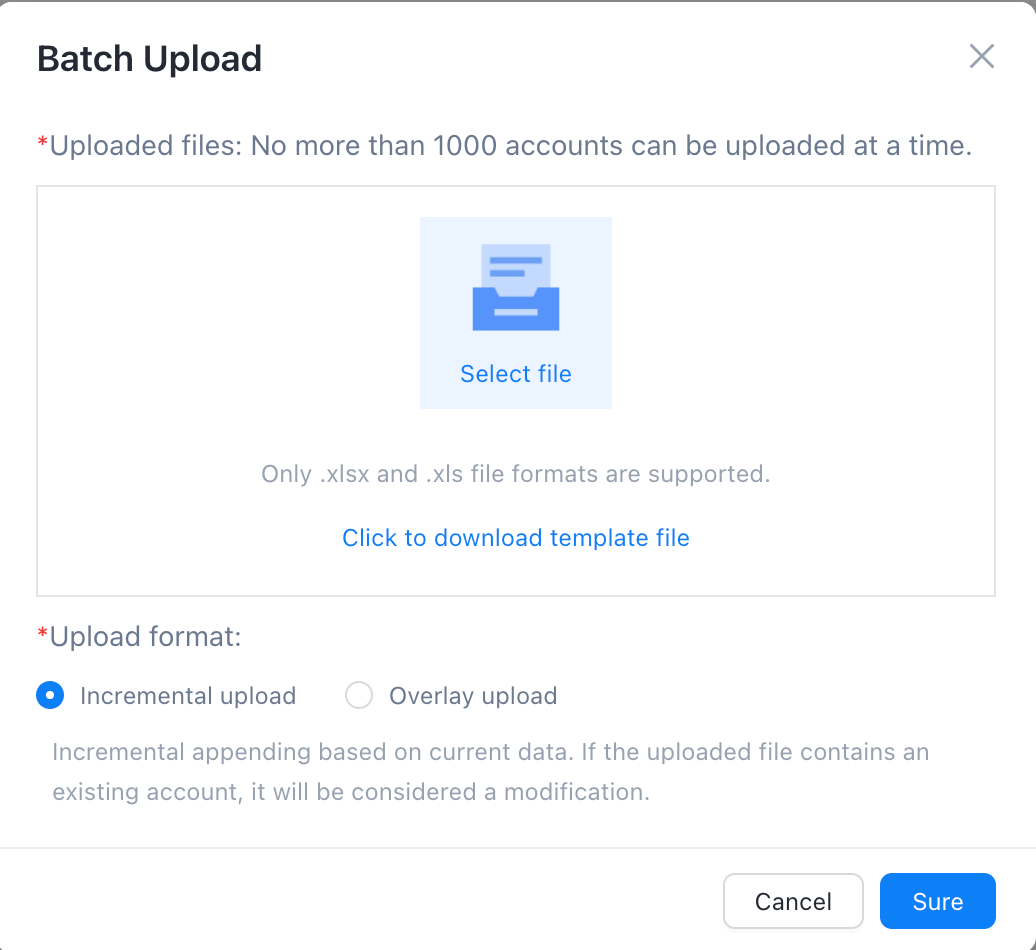
3. Click Batch Upload to download the template, fill in and upload the template as required, and authorize multiple accounts in batch. As shown in the figure:
4. Click the "Transfer" button of the corresponding module and select the specified transfer object in the pop-up transfer permission to confirm. As shown in the figure:
