Website SMS
This document explains the use cases for the Website SMS feature and how to configure it.
Background
An Access Key is an Alibaba Cloud access credential that consists of an Access Key ID and an Access Key Secret, used to authenticate API requests for services such as video and Short Message Service (SMS).
Use cases
Verification codes: Send SMS verification codes for user registration, linking a phone number, or password retrieval.
Order and payment notifications: Send an SMS notification to an administrator when a user places an order or completes a payment.
Shipping notifications: Send an SMS notification to a user when their order ships.
New content alerts: Send an SMS notification to an administrator when a new message or comment is posted on the website.
Form submission notifications: Send an SMS notification to an administrator when a new form is submitted on the website.
Free SMS quota: The current number of free SMS messages available for your site. This quota increases upon renewal.
SMS function
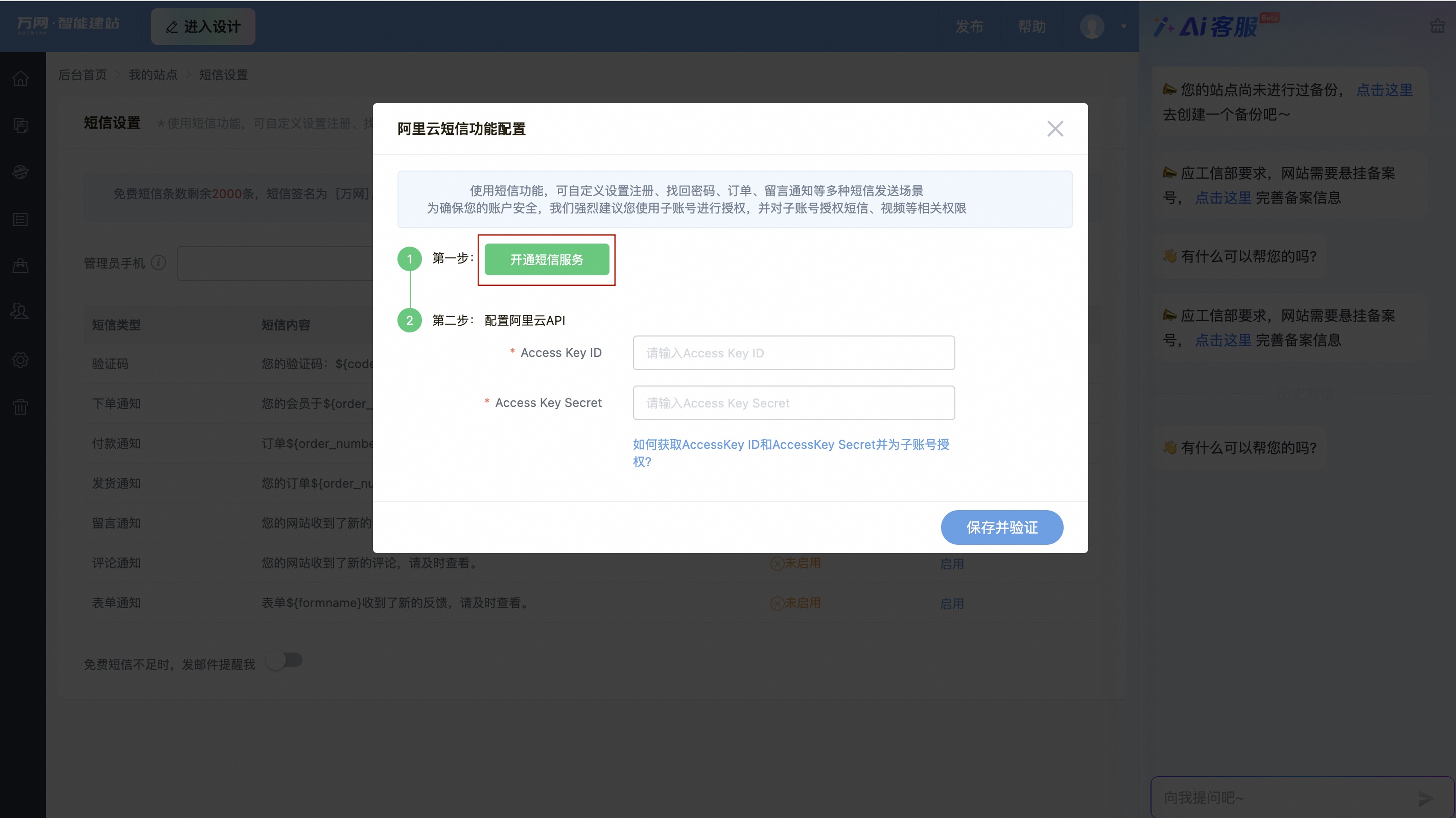
Enable the Short Message Service feature:
Go to the SMS settings page. In the website console, click .
To access the SMS service management console, click .
To add an SMS signature and an SMS template, click SMS Service Management, and then click domestic message.
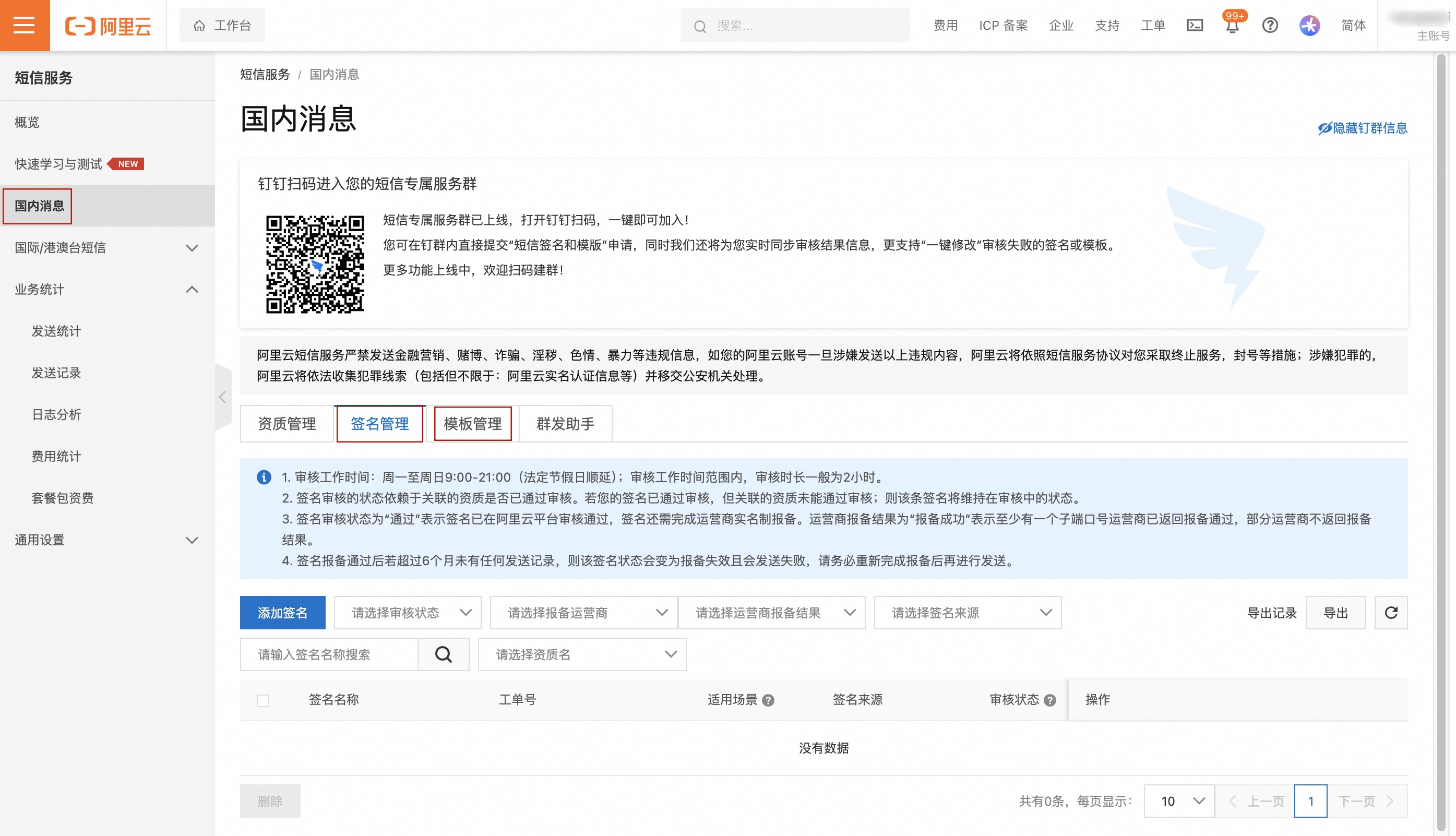 Note
When you add an SMS template, we recommend that you select a template from Recommended Common Templates. You can change the text or delete variables, but you cannot modify the variable names in
{}. Otherwise, the SMS message may fail to send.After setting the administrator's mobile number, copy the template code from the Template Management page, enter the code on your website's SMS settings page, and click Enable.
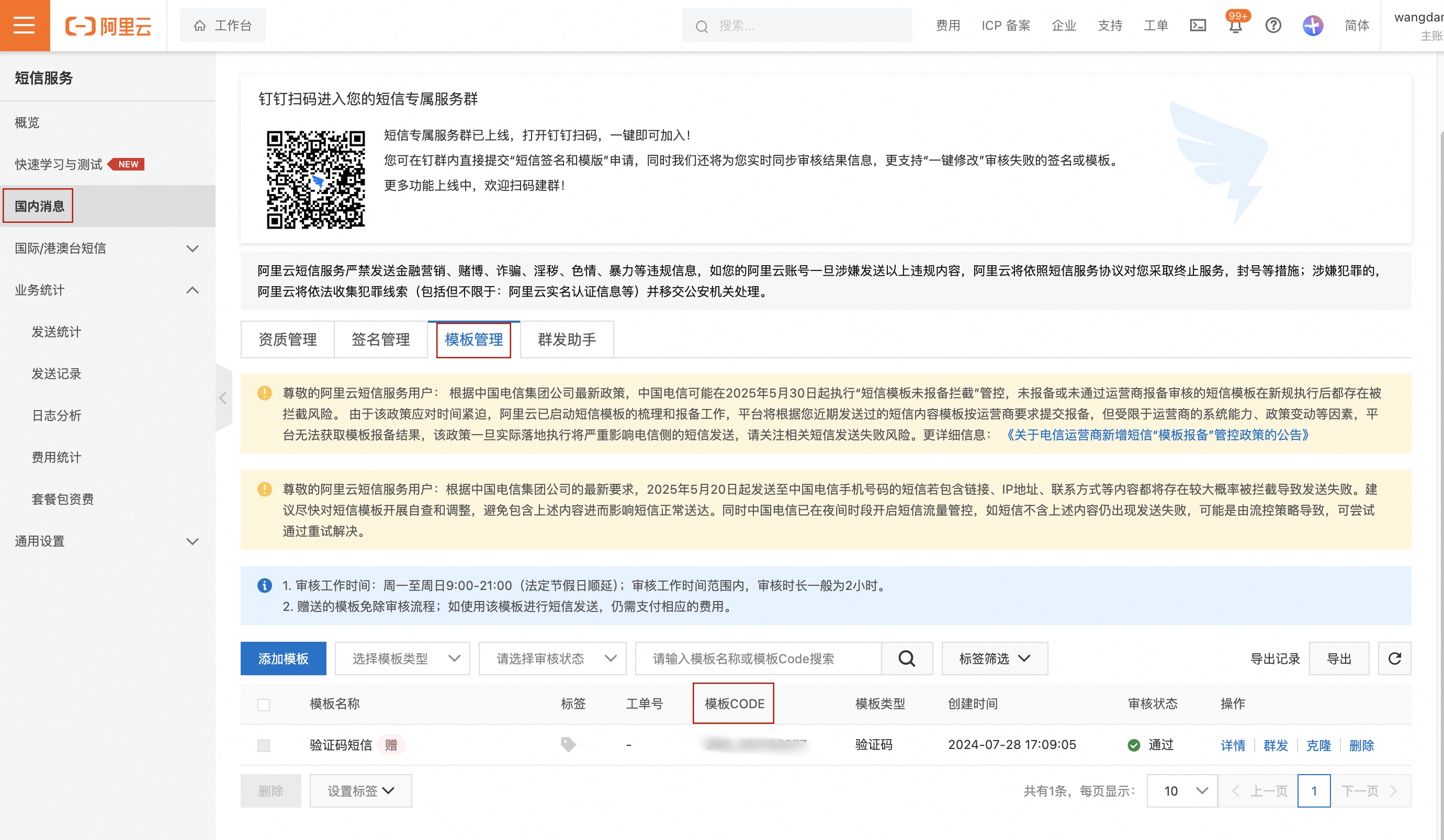 Note
Available SMS types vary by edition.
If you run out of free SMS messages, configure the paid Short Message Service.
In the website console, click to purchase more messages.
On the SMS service management console page, hover over your profile picture and click . Enter a username and select the fullaccess permission to generate your AK.
NoteAs a security best practice, use a RAM user for authorization. If you already have a RAM user, click Authorization and then to view the AK.