Credit management
In Quick BI AIPro, a Credit is the core unit for measuring and controlling the use of AI features. It quantifies the resources business users consume for AI operations like conversational query and report generation. Through credit management, you can monitor the resource usage of each user in your organization and apply granular controls for governance and auditing.
Prerequisites
Edition Purchase: You must have an active Quick BI AIPro subscription.
Permissions: To manage Credits at the organization level, you must be an organization administrator.
Accessing the feature
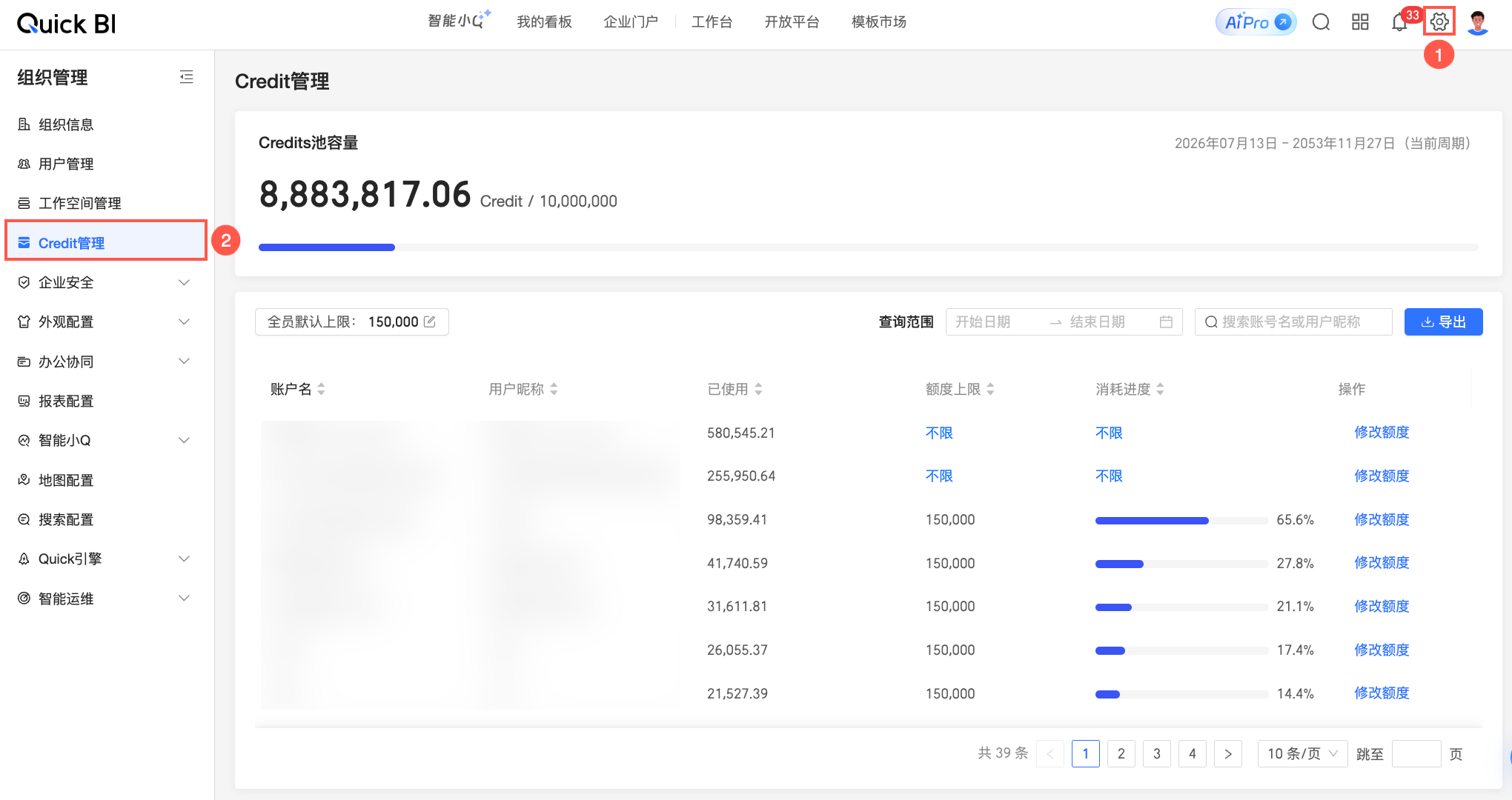
Go to the Organization Management page and select Credit Management from the left-side navigation pane.
Instructions
The Credit Management page displays the total capacity and remaining balance of your organization's Credits pool for the current billing cycle, and a breakdown of each user's quota and usage. As an organization administrator, you can monitor overall Credit consumption and individual member usage in real time, and manage member quotas to ensure reasonable resource allocation and prevent misuse.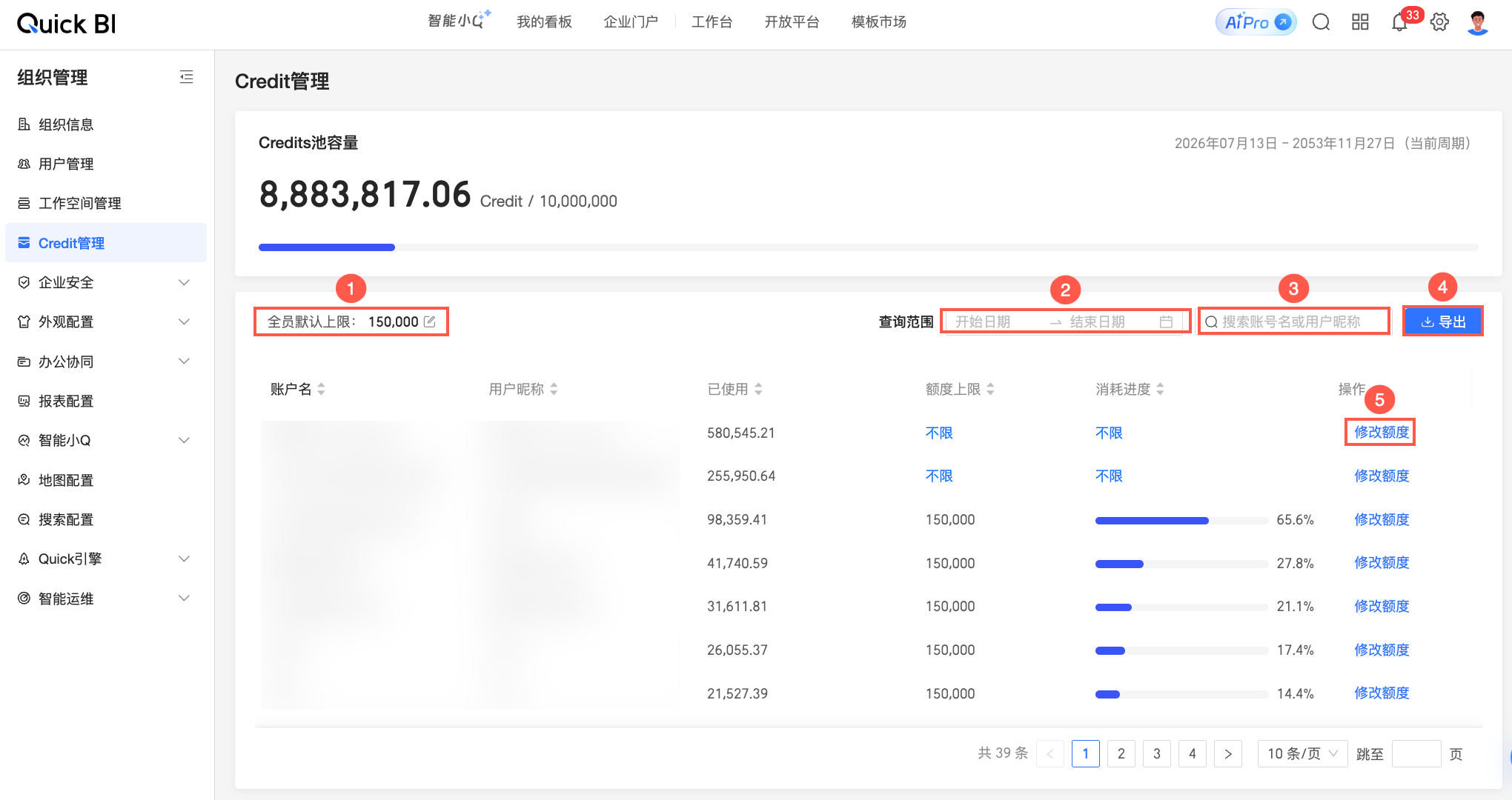
Actions | Description |
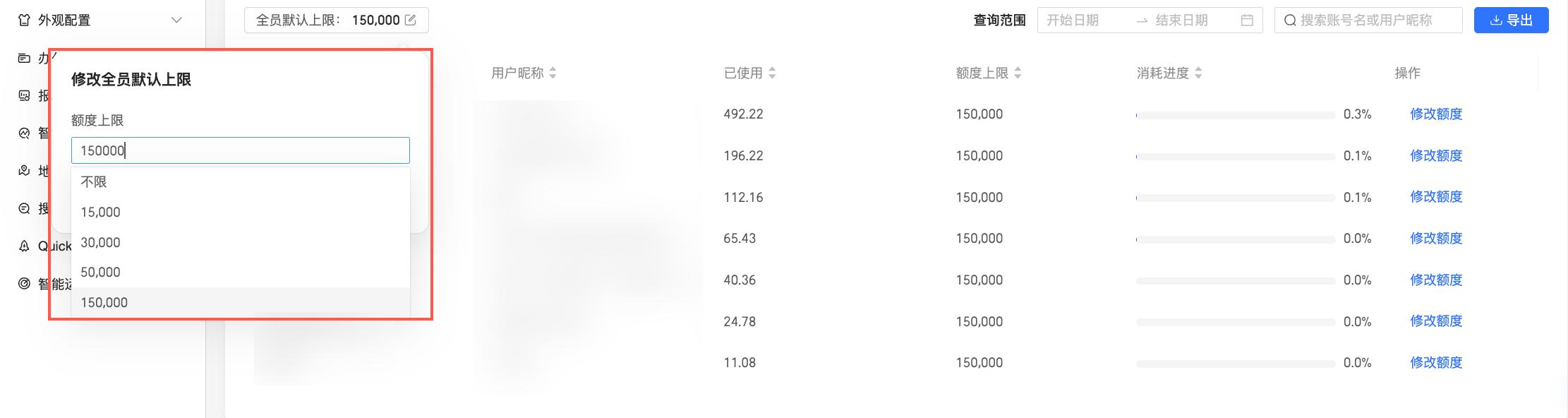
① Modify the default quota for all members | Click the
This change does not affect users who already have a custom quota. |
② Filter by date range | Filter statistics by a start date and an end date to view Credit consumption within a specific period. |
③ Search by keyword | Enter an account name or user nickname in the search box to quickly locate a specific user. |
④ Export data | Click the Export Data button to download a detailed Credit usage report for the current billing cycle as an Excel file. The report includes account names, Credits used, and quota limits. |
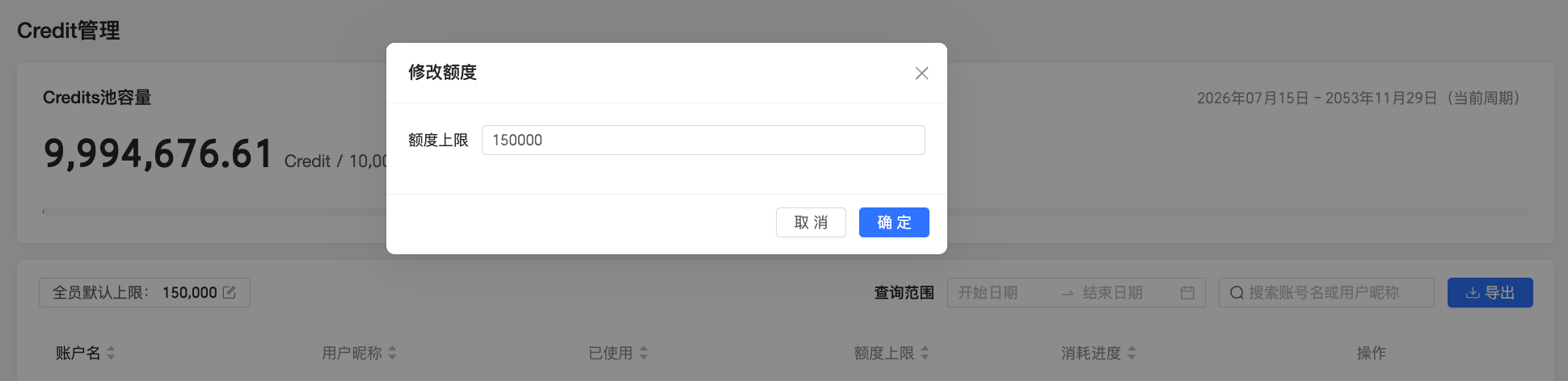
⑤ Modify an individual quota | To adjust a member's Credit quota, click Modify Quota in the Actions column for that user. In the dialog box that appears, enter a custom value. |
 icon to set the default quota limit for all members. The default setting is Unlimited. You can select a preset tier or enter a custom value based on your needs.
Related operations
View personal usage
As a business user, you can view your own Credit usage. On the AIPro page, hover over your profile picture in the upper-right corner and click Usage Overview from the drop-down list. A dialog box appears, showing your Credit usage and remaining balance for the current billing cycle.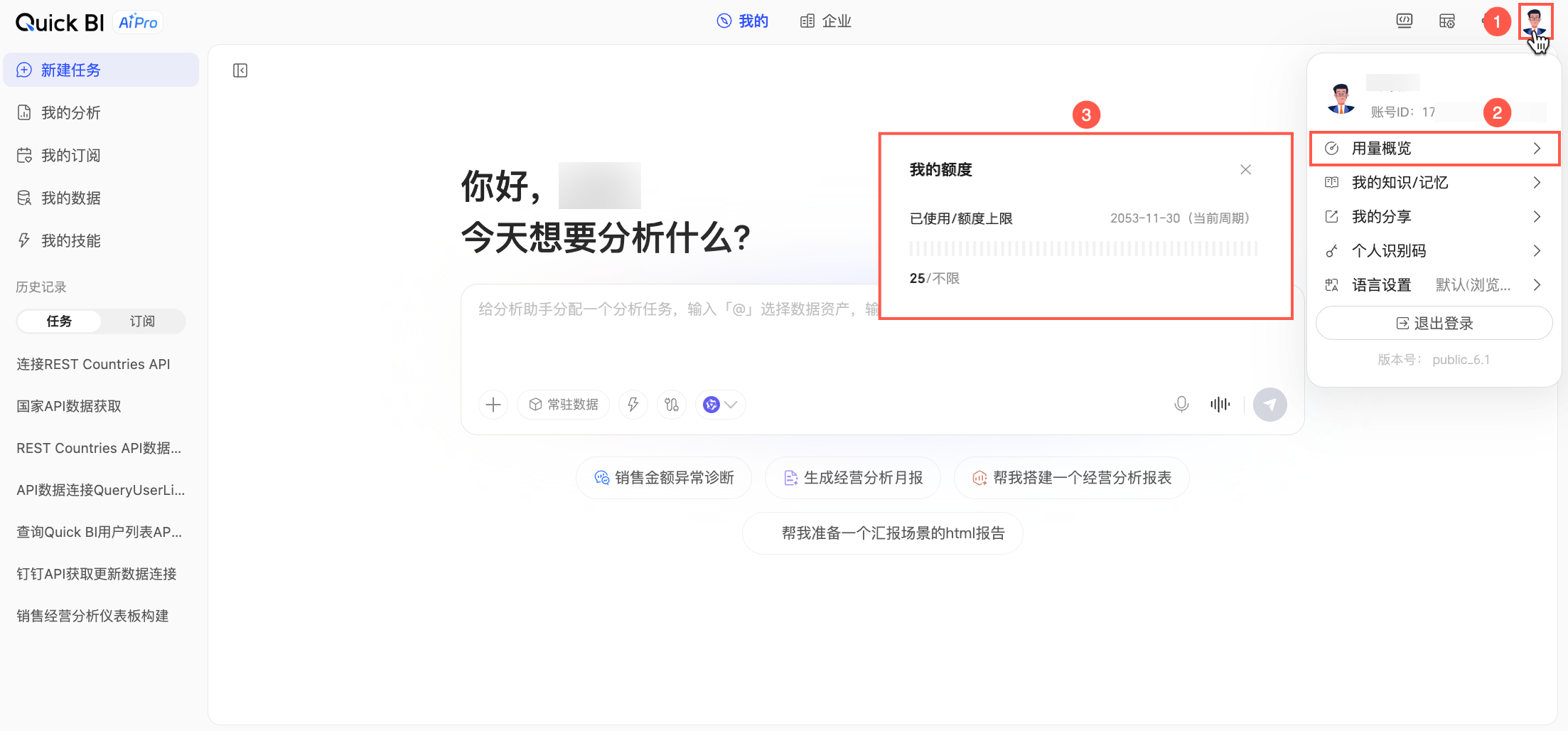
View audit log
On the Intelligent O&M > Audit Log page, the Credit Quota tab records the history of all Credit configuration changes within your organization. An organization administrator can use this log to trace the time, target, change type, and value of each quota adjustment. This helps you audit Credit allocations for compliance and investigate issues from improper configurations.
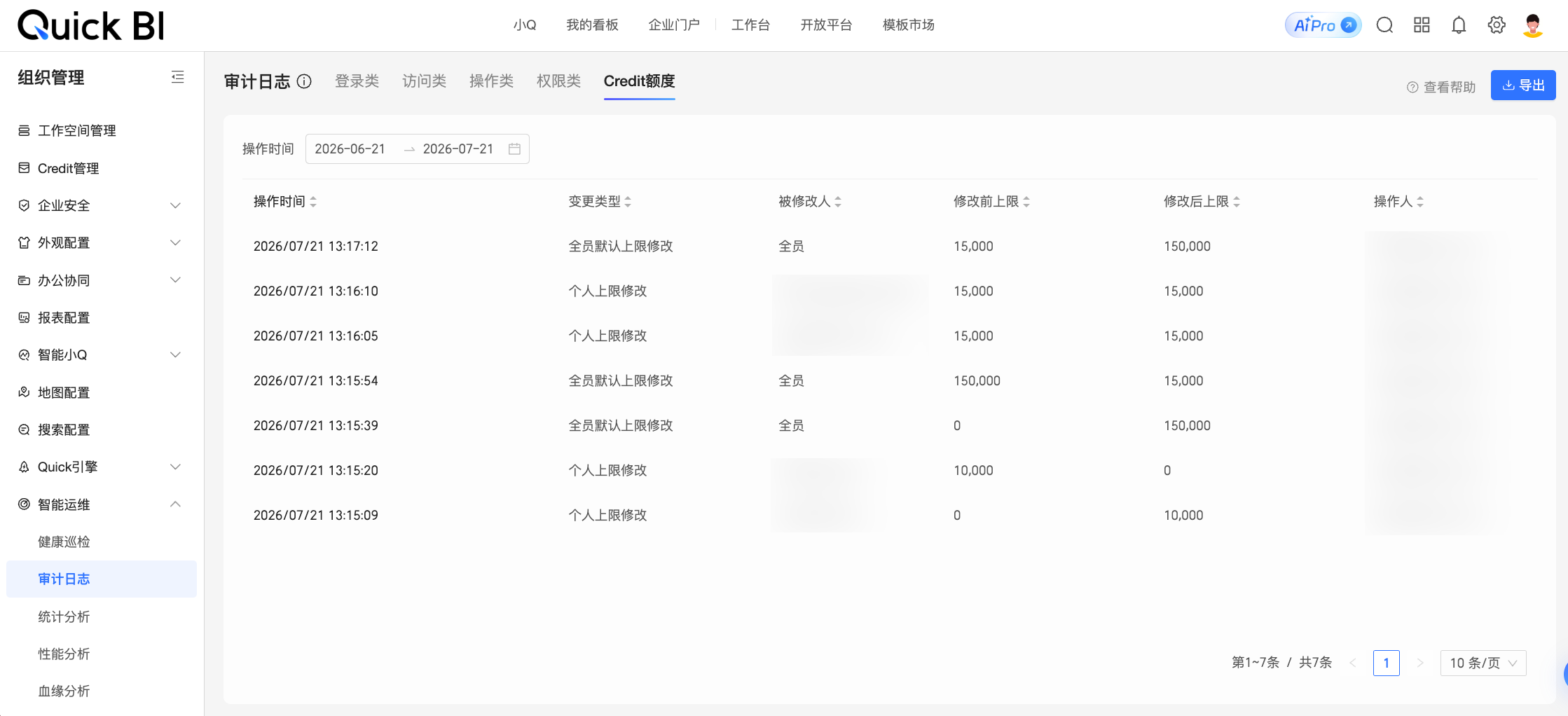
From here, you can:
Filter the operation history by a date range to find specific quota adjustment records.
Export the operation records as an Excel file for offline analysis or archiving.