Delete ECS Instances
After you purchase or import an ECS instance, you can delete it or remove it from a workspace. This topic describes how to delete Elastic Compute Service (ECS) instances in the console.
Prerequisites
Ensure that the ECS instance you want to delete is not in use by the system.
Procedure
Log on to the Resource Management console.
In the navigation pane on the left, click Compute & Network > ECS.
Delete one or more ECS instances.
To delete a single instance: Find the instance that you want to delete, click More > Delete in the Operations column, and then click OK in the confirmation window.
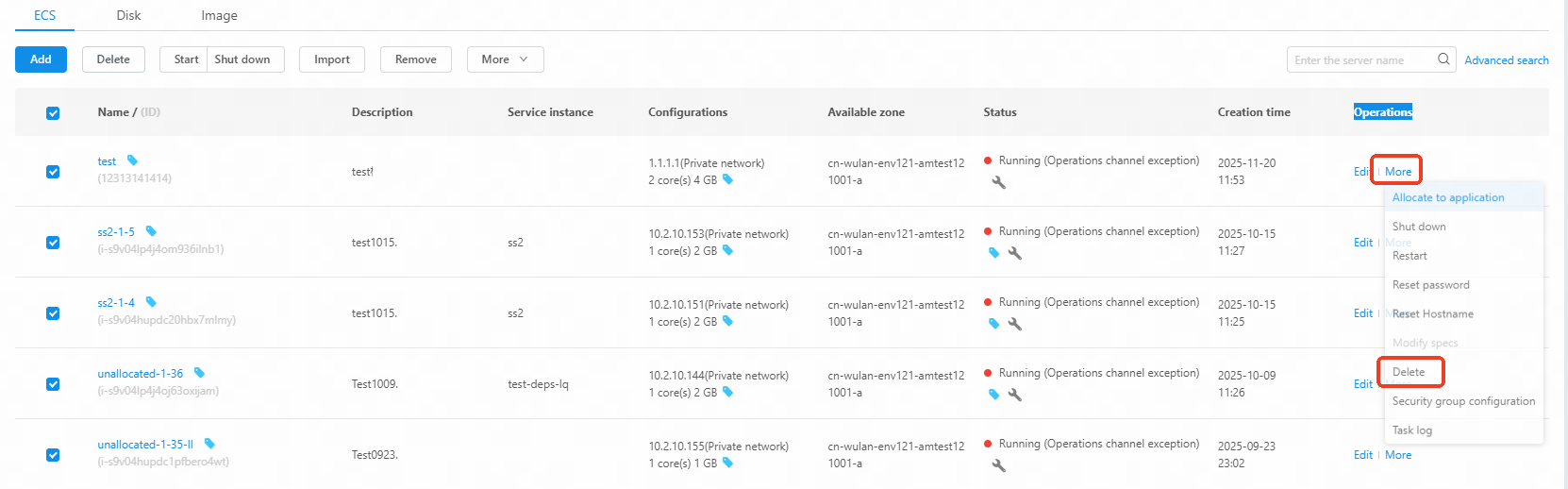
To delete multiple instances: Select the instances that you want to delete, click Delete above the instance list, and then click OK in the confirmation window.
After an instance is deleted, it is removed from the instance list and billing stops.