Data annotation
In addition to creating a dataset from a JSON file, you can use our annotation platform if you do not have annotated data. The following example demonstrates how to use the annotation platform. In the project that you created, select Create Annotation Task.
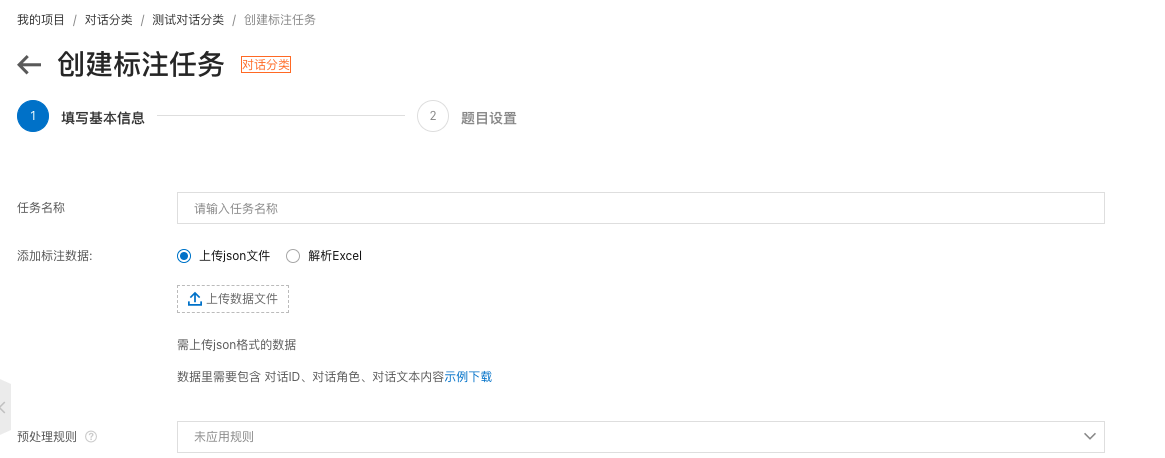
Upload the file in JSON format. For details about the required format, refer to the previously mentioned preset test dataset. Then, click Next.
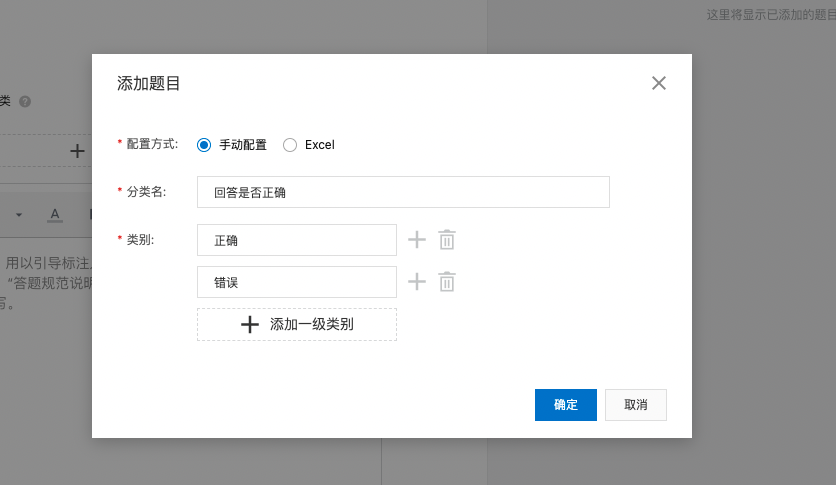
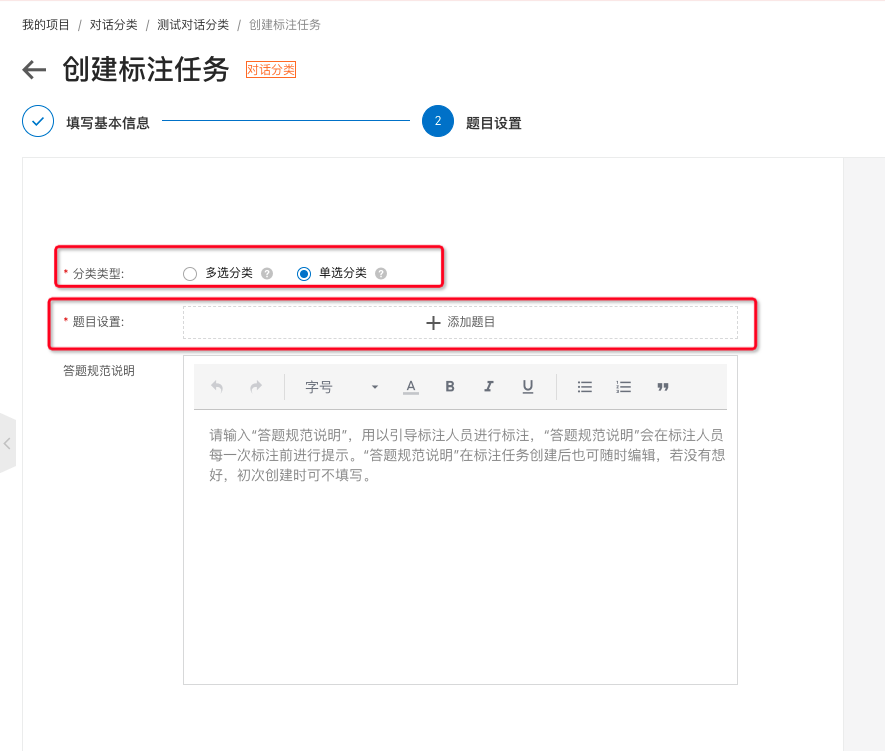 Set the classification type to Single-choice classification because this classification task allows only one label for each item. Click Add Item. The following screen appears.
 Return to the data center and click Annotate to begin annotating the data. After the annotation is complete, you will have an annotated dataset.
After the dataset is created, the model can begin training. The model's knowledge is derived entirely from the dataset that you provide. It has no prior knowledge. All judgments that the model makes are based on what it has learned from the training dataset. Therefore, it cannot make a judgment about data it has not seen before. For example, if your training set contains only Chinese data, the trained model cannot accurately recognize English data. As another example, if your training data only has 'Correct' and 'Incorrect' labels, it will not output 'Uncertain' for ambiguous data. This is because the model has been trained on only the 'Correct' and 'Incorrect' classes. Regardless of the text you input, the model can only choose between these two options.