Create and send calendar events to schedule meetings with attendees.
1. Click Calendar > New Event.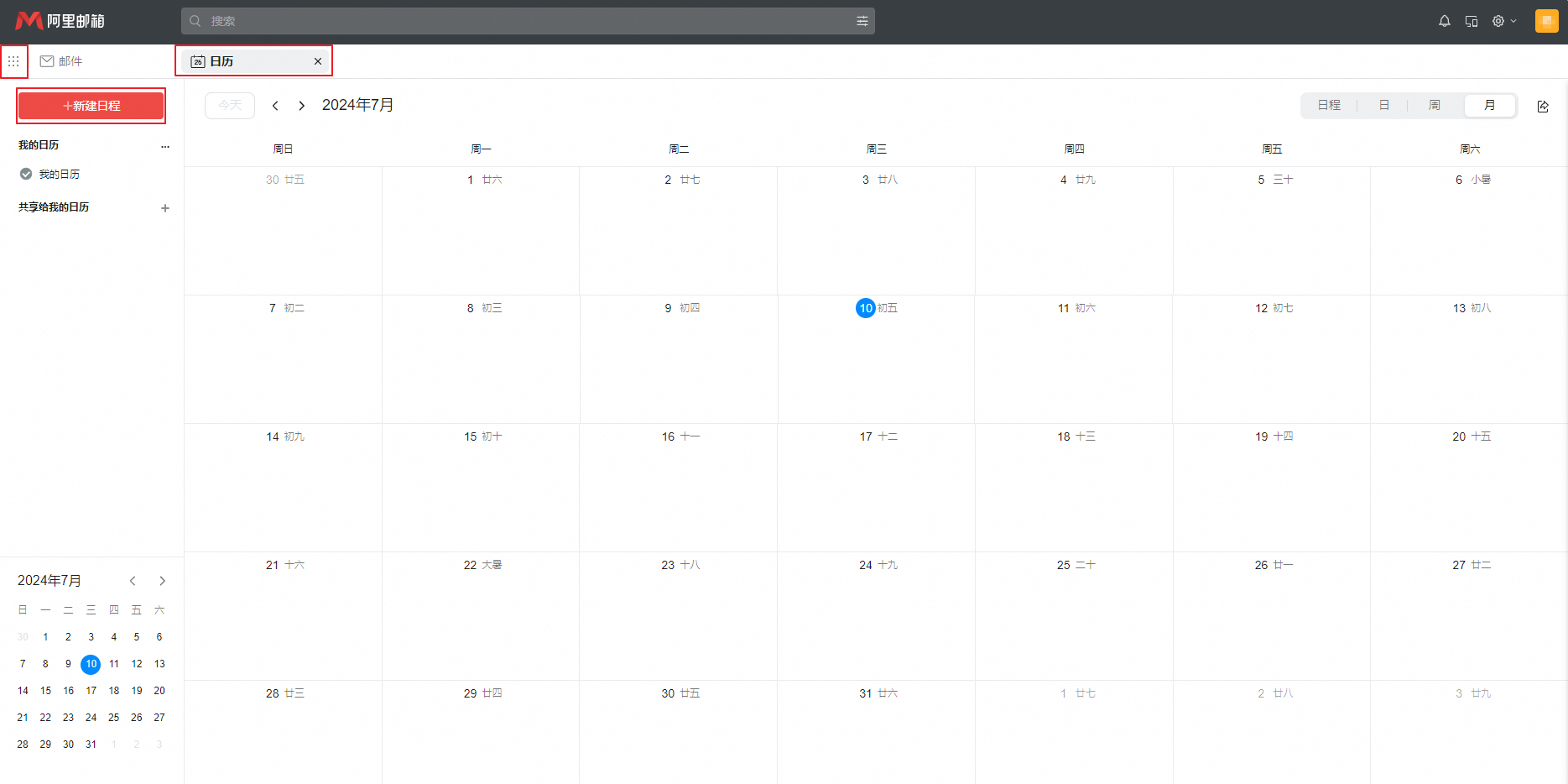 2. Enter the required and optional attendees, meeting room, subject, location, and time. Optionally, set a reminder. For recurring meetings, click Set recurring rule to set the frequency. Click View attendee schedule to check availability. Enter a meeting summary and click Send Meeting.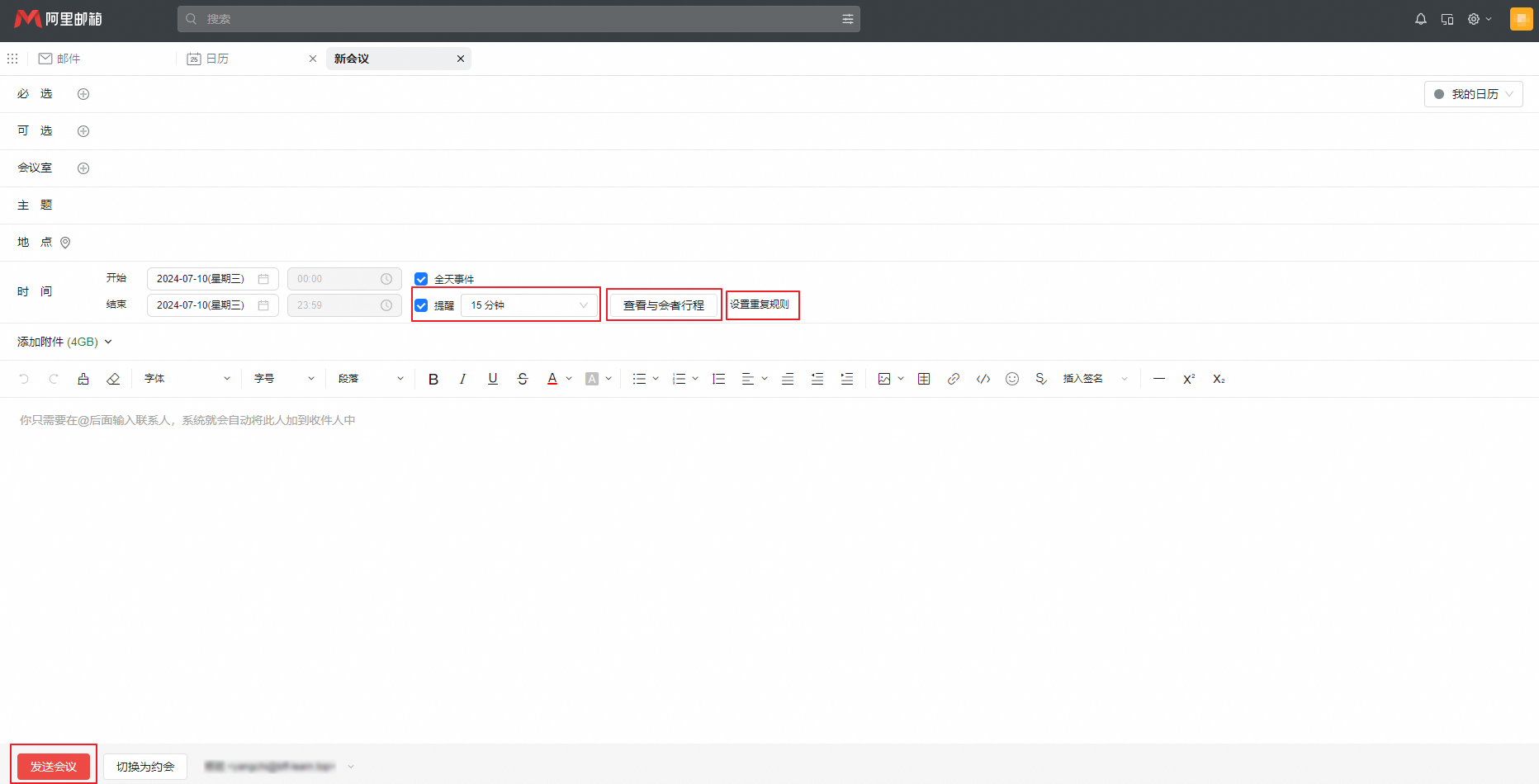
If the issue persists, click Feedback at the bottom right of this page, describe the issue, and provide your email address.
该文章对您有帮助吗?