Differences between regular and large attachments
Alibaba Mail offers two methods to send attachments: regular attachments and large attachments.
The following sections describe the differences between them:
1. Attachment size
Regular attachments: The maximum size is 60 MB. Because the upload process increases the data size, keep regular attachments under 30 MB.
Large attachments: A single large attachment in an email cannot exceed 4 GB. You can upload multiple files, each under 4 GB, in a single email. However, the total size of all files cannot exceed the remaining free space in the Large Attachment Drive.
2. How to upload
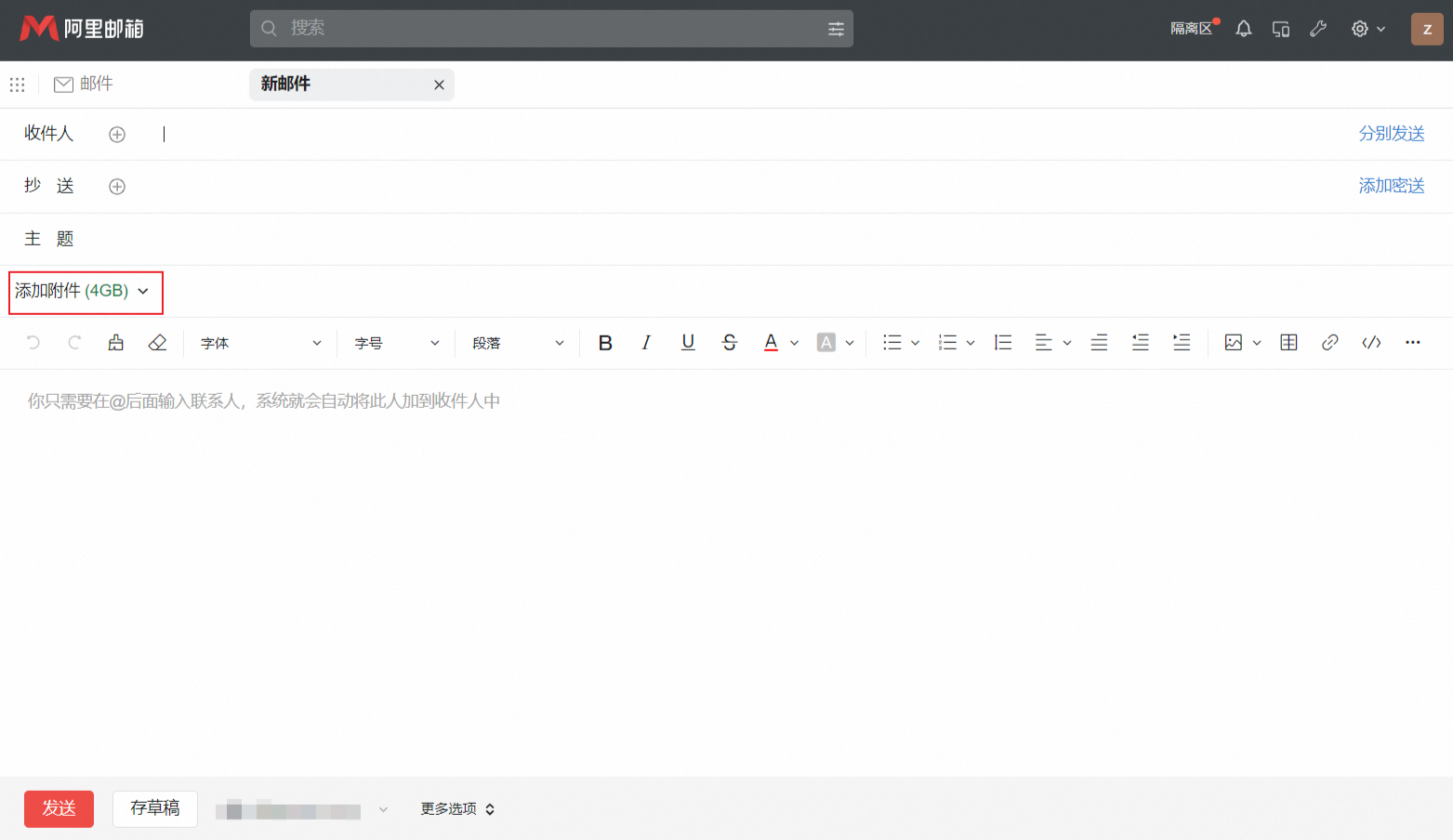
Regular attachments: On the compose email page, click the Add Attachment button and select a file to upload, as shown in the following figure.
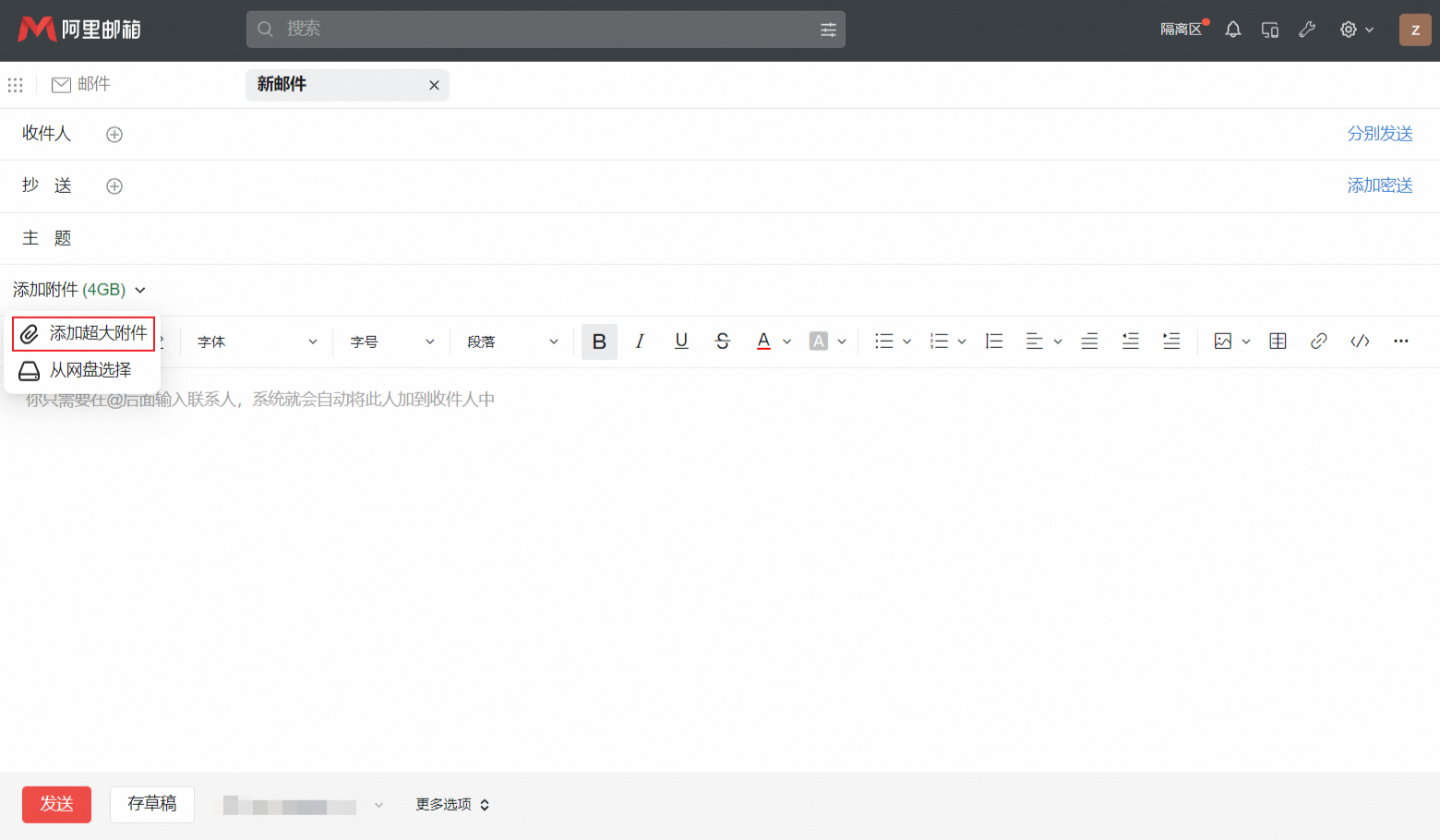
Large attachments: Click the drop-down arrow next to the Add Attachment button and select the option for large attachments, as shown in the following figure.
3. Attachment appearance
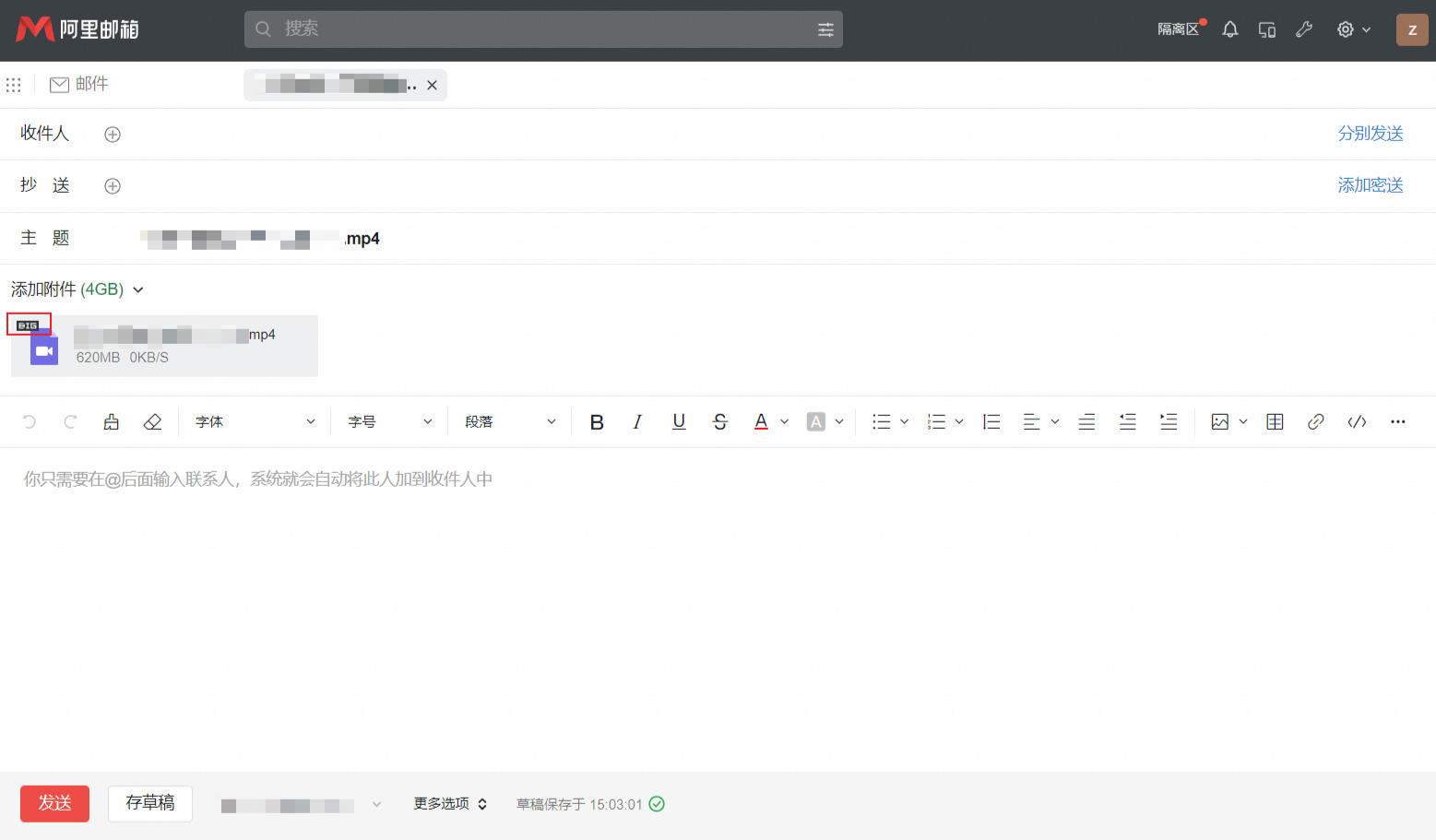
If a file has a "BIG" label in its upper-left corner, it is a large attachment. If there is no label, it is a regular attachment.
Note: The "BIG" label is not related to the file size. It only indicates that the file was uploaded as a large attachment.
4. Storage duration
Regular attachments are stored in the email. The attachment remains available as long as the email is not deleted.
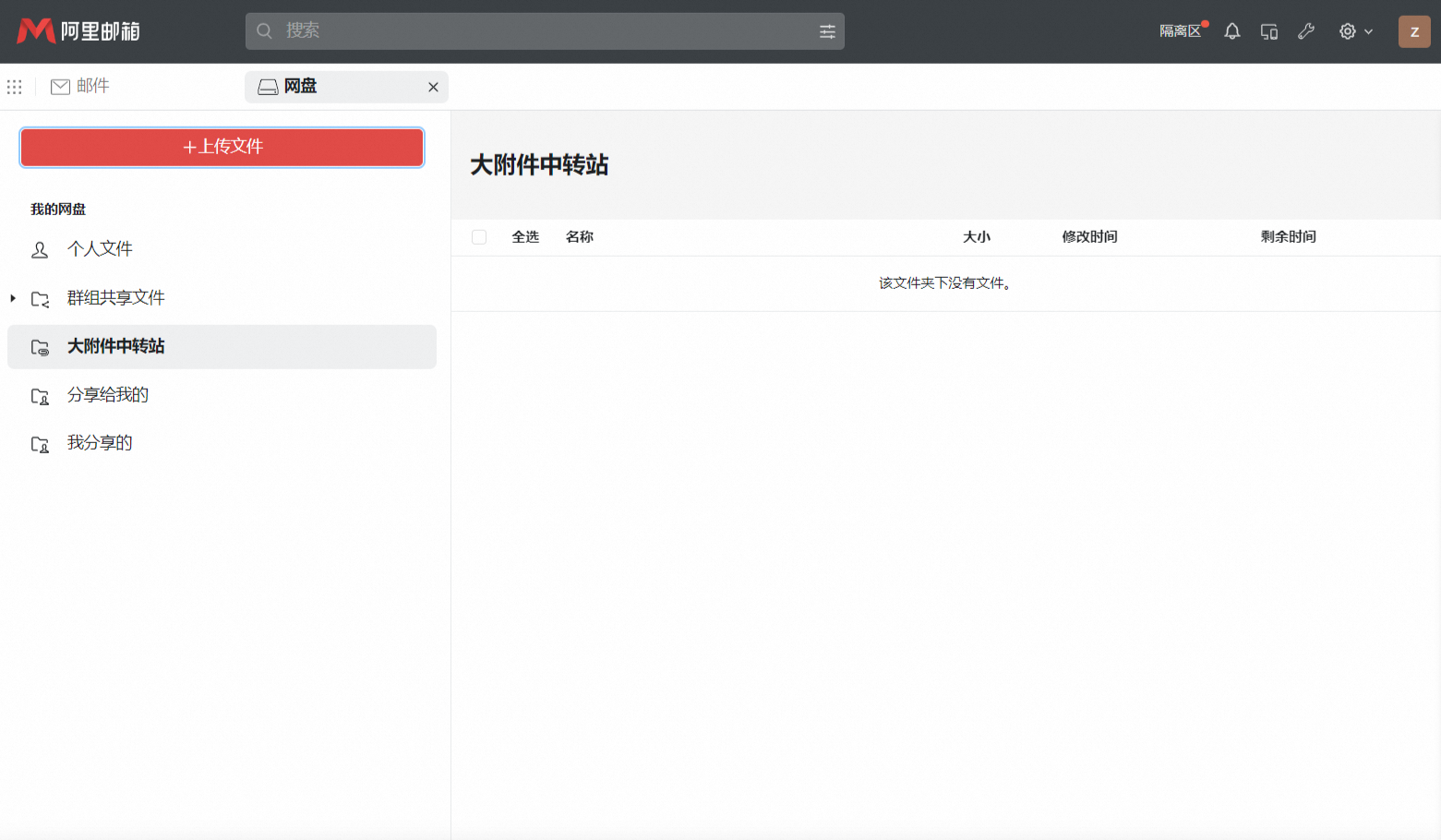
Alibaba Mail stores large attachments in the Large Attachment Drive for a maximum of 30 days. This 30-day retention period applies to both the sender and the recipient. After the retention period expires, Alibaba Mail automatically deletes the files, and you cannot recover them. Email clients such as Foxmail and Outlook do not automatically download large attachments, so the recipient must manually download and save the files within 30 days.
FAQ
An administrator can enable or disable the large attachment feature. You can use this feature only if it is enabled by an administrator.
