Manage folders and tags
Updated at:
Use folders and tags to organize your emails in Alibaba Mail.
Folder management
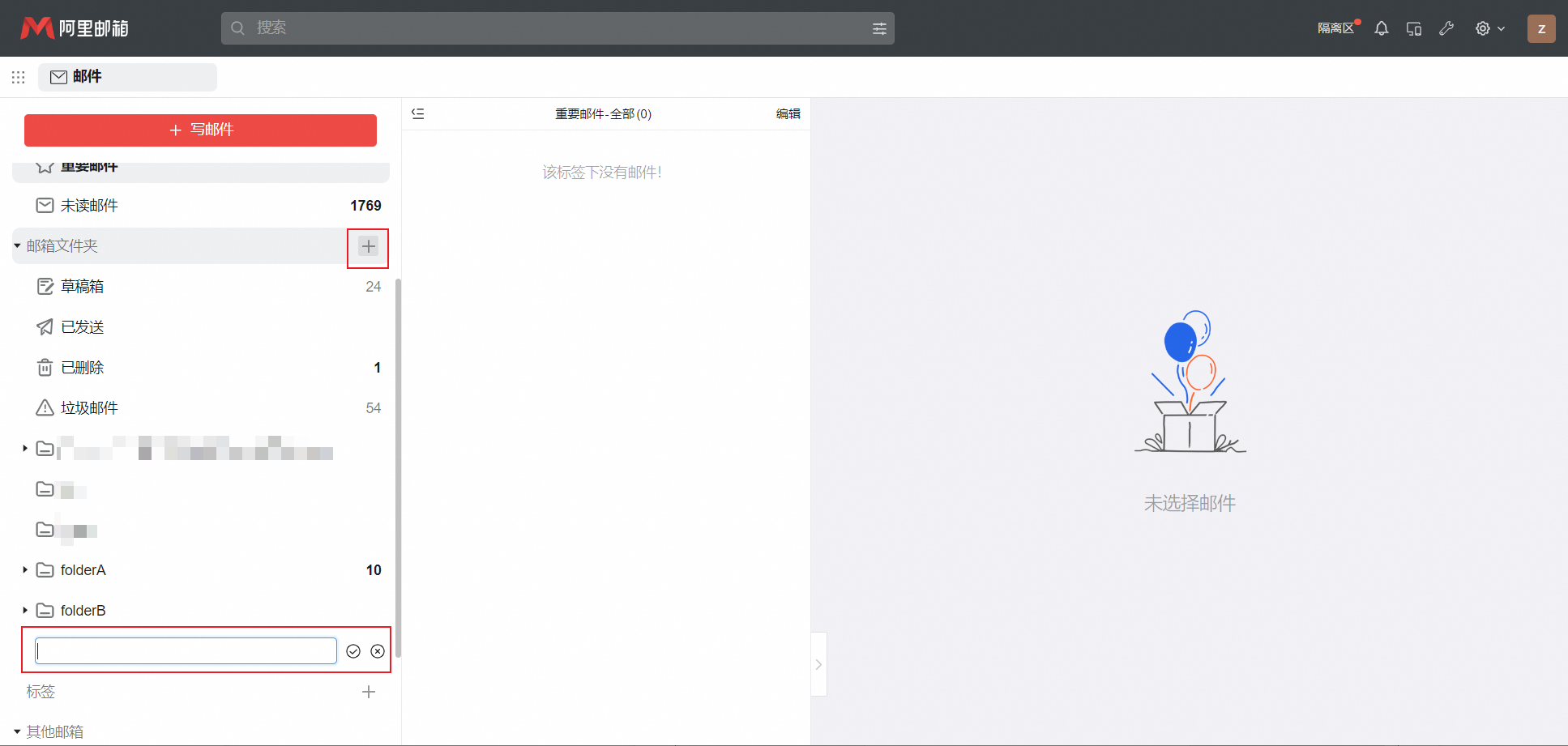
1. Log on to your mailbox. In the left navigation pane, click Mail, and then click the + icon next to the mail folders. Enter a folder name and save.
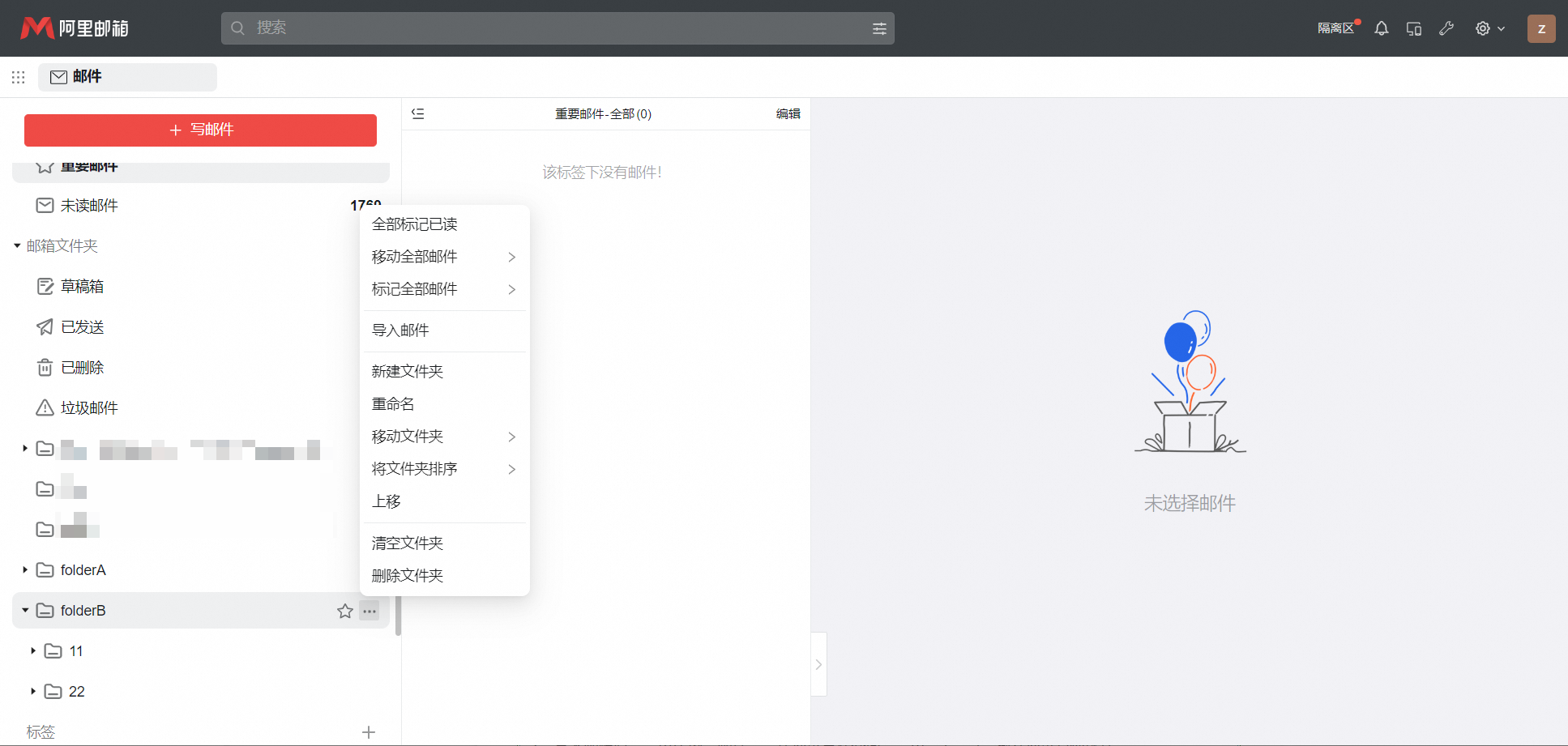
2. Click the options icon next to a folder to create a subfolder, rename, empty, delete, move up or down, or mark it.
Tag management
1. Log on to your mailbox. In the left navigation pane, click Mail, and then click the + icon in the Tag Management section. Enter a tag name and save.

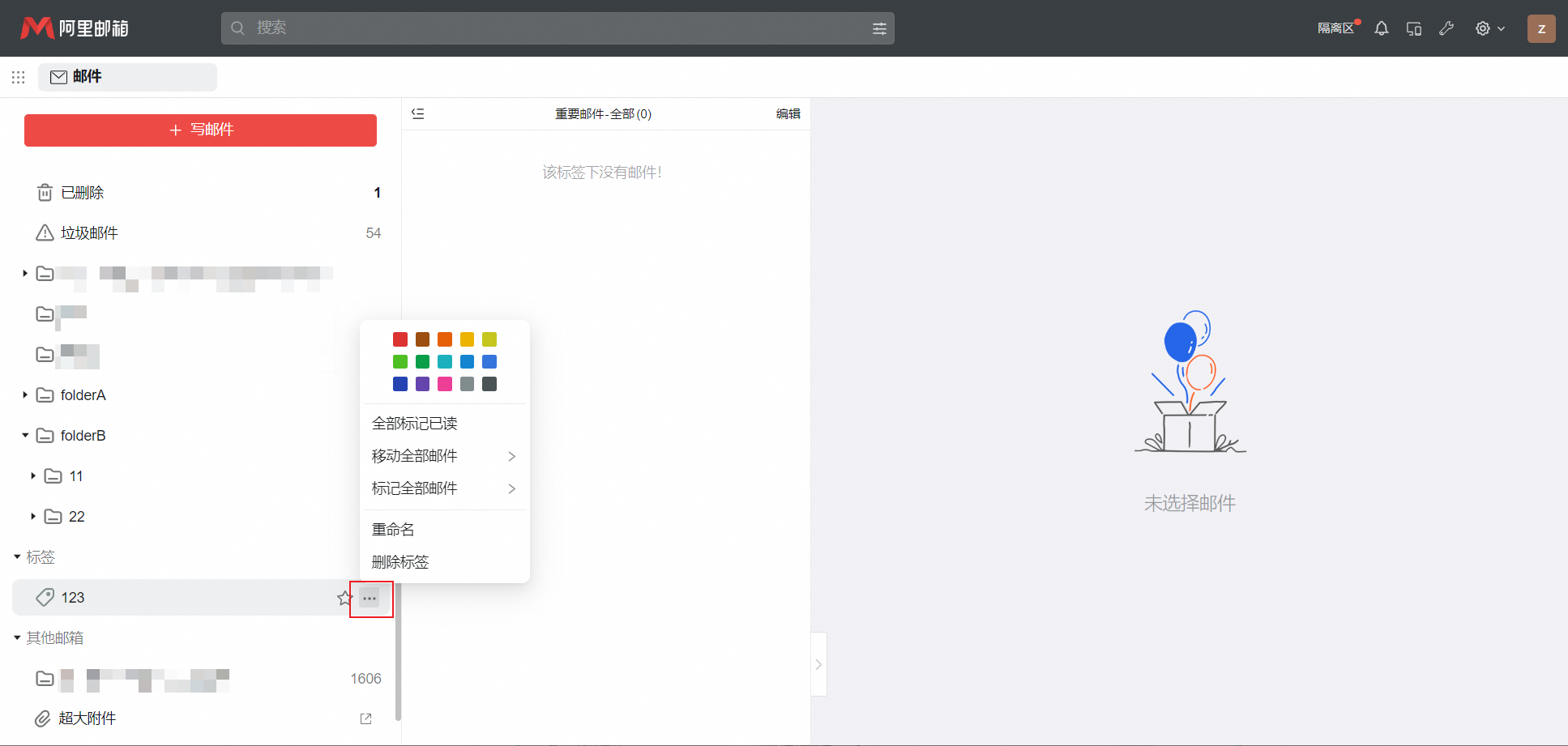
2. Rename, delete, or change the color of any tag you created.
Is this page helpful?