Create and cancel meeting invitations in Alibaba Mail
Create and cancel meeting invitations from the Alibaba Mail Webmail client. Both tasks are performed on the Calendar page.
Prerequisites
Access to Alibaba Mail Webmail.
To add a meeting room to a meeting invitation, an administrator must create meeting rooms in the management console in advance.
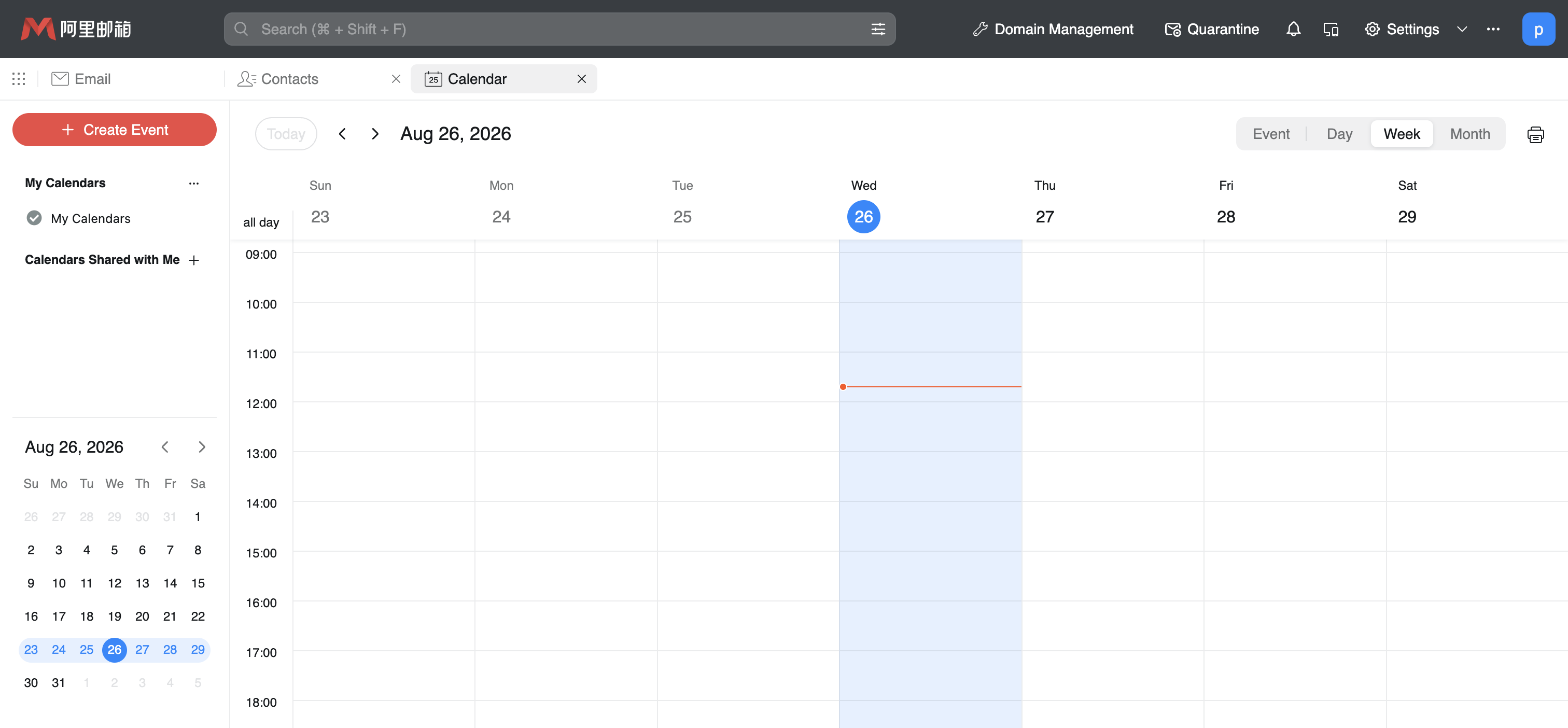
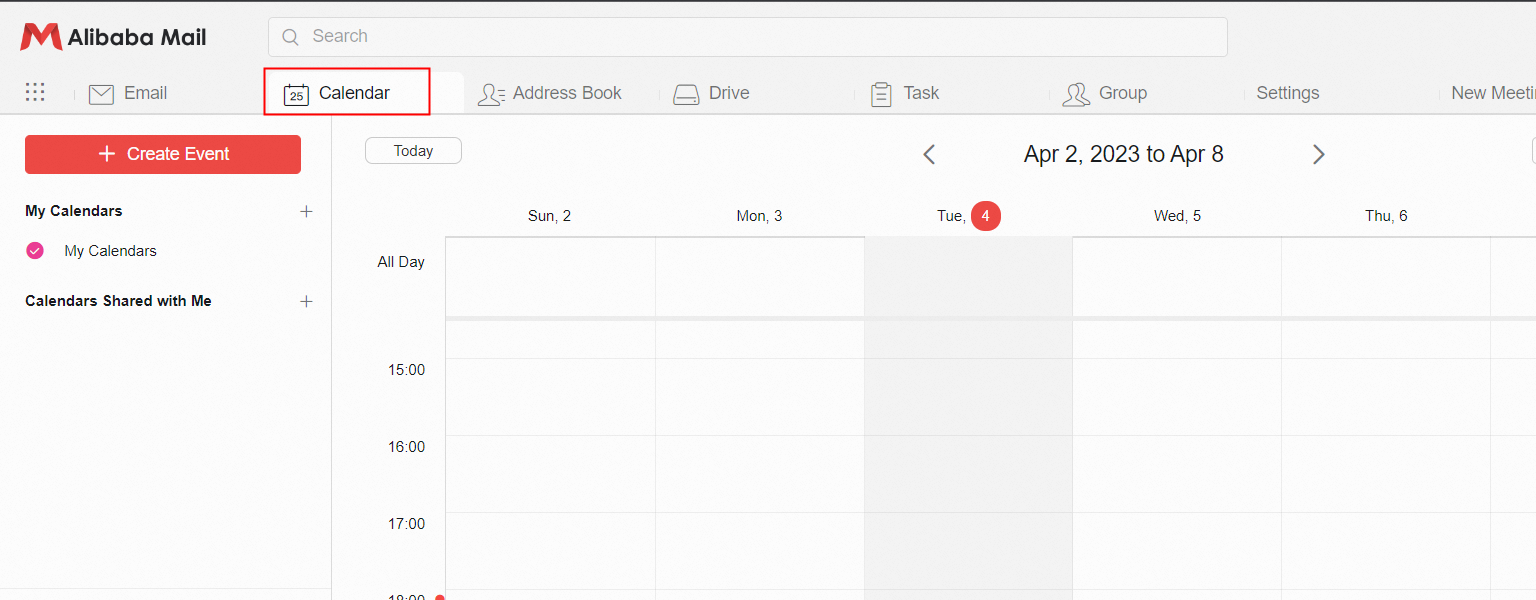
In Webmail, click the Calendar icon in the upper-left corner to go to the Calendar page.
Create a meeting invitation
On the Calendar page, create a meeting by using one of the following methods:
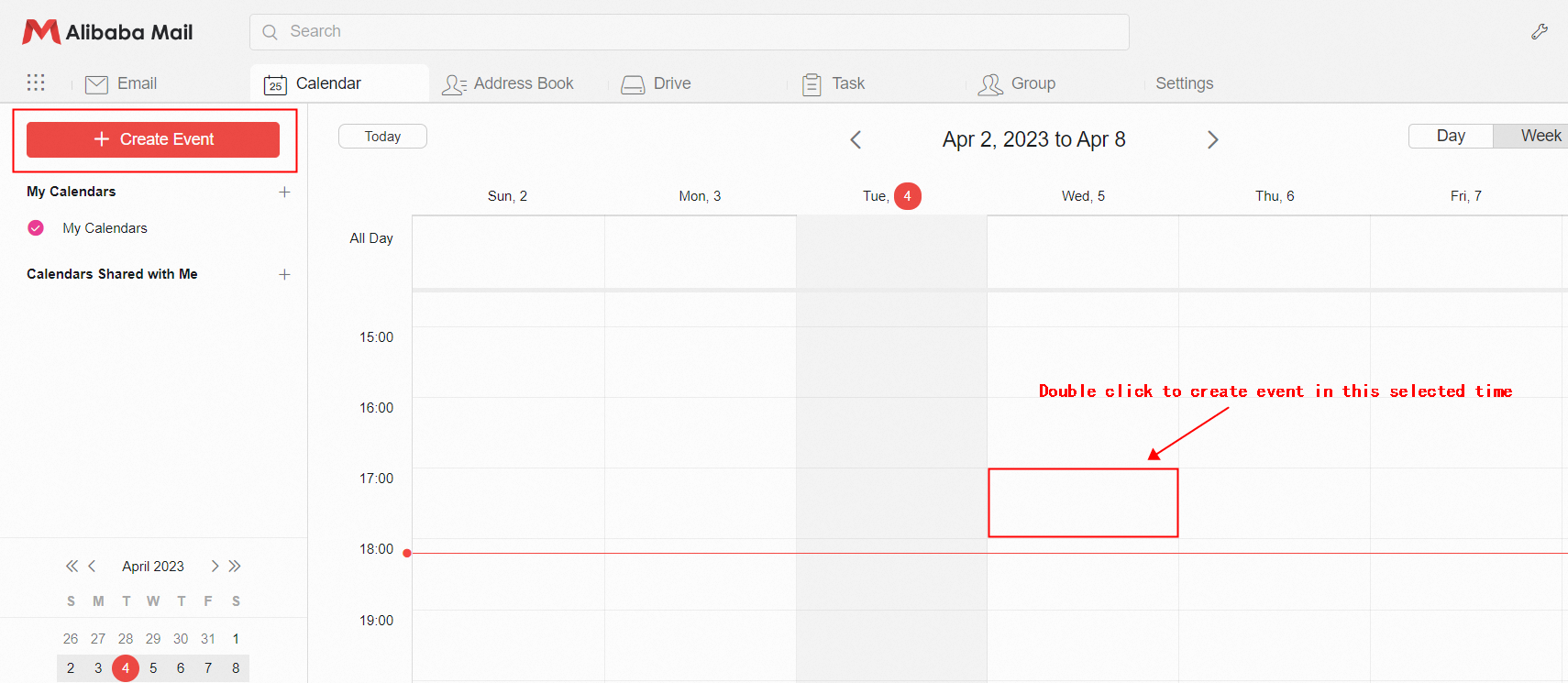
Start a meeting at the current time — Click New Event in the upper-left corner.
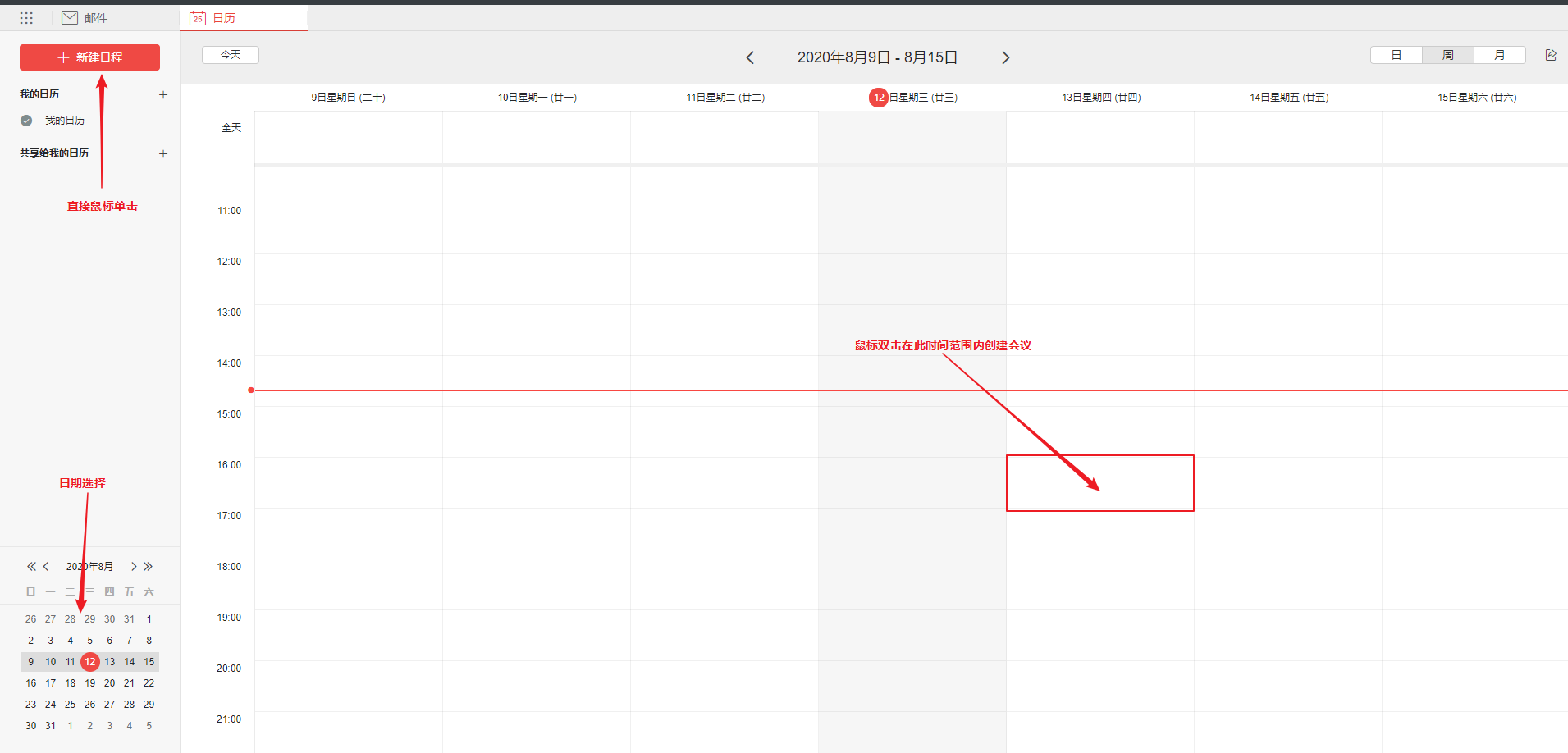
Schedule a meeting for a specific time slot — Double-click a blank area of the calendar to create a meeting for the time slot that you select.
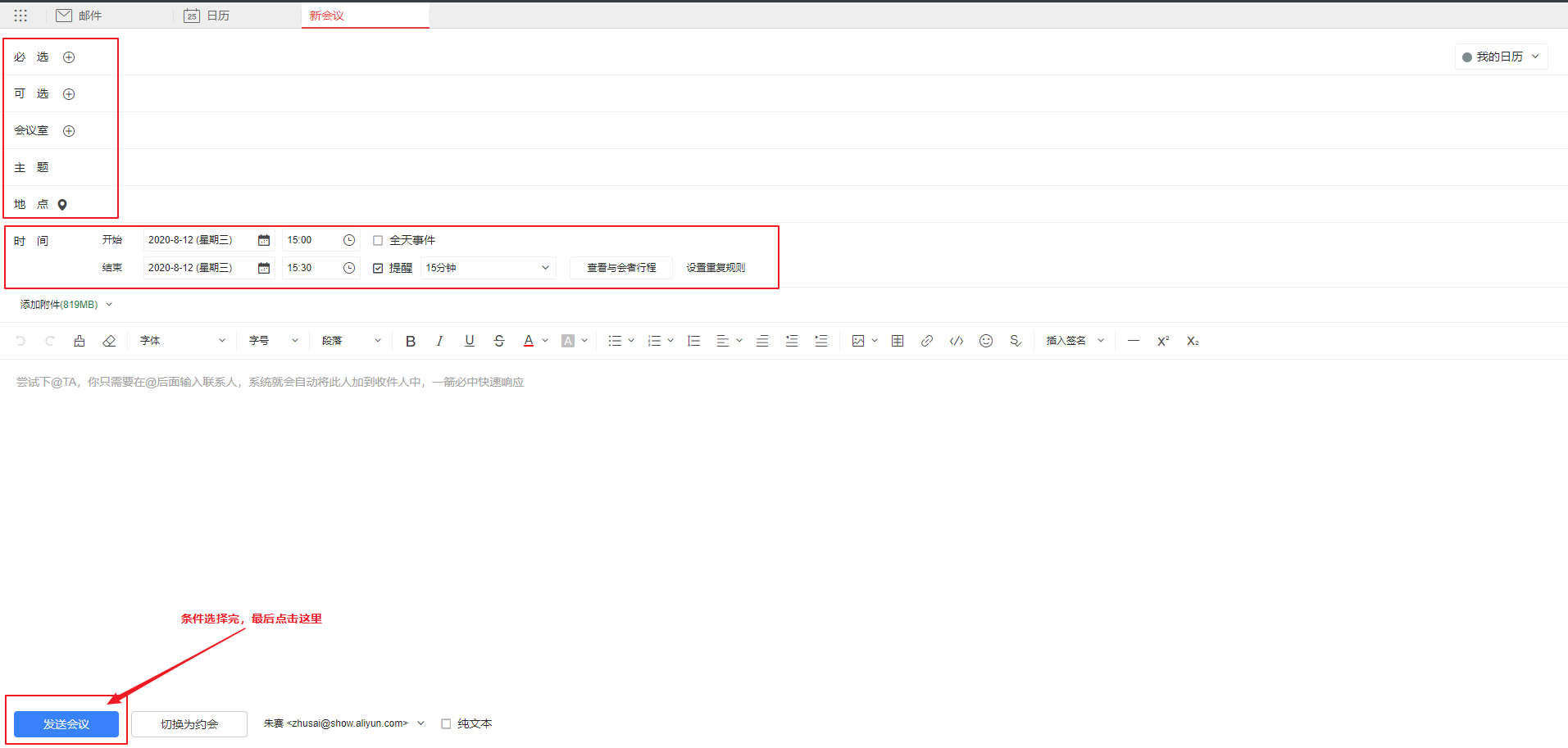
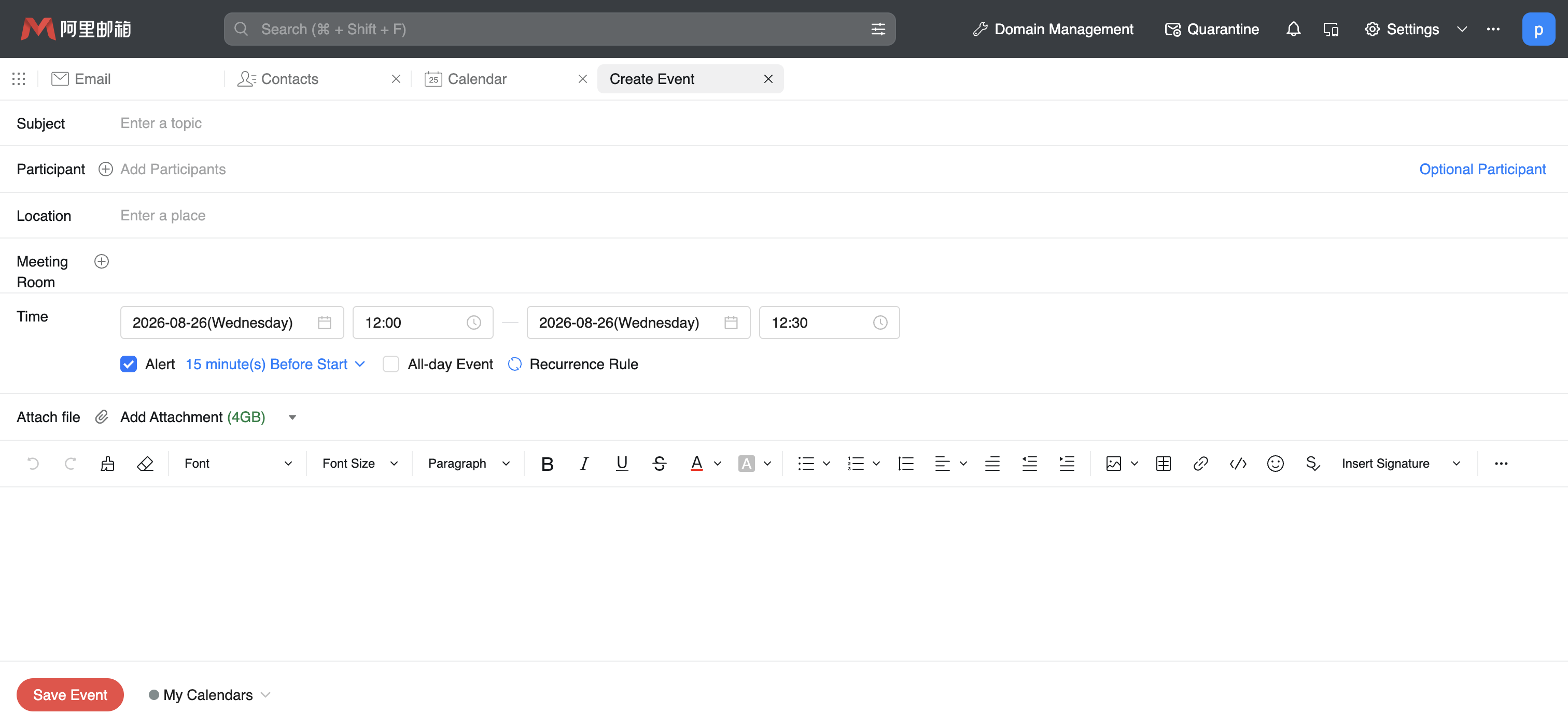
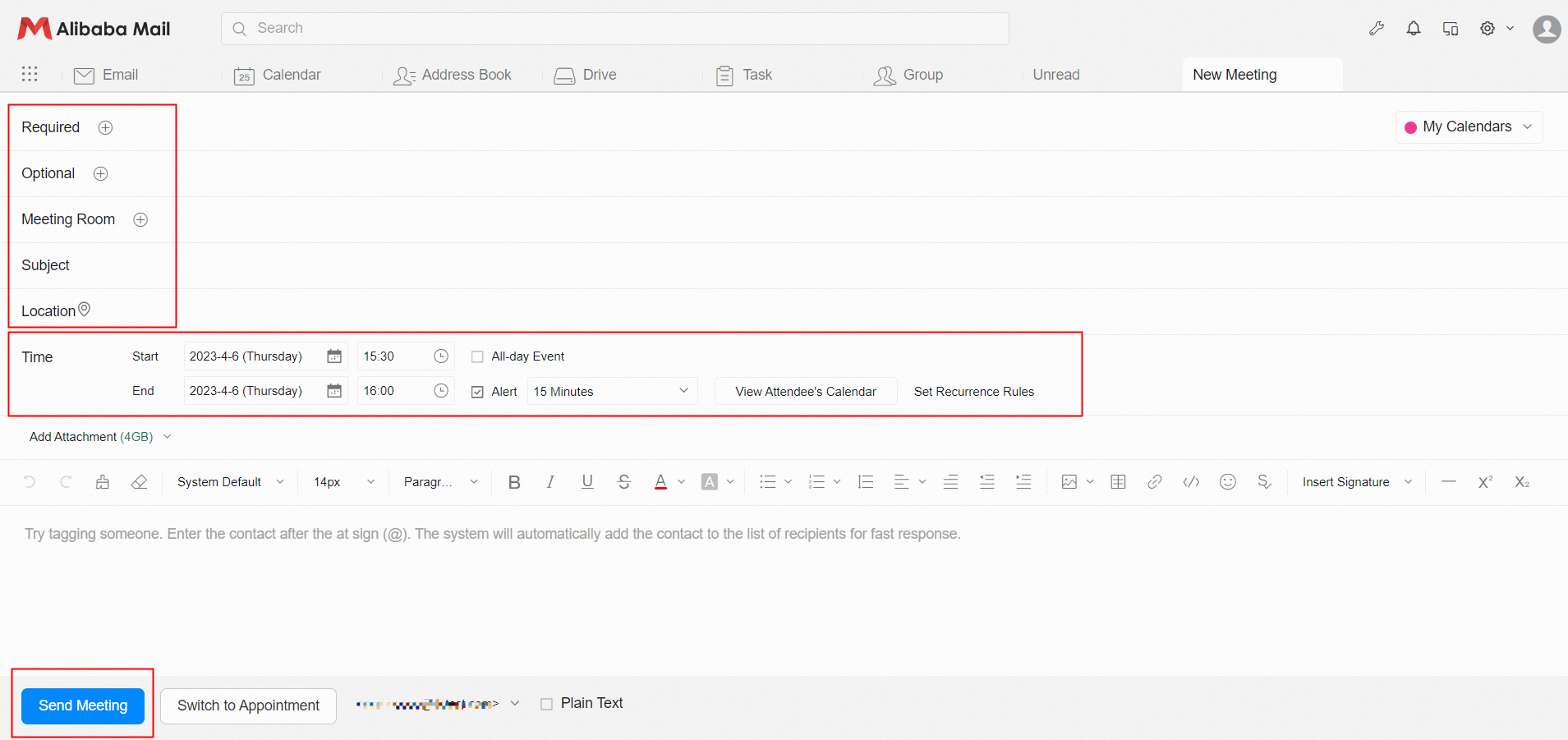
Specify the meeting information in the following order:
Recipient address (required)
Meeting room
Subject
Location
Time
Meeting content
Click Send Meeting.
Cancel a meeting invitation
On the Calendar page, click the meeting that you want to cancel.
Click the cancel meeting icon.
After you cancel the meeting, all attendees are notified.
The canceled meeting is displayed with a strikethrough, and this status is synchronized to the attendees.
You can delete a meeting only after it is canceled. The deletion applies only to your own mailbox and does not remove the meeting from the mailboxes of other attendees.