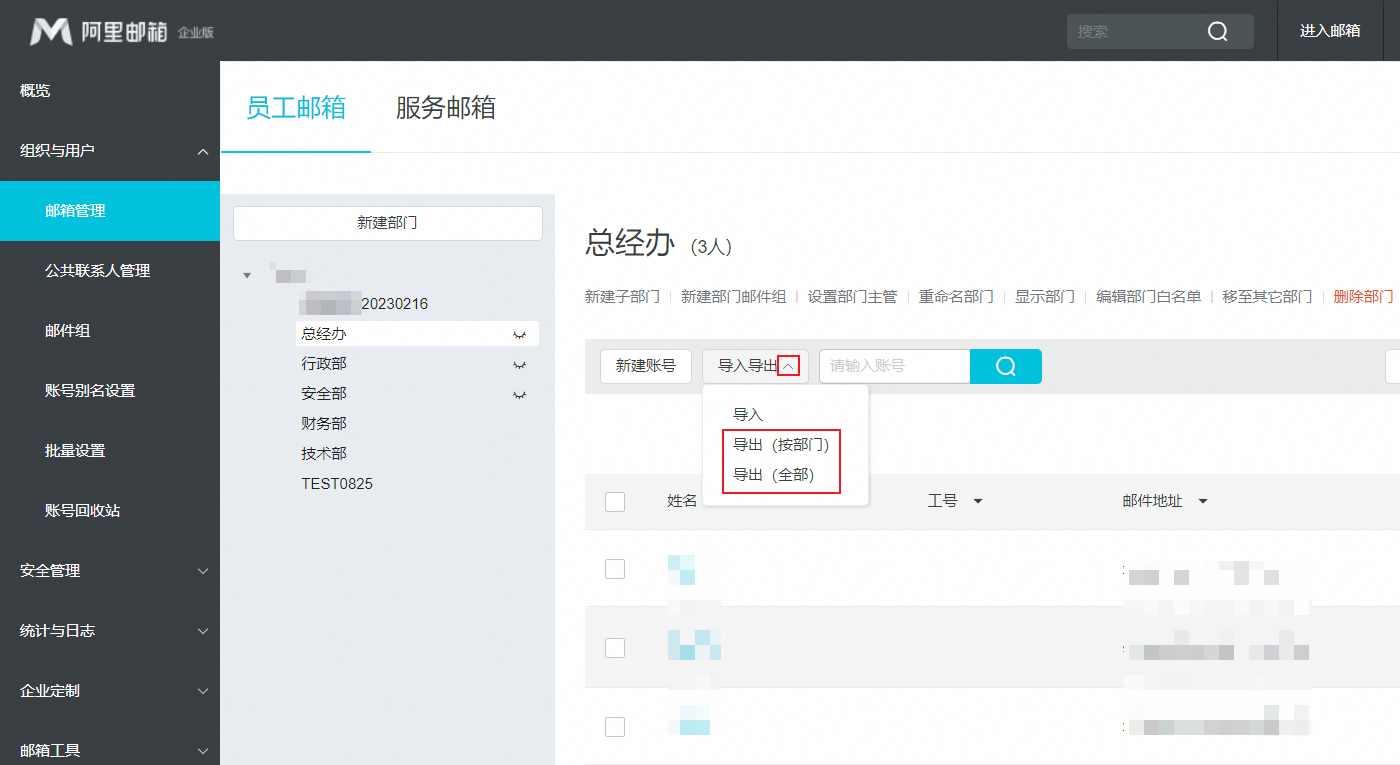
Export dynamic email group members
Export the member list of a dynamic email group by exporting accounts from the associated department.
A dynamic email group includes all members from its associated department. To create one:
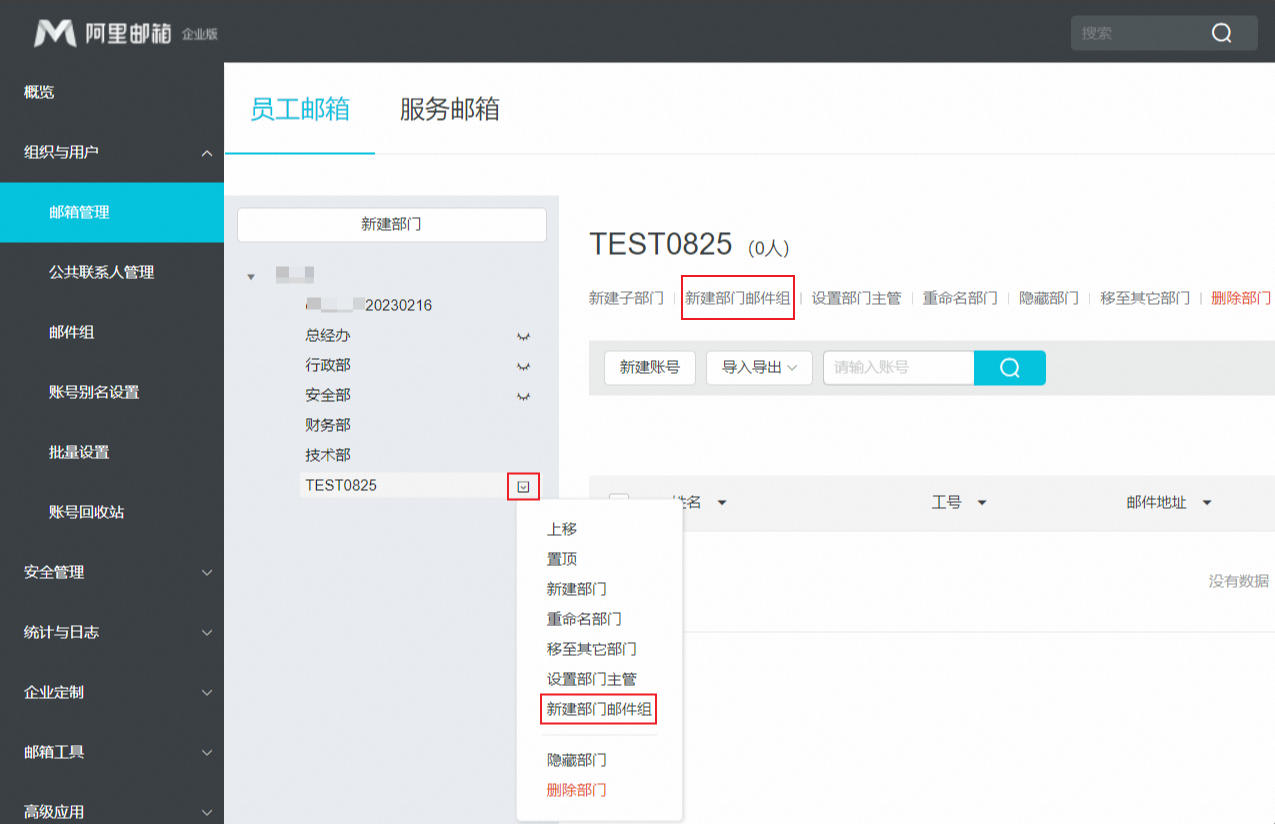
1. Select the department where you want to add a department email group. Click the drop-down icon on the right and select New Department Email Group. Alternatively, select the department and click New Department Email Group.
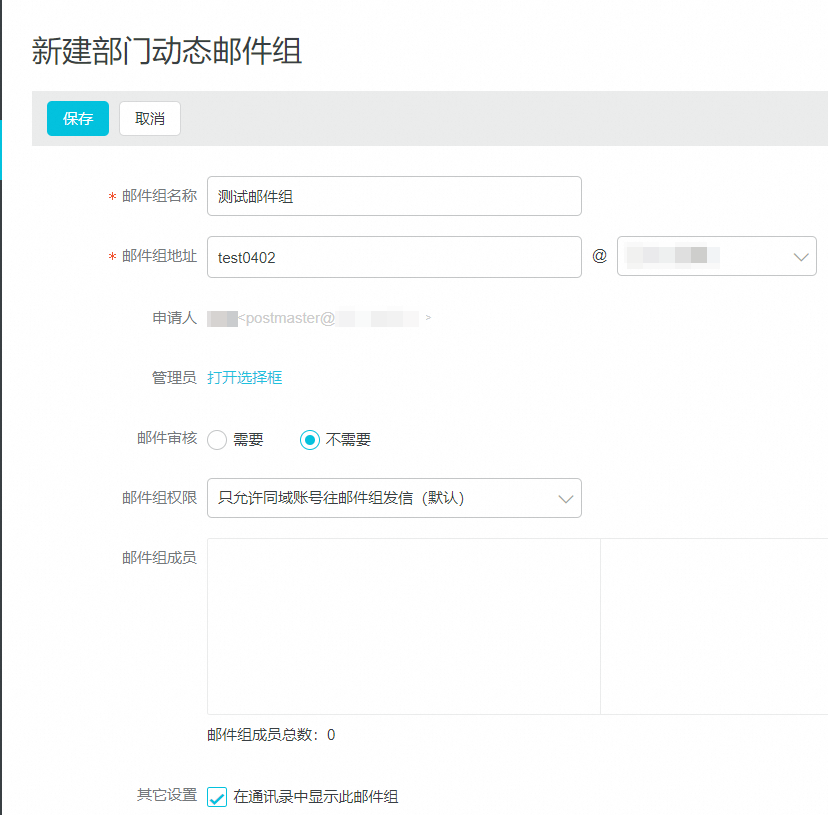
2. Edit the group name, address, and group permissions, then click Save.
3. Find the new department email group in the Dynamic Email Group list.
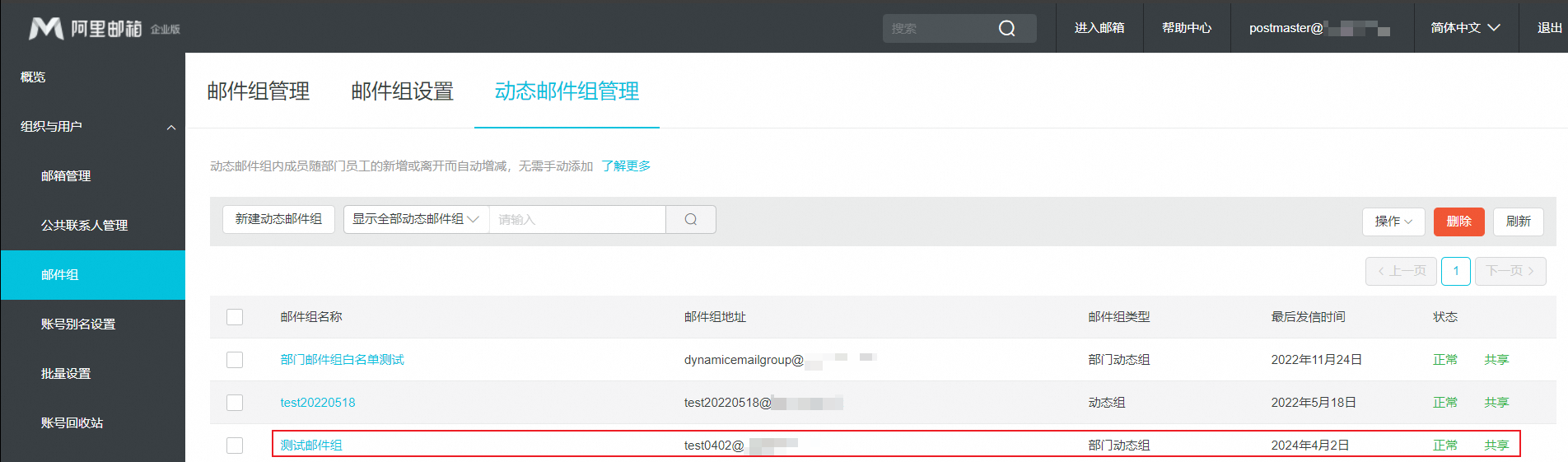
A dynamic email group is a department email group whose members are the employee accounts in the associated department.
To export the members of a dynamic email group, ask the mailbox administrator to export accounts from the associated department.
Select the department and click Export to download the mailbox account list.